Repository navigation
Options -> Graphics: every option as the original's, without a restart - #132
Closed
MortenLyhr wants to merge 6 commits into
Closed
MortenLyhr wants to merge 6 commits into
MortenLyhr wants to merge 6 commits into
Conversation


… OpenCiv4's own options on their own tab

The original keeps the player options in its player profile and sends them to the
active player at the start of every game, new or loaded (CvGame::sendPlayerOptions);
OpenCiv4 used the XML's defaults for a new game and the save's own after a load, and
never wrote them to profile.ini. Now Utility holds the profile's (profile.ini player.N),
a choice sent from the options screen goes into it and is written at once.

The options screen's check boxes get the theme's GFC_Control_StandardCheckBox_Style, as
the custom game screen's; W A S D, idle turns and edge scrolling move to an OpenCiv4 tab.

Co-Authored-By: Claude Opus 5.5 <noreply@anthropic.com>
…rges cleanly with bssth#85)

Co-Authored-By: Claude Opus 5.5 <noreply@anthropic.com>
…ly with bssth#85)

Co-Authored-By: Claude Opus 5.5 <noreply@anthropic.com>
…abs, GFC's box layout

Measured on the original's options screen (Wine, BUG + BULL): the standard window's title bar
with the title at the left, tabs as wide as their words from the left (the theme's tab skins,
the chosen one lighter, a baseline under them), 31 px rows (GFC's default control height),
16 px text, a box's children as wide as they need with the rest to those that expand (the
two columns of player options) or to the spacers (Language at the panel's foot), Restore
Defaults and Exit centred under the panel. Empty panels take no room. CyGTabCtrl's
setActiveTab/getActiveTab work, so a script can open a tab.

Co-Authored-By: Claude Opus 5.5 <noreply@anthropic.com>
…owed

Before the player options were kept as choices, the options screen wrote
every player option it had shown, and it showed those the profile did not
have as off. Such a profile has Wait at End of Turn off (and advisor
pop-ups, Sid's tips) though the player never chose it; with Wait at End of
Turn off the game core ends each turn by itself once a unit has moved, so
turns seemed to end on their own.

The profile now has a version (2). One without it gets, once, the XML's
default for the options that are on by default and off there; every other
choice stays, and from then on off is the player's.

Co-Authored-By: Claude Opus 5.5 <noreply@anthropic.com>
The original asks for a restart after Single Unit Graphics, Full-screen,
Graphics Level, High Detail Terrain and Restore Defaults; here every
option takes effect at once, so the restart popup is gone.

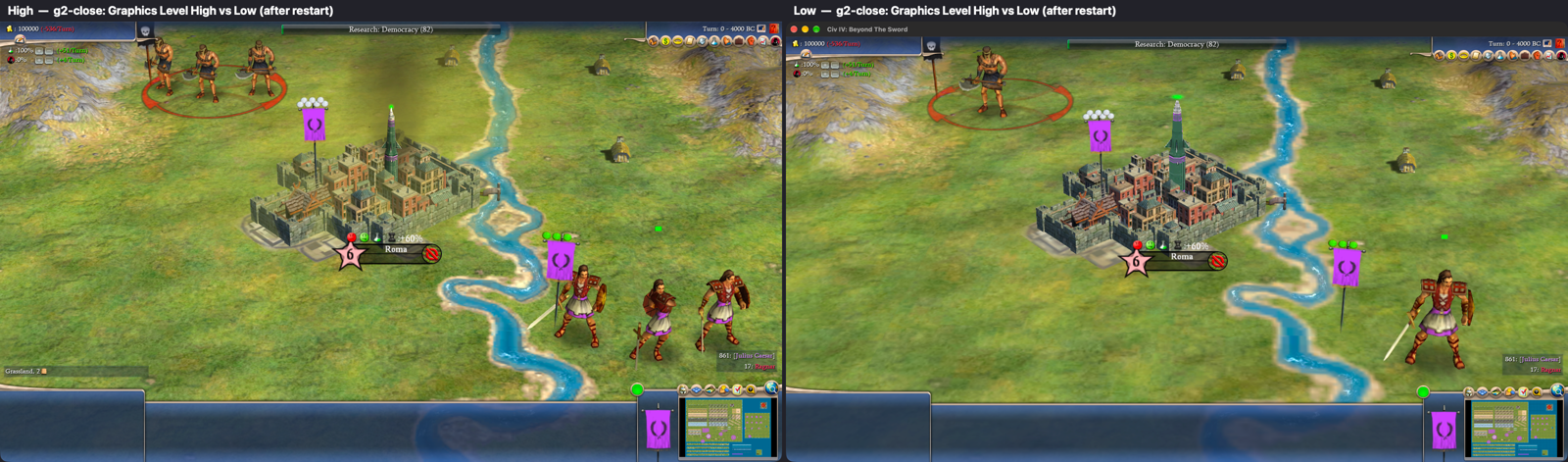
- Graphics Level is the original's preset (measured in Wine): Low/Medium/
  High switch the other options and qualities as the original does.
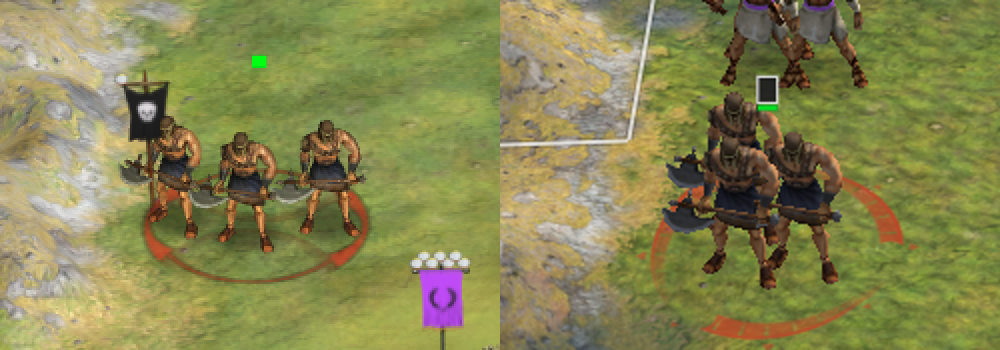
- No Enemy Glow: enemies in the active team's land get the selection ring
  in the original's red (no dots) unless the option is on.
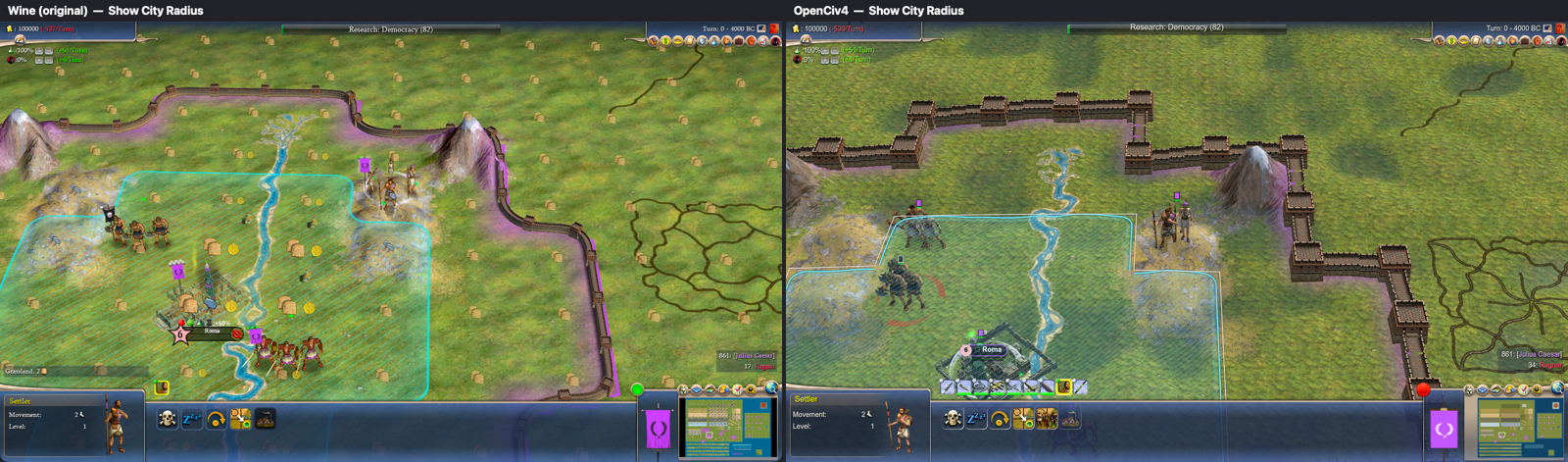
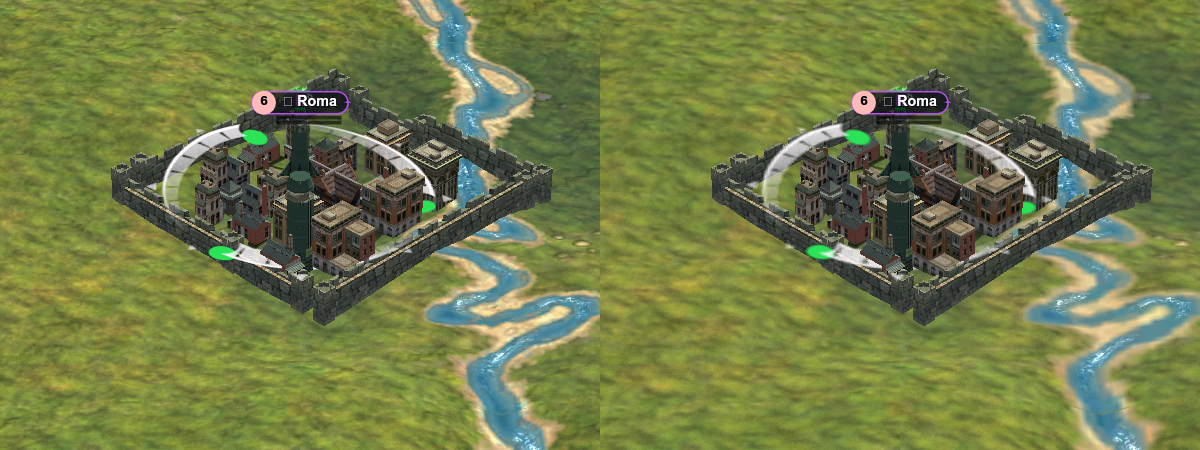
- Show City Radius: the original's hatched area border style.
- Globe View Buildings Disabled: no city models in the globe view.
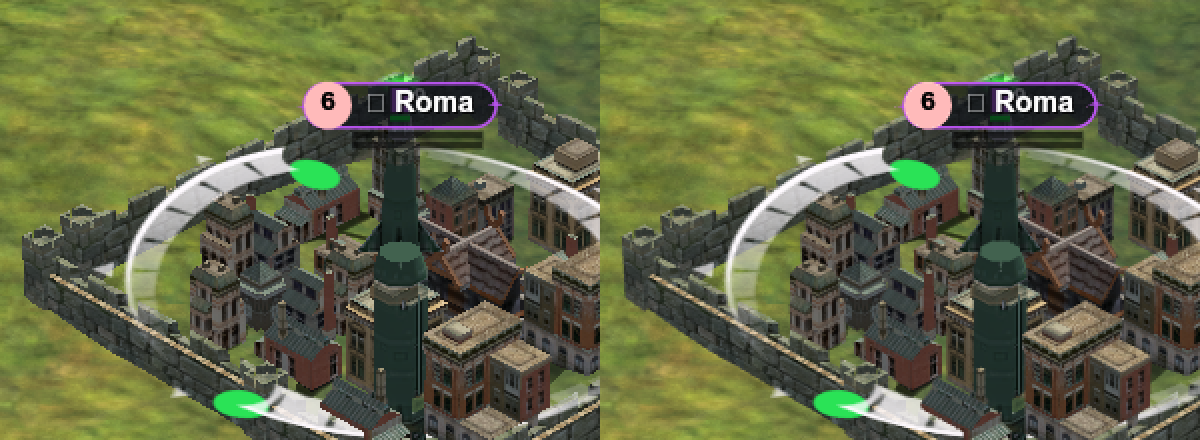
- Low Resolution Textures: textures from their half size level (the
  samplers' lowest level), at once.
- Anti-Aliasing: real MSAA 2/4/8 on the main target, resolved per pass.
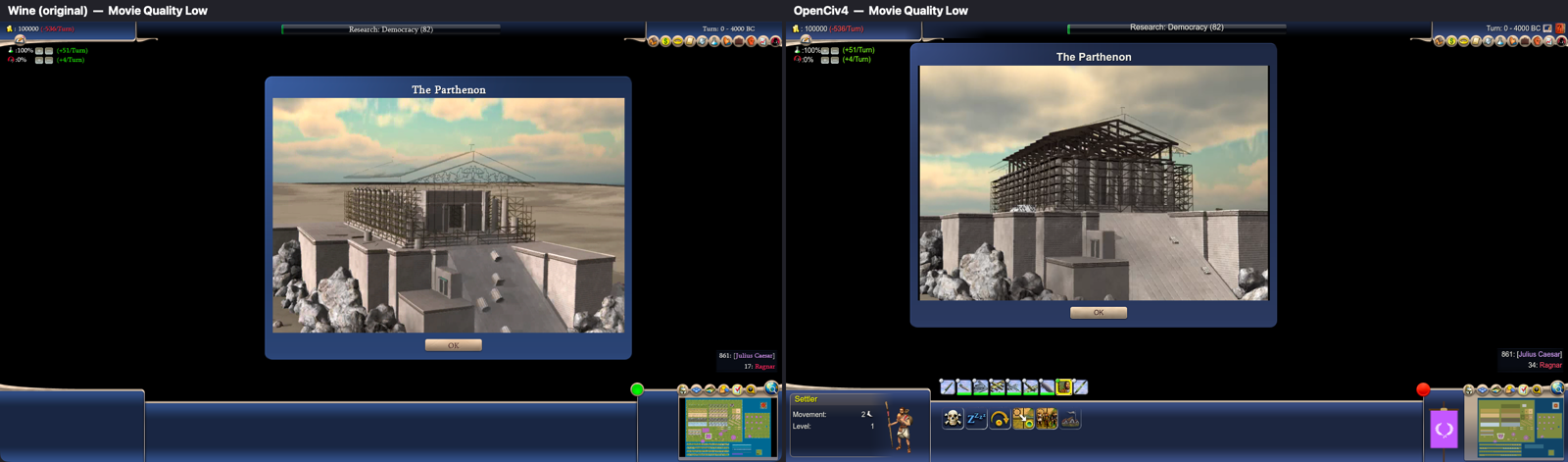
- Movie Quality Low: no map drawn behind a playing movie.
- Opening Menu: the temporary menu shows the chosen menu's loading picture
  and plays its music.
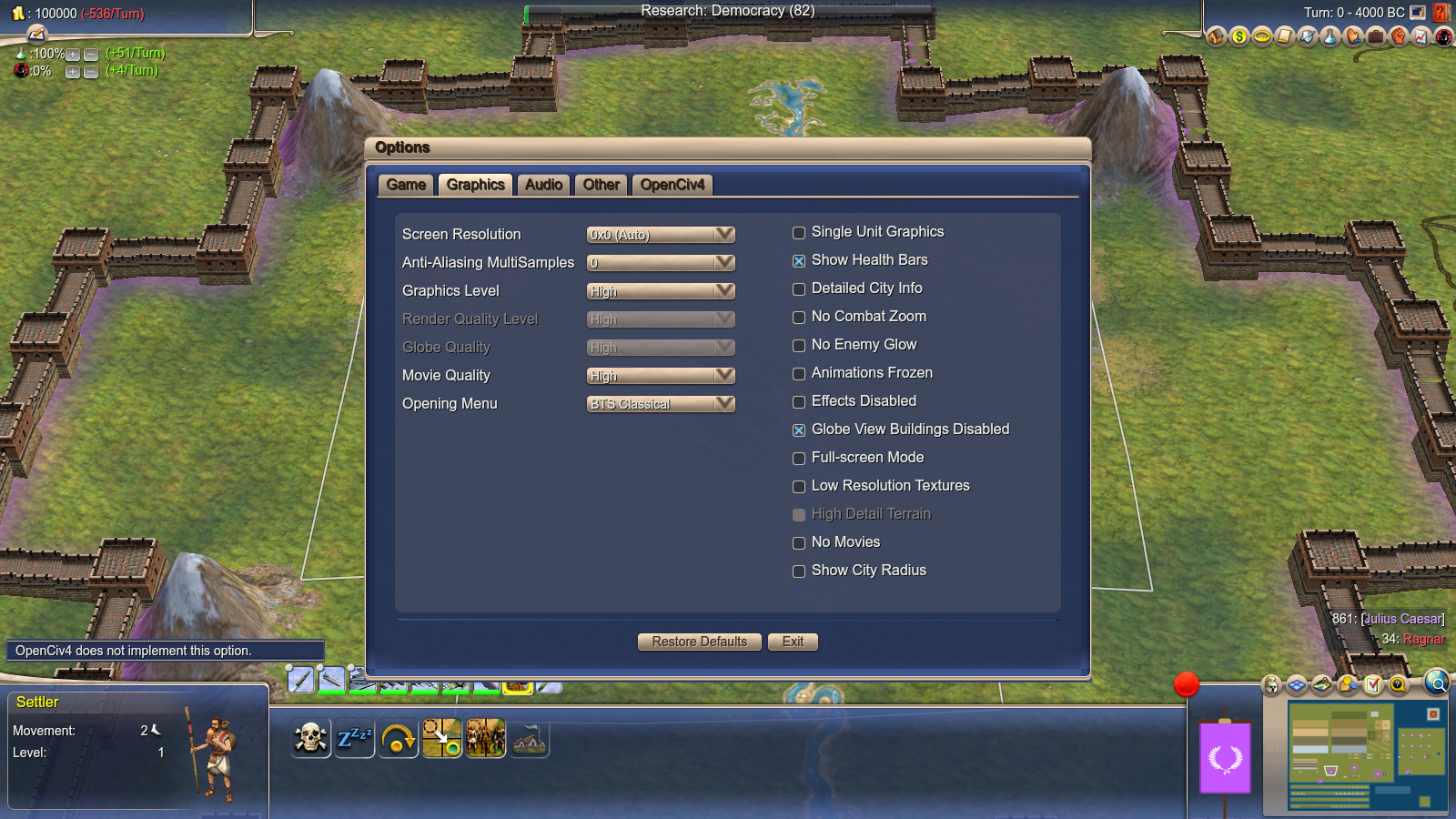
- Render Quality, Globe Quality and High Detail Terrain are greyed out with
  a tool tip (no visible effect in the original either).
- The options' defaults are read again (getGraphicOptionsInfoByIndex: the
  old name did not exist, so every default read as off).

Co-Authored-By: Claude Opus 5.5 <noreply@anthropic.com>
Contributor
Author
This was referenced Nov 21, 2026
This file contains hidden or bidirectional Unicode text that may be interpreted or compiled differently than what appears below. To review, open the file in an editor that reveals hidden Unicode characters.
Learn more about bidirectional Unicode characters
Sign up for free
to join this conversation on GitHub.
Already have an account?
Sign in to comment

Add this suggestion to a batch that can be applied as a single commit.This suggestion is invalid because no changes were made to the code.Suggestions cannot be applied while the pull request is closed.Suggestions cannot be applied while viewing a subset of changes.Only one suggestion per line can be applied in a batch.Add this suggestion to a batch that can be applied as a single commit.Applying suggestions on deleted lines is not supported.You must change the existing code in this line in order to create a valid suggestion.Outdated suggestions cannot be applied.This suggestion has been applied or marked resolved.Suggestions cannot be applied from pending reviews.Suggestions cannot be applied on multi-line comments.Suggestions cannot be applied while the pull request is queued to merge.Suggestion cannot be applied right now. Please check back later.
Stacked on #87 (
fix/options-screen): the first commits here are #87's; this PR's own commit is the last one (8a78754). Like #118, #119 and #120.What it changes
The original asks for a restart after Single Unit Graphics, Full-screen Mode, Graphics Level, High Detail Terrain and Restore Defaults ("Program must be restarted before changes will take effect"). In OpenCiv4 every Graphics option now takes effect at once, so the popup is gone (
CvOptionsScreenCallbackInterface.restartPopupis replaced before each callback).Each option was tested in the original under Wine (live, and after a restart). OpenCiv4 now does the same:
RESOLVE_AND_STORE), so screenshots, the blit to the window and the views are unchanged.setEnablednow works for this.CyGlobalContext.getGraphicOptionInfo, which doesn't exist, so every default read as off and Globe View Buildings Disabled showed unchecked. Now it usesgetGraphicOptionsInfoByIndex. Full-screen still starts off, because OpenCiv4 starts in a window.Tests
--turns 100 --map Fractal --size STANDARD --seed 7) equal before and after on all 100 turns.Pictures (Wine on the left, OpenCiv4 on the right, unless said)
The tab (OpenCiv4; the greyed Render Quality hovered shows its tooltip in the help area):
No Enemy Glow off: the red ring under an enemy in your land:
Show City Radius with a settler selected:
Movie Quality Low: no map behind the movie:
Low Resolution Textures (OpenCiv4, off | on) and Anti-Aliasing (OpenCiv4, 0 | 8 samples):
Opening Menu (OpenCiv4's temporary menu: BTS Classical, Warlords, Civilization IV):

Wine, Graphics Level High vs Low after a restart (half-resolution textures, no anti-aliasing):
🤖 Generated with Claude Code