

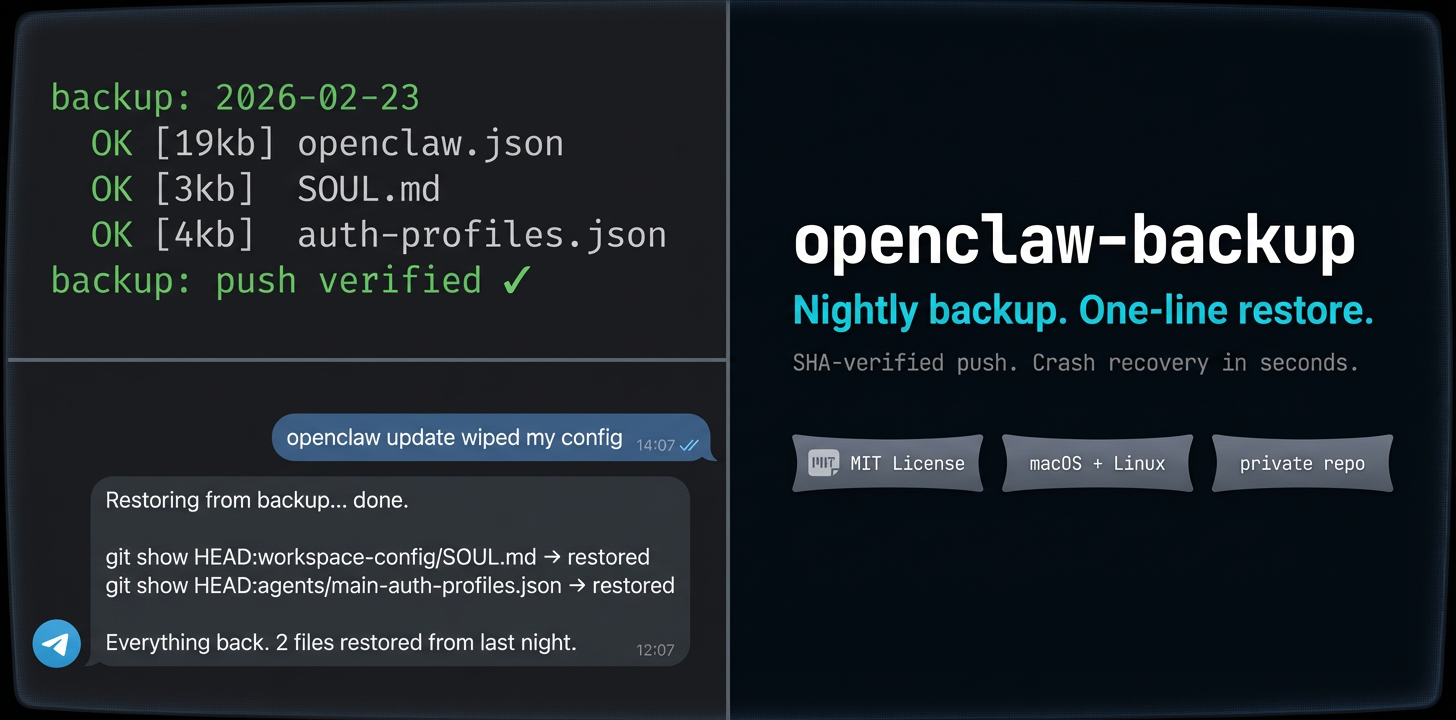
Your OpenClaw setup took weeks to dial in. The personality in SOUL.md, the delegation rules in AGENTS.md, auth profiles, custom skills, scheduled jobs — none of it is backed up by default. One bad update or careless edit and it's gone.
This backs everything up to a private GitHub repo every night, verifies the push succeeded, and alerts you via Telegram if it didn't.
OpenClaw itself should be installed first:
curl -fsSL https://openclaw.ai/install.sh | bash
openclaw onboard --install-daemoncurl -fsSL https://raw.githubusercontent.com/bkochavy/openclaw-backup/main/install.sh | bash -- --setupThe installer walks you through setup, creates a private GitHub repo, wires up a daily schedule (launchd on macOS, systemd on Linux), and runs your first backup immediately.
Or clone and run manually:
git clone https://github.com/bkochavy/openclaw-backup.git
cd openclaw-backup && ./install.sh --setup
Requirements: bash, git, python3 (pre-installed on most systems), and optionally gh (GitHub CLI) for remote push. Without gh, backups run locally.
Linux VPS: run
loginctl enable-linger <user>so the systemd timer survives logout.
You spend weeks tuning your OpenClaw config. Then an update ships, something breaks, and you're rebuilding from memory. This runs at 4 AM every day — it commits a snapshot to a local git repo, pushes to a private GitHub remote, and verifies the SHA matches. If the push fails, it retries once, then sends a Telegram alert.
What gets backed up:
- Config —
openclaw.json(secrets redacted),.envkey names, agent auth and model profiles - Workspace —
SOUL.md,AGENTS.md,USER.md,TOOLS.md,HEARTBEAT.md - Skills & scripts — custom skill files and automation scripts (no
node_modules) - System — LaunchAgents/systemd units, cron jobs, identity and credential metadata
- Memory —
MEMORY.md, daily notes, session summaries stay local only and are never pushed
Restoring files:
# Single file
git -C ~/backups/openclaw-system show HEAD:workspace-config/SOUL.md > ~/.openclaw/workspace/SOUL.md

# Browse history
git -C ~/backups/openclaw-system log --oneline

# Restore from a specific date
git -C ~/backups/openclaw-system show <sha>:workspace-config/AGENTS.md

# Full restore on a new machine
git clone https://github.com/yourname/openclaw-system-backup.git ~/backups/openclaw-systemComplete runbook for autonomous installation and operation. All paths assume default config.
curl -fsSL https://raw.githubusercontent.com/bkochavy/openclaw-backup/main/install.sh | bash -- --quiet--quiet uses sensible defaults with no prompts. Verify afterward:
curl -fsSL https://raw.githubusercontent.com/bkochavy/openclaw-backup/main/install.sh | bash -- --check# Trigger manual backup
~/.openclaw/bin/backup-apply
# Check last backup manifest
cat ~/backups/openclaw-system/backup-manifest.txt
# Recent backup commits
git -C ~/backups/openclaw-system log --oneline -5
# Backup log (errors and push status)
cat /tmp/openclaw-backup.log
# Restore a file to its live location
git -C ~/backups/openclaw-system show HEAD:workspace-config/SOUL.md > ~/.openclaw/workspace/SOUL.md
# Diff against yesterday
git -C ~/backups/openclaw-system diff HEAD~1 -- workspace-config/AGENTS.md
# Diff against last week
git -C ~/backups/openclaw-system diff HEAD~7 -- workspace-config/SOUL.md- Config:
~/.openclaw/openclaw.json - Workspace:
~/.openclaw/workspace - Agents:
~/.openclaw/agents/ - Skills:
~/.openclaw/workspace/skills/ - Gateway:
http://127.0.0.1:18789
Config lives at ~/.openclaw/backup.json:
| Field | Default | Purpose |
|---|---|---|
backup_dir |
~/backups/openclaw-system |
Local backup destination |
github_repo |
"" |
Remote repo name (created as private) |
github_user |
"" |
GitHub username for push |
backup_schedule |
04:00 |
Daily backup time (HH:MM) |
telegram_chat_id |
"" |
Chat ID for failure alerts |
include_skills |
true |
Include custom skill files |
include_scripts |
true |
Include automation scripts |
redact_env_values |
true |
Strip values from .env files |
If Telegram alerts fire or backup-manifest.txt shows MISSING entries:
- Read
/tmp/openclaw-backup.logfor the failure reason - Check GitHub auth:
gh auth status - Run manual backup:
~/.openclaw/bin/backup-apply - Verify remote matches local:
git -C ~/backups/openclaw-system rev-parse HEAD
git -C ~/backups/openclaw-system ls-remote origin HEAD
Tokens are never hardcoded. GitHub auth is fetched at runtime via gh auth token. Env files are redacted by default. The package does not sync secrets to external stores — add your own step to scripts/backup.sh if you need 1Password, AWS Secrets Manager, or Vault.
./uninstall.shBuilt and battle-tested backing up a production OpenClaw setup. MIT licensed.
A separate health-check script can run daily and alert only when backup health is bad (silent on success):
- checks that
backup-manifest.txtexists and is fresh - checks recent
/tmp/openclaw-backup.logfor failed push/critical file errors - sends Telegram alert only on failure
- deduplicates repeated alerts for the same failure state
Run manually:
~/.openclaw/bin/backup-healthcheck.shTemplate launchd unit:
templates/launchd/com.openclaw.backup-healthcheck.plist.template