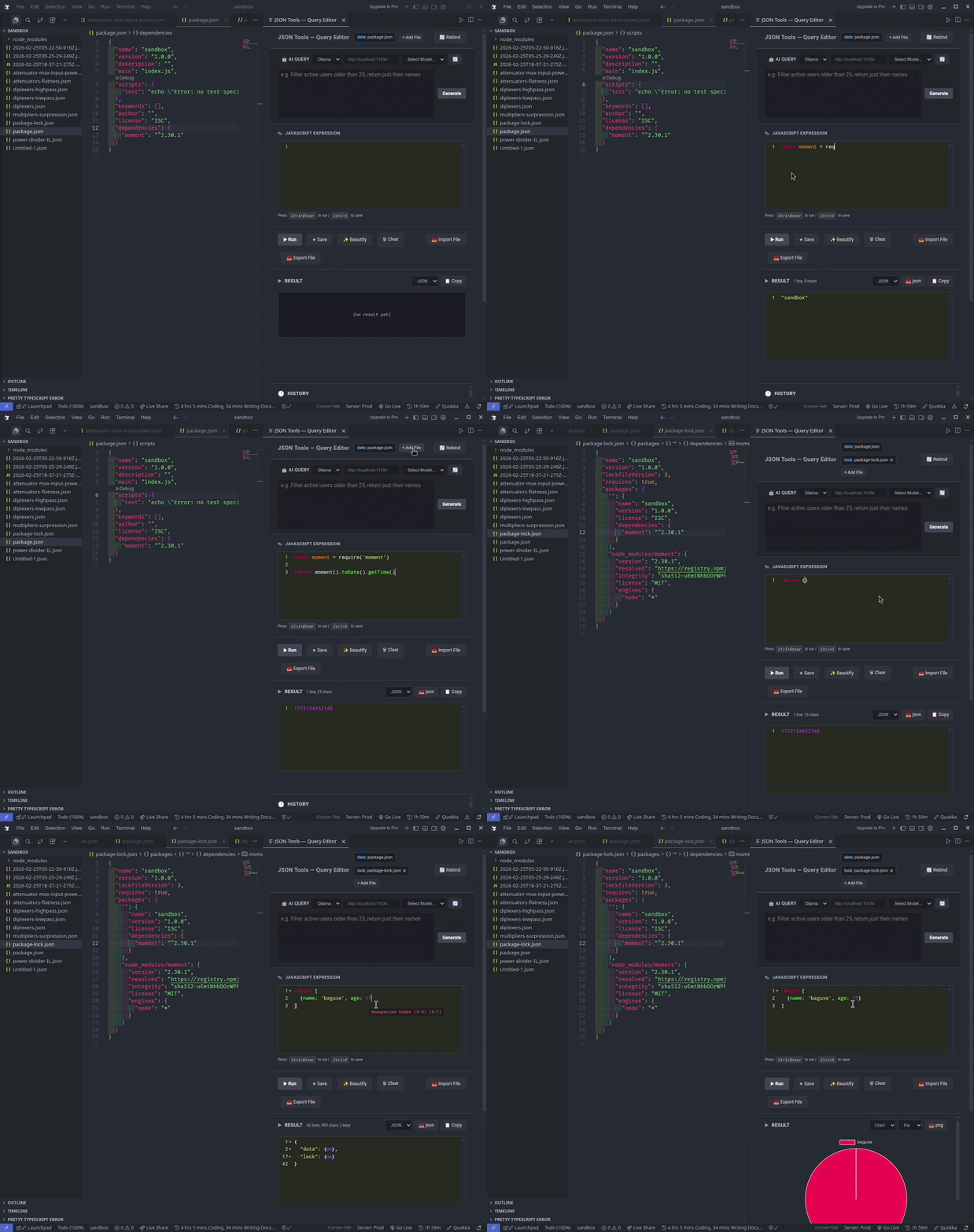
Run JavaScript directly on JSON files in VS Code. Transform data with expressions, keep a searchable history, view results as JSON, table, or chart, and optionally use AI to generate queries.
- Transform JSON – Use any JavaScript expression (array methods,
reduce, custom logic). The active editor’s JSON is available asdata. - Persistent history – Save expressions, name snippets, search, sort, and re-run or edit them. Mark favorites and copy items to the clipboard.
- Result views – See results as JSON, Raw text, or Table. Export as JSON or CSV.
- Charts – Visualize result data as charts when the result is chartable.
- CodeMirror editor – Syntax highlighting, syntax validation, foldable result view, toggle comment, JS beautify, simple autocomplete, bracket/parenthesis support, and
Ctrl+Dfor duplicate selection / add next occurrence. - Templates – Use
{{variableName}}in expressions (e.g.{{fileName}},{{filePath}},{{workspaceFolder}}). Built-in variables like{{workspaceFolder}}are available; add more viajsonQueryTools.templateVariables. - Multiple data sources & aliases – Attach additional files as named sources and reference them via aliases alongside
datain your expressions. - AI query generator – Generate expressions with Ollama (local) or Gemini (cloud). Configure endpoint and API key in settings.
- External libraries – Load external JS libraries in the expression context when needed.
- Performance – Result is streamed in chunks for large outputs.
- Notifications – Toast notification when the result is
undefined. - Export/import scripts – Export and import JavaScript expressions for reuse.
- Open a JSON file (or any file you treat as data).
- Run JSON Tools: Open Query Editor (
jsonQueryTools.openHistory). - In the script editor, write a JS expression using
data, e.g.data.items.filter(x => x.active). - Run it and view the result in JSON, Raw, or Table; optionally export as JSON/CSV or view as a chart.
| Setting | Description |
|---|---|
jsonQueryTools.ollamaEndpoint |
Ollama API URL (default: http://localhost:11434) |
jsonQueryTools.aiProvider |
ollama or gemini |
jsonQueryTools.aiApiKey |
API key for cloud AI (e.g. Gemini) |
jsonQueryTools.templateVariables |
Custom key-value pairs for {{variableName}} in expressions |
Contributions are welcome. Open a PR for changes or an Issue for bugs and feature requests.
Buy me a coffee