

A lightweight, extensible masonry layout library for modern web applications. Built with TypeScript and inspired by middleware architecture patterns.
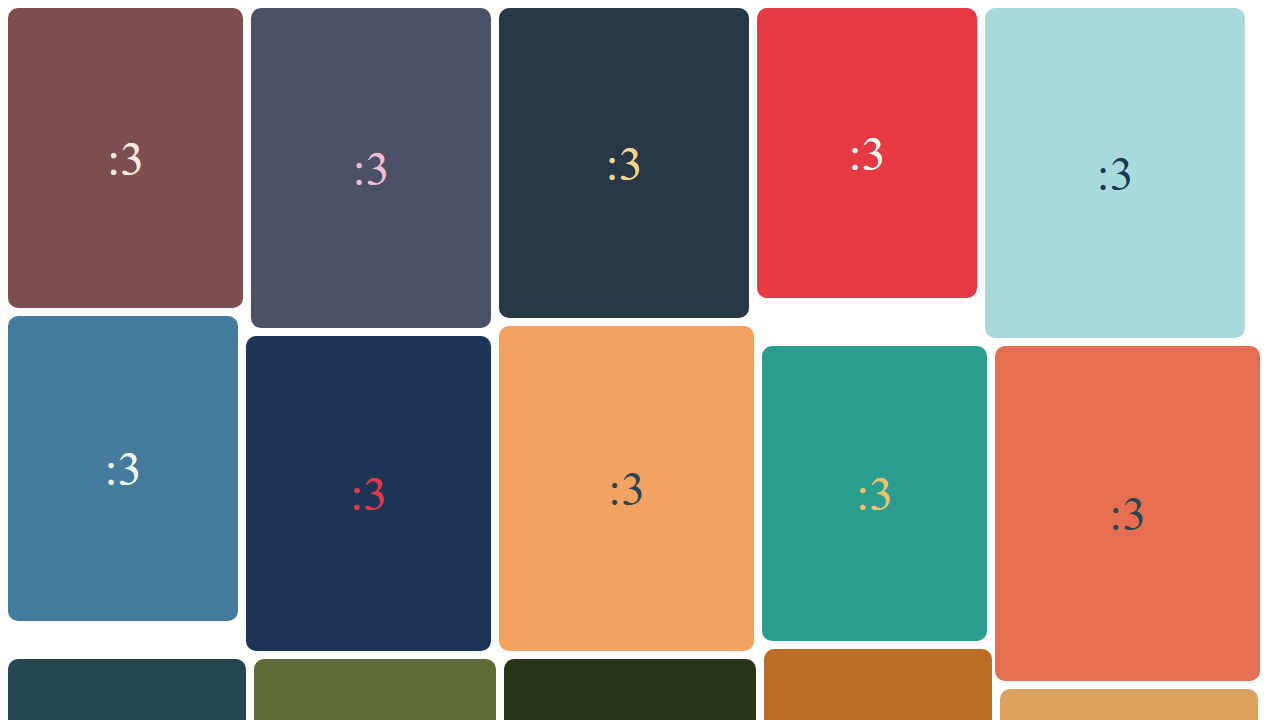
- ✅ Intelligent row-based positioning - Optimizes vertical space across columns
- ✅ Middleware architecture - Extend and customize layout behavior
- ✅ Responsive design - Automatically adapts to container width changes
- ✅ Type-safe - Fully typed with strict TypeScript
- ✅ Zero dependencies - Pure JavaScript/TypeScript implementation
- ✅ Auto-update support - Built-in ResizeObserver integration
- ✅ First render flick prevention - Optional middleware for hiding unpositioned items and adding CSS animation hooks
npm install meowsonry-layoutimport { meowsonry } from "meowsonry-layout";
const container = document.querySelector(".masonry") as HTMLElement;
meowsonry({ container });<div class="masonry">
<div>Item 1</div>
<div>Item 2</div>
<div>Item 3</div>
</div>meowsonry({
container: HTMLElement,
middleware?: Middleware[]
});| Option | Type | Description |
|---|---|---|
container |
HTMLElement |
Container element (required) |
middleware |
Middleware[] |
Array of custom middleware |
import { meowsonry, gap } from "meowsonry-layout";

const container = document.querySelector(".masonry") as HTMLElement;

meowsonry({
  container,
  middleware: [gap(16)], // 16px gap between items
});import { meowsonry, autoUpdate } from "meowsonry-layout";
const container = document.querySelector(".masonry") as HTMLElement;
// Initialize layout and automatically update on resize
const cleanup = autoUpdate(container, () => {
meowsonry({ container });
});
// Cleanup when no longer needed
cleanup();import { meowsonry, autoUpdate, gap, preventFlick } from "meowsonry-layout";
const container = document.querySelector(".masonry") as HTMLElement;
autoUpdate(container, () => {
meowsonry({
container,
middleware: [preventFlick(), gap(16)],
});
});The preventFlick() middleware hides the container before the first layout is
applied, reveals it after layout if it was initially hidden, and adds animation
hooks to each item:
[data-meowsonry-prevent-flick] {
  animation: meowsonry-fade-in 220ms ease both;
  animation-delay: calc(var(--meowsonry-index) * 24ms);
}

@keyframes meowsonry-fade-in {
  from {
    opacity: 0;
    transform: translateY(12px);
  }

  to {
    opacity: 1;
    transform: translateY(0);
  }
}Meowsonry uses a middleware pipeline architecture with three execution phases:
| Type | When | Context |
|---|---|---|
beforePlacement |
Once before children | Container-level |
placement |
For each child | Child-specific |
common |
In both phases | Shared |
import { MIDDLEWARE_TYPE } from "meowsonry-layout";

const myMiddleware = {
  type: MIDDLEWARE_TYPE.placement,
  callback: ({ context, setContext }) => {
    // Access and modify context
    console.log("Processing child:", context.currentChildElement);

    // Update context with new values
    setContext((prev) => ({
      ...prev,
      customValue: "example",
    }));
  },
};

meowsonry({
  container,
  middleware: [myMiddleware],
});
See MIDDLEWARE.md for detailed documentation.
Main layout function that arranges child elements in a masonry grid.
function meowsonry({
  container: HTMLElement,
  middleware?: Middleware[]
}): voidSets up automatic updates using ResizeObserver.
function autoUpdate(container: HTMLElement, updateFn: () => void): () => void; // cleanup functionCreates middleware that prevents first-render flicker and adds CSS hooks for custom appearance animations.
function preventFlick(): Middleware;Creates middleware to add spacing between items.
function gap(value: number): BeforePlacementMiddleware;Run unit tests:
npm testRun e2e screenshot tests:
npm run test.playwrightRun e2e tests in UI mode:
npm run test.playwright.uiUpdate screenshot snapshots:
npm run test.playwright.updateType checking:
npm run typecheckLinting:
npm run lint
npm run lint.fixMeowsonry uses a middleware pipeline architecture:
- beforePlacement phase - Container initialization (executed once)
- placement phase - Child element processing (executed per child)
This approach makes the library highly extensible while keeping the core logic clean and maintainable.
See ARCHITECTURE.md for detailed architecture documentation.
See CODESTYLE.md for detailed coding standards.
See AGENTS.md for agents guidelines including:
- Code style and conventions
- Testing standards
- Commit message format
- Development workflow
MIT - See LICENSE for details.
Meow :3