Upstream bug: https://bugs.chromium.org/p/chromium/issues/detail?id=1347607
Date: 2022-07-27
Reported by: Tom Byers (@tombye)
When you authenticate with the Webauth API, Chrome opens dialogs to guide you through the process. Some of these dialogs have accessibility issues when used with Voiceover.
Steps to reproduce the problem
- go to https://demo.yubico.com/webauthn-technical/registration using the Voiceover screen reader
- click 'Next' button
- click 'USB security key' button
Description
The initial dialog, for choosing the authentication method, works:
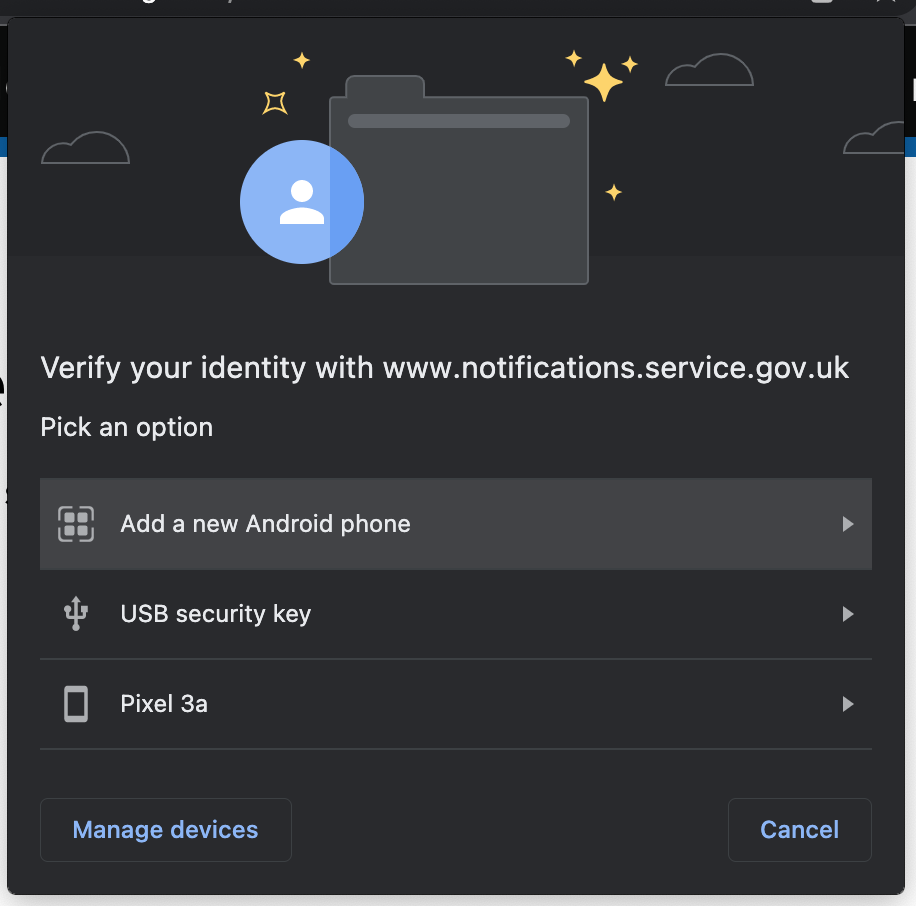
When you click the 'USB security key' button it takes you to a dialog headed 'Use your security key with [domain]' (ie. domain could be demo.yubico.com):
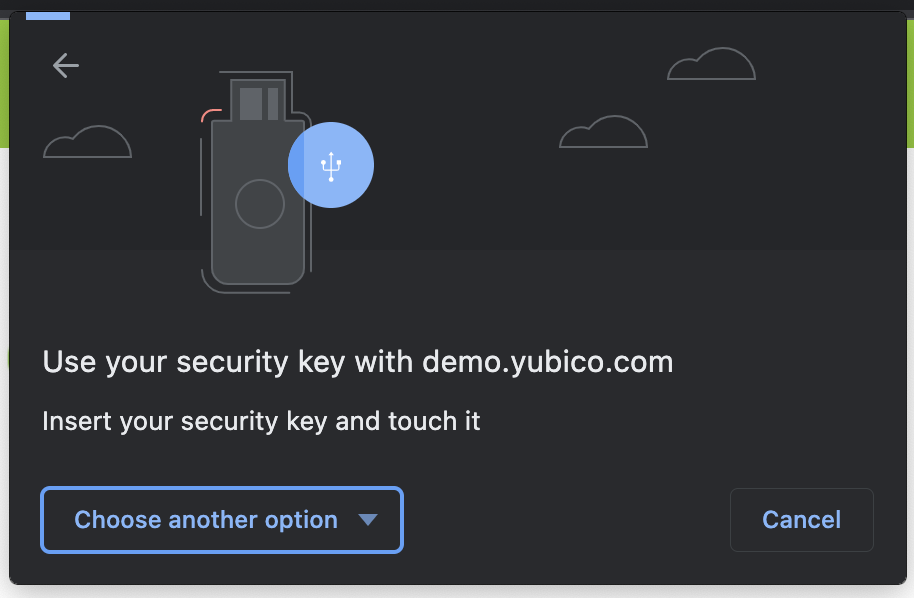
When it does this the dialog's 'Choose another option' button is focused, meaning its contents are announced and cancel out the dialog's message.
If you navigate backwards through the dialog's content, you can also find a 'Manage devices' button which is hidden visually but still findable by Voiceover.
I found the same problems with the dialog you get if your authentication times out:
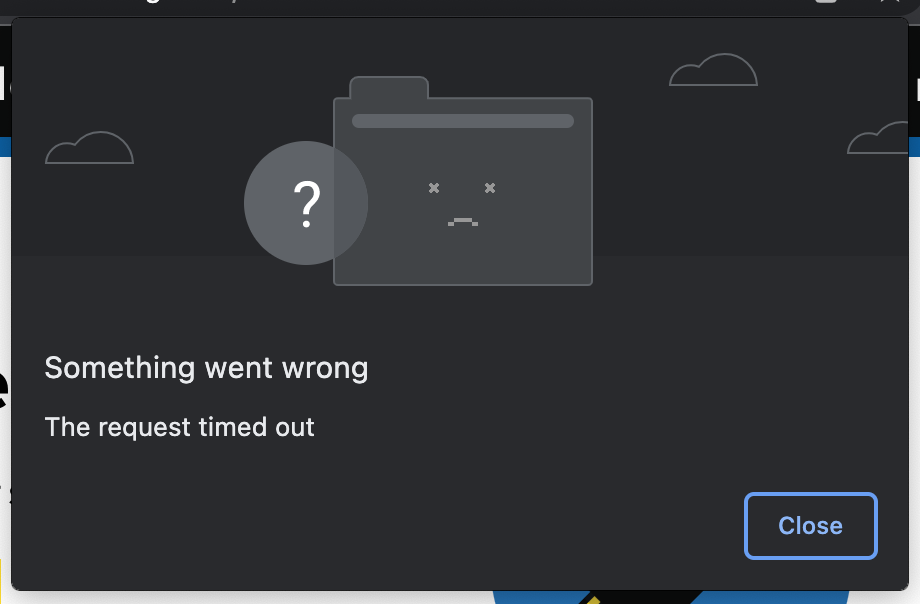
...but I can't find a way to reproduce this outside of GOV.UK Notify's use of webauth/security keys.
I am pretty sure these issues will also occur with JAWS and NVDA but cannot test on assistivelabs as the webauth journey doens't work.
Expected result
The 'Use your security key with [domain]' and 'There's been a problem' dialogs are focused in the same way as the initial dialog, so the message is read out followed by an overview of the dialog's contents.
Also, buttons not in the visual interface shouldn't be focusable or navigable by Voiceover.
Actual result
The 'Choose another option' button in the 'Use your security key with [domain]' dialog is focused and is the only thing announced when the dialog opens.
The ''Close' button in the There's been a problem' dialog is focused and is the only thing announced when the dialog opens.
Also, the 'Manage devices' button shouldn't be focusable or navigable by Voiceover.
Upstream bug: https://bugs.chromium.org/p/chromium/issues/detail?id=1347607
Date: 2022-07-27
Reported by: Tom Byers (@tombye)
When you authenticate with the Webauth API, Chrome opens dialogs to guide you through the process. Some of these dialogs have accessibility issues when used with Voiceover.
Steps to reproduce the problem
Description
The initial dialog, for choosing the authentication method, works:
When you click the 'USB security key' button it takes you to a dialog headed 'Use your security key with [domain]' (ie. domain could be demo.yubico.com):
When it does this the dialog's 'Choose another option' button is focused, meaning its contents are announced and cancel out the dialog's message.
If you navigate backwards through the dialog's content, you can also find a 'Manage devices' button which is hidden visually but still findable by Voiceover.
I found the same problems with the dialog you get if your authentication times out:
...but I can't find a way to reproduce this outside of GOV.UK Notify's use of webauth/security keys.
I am pretty sure these issues will also occur with JAWS and NVDA but cannot test on assistivelabs as the webauth journey doens't work.
Expected result
The 'Use your security key with [domain]' and 'There's been a problem' dialogs are focused in the same way as the initial dialog, so the message is read out followed by an overview of the dialog's contents.
Also, buttons not in the visual interface shouldn't be focusable or navigable by Voiceover.
Actual result
The 'Choose another option' button in the 'Use your security key with [domain]' dialog is focused and is the only thing announced when the dialog opens.
The ''Close' button in the There's been a problem' dialog is focused and is the only thing announced when the dialog opens.
Also, the 'Manage devices' button shouldn't be focusable or navigable by Voiceover.