A responsive, offline-first Markdown notes web application with live preview, autosave, and three ways to use it — a hosted web app, a local SQLite server for persistent local storage, and a full MCP server for AI-driven note management via Supabase or Neon.


📸 More Screenshots
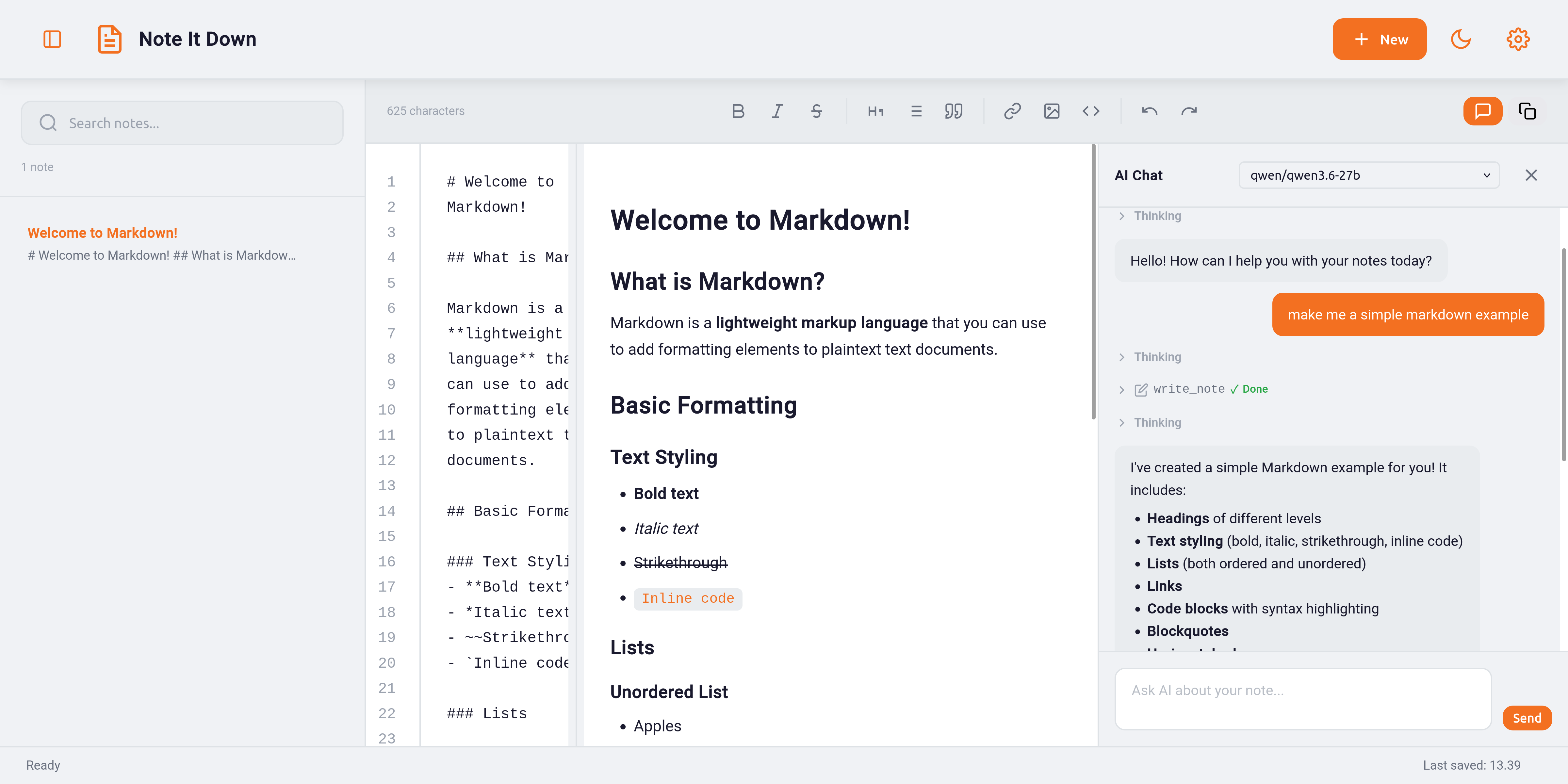
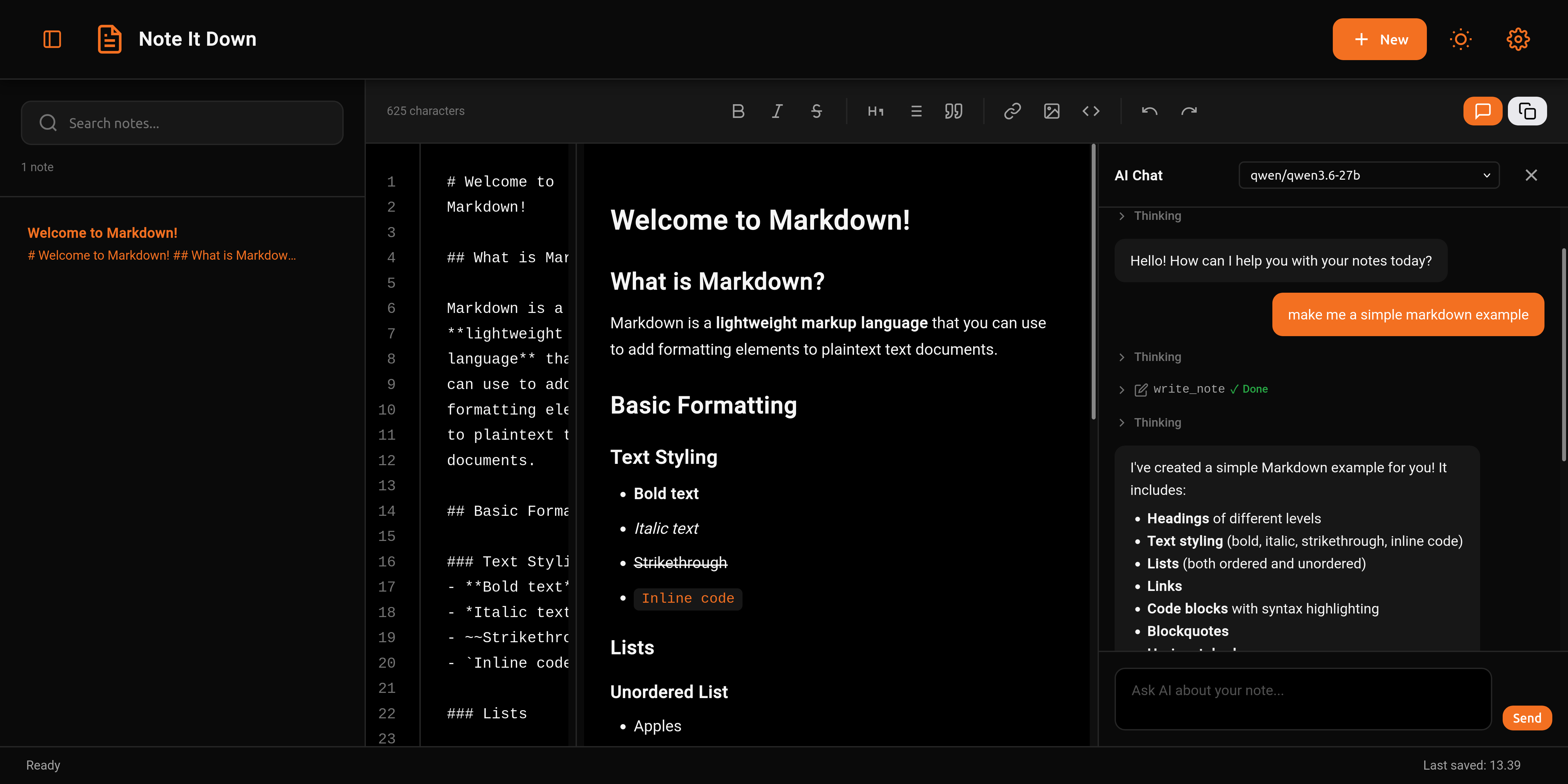
- ✍️ Live Markdown Preview — See your changes rendered in real-time as you type
- 💾 Autosave — Notes automatically saved after 800ms debounce (to localStorage and optionally to cloud)
- 🗄️ Local Mode — Run with SQLite backend, no cloud dependency (
npx -y noteitdown local) - ☁️ Supabase Sync — Optionally sync notes to your own Supabase backend
- ⚡ Neon Support — Alternative cloud database using Neon serverless Postgres
- 🔍 Full-Text Search — Server-side search via SQLite
LIKE(local) or PostgreSQLILIKE(MCP) - 🤖 AI Chat with Tool Calling — Chat with an AI that can write, append, replace, delete, and search the web in your current note using any OpenAI-compatible API
- 🔎 Web Search for AI — Optional web search via Tavily (keyless or API key) or self-hosted SearXNG
- 🧩 MCP Server — Exposes 10 tools and 2 resources for AI assistants (Claude, Cursor, VS Code, etc.)
- 📱 Responsive Design — Works on mobile, tablet, and desktop with bottom navigation
- 🎨 Formatting Toolbar — Quick-access buttons for bold, italic, headings, lists, code, links, and images
- 🛡️ Rate Limiting — 100 requests per 60-second window to prevent abuse
- 🔐 Password & API Key Protection — Set
NOTEITDOWN_PASSto require a login for the web editor, REST API, and remote MCP; programmatic clients authenticate with an API key (setNOTEITDOWN_API_KEYor let one be auto-generated) - 🏷️ Note Metadata — Add a short description and topic keywords (tags) to any note; both are surfaced in MCP list/search results and are searchable, so AI agents can find notes by topic
- 🧠 Context-Window Optimized — List/search results truncate note content to 300 chars to prevent LLM context flooding
- 📄 Paginated Reading —
get_notesupportsline_start/line_limitfor reading long notes in chunks - 📚 Multi-Range Reading —
get_note_rangefetches multiple non-contiguous line ranges from a single note
Visit the hosted version or open index.html in any browser:
# Double-click index.html, or serve it:
python3 -m http.server 8080
# Then open http://localhost:8080
Notes are stored in browser localStorage. Works fully offline.
Start a self-contained web server with persistent SQLite storage:
npx -y noteitdown local
# Opens at http://localhost:3721
This mode provides:
- Static file server for the web app on port 3721
- SQLite database at
~/.noteitdown/notes.db - REST API at
/api/notesfor CRUD and full-text search - MCP endpoint at
/mcp— point your code agent athttp://localhost:3721/mcp(see MCP Server Guide) - Auto-detected by the frontend — shows a LOCAL badge
📋 REST API Examples
# List notes
curl http://localhost:3721/api/notes

# Search notes
curl http://localhost:3721/api/notes?search=recipe

# Create a note
curl -X POST http://localhost:3721/api/notes \
  -H "Content-Type: application/json" \
  -d '{"title":"Hello","content":"**World**","tags":["demo"]}'

# Get a single note with line range
curl 'http://localhost:3721/api/notes/<uuid>?line_start=0&line_limit=50'
See Local Server Guide for full API reference.
Set up a cloud database for use with AI assistants:
# Interactive setup — choose Supabase or Neon
npx -y noteitdown setup

# Start the MCP server (stdio)
noteitdownThe noteitdown setup command walks you through configuring either Supabase or Neon:
npx -y noteitdown setupYou'll be prompted to select your provider, then enter the required credentials:
| Provider | What You Need | Where to Find It |
|---|---|---|
| Supabase | Project URL + Anon Key | supabase.com → Project Settings → API Keys |
| Neon | Postgres connection string | neon.tech → Dashboard → Connection string |
The wizard validates the connection and automatically creates the notes table.
Environment variable overrides (take precedence over saved config):
# Supabase override
SUPABASE_URL=https://xxx.supabase.co SUPABASE_KEY=xxx noteitdown

# Neon override
NEON_CONNECTION_STRING="postgres://..." noteitdown
If both are set, Neon takes priority. See the Full User Guide for more details.
| Provider | Best For | Connection Method |
|---|---|---|
| Supabase | REST API access from browser, built-in auth & RLS | Project URL + Anon Key (PostgREST) |
| Neon | Standard Postgres, serverless, lower latency | Connection string (direct Postgres) |
| SQLite (local mode) | Offline, no cloud dependency | Local file via noteitdown local |
Configure Note It Down as an MCP server in your preferred AI client:
Claude Desktop / Cursor / VS Code:
{
  "mcpServers": {
    "noteitdown": {
      "command": "npx",
      "args": ["-y", "noteitdown"]
    }
  }
}
VS Code uses a
serversblock instead ofmcpServers— see the MCP Server Guide.
The server exposes 10 tools for managing notes:
| Tool | Description |
|---|---|
list_notes |
List notes with pagination (limit/offset) + optional tag/topic filter |
get_note |
Get a single note with optional line range |
create_note |
Create a new Markdown note |
update_note |
Update title, description, content, and/or tags |
delete_note |
Delete a note by UUID |
search_notes |
Full-text search across title, description, tags, and content |
get_note_range |
Get multiple non-contiguous line ranges |
batch_delete_notes |
Delete multiple notes at once |
health_check |
Verify the server is connected |
introduction |
Learn how to use the server — tools, note metadata, and best practices |
Tip: run
noteitdown skill-installto install an Agent Skill to~/.agents/skills/noteitdown/SKILL.mdso skill-aware agents (Claude Code, Codex, etc.) know how to use noteitdown — or just have any agent call theintroductiontool.
And 2 resources:
| Resource URI | Description |
|---|---|
noteitdown://note/{id} |
Individual note in Markdown format |
noteitdown://notes |
Collection of all notes (with preview) |
See MCP Server Guide for full documentation.
The web app has a built-in AI chat panel that works with any OpenAI-compatible API. To set it up:
Open Settings → AI Chat, flip the toggle, paste your endpoint and API key, then hit Refresh Models and pick one.
The AI gets five tools for editing your current note and searching the web:
| Tool | What it does |
|---|---|
write_note |
Replaces everything in the current note |
append_to_note |
Adds text to the end |
replace_in_note |
Find-and-replace (all occurrences) |
delete_in_note |
Removes specific text (first match) |
search_web |
Looks up current info on the web — optional, needs setup |
Flip the Web Search toggle in Settings → AI Chat, then pick a provider.
Pick Tavily and leave the API key blank — it'll use keyless mode. Rate-limited but works right away. If you hit the limit, grab a free API key from tavily.com and paste it in.
curl -X POST https://api.tavily.com/search \
  -H "Content-Type: application/json" \
  -H "X-Tavily-Access-Mode: keyless" \
  -d '{"query": "latest AI news", "max_results": 3}'
Pricing: Keyless is free (rate-limited). A free API key gets you 1,000 searches a month.
SearXNG is a metasearch engine you host yourself — free, private, no limits:
docker run -d --name searxng -p 4000:8080 searxng/searxngThen put http://localhost:4000 in the SearXNG endpoint field.
CORS heads-up: The app runs on port 3721 and SearXNG on 4000 — different origins. Enable CORS in SearXNG's settings.yml (server: cors: ["*"]) or put a reverse proxy in front of both.
Hit Test Web Search in settings to check your connection. That uses one real search — it might eat into your provider's rate limit.
When web search is off, the AI never sees the search_web tool. Flip it on and the tool appears.
The chat also shows reasoning and thinking output (DeepSeek, OpenAI o-series, etc.) and displays each tool call with a running/success/error status.
More details in the Full User Guide.
| Variable | Description | Default |
|---|---|---|
NOTEITDOWN_PORT |
Port for the local web server | 3721 |
NOTEITDOWN_DB_PATH |
Path to the SQLite database file | ~/.noteitdown/notes.db |
NOTEITDOWN_DEBUG |
Enable debug logging (also works in MCP mode) | false |
NOTEITDOWN_PASS |
Require a login for the web editor, REST API, and remote MCP | (off) |
NOTEITDOWN_API_KEY |
Static API key for API/remote-MCP access (Bearer, X-API-Key, or ?apikey=) |
(auto-generated when protected) |
NOTEITDOWN_SESSION_SECRET |
Secret used to sign login sessions (keep sessions valid across restarts) | (random per start) |
Security is opt-in. Start the server with NOTEITDOWN_PASS set and the web editor, REST API, and remote MCP endpoint all require credentials:
NOTEITDOWN_PASS=12345678 npx -y noteitdown local- Web editor — opens on a login screen. Enter your password (or the API key).
- REST API & remote MCP — authenticate with an API key via
Authorization: Bearer <key>,X-API-Key: <key>, or?apikey=<key>. - API key — set
NOTEITDOWN_API_KEYto choose your own. If you don't, a random key (ntd_...) is generated once, saved to~/.noteitdown/api-key(mode0600), and printed at startup. - Sessions — login returns a signed token valid for 7 days. Set
NOTEITDOWN_SESSION_SECRETso tokens survive restarts. - Login endpoint —
POST /api/auth/loginwith{"password": "..."}returns{"token": "..."}(rate-limited).
# Authenticated API call (with auto-generated or custom API key)
curl http://localhost:3721/api/notes \
  -H "Authorization: Bearer ntd_xxxxxxxxxxxxxxxxxxxxxxxxxxxxxxxxxxxxxxxxxxxxxxxx"

# Or log in with the password to get a session token
curl -X POST http://localhost:3721/api/auth/login \
  -H "Content-Type: application/json" \
  -d '{"password": "12345678"}'
Remote MCP clients add the key as an extra header (or append ?apikey=<key> to the MCP URL if your client can't set headers).
- Styling: Edit CSS files in
css/—variables.cssfor themes,components.cssfor layout - Markdown: Configure marked.js options in
js/preview.js - Autosave: Adjust the debounce delay in
js/notes.js(default 800ms) - Sync interval: Configure in Settings UI (0–30 seconds)
Dive deeper into specific topics:
| Guide | What's Inside |
|---|---|
| Full User Guide | Web app, cloud sync, AI Chat, schema, customization |
| Local Server | REST API, curl examples, Neon proxy, env vars |
| MCP Server | Tool schemas, client config, debug logging |
- marked.js — Markdown parser & renderer
- better-sqlite3 — Node.js high-performance SQLite binding
- @supabase/supabase-js — Official Supabase JavaScript client
- pg — Node.js PostgreSQL driver (Neon database integration)
- Neon — Serverless PostgreSQL service
- MCP TypeScript SDK — Official Model Context Protocol SDK for JavaScript & TypeScript
Contributions are welcome! Please see CONTRIBUTING.md for guidelines.
MIT — Free to use, modify, and distribute.