Put text on a page that people can read and machines cannot. A display layer that shows a secret to a human but not to a scraper, an LLM with a browser tool, an accessibility-tree reader, an OCR pass, or a single still capture. It ships the attacks against itself so you can check the claim rather than take it.
Two halves, and the first is the stronger claim.
Against anything that reads the page, it is absolute. The text never becomes text. There is nothing in the DOM to find, so there is nothing to obfuscate and nothing to race.
Against capture, it defeats the still. Measured with Tesseract on the same element: plain text as a control reads 100%, one captured frame reads 0%, and that frame after a box blur still reads 0%.
One honest sentence before the features: no client-side display technique is a 100% solution, because a screen must show what a person can read. nocap removes the value from every surface a machine reads on its own, defeats the still capture outright, and pairs with the layer-up pieces in Scope for everything stronger.


| What a screenshot captures | What you see |
|---|---|
 |
 |
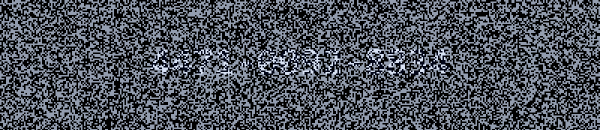
Both are the same element at the same moment. The left is one plane straight out of the live pipeline. The right is the mean of that plane and its partner, which is what your visual system resolves. Neither is retouched. Regenerate them from the demo yourself.
Most defences against scraping are a race: obfuscate, get parsed anyway, obfuscate
harder. This is not that, because the value is never in a form a parser can reach.
It is rasterised to a canvas and split across frames, so the DOM holds a
<canvas> and nothing else.
The scraping challenge is a
table of six records with the sensitive columns protected. Here is that table's
own innerText, the property nearly every extraction pipeline reaches for first:
CUSTOMER        CARD    PHONE   BALANCE
P. Andersson


J. Whitfield
Headers and names survive, because those are not secrets and hiding them would make the page useless. Every value cell is empty. 18 protected cells, 270 characters, found in 0 of 8 readable surfaces.
| What it stops | How completely |
|---|---|
fetch + parse, curl, any HTML scraper |
Absolutely. Never in the source |
| LLM agents reading the DOM or accessibility tree | Absolutely. Nothing to read |
innerText, Reader mode, Save Page As |
Absolutely. No text nodes |
| Select All + Copy | Absolutely. Nothing selectable |
querySelectorAll('input'), form scrapes |
Absolutely, if you keep it out of inputs |
| Single-frame OCR or a vision model | Blocked. One frame is noise |
The line is automated pipeline against targeted attacker. A pipeline that visits thousands of pages will not render yours across a run of frames and average them. A person who has decided to come after this value will, and no setting in this library changes that.
Verify it on your own page rather than trusting the table:
import { auditPage } from 'nocap-js';
const report = await auditPage(secret);
if (!report.clean) throw new Error(`leaked in ${report.found.join(', ')}`);npm i nocap-js
import 'nocap-js'; // registers <nocap-secret><nocap-secret id="acct" strength="medium" width="300" height="62"></nocap-secret>// Set it from JS. Putting the value in markup would place it in your HTML
// source, which is the one thing this is for avoiding.
document.getElementById('acct').secret = await fetchAccountNumber();That is the whole API for most uses. It renders as soon as it has a value.
Using a framework? The element is a standard custom element, so
React, Vue, Svelte and Angular all
render it directly, no wrapper package. The one rule everywhere: the value
goes in through the secret property, never a template attribute -- an
attribute would write the plaintext into your markup, which is the thing this
library exists to prevent.
Pick a strength instead of tuning numbers:
strength |
Reads well at | Trade |
|---|---|---|
weak |
60Hz | Easiest to read. A captured frame leaks noticeably more |
medium (default) |
60Hz | The balanced point. Start here |
strong |
60Hz | Best against a blur, and the most visually active |
Everything below is for when you need more control. You can ignore it.
All three strengths were readable and comfortable at the default size on a
60Hz panel, judged by one person on one display: glance-and-read on first
attempt, and still fine after sitting on screen. That includes strong, which
this table used to describe as visibly strobing at 60Hz. It does not, and that
claim was never measured. It has been removed rather than softened.
That is one observer, so treat it as the floor being higher than feared rather than as a study. It is also the only reading anyone has done, which is why it changed the table.
What is still open is large text. The noise block is derived as twice the stroke, so a 96px face gets a 24px block where the default gets 6. Coarse blocks sit at low spatial frequency, which is exactly where temporal sensitivity peaks, so the comfort question does not scale with the size and has to be asked again there. Nobody has.
Every other number in this repository is what an attacker gets, not what a viewer experiences.
What is known: the flicker between the two frames of a cycle carries the masking and cannot be reduced without reducing protection. The flicker between one cycle and the next carries nothing and is pure churn. Those are separated and measured on the algorithms page. Turning that comparison into "this setting is comfortable" needs eyes on a real display, and it has not been done.
Treat strength as three tested points on the masking curve, not as three
tested points on the comfort curve.
- Check your colours. A secret is only maskable if its two colours can carry
noise.
checkPalette({ color, background })tells you, and the wrong pair leaves the value plainly readable in a screenshot. See Choosing colours. - Check your page.
await auditPage(secret)finds the value if your app leaked it into an input, anaria-label, orlocalStorage. - Read what this defeats. A screen recording beats it. That is inherent, not a bug.
import 'nocap-js' has the side effect of calling customElements.define. Import
it once, anywhere that runs in the browser.
import 'nocap-js';Without a bundler, point a module script at the file directly:
<script type="module" src="https://unpkg.com/nocap-js@0.2/src/index.js"></script>The module is safe to import on a server. It falls back to a plain base class
when HTMLElement is absent and only registers once it reaches a browser, so
Next, Astro, Remix and friends will not throw at module scope. Nothing renders
there either, so treat the element as client-only for layout purposes.
secret is a property, not an attribute, and it is write-only.
el.secret = await fetchAccountNumber();Reading it back is not supported, deliberately: a getter would put the value within reach of anything holding a reference to the element. Keep your own copy if you need one, and keep it somewhere you have thought about.
Markup works and is read once and erased:
<nocap-secret>4111 1111 1111 1111</nocap-secret>but the value was in your HTML source on the way there, which is the one thing this library exists to avoid. Use it for a static demo, never for a real secret.
Restyling does not need the value again. The element keeps the plaintext for
as long as it is displayed, so changing a colour or a font re-renders from what
it already holds. That is what makes a write-only setter usable. It is also why
the value sits in JS memory for the element's lifetime, which is what scramble
exists to blunt.
width and height are attributes in CSS pixels, not styles.
<nocap-secret width="300" height="62"></nocap-secret>The font is derived from the height, and the noise block is derived from the
font, so the element scales as one piece. Do not size it with CSS width:
letting the browser rescale the canvas resamples the noise toward its mean, which
is the one transformation that makes a captured frame readable.
<nocap-secret
  color="#6d6d6d" background="#404040"
  font-family="Inter, system-ui, sans-serif"
  font-weight="700"
  font-size="30"          <!-- or font-scale="0.46", the default -->
  letter-spacing="4"      <!-- or "0.1em" -->
  text-align="left"
  padding-x="16"
></nocap-secret>
Any value that is not usable falls back to the documented default and warns once
rather than reaching the canvas, because an invalid ctx.font or a non-finite
fillText coordinate is a silent no-op that would render the wrong thing, or
nothing at all, without an error.
edge-fade is for a lone element, not a row of them. It tapers the noise to
nothing within N px of the element's own edge, which dissolves a single block
into the page behind it. Put two faded elements side by side and each tapers at
the seam they share, so a quiet valley opens between them and reads as a border
drawn around every element. Adjacent elements want a flat amplitude, gap: 0
and --nocap-radius: 0.
It is free where it does apply, unlike ink-bias: the margin holds no ink, and
the taper follows the canvas rectangle rather than the content, so it gives away
nothing an attacker cannot already see.
Corner rounding, and stacking. The canvas is rounded by 4px. That lives inside a closed shadow root, so a selector cannot reach it, but a custom property crosses the boundary:
nocap-secret { --nocap-radius: 0; }Set it to 0 whenever elements sit flush against each other. Since the element draws one line and does not wrap, a paragraph is one element per line, and at the default rounding every seam gets a pair of notches so the block reads as separate strips rather than a passage of text.
The colours are not free, and the element will change them if it has to.
A pair that cannot carry noise gets moved into one that can, keeping the hue and
the light-or-dark character and shrinking only the separation. Set fit="off" to
keep your exact hex and accept that a single frame shows the value. See
Choosing colours.
letter-spacing, text-align and padding-* do nothing while scramble is
on (#14). Scramble draws each
glyph into its own cell and places the cells itself, so there is no run of text
to space and no single fillText to align. The font attributes do apply. The
element warns when you set one of the inert ones together with scramble.
The value is pixels. It is unreadable to a screen reader by construction, and that is the same property that defeats DOM-reading agents. There is no setting that makes it accessible without also making it scrapeable.
So an integration has to provide another route, and only you can decide what it is. A "reveal" button that swaps in real text, a copy-to-clipboard control, a phone line, a different page. What you must not do is ship this as the only way to reach the value.
<nocap-secret id="acct" width="300" height="62"></nocap-secret>
<button id="copy">Copy account number</button>
<p class="sr-only" id="hint">Account number is shown as an image. Use the copy
button to place it on your clipboard.</p>copy.onclick = () => navigator.clipboard.writeText(accountNumber);scratch mode works with touch as well as a mouse: it sets touch-action: none
so a drag scratches rather than scrolling, captures the pointer so a stroke
survives leaving the element, and uses a wider default brush on a coarse pointer
because a fingertip covers what it is revealing. It still needs a pointer
though, so keyboard and screen reader users need that alternative even more.
secret is a property, so it cannot be passed as a JSX attribute. Use a ref.
import { useEffect, useRef } from 'react';
import 'nocap-js';

export function Secret({ value, strength = 'medium' }) {
  const ref = useRef(null);
  useEffect(() => { if (ref.current) ref.current.secret = value; }, [value]);
  return <nocap-secret ref={ref} strength={strength} width="300" height="62" />;
}
React 19 passes unknown props to custom elements as attributes, so strength,
color and the rest work as written. On React 18 and earlier, set those with a
ref too. If you render on the server, load this component with
dynamic(..., { ssr: false }) or the equivalent, since it produces nothing
there.
<script setup>
import 'nocap-js';
import { ref, watchEffect } from 'vue';
const el = ref(null);
const props = defineProps({ value: String });
watchEffect(() => { if (el.value) el.value.secret = props.value; });
</script>

<template>
  <nocap-secret ref="el" strength="medium" width="300" height="62" />
</template>
Tell the compiler it is a custom element, or Vue will warn about an unknown component:
// vite.config.js
vue({ template: { compilerOptions: { isCustomElement: (t) => t === 'nocap-secret' } } })
Svelte sets properties on custom elements when it can, so the binding is direct:
<script>
  import 'nocap-js';
  export let value;
</script>

<nocap-secret secret={value} strength="medium" width="300" height="62" />CUSTOM_ELEMENTS_SCHEMA is what stops the compiler rejecting the unknown tag,
and [secret] in brackets is a property binding -- Angular's idiomatic syntax
is already the safe one. Never write it as secret="..." without brackets:
that is an attribute, and it puts the value in the DOM.
import 'nocap-js';
import { Component, CUSTOM_ELEMENTS_SCHEMA } from '@angular/core';

@Component({
  standalone: true,
  selector: 'app-secret',
  schemas: [CUSTOM_ELEMENTS_SCHEMA],
  template: `<nocap-secret [secret]="value" strength="medium"
                           width="300" height="62"></nocap-secret>`,
})
export class SecretComponent {
  value = '';
}Three measurements, all exported, all runnable in your own tests:
import { checkPalette, auditPage } from 'nocap-js';

// 1. Can these colours carry noise at all?
const pal = checkPalette({ color: '#6d6d6d', background: '#404040' });
if (pal.ratio < 1) console.warn(pal.warnings);

// 2. Did the page leak the value somewhere else?
const report = await auditPage(secret);
if (!report.clean) throw new Error(`leaked in ${report.found.join(', ')}`);

// 3. How much does one captured frame give away? Lower is better.
el.measureLeak();   // ~0.05 at the defaults, 1.0 is fully readable
auditPage takes the plaintext because it has to search for it, so the value
exists in one more place while the call runs. Development and tests, not a
production render path.
| Symptom | Cause |
|---|---|
| Text is plainly readable in a screenshot | Palette cannot carry noise. Run checkPalette |
| Heavy strobing, hard to read | 60Hz display with strength="strong". Drop to medium or weak |
| Colours look lighter than authored | Simultaneous contrast from a darker surround. The split is exact, step your panel between page and secret |
| Blurry or readable after resizing | Sized with CSS instead of the width and height attributes |
| A style attribute does nothing | Check the console. It warns once for a value it refused, and for styling that is inert under scramble |
| Nothing renders at all | secret was never set, or set as an attribute rather than a property |
Content is split into frames that alternate at your display's refresh rate. Each frame is noise. Their mean is the content. Your visual system does the averaging, so you read it. A single screenshot does not. The text never enters the DOM, so scrapers and DOM-reading AI agents get nothing at all.
The claims are narrow on purpose.
| Threat | Result |
|---|---|
| Reflexive Print Screen / Win+Shift+S / Cmd+Shift+4 | Blocked. The capture lands on one plane |
| DOM-reading AI agents, LLM scrapers, accessibility-tree readers | Blocked absolutely. The secret is never a DOM node |
| Single-frame OCR / vision-model ingestion | Blocked. One frame is noise |
View Source, curl, Save Page As, Select-All + Copy |
Blocked. Verified live in the demo |
| Quick phone photo | Usually blocked. Short exposure lands on one plane |
| Screenshot + a box blur | Blocked at the calibrated block size, which is derived from the stroke |
| Casual DevTools poke | Slowed by scramble: a heap search finds nothing, a one-line hook yields glyphs without their order |
There is no 100% client-side solution and this table does not claim one; the
element even ships its own measurements (measureLeak(), averageFrames(),
denoisedLeak()) so you verify the rows above on your settings instead of
taking them on trust. For guarantees that hold past what a display layer can
promise, the mechanism is the compositor, not the content:
SetWindowDisplayAffinity(WDA_EXCLUDEFROMCAPTURE) on Windows,
NSWindow.sharingType = .none on macOS, FLAG_SECURE on Android. Layer nocap
on top of those, never instead. For documents, per-user forensic watermarking
changes behaviour more than any technical speed bump.
nocap keeps the value out of the DOM. Your integration can still put it back. An <input> you kept for editing, an aria-label added for accessibility, a
title, a debug line in localStorage. Every one of those is read instantly by
the scrapers and DOM-reading agents the canvas defeats, and none of them appear
in View Source, so they are easy to miss.
import { auditPage } from 'nocap-js';

const { clean, found, report } = await auditPage(accountNumber);
console.log(report);
nocap audit: LEAKED in 1 surface: formValues
✓ HTML source (View Source, curl, scrapers) not found
✓ Live DOM (DevTools, most agents) not found
✓ Rendered text (Reader mode, innerText) not found
✓ Select All + Copy not found
✗ Form control values CONTAINS IT
✓ Accessible name (aria-label, title, alt) not found
✓ Open shadow roots not found
✓ localStorage / sessionStorage not found
! Canvas pixels (average a run of frames) recoverable with DevTools, inherent
Same idea as shipping averageFrames() and denoisedLeak(): those attack the
pixels, this attacks the page around them. Put it in a test so a leak fails CI
rather than being noticed later.
The last row never reports clean; it is the audit's honesty line, and the reason anything stronger than a display layer lives under Scope.
scramble stores the glyphs shuffled, with their positions kept separately,
and paints each one back into place. No JS value ever holds the plaintext in
order, so a heap-snapshot search finds nothing and a casual console poke gets
single characters without their arrangement.
It is obfuscation rather than encryption, and it is priced accordingly: it raises the cost of a casual look. No client-side technique can promise more against someone determined, because the client belongs to them; the real line is automated pipeline vs. targeted attacker, and for the latter the guarantees live in the layer-up pieces under Scope.
This library is the display effect and nothing else: split the content, show it, and tell you honestly how well it is hidden. It deliberately does not ship storage, delivery, encryption, expiry or accounts.
That is not an oversight. Those belong a layer up, and they are where the real protection lives. The flicker cannot beat a screen recording or DevTools. What does beat them is making the captured value worthless. A one-time value that dies on first read turns an unwinnable fight into an economic one.
The value is unreadable to assistive technology, by construction. It is a
<canvas> inside a closed shadow root: no text node, no accessible name, no
alternative. That is the same property that blocks scrapers and DOM-reading
agents, and it cannot be had selectively. A screen reader is a DOM-reading
agent. Any integration has to provide an accessible route to the value itself.
A copy-to-clipboard control is the usual answer, and it is what people want to
do with an account number anyway.
If you are building that layer, the pieces that pair with this are: encryption
at rest with a key that never touches your server (a passphrase, or a key in the
URL fragment), single-use or short-lived values, per-recipient watermarking, and
on native, WDA_EXCLUDEFROMCAPTURE / FLAG_SECURE. Which is enforcement
rather than friction. Use nocap for the moment the value is on screen.
Masking and contrast are the same axis, pointing opposite ways. The masking
ratio is min(swing) / separation, where swing is how far a colour can travel
before it clips. High contrast means a large separation, which means a low
ratio, whatever the colours are. That is the real constraint, and it is worth
knowing before you fight it: there is no setting that gives a high-contrast
design and a masked one at the same time. checkPalette warns when a pair
cannot carry noise, and the contrast page in the demo lets you walk the
trade-off live.
White on black is not a special case, and it is not impossible. White has a swing of exactly 0, being already at the ceiling, so a white pixel cannot be displaced and a captured frame shows the text as plainly as ordinary rendering. But that follows from the split insisting the frames average to the authored hex, which is a choice about colour fidelity rather than a law. Give up the exact hex and the noise works: the element renders a nearby pair of greys that can carry it.
That substitution is what fit does, and it is on by default, because a secret
that is protected in a slightly different grey beats one that is exactly the
grey you asked for and plainly readable. It keeps the hue, keeps light-on-dark
light-on-dark, desaturates only when a pinned channel leaves it no choice, and
warns once saying what it swapped. fit="off" restores the old behaviour.
import { fitToBand } from 'nocap-js';
fitToBand({ color: '#ffffff', background: '#000000' });
// { color, background, ratio, moved: true, contrast }
color and background are the perceived colours. The split runs in linear
light, so what you author is what you see. Verified to within 0.3 code levels
across the range. There is no band, no compression, and no contrast
pre-emphasis. Those existed only to buy uniform noise headroom and linear light
removed the need.
What you cannot escape is that a colour can only carry so much noise. The
predictor is the masking ratio, and checkPalette grades it:
checkPalette({ color: '#9ea6b4', background: '#6b7280' })
// { ratio, grade: 'good', warnings: [] }
good means a single captured frame stops being readable; weak means it
stays legible, and the element will have warned. The grade was validated
against measured leak across a spread of palettes; light headroom, the obvious
metric, turned out to predict nothing.
Two hard limits fall out:
- Saturation is capped. A channel at 0 or 255 has zero swing, so fully saturated colours cannot be masked at any lightness.
- Both ends are bad. Both colours want to be mid-tone, with a modest separation.
Put the secret on a mid-tone panel. It then matches its surroundings exactly
and has room to be protected. suggestConfig() derives such a pair from a
page's palette, and the contrast page
lets you check one interactively.
amplitude is now a fraction of whatever headroom the colours allow, so
choosing mid-tone colours buys more protection than raising amplitude ever
does. noise-scale trades blur resistance against flicker fusion: coarse
noise resists a blur far better but strobes below 120Hz, so 6 is the default.
Past that, use a strength preset rather than tuning numbers. Custom palettes
and large-type deployments are a craft of their own, and the
promo reel shows what a tuned
deployment looks like.
A blur only has a radius worth trying when the block is narrower than the strokes it is hiding, so the block is derived from the stroke rather than set as a number. The derivation was measured on rasterised glyphs, not guessed, and it lands at twice the stroke: below that the attacker gains from blurring, at it the useful blur radius closes.
Because the stroke already carries devicePixelRatio, so does the block. There
is no separate dpr rule and no density-dependent masking strength.
strength sets the block relative to the stroke rather than as a pixel count:
weak sits under the saturation point on purpose, so it is the calmest at 60Hz
and a blur has room; medium is at it; strong buys headroom at the cost of
the most shimmer.
Setting noise-scale yourself overrides all of this. The element warns once if
the block it ends up with is under twice the stroke, so choosing that is
possible and being surprised by it is not.
Experimental, and narrower than it looks. It marks a capture for attribution. It does not protect the value, and one greyscale conversion removes it. Read the limit before enabling it.
<nocap-secret watermark="user-8841"></nocap-secret>Every other mark in this library cancels between the two planes, so the viewer never resolves one and averaging a run of frames removes it. That is the point there, and also the limit: an attacker who averages ends up with the clean value.
This one does not cancel. It is composited into the source before the split, so
it is part of what the pair averages to and it survives any number of frames.
The operation that defeats nocap is the operation that recovers the mark.
What keeps it off the viewer is not time, it is colour: the mark is isoluminant
with the background, and the eye resolves chrominance far more coarsely than
luminance, worst of all on blue-yellow where the S-cones are sparse and absent
from the foveal centre. Every video codec exploits the same fact when it
subsamples chroma. chroma: 0 is the default, so the masking noise is grey and
the chrominance dimension was sitting unused.
Put a recipient id in it. A leaked screenshot then says who it came from.
Kept in colour, the mark survives an averaged capture essentially intact. A single greyscale conversion removes it. So this is a casual-leak watermark, not a forensic one: it survives a screenshot into chat, a paste into a doc, an image handed to a model. It does not survive anyone who knows it is there. If you need attribution that holds against a determined leaker, that is DCT-domain spread spectrum and a different project.
Same line the rest of the library draws. Beat the pipeline, never the person.
The original version generated a plausible fake value rather than carrying an identifier. That cannot work, for a structural reason worth recording: the real value must carry luminance contrast, because a person has to read it, and the mark must not, or the viewer sees it. So the two always render differently and nobody is confused for a moment. A decoy has to be mistakable for the content. A watermark only has to be present and attributable, which is a requirement this mechanism can actually meet.
The mechanism was measured end to end rather than assumed: the mark is isoluminant by construction, it survives an averaged frame and H.264 4:2:0 at screen-share bitrate, and it does not change the real value's single-plane leak. The codec result is the surprising one. 4:2:0 subsamples chroma 2x2 and a chroma-only payload is the first thing an encoder discards, so it should not survive. The glyphs are coarse enough that it does.
watermark-swing sets how far the mark moves, default 60. The swing is reduced
near the edge of the gamut rather than clipped, since clipping a channel breaks
isoluminance silently. watermark-repeat sets how many times it is drawn,
default 3, scattered across the value rather than on a clear row, because a mark
on its own row is trivially cropped out.
Verified in Chrome on the rendered element, not only on the arrays: the mark sits in chrominance and carries almost no luminance, and the real value is the opposite. That is the whole mechanism.
Isoluminant is not invisible. Equiluminant text is a well-known case of something visible but hard to localise and hard to focus. Expect a faint tint, and decide on your own content whether it is tolerable.
Experimental. It works at its defaults -- measured, a captured frame reads the decoy at roughly twice the correlation of the real value, raw and through a blur, while the viewer-visible image moves by at most one code level -- but it has had far less use than the rest of the library. It needs a maskable palette (
checkPaletteratio 1.0+), and it draws the value centred, so the alignment and spacing attributes do not apply while it is on. Verify it on your own content.
The defaults are fake-share="0.8" and fake-size="1", and they are the
result of a measurement rather than a compromise: the decoy only reads over
the truth at full size with most of the budget. 0.1 shipped with the lower
0.35/0.55 defaults, at which the decoy came out fainter in a capture than
the value it covers (0.175 against 0.217), so 0.1 accepted the attribute,
warned, and ignored it. The working point is now the default and the mode is
live.
Noise tells an attacker the capture failed, so they take another. A value in the right shape does not.
<nocap-secret fake="auto"></nocap-secret>Each cycle carries a different decoy, added on one of its two frames and subtracted on the other. Two consequences:
- The viewer never resolves any of them. The pair cancels inside a single cycle. About 16ms at 60Hz. So it is gone well within the 50-100ms your eye integrates over.
- A capture freezes one. A screenshot cannot average, so it catches a single frame and a single decoy, in the right format, at full contrast. The rotation holds eight, so a burst lands on different ones.
The decoy used to be sized from the residual headroom the noise left, which varies per pixel, so its contrast was modulated by the noise and a capture came away with texture rather than a glyph. Pushing harder clipped, and a clipped push no longer cancels, so it ghosted into the mean. That looked like a hard tension between blending and legibility.
It was not. The push was being applied in code space around a fixed centre, which preserves the code-space mean but not the mean in light. Widening a pair raises its mean light, even with nothing clipping. Giving the decoy a fixed budget and then re-solving the centre for the widened pair removes it. The budget is capped per pixel by what that pixel can actually reach, because the reachable band narrows as the pair widens. A constant budget goes infeasible for dark pixels and the shortfall reappears as lift.
Measured, worst perceived lift from enabling fake: 53 levels before, 0
after, with the decoy legible in a captured frame.
Found by @ithiria894 in #5.
The pair has to sit inside one cycle, and this is the subtle part. An earlier version split each pair one cycle apart, which cancels only over the full 16-frame rotation. 267ms, far longer than the eye's window. The result inverted the whole effect: the decoys stayed visible and the noise averaged away. Two other failures cost a rebuild each, both visible only in a rendered frame: alternating signs over different strings does not cancel, it leaves the difference of their glyph coverage as a smear. And flipping the line and the sign together re-correlates them and makes it worse.
detectFormat() classifies ISO and d/m/y dates, card expiries, card numbers,
grouped numbers, phone numbers, alphanumerics and free text; fakeLike()
generates the decoy in auto / number / text / random. The shape always
matches the source exactly. Same length, separators, digit/letter/case pattern. Because a wrong-shaped decoy reveals the mechanism and is worse than noise. Auto
mode is semantic too: fake dates have real months, fake card numbers pass Luhn.
4471-0092-8834   grouped number, 12 digits   2206-9276-8289  6943-2162-7081 ...
2026-09-01       ISO date                    2024-02-15
4539578763621486 16-digit card number        4638875219028443
Decoys are driven from the mean of the plane pair at full headroom, so they replace the noise where their ink falls rather than competing with it, and they never clip or shift the perceived value. Each gets its own random position and size, scattered across the field rather than stacked on fixed lines. The spot belongs to the decoy rather than to the appearance, so the added and subtracted copies still land on exactly the same pixels and cancel.
The full reference -- every attribute with its range and what it trades, the
Flicker runtime, and every export -- is in docs/API.md. The
table below is the short version.
| Attribute | Default | Meaning |
|---|---|---|
scramble |
off | Store glyphs shuffled. See What scramble adds |
fake |
off | auto / number / text / random. Each cycle carries a different plausible wrong value that a capture freezes and the viewer never sees. Experimental; needs a maskable palette. Draws the value centred (alignment and spacing attributes do not apply) |
strength |
medium |
weak / medium / strong. Sets amplitude, block and hardness together |
amplitude |
110 |
Fraction of the headroom the colours allow |
noise-scale |
2 × stroke |
Noise block in device px, derived from the stroke rather than fixed. 6 at the default size and dpr 1, 12 at dpr 2. Setting it under twice the stroke warns |
gamma |
2.4 |
Display EOTF. Measure yours with the calibration demo |
frames |
2 |
Planes per cycle. 2 is almost always right |
contrast |
1 |
Pre-emphasis. Not needed under linear light, which does not compress |
chroma |
0 |
0 = grey noise, 1 = independent per channel |
hardness |
1 |
1 slams every pixel to ±amplitude. Lower keeps noise near the background |
color / background |
#9ea6b4 / #6b7280 |
Authored palette. Moved into a maskable one if it is not. See below |
fit |
on | off renders your exact colours even when they cannot mask |
adaptive |
off | Exact colours, amplitude capped to their headroom |
scratch |
off | Experimental. Unmask only a trail under the pointer |
scratch-linger |
30 |
Seconds for a trail to fade to 1%. See the note below |
scratch-radius |
34, or 52 on a coarse pointer |
Brush radius in CSS px |
scratch-hint |
Scratch to reveal |
Affordance text. Any string, or off |
scratch-exclusive |
on | Revealing one scratch element clears the others. off to allow several at once |
width / height |
260 / 56 |
CSS pixels |
scratch-linger is the trade, not a cosmetic. A pixel carries the value
only while the trail sits on it, so with a short trail a long capture averages
to a fraction of the value while the noise keeps its full amplitude, and a
clean recovery costs the attacker several times the recording it would
otherwise take.
The 30s default gives most of that up on purpose, because a trail that fades in a second is close to unreadable. A trail that outlasts the reading sits near full duty, so treat the default as a gate on when the value appears rather than as a defence against capture. Set it to a second or two if capture is the threat you care about.
Only one reveals at a time, and it is worth being precise about what that
buys. It does not slow an extraction attack: timed on the demo, an attacker
finishes a cell and moves on long before any reset matters. What it does is stop
a single frame ever containing two revealed values, which is the still capture
and the person standing behind you, and that is the case this library is for.
Set scratch-exclusive="off" if you want several open at once.
The hint is on by default and you should probably leave it on. With
scratch enabled and nothing scratched yet, the element is a flat rectangle
that tells a first-time user nothing. The hint sits over the canvas, fades out
once they start, and comes back only after the trail has gone, so it reappears
exactly when the element has gone blank again. Set scratch-hint="off" if your
own UI already explains the gesture.
It is ordinary text in the element's shadow root, not canvas pixels, which means
it is the one string the element contributes to innerText and to a screen
reader. That is deliberate: it is a fixed label rather than a secret, and it is
better for assistive technology to announce that something interactive is here
than to meet silence.
It needs a pointer of some kind. Touch is handled, including the scroll conflict and the fingertip-sized brush, but keyboard and screen reader users cannot scrub at all, so any integration has to offer them another route.
Properties: .secret (write-only), .revealed, .refreshHz, .render(),
.stop(), .measureLeak(). Events: render, stop.
It renders as soon as it has a value. Hold-to-reveal, click-to-toggle,
auto-hide on blur. Those are product decisions, not part of the effect, so they
are deliberately absent. Wire them up around the element with render() and
stop().
Set .secret from JS. Putting the text in markup works. It is read once and
erased from the DOM. But it was in the HTML source on the way there, which
defeats the point.
import {
  Flicker, splitFrames, averageFrames, boxBlur, denoisedLeak,
  leakScore, planeRange, suggestConfig, checkPalette, codeSwing,
  detectFormat, fakeLike,
} from 'nocap-js';
Flicker drives a canvas. Everything in splitter.js and palette.js is pure
and DOM-free, so it runs in Node, a worker, or a native port.
Split modes: amplitude (the one that works), plus aperture,
interleave and decoy. The also-rans are kept so leakScore can show you
why they do not work: split with each of them and score a single plane
yourself. Judge a configuration with denoisedLeak rather than raw
leakScore; the numbers with a blur attack allowed are considerably worse,
and they are the honest ones to design against.
Splitting where pixels are does nothing. Only randomizing what they say works. Recognition survives losing colour, losing 90% of pixels, blur and quantization, so channel splitting and pixel interleaving both leak badly. Interleave only becomes safe once stacked noise carries it. At which point the interleaving contributed nothing. Noise amplitude is the only lever. Frame count is not a substitute.
Render at exact device pixels. resize(cssW, cssH) handles devicePixelRatio. If CSS rescales the canvas the noise blurs toward its mean and the content
becomes readable in a single frame. A silent, total failure.
Noise is per-pixel and zero-mean, so every frame carries the same local mean luminance as the source. The alternation is a high-spatial-frequency contrast reversal, not a full-field flash. The mechanism 6-bit panels use for FRC dithering. That keeps it out of the large-area-flash regime WCAG 2.3.1 targets.
It is still moving high-contrast content, and the element starts as soon as it
has a value and does not stop on its own. There is no hold or auto-hide
here. Those are product decisions (see Scope). So gating the reveal, bounding
how long it runs, and offering an opt-out are your responsibility. stop() is
the hook.
prefers-reduced-motion: reduce is honoured: the element shows the perceived
mean statically instead of alternating, and warns to the console that there is
no masking in that mode. Below ~120Hz the shimmer is clearly visible, and the
library warns below 100Hz measured refresh.
This argument has not had a real accessibility review. It reads plausibly. Contrast reversal rather than full-field flash, small area, zero-mean per frame. But plausible is not assessed. Get one before shipping this anywhere public.
Live: https://acieshk.github.io/nocap-js/. Or npm run demo, then
http://127.0.0.1:8787/.
| Page | What is on it |
|---|---|
| API | Every attribute and export, with what each one trades |
| Overview | The live, screenshot and denoise comparison, and the threat table |
| Promo reel | Thirty seconds of a tuned deployment, the thing the rest builds |
| Sandbox | The masking engine, with leak measured as you change it |
| Styling | Text, font and colour, with the stroke and block shown side by side |
| Scenarios | A wall of text, single values, and the same secret across five palettes |
| Algorithms | Every way of splitting a frame, on the same content, against three denoisers |
| Background pairing | Matching the element's texture and colour to the page around it |
| Contrast | The masking-vs-contrast trade, walked live with your own pair |
| Motion vs averaging | What drift changes about a frame average, with both attacker bounds shown |
| Scraping challenge | A table a human reads and a crawler cannot, with the page auditing itself |
| Security check | A fresh secret each load, no text box anywhere, searched for across every readable surface |
| Scratch to reveal | The trail, and what its length costs |
| Fake value | Decoys, and why the budget does not stretch |
The security page has no text box, on purpose. Every other page lets you type
a value, which is convenient and quietly ruins the test: a value you typed lives
in input.value, and that is a leaky surface of its own. The audit would
correctly report a leak, the leak would be the demo's own text box, and a check
that always fails for a reason you have to explain away is not evidence. So that
page generates its own secret with fakeLike(), hands it straight to the
element, and never writes it anywhere else. Reload for a different format.
npm test
75 tests: the planes average back to the source at every amplitude and mode, no plane leaks, clipping never breaks the zero-sum property, the leak ordering holds, adaptive colour is exact, coarse blocks resist a blur that fine noise does not, a scratch trail lasts the same wall-clock time at any frame rate, and every attribute value that is not usable falls back to its documented default rather than reaching the canvas.
0.2.0
- Off-screen elements pause themselves: each watches the viewport and stops its animation loop entirely when scrolled out, so a page full of elements costs what is visible, not what exists.
prefers-reduced-motionis honoured: no alternation for users who set it, a static render instead, and a console warning that this mode has no masking so the integration can offer those users another route.- Fake mode returns at its measured working point, with
fake-weightandfake-halomaking the planted decoy legible on both planes. Experimental. - Complete TypeScript coverage: every barrel export declared, every subpath
export typed, and
./auditand./flickerimportable directly. - Framework guidance for React, Vue, Svelte and Angular, with the one rule
that matters: the value goes in through the
secretproperty, never a template attribute. npm testworks on Windows.
0.1.0
- Initial release: the
<nocap-secret>element, the splitter and palette toolkit, watermarking, scratch-to-reveal, scramble, and the demo site.
MIT