SecureC is a Next.js-based client-side encryption tool designed to securely encrypt and decrypt files and text messages using XChaCha20-Poly1305 symmetric encryption. It leverages the @noble/ciphers library for encryption and Argon2id for secure password-based key derivation, supports chunked processing for large files, and ensures smooth performance with Web Workers.
Preview
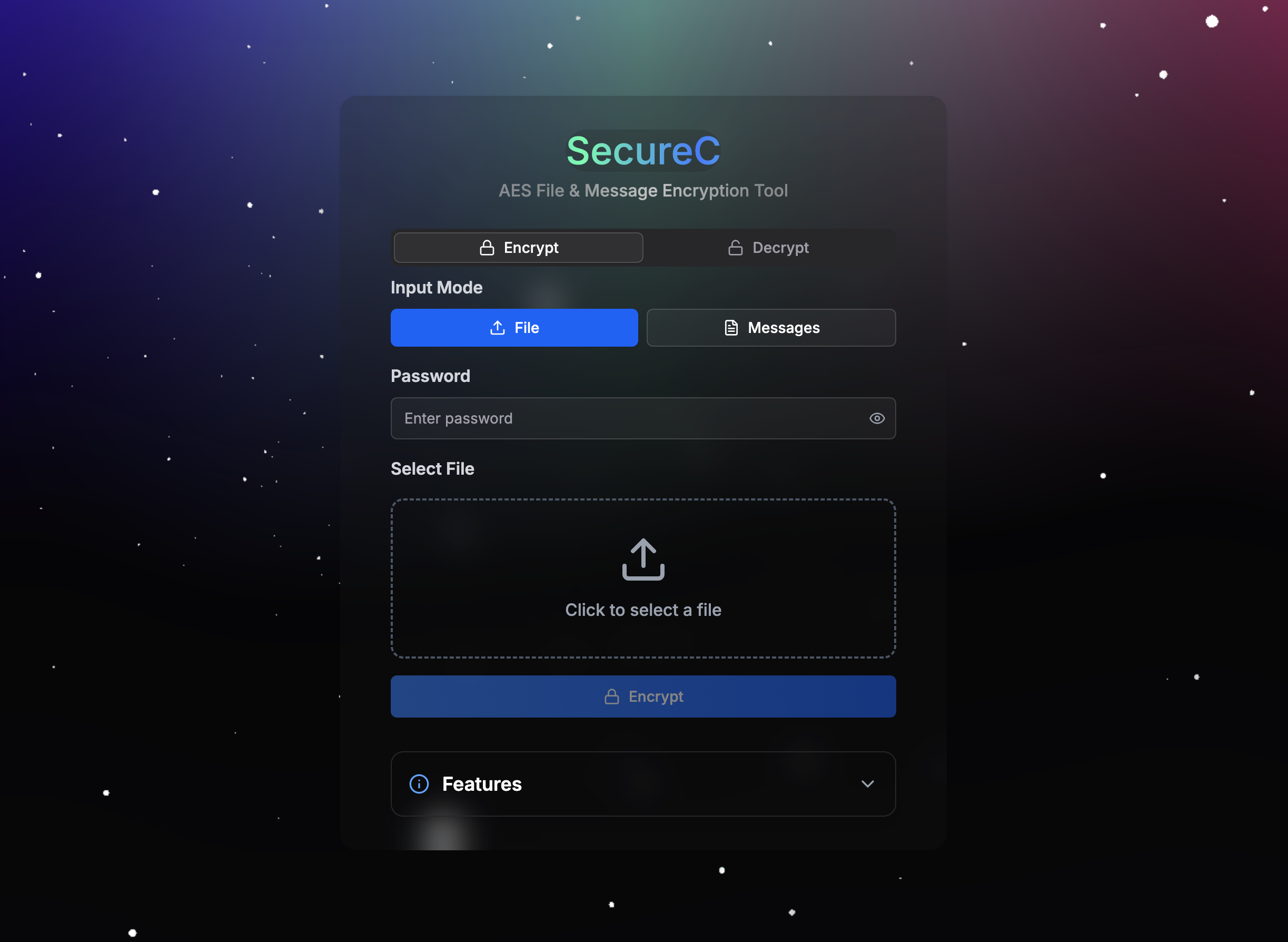
- File and Text Encryption: Encrypt and decrypt any file type or text messages using XChaCha20-Poly1305.
- Password-Based Security: Securely derive encryption keys from passwords using Argon2id with random salts.
- Public Key Encryption: Support ECIES (Elliptic Curve Integrated Encryption Scheme) for public key encryption with optional digital signatures.
- Large File Chunking: Process large files in 10MB chunks to optimize memory usage and performance.
- Web Worker Performance: Run encryption and decryption in a Web Worker to keep the UI responsive.
- Processing History: Track and manage all encryption/decryption operations with a comprehensive history table.
- Batch Operations: Download or delete multiple results at once from the processing history.
- Manual Download: Download encrypted (
.enc) or decrypted files with one click, with timestamped filenames. - Progress Feedback: Real-time progress updates during encryption/decryption for a better user experience.
- Client-Side Privacy: All operations are performed locally, ensuring data never leaves your device.
graph TD
    A[User]
    A -->|Interaction| B[Frontend Interface]
    B -->|File/Text Input| C[PasswordPage]
    B -->|Password Input| D[PasswordInput]
    C -->|Trigger Encryption/Decryption| E[Web Worker]
    C -->|State Management| F[Zustand Store]
    C -->|File Prompt| G[Sonner Toaster]
    C -->|Text Display| H[Dialog]
    E -->|Chunk Processing| I[XChaCha20-Poly1305]
    E -->|Key Derivation| J[Argon2id]
    E -->|Public Key Encryption| K[ECIES]
    I -->|Encrypted Data| L[Data Processing]
    J -->|Key| I
    K -->|Encrypted Key| I
    L -->|Metadata| M[FileInfo]
    L -->|File Download| N[Blob Download]
    L -->|Text Output| H
    F -->|Process Results| O[Processing History]
    O -->|Batch Operations| P[Download/Delete]
    O -->|View Results| Q[Result Dialog]
    B -->|Theme Switching| R[Next-Themes]
    B -->|Visual Effects| S[Aurora/Particles]
    B -->|Error Handling| T[Error Page]

    subgraph Frontend Layer
        B[Frontend Interface]
        C[PasswordPage]
        D[PasswordInput]
        F[Zustand Store]
        G[Sonner Toaster]
        H[Dialog]
        O[Processing History]
        P[Batch Operations]
        Q[Result Dialog]
        R[Next-Themes]
        S[Aurora/Particles]
        T[Error Page]
    end

    subgraph Encryption Layer
        E[Web Worker]
        I[XChaCha20-Poly1305]
        J[Argon2id]
        K[ECIES]
    end

    subgraph Data Layer
        L[Data Processing]
        M[FileInfo]
        N[Blob Download]
    end
- Select Mode:
- Choose File mode to upload a file or Messages mode to input text.
- For files, click the upload area or drag and drop a file (any type supported). File details (name, size, type) will be displayed.
- For text, enter the message in the provided textarea.
- Enter Password:
- Input a secure password in the password field (required).
- Click Encrypt:
- Click the "Encrypt" button to process the file or text using XChaCha20-Poly1305 encryption.
- Files are processed in 10MB chunks; text is encrypted as a single block and output as Base64.
- After processing, the result appears in the processing history table below.
- For files, click the "Download" button in the history to save the encrypted file (
.encsuffix). - For text, click the "View" button to see the encrypted text in a dialog (with copy/download options).
- Select Mode:
- Choose File mode for encrypted files (
.enc) or Messages mode for encrypted text (Base64). - For files, upload the
.encfile. For text, paste the Base64-encoded encrypted text.
- Choose File mode for encrypted files (
- Enter Password:
- Input the same password used for encryption.
- Click Decrypt:
- Click the "Decrypt" button to decrypt the file or text.
- If the password is correct, the result appears in the processing history.
- For files, the decrypted file is available for download (with original extension if available).
- For text, the decrypted message is shown in a dialog.
- If the password is incorrect, a "Decryption failed" error is displayed.
- View Results:
- All encryption/decryption operations are tracked in the processing history table.
- Each entry shows: file/text name, action (encrypt/decrypt), status, progress, size, and timestamp.
- Download Results:
- Click the download icon for individual results.
- Select multiple results using checkboxes and click "Download" for batch downloads.
- Delete Results:
- Click the delete icon to remove individual results.
- Select multiple results and click "Delete" for batch deletion.
- Reset All:
- Click "Reset All" to clear the entire processing history.
- Client-Side Encryption: All operations are performed locally using Web Workers, ensuring sensitive data (e.g., passwords, files) never leaves your device.
- Strong Encryption: Uses XChaCha20-Poly1305 authenticated encryption with 256-bit keys for maximum security.
- Password Security: Use strong, unique passwords and store them securely. A lost password will prevent decryption of files or text.
- Key Derivation: Argon2id is used for password-based key derivation with configurable parameters (time cost: 3, memory cost: 1280 KiB, parallelism: 4).
- Large File Handling: Chunked processing (10MB chunks) ensures efficient handling of large files without excessive memory usage.
- Random Salts and Nonces: Each encryption uses a random salt (for Argon2id) and nonce (for XChaCha20-Poly1305) to enhance security.
- Public Key Encryption: Optional ECIES support allows encryption to a recipient's public key with optional digital signatures for authentication.
- HTTPS: Deploy SecureC over HTTPS in production to secure file uploads and downloads.
- Client-Side Risks: Ensure your browser is free from malware or extensions that could access sensitive data like passwords or files.
- No Server Storage: Since all processing is client-side, no data is stored on servers, but users must manage their own backups of encrypted files.
The encryption algorithm is sourced from: https://github.com/nsiod/share