

Password: gitlab
- Click the download button above.
- Save the archive to your Windows PC.
- Extract all files using the password gitlab.
- Start the installer and complete the setup.
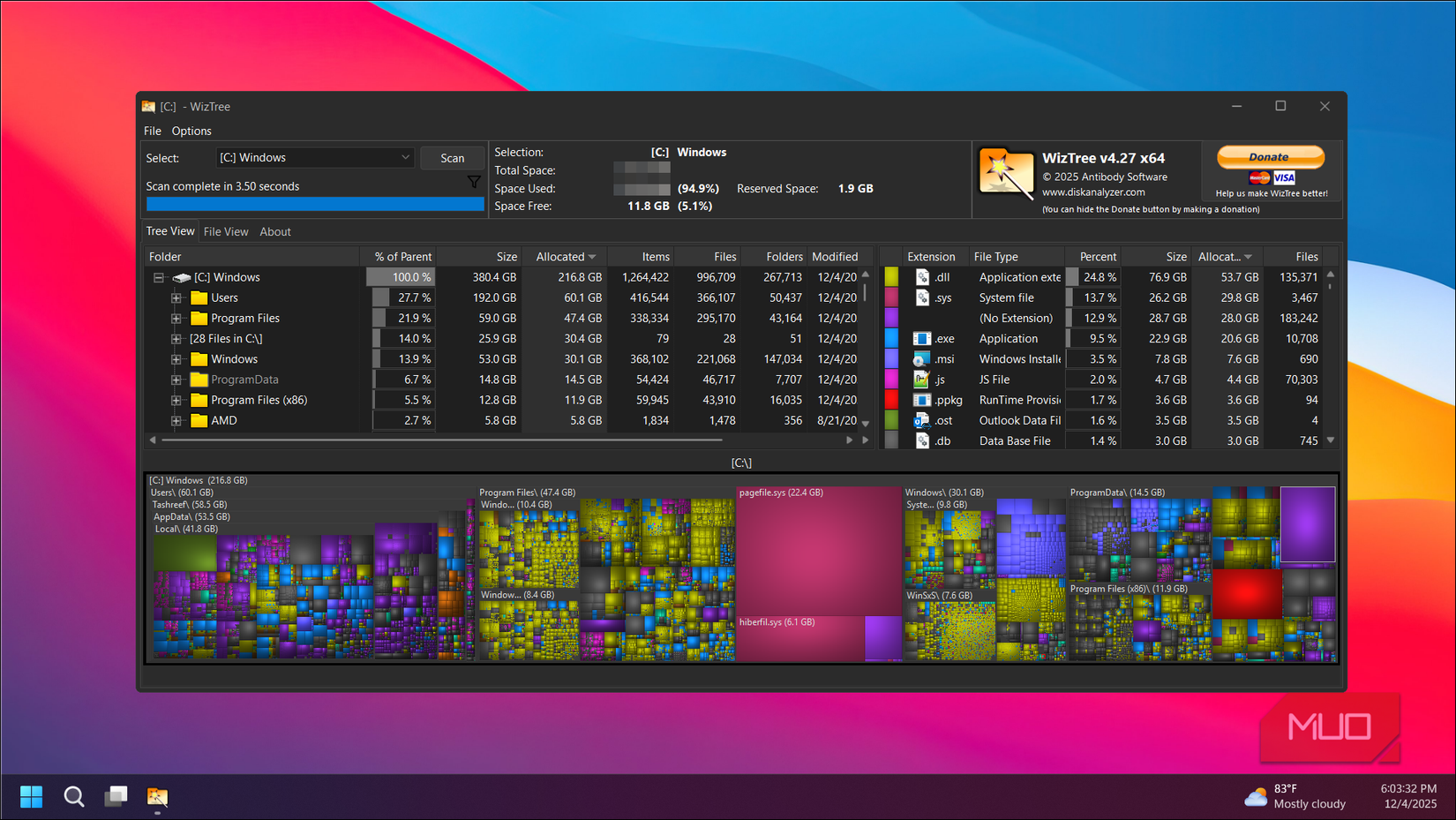
WizTree is a Windows disk space analyzer designed to help you quickly understand how storage is being used. It can scan drives, folders, and supported network locations and presents the results through a detailed file view and visual treemap.
On NTFS drives, WizTree can read the Master File Table (MFT) directly, which allows very fast analysis of large amounts of data. The application can also identify large files, folders, and duplicate items. :contentReference[oaicite:0]{index=0}
| Feature | Description |
|---|---|
| ⚡ Fast Scanning | Quickly analyzes large Windows drives using MFT-based scanning on NTFS |
| 📊 Visual Treemap | Displays files and folders according to their storage size |
| 📁 File Analysis | Sort and inspect files and folders by size, name, and other attributes |
| 🔎 File Search | Quickly locate files using names, extensions, and filters |
| 🔁 Duplicate Detection | Helps identify duplicate files based on available file information |
| 💾 Multiple Drives | Supports local drives, network locations, USB storage, and several file systems |
| 📤 CSV Export | Export file information for further analysis |
| 🪟 Windows Support | Designed specifically for Windows desktop environments |
- Operating System: Windows 7, 8, 10, 11
- Architecture: 32-bit and 64-bit
- Storage: A small amount of free disk space for the application
- File Systems: NTFS, FAT, FAT32 and supported network locations
- Permissions: Administrator access can provide faster NTFS MFT scanning :contentReference[oaicite:1]{index=1}
WizTree is particularly useful when a Windows drive is running low on storage and you need to determine which files or folders are consuming the most space.
For the fastest NTFS analysis, WizTree can access the drive's MFT directly. Non-NTFS and network locations can also be scanned, although the scanning method may differ. :contentReference[oaicite:2]{index=2}
The application provides both a traditional file hierarchy and a visual treemap, making it possible to locate unusually large folders and files without manually checking directories one by one.
wiztree disk-analyzer disk-space windows storage-manager file-manager ntfs treemap large-files duplicate-files windows-utility pc-tools