


A lightweight Python library for reading, writing, and manipulating BVH motion capture files. Built for researchers and developers working with skeletal animation and motion data.
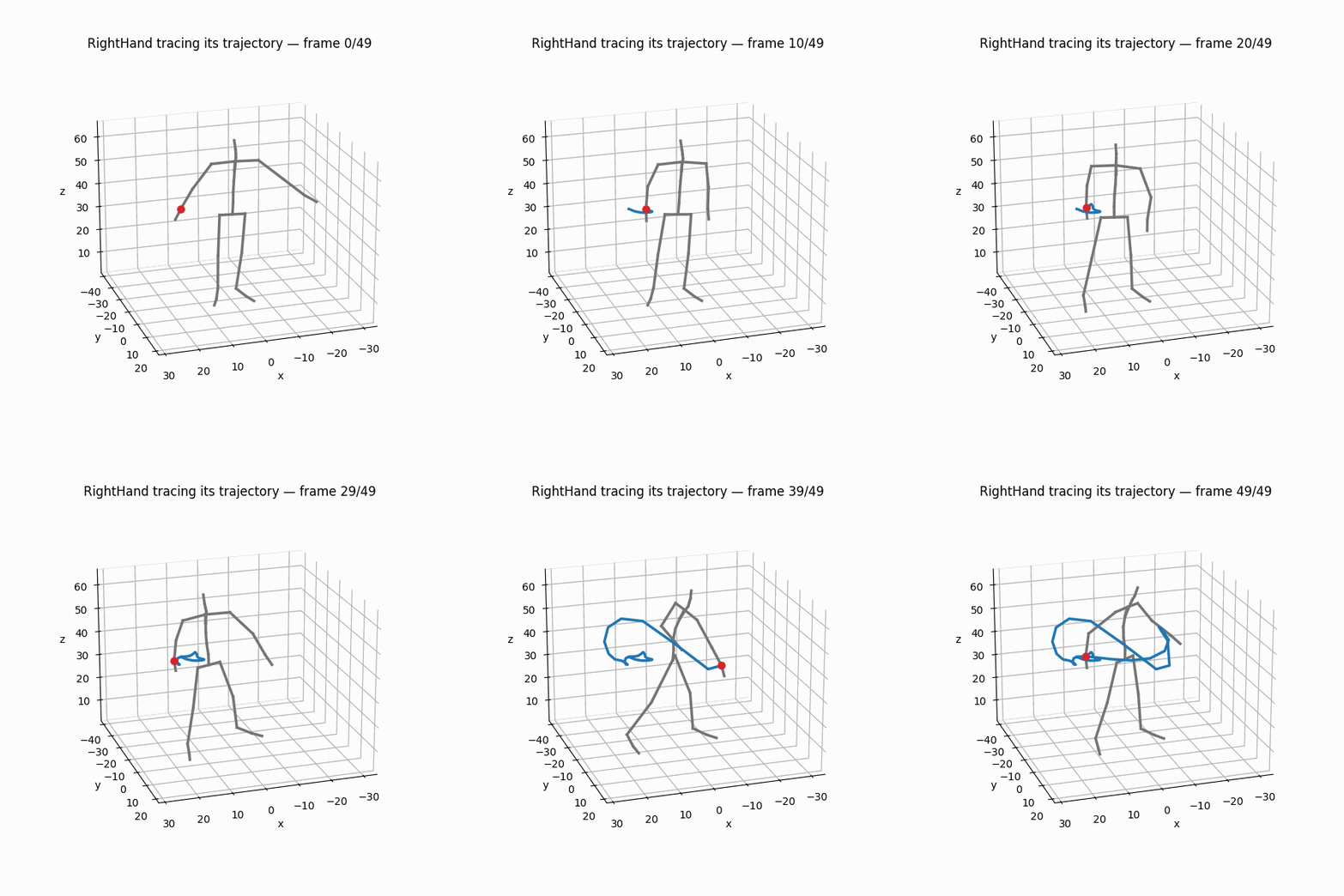
Documentation · Quick Start · Feature Gallery — every feature, one picture each · Find a function · Tutorials
- Read & write BVH files with full hierarchy and motion data preservation — I/O
- Rotation conversions between Euler angles, rotation matrices, quaternions, 6D (Zhou et al.), and axis-angle — all vectorized with NumPy — guide
- Forward kinematics to compute 3D joint positions from angles — core concepts
- Skeleton operations: retargeting, scaling, joint extraction, Euler order changes — guide
- Frame operations: slicing, concatenation, resampling to different frame rates — guide
- Spatial transforms: mirroring, vertical rotation, speed perturbation, joint noise, root translation, frame dropout — all with seeded randomization — guide
- Motion analysis: joint velocities/accelerations, root trajectory, foot contact detection, gait parameters, and a one-stop
to_feature_array()export — guide - Motion descriptors: trajectory geometry (curvature, torsion, path length, bounding volumes, centre of mass), dynamics (jerk, smoothness/SPARC, kinetic energy, gait), and SE(3) rigid-transform math (twists, screw interpolation, geodesic distance) — all pure NumPy — guide · gallery
- Signal utilities (
pybvh.signal): finite differences, temporal statistics, smoothing, FFT/dominant frequency, polyline simplification — API - Batch loading of entire directories with optional parallel I/O — guide
- Pandas ready —
to_df_dict()output drops straight intopd.DataFrame— guide - 3D visualization: publication-grade stills, the sampled-poses sequence figure, ghost trails, turntable orbits, video export, and shadowed capsule renders — matplotlib, OpenCV, k3d and vedo backends — guide · API
pybvh is framework-agnostic and outputs pure NumPy arrays. It understands motion capture data but does not assume what you'll do with it — the same library serves ML researchers, biomechanics scientists, and game developers. For ML-specific features (tensor packing, PyTorch Datasets, augmentation pipelines), see the companion library pybvh-ml (documentation).
pip install pybvhimport pybvh
# Load a BVH file (pybvh.Bvh.from_file("walk.bvh") is the classmethod spelling)
bvh = pybvh.read_bvh_file("walk.bvh")
print(bvh) # "24 joints, 75 frames at 30.0 fps (frame_time=0.033333s, from walk.bvh)"
# Access motion data as NumPy arrays
bvh.root_pos # (F, 3) root translation per frame
bvh.joint_angles # (F, J, 3) Euler angles in radians
bvh.joint_names # ['Hips', 'Spine', ...] (excludes end sites)
# Get 3D joint positions via forward kinematics
coords = bvh.node_positions() # (F, N, 3)
# Convert to other rotation representations
root_pos, quats = bvh.to_quat() # (F, 3), (F, J, 4)
root_pos, rot6d = bvh.to_6d() # (F, 3), (F, J, 6)
# Write back to file
bvh.write("output.bvh")vel = bvh.joint_velocities() # (F, J, 3) in units/second
contacts = bvh.foot_contacts() # (F, num_feet) binary labels, feet auto-detected
# One-stop export — flat feature array for ML pipelines
features = bvh.to_feature_array(
representation="6d",
include_velocities=True,
include_foot_contacts=True,
) # (F, D)Beyond the basics sits a full descriptor layer — curvature, smoothness (SPARC), kinetic energy, gait parameters, SE(3) twists — each drawn with its exact call in the Feature Gallery and explained in the Motion Descriptors guide.
bvh.plot_rest_pose()                              # T-pose
bvh.plot_frame(frame=0, camera="front")           # also "side", "top", (azim, elev)
bvh.plot_sequence(n_poses=8)                      # the motion-paper still: time as lightness
bvh.plot_trajectory()                             # 2D top-down root path
bvh.render("walk.mp4", codec="h264")              # video/GIF/HTML export, browser-playable
bvh.render("walk.mp4", ghost=3, trajectory=True)  # faded trail + root path on the floor
bvh.render("orbit.mp4", camera="turntable")       # a full 360-degree orbit over the clip
bvh.plot_frame(frame=0, backend="vedo")           # shadowed 3D capsules, offscreen, headless-safe
bvh.play()                                        # interactive playback (auto-detects backend)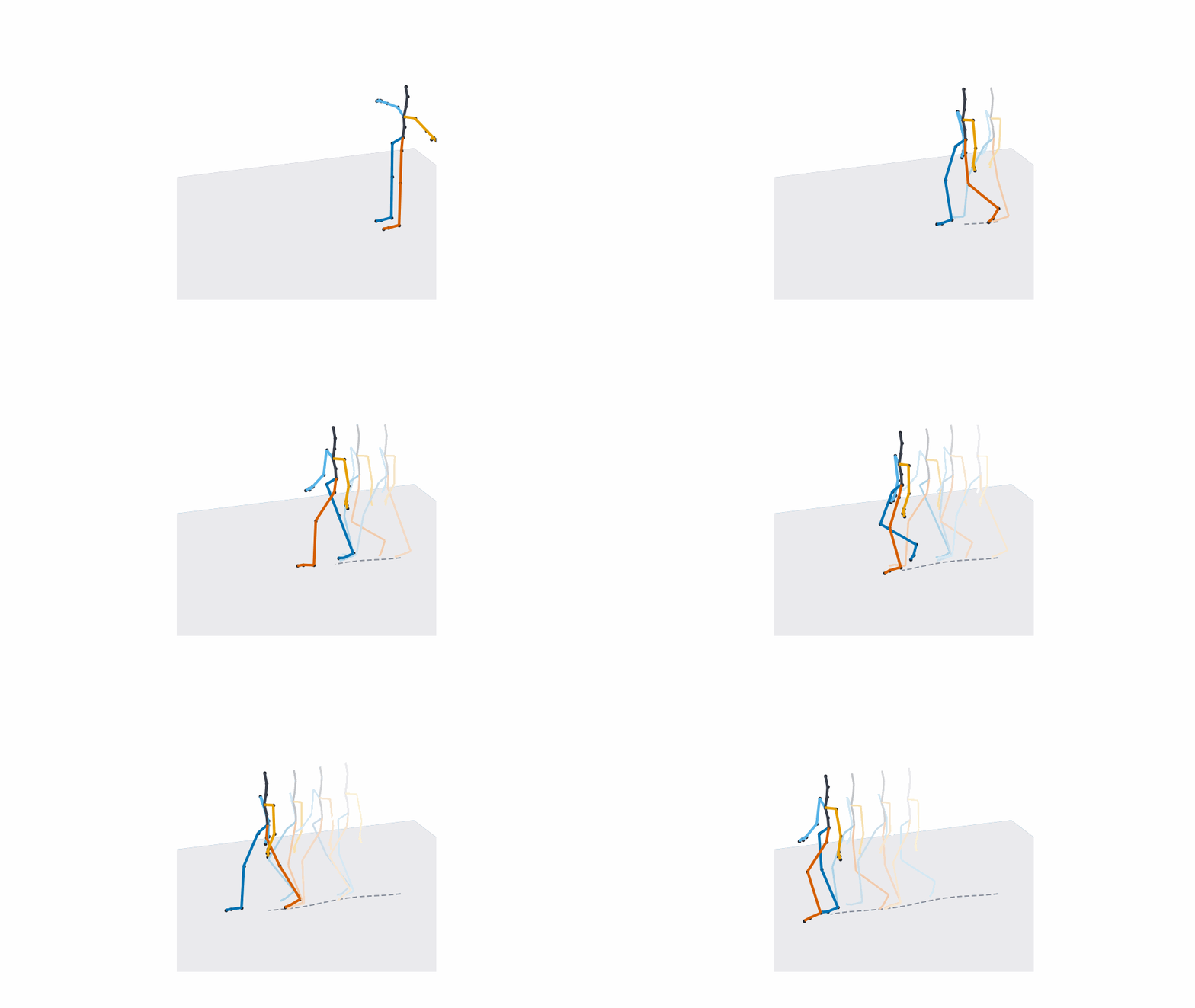
Every function takes style=: "paper" (the default — ground plane, per-chain bone colors, joint markers, axes off), "dark" for slides, "debug" for reading coordinates off the axes, or a Style instance overriding any field.
pip install pybvh[opencv]       # Fast video rendering
pip install pybvh[interactive]  # k3d for Jupyter notebooks
pip install pybvh[viewer]       # vedo for desktop interactive viewer
pip install pybvh[all-viz]      # All of the above
Getting figures out of Python and into a paper — vector stills, supplementary video, the capsule look: Publication Figures. Multi-skeleton comparison, camera control, and backend details: Visualization API.
| Topic | In one line | Docs |
|---|---|---|
| Batch loading | Load a directory, harmonize heterogeneous skeletons, export one padded array | Feature Export |
| Spatial transforms | mirror, rotate_vertical, add_rotation_noise, perturb_speed, drop_frames — seeded randomization |
Data Augmentation |
| Skeleton & frame ops | retarget, scale, extract_joints, slicing, concatenation, resample |
Skeleton Operations |
| Rotation utilities | Batch-vectorized conversions between all five representations, SLERP, SE(3) | Rotations & SE(3) |
| World up & orientation | Up-axis detection, forward_at/left_at, reorientation |
World Up |
| Pandas integration | to_df_dict() / df_to_bvh() round trip |
Skeleton Operations |
Eight Jupyter notebooks with detailed walkthroughs, from reading your first file to motion descriptors — see the tutorials page. Each tutorial is committed as a Jupytext-paired .ipynb + .py so the source is reviewable as plain Python.
pybvh is in 0.x — expect breaking changes between minor versions.
We treat 0.x as design space: when a past choice turns out to be wrong, we fix it at the root rather than carry scar tissue forward. No deprecation cycles, no compatibility shims; each release ships a single clean migration path, documented in the CHANGELOG. If you depend on pybvh from production code, pin to an exact version (pybvh==0.8.2) and read the upgrade notes before bumping.
This will change at 1.0: from then on, pybvh will commit to strict semver — no breaking changes within a major version, deprecation warnings (at least one minor release) before any future removal. Until 1.0, "make the library better" wins over "preserve the old behavior."
- Python >= 3.10
- NumPy >= 1.21
- Matplotlib >= 3.7
Pandas is optional (pip install "pybvh[pandas]") - only used in the tutorials, not part of pybvh library.
If pybvh is useful in your research, please cite it. On GitHub, the Cite this repository button in the sidebar gives APA and BibTeX generated from CITATION.cff. In BibTeX, with version set to the release you used:
@software{schneider_pybvh,
  author  = {Schneider, Victor},
  title   = {pybvh},
  url     = {https://github.com/VictorS-67/pybvh},
  version = {0.9.0},
  year    = {2026}
}