
ForgeIncident is a local-first, fully offline tool for generating realistic, internally-consistent DFIR / purple-team investigation packages: a student ZIP (raw logs + a non-spoiler briefing) and a self-contained instructor ZIP (the same logs, plus an annotated kill-chain timeline, an answer key, and a machine-readable manifest for grading tooling).
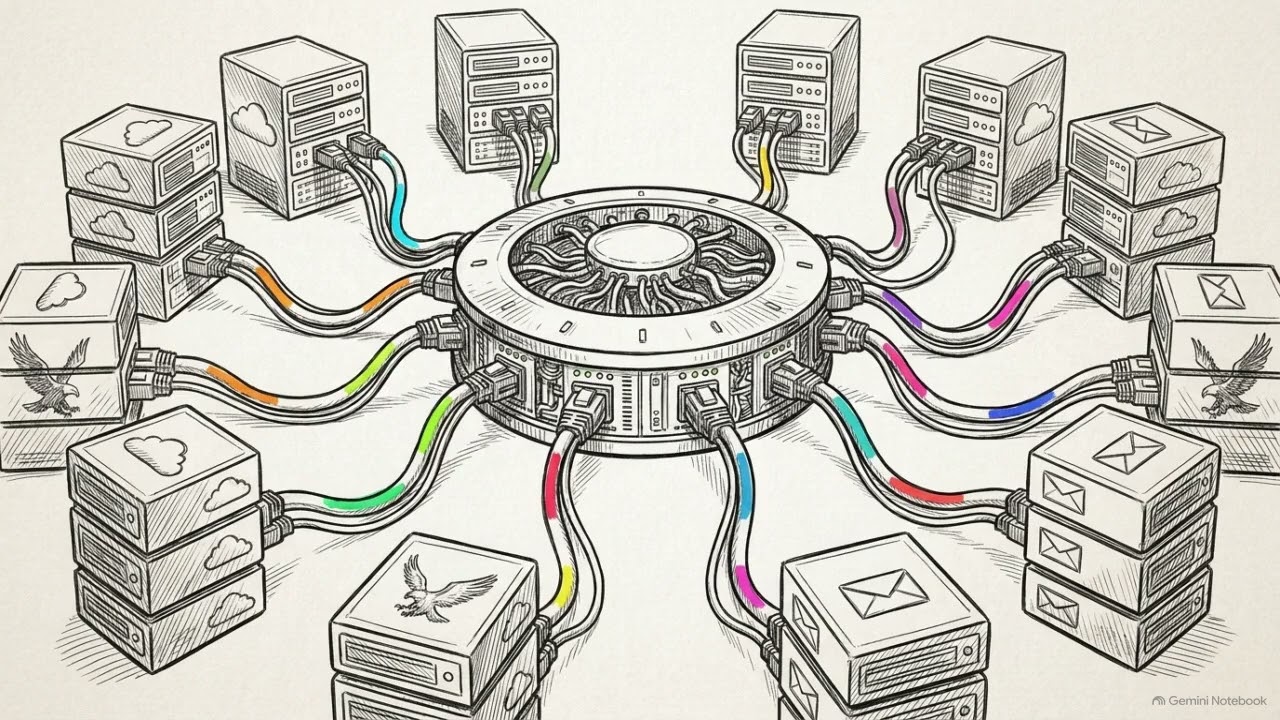
A walkthrough of what ForgeIncident does, why cross-log consistency matters, and how to use it to practice. ▶ Watch on YouTube
Every log file in a package — GCP Cloud Audit Log, AWS CloudTrail, Azure Activity/Entra ID audit log, Okta System Log, CrowdStrike Falcon detections, Exchange Online Message Trace, Palo Alto traffic log, FortiGate-style firewall syslog, Linux syslog, Windows Event Log XML, and recovered .eml files — is rendered deterministically from one shared event timeline, so an IP address, username, PID, or file hash that shows up in one log shows up identically in every other log it should. That's the entire point of the exercise: students correlate evidence across log sources, and the tool guarantees that evidence is actually correlatable. Need a format that isn't built in? Write a plugin.
Beyond generating evidence, ForgeIncident also exports to SIEMs (Splunk, Elastic, Microsoft Sentinel) so exercises can run inside the tool students actually use, scores submissions (detection coverage, false positives, response time), and ships a web UI for editing timelines without touching YAML.
An LLM — Claude, OpenAI, Gemini, Grok, or a local Ollama model — is optional for two different jobs, kept strictly separate:
- Planning (
generate-nl): turn a natural-language prompt into a choice of which bundled scenario to use plus a difficulty/title. Never writes a log line. Works fully offline via the defaultnonebackend. - Generation (
generate-category): invent an entirely new scenario (org, actors, hosts, timeline, MITRE mapping) from a category + difficulty picked off a 56-category taxonomy (see SCENARIO_CATEGORY_TAXONOMY.md), validated through the exact same schema every hand-written scenario goes through, with an automatic validate/retry loop. Requires a real LLM backend (notnone) and is explicitly flagged for instructor review — see § Generating brand-new scenarios.
ForgeIncident works completely offline out of the box; only generate-category requires an LLM.
New to this project? GETTING_STARTED.md is the plain-language, OS-by-OS walkthrough (download → install → first package → API keys → web UI → SIEM → scoring). COMPLETE_GUIDE.md is the full explanatory reference, including step-by-step walkthroughs for using the tool to practice. This README is the technical reference.
- Overview video
- Core design rule
- Installation
- Quickstart
- CLI reference
- Generating brand-new scenarios
- Web UI
- SIEM export
- Scoring a submission
- Plugins: custom log generators
- Architecture
- Writing your own scenario
- Project layout
- Testing
- A note on the generated content
All logs and artifacts are generated by deterministic Python code from a single shared event model, so that every identifier — timestamp, IP, user, PID, hash, message ID — stays consistent across every file in a package. The optional LLM backends are used only for natural-language scenario planning; they never touch log generation.
Concretely:
models.pydefines the shared data model (Scenario,Event,Identity,Host, and typed payloads likeEmailArtifact/NetworkInfo/ProcessInfo/CloudApiCall/FileInfo). Every emitter reads from the sameEventobjects.scenario_loader.pyturns a YAML file into a validatedScenario, seeded for full reproducibility. Any randomness it introduces (small timestamp jitter) is derived from the scenario'sseed, never from an unseededrandomcall.emitters/render aScenario's timeline into realistic log formats. Emitters never invent an identifier that isn't already on theEvent— a secondary ID a format needs (a GCPinsertId, a PAN-OS session ID) is derived deterministically from the event's own ID via a stable hash, neverrandom. Third-party plugin emitters go through the same path and get the same guarantee (seeemitters/registry.py).siem/exports the same timeline into SIEM ingest formats. SameScenarioin, so a SIEM export and a raw log package describe the same incident with the same identifiers.scoring.pygrades a student submission against the timeline. Deterministic, offline, no LLM — same inputs always produce the same numbers.llm/backends (none,claude,openai,gemini,grok,ollama) power two SEPARATE, narrow jobs.plan_scenario()(used bygenerate-nl) only ever produces a smallScenarioPlan— which bundled template to use, an optional difficulty/title override — and cannot rename organizations, actors, or invent timeline events.generate_scenario_text()(used only bygenerate-category, and NOT implemented bynone) is the one place an LLM is trusted to invent a whole new scenario; its raw output is never trusted directly —llm/scenario_generator.pyalways runs it through the samescenario_loadervalidation every hand-written YAML goes through, retrying on failure, then a heuristicllm/consistency.pypass for issues schema validation can't catch (e.g. an IP that should recur across events but doesn't).packager.pyis the only module that touches disk. It splits content into student-safe (logs + a redacted, non-spoiler briefing) and instructor-only (the same logs + full narrative + answer key + manifest) — instructor-only fields likeEvent.descriptionandEvent.mitreare never rendered into a log file.
Requires Python 3.10+.
git clone https://github.com/forge-incident/forge-incident.git
cd forge-incident
python3 -m venv .venv
source .venv/bin/activate        # Windows: .venv\Scripts\activate
pip install -e .
Everything above gets you the fully offline tool. LLM-assisted natural-language generation needs one more optional extra, matching whichever provider you want (see GETTING_STARTED.md for where to get each API key):
pip install -e ".[claude]"       # Anthropic Claude
pip install -e ".[openai]"       # OpenAI (ChatGPT/GPT)
pip install -e ".[gemini]"       # Google Gemini
pip install -e ".[grok]"         # xAI Grok
pip install -e ".[ollama]"       # local Ollama (no API key needed)
pip install -e ".[webui]"        # Streamlit web UI (no API key needed)
pip install -e ".[dev]"          # pytest, ruff, mypy
pip install -e ".[all]"          # everything above
Copy .env.example to .env and fill in only what you need — the defaults (FORGE_LLM_BACKEND=none) require no keys at all:
cp .env.example .env# See what's available
forge-incident list
# Generate deterministically from a bundled scenario + seed
forge-incident generate scenarios/phishing_to_exfil.yaml --seed 20260310
# Generate from a natural-language prompt (offline by default)
forge-incident generate-nl "a phishing email that leads to lateral movement and data exfiltration"
# Same, but ask Claude to pick/frame the scenario (requires ANTHROPIC_API_KEY)
forge-incident generate-nl "ransomware at a small law firm" --llm claude --difficulty advanced
# Export the same scenario into your SIEM instead of handing out flat files
forge-incident export scenarios/phishing_to_exfil.yaml -f splunk
# Grade a student's completed submission.json
forge-incident score scenarios/phishing_to_exfil.yaml submission.json --seed 20260310
# Edit timelines in a browser instead of YAML
forge-incident webEach command writes two ZIPs to ./output/ (override with --output): <scenario_id>-seed<seed>-student.zip and <scenario_id>-seed<seed>-instructor.zip. Re-running the exact same command produces byte-identical student ZIPs — that's the "full seed-based reproducibility" guarantee, not just a claim about the data inside them.
Deterministic path: load a YAML scenario file, optionally overriding its declared seed, and package it. This is what you want for grading a fixed cohort, or for CI-testing a scenario file you're authoring.
forge-incident generate-nl "<prompt>" [--seed N] [--llm none|claude|openai|gemini|grok|ollama] [--difficulty beginner|intermediate|advanced] [--scenarios-dir DIR] [--output DIR]
Natural-language path. The chosen backend (default none, from $FORGE_LLM_BACKEND) maps your prompt to the closest bundled template and prints its rationale so the choice is never a black box. --llm none needs no dependency or network access; every other backend needs its API key set (ANTHROPIC_API_KEY/OPENAI_API_KEY/GEMINI_API_KEY/XAI_API_KEY) and its extra installed, except --llm ollama, which needs a running local ollama serve instead of a key. See GETTING_STARTED.md § 7 for exact setup per provider.
Lists the scenario category taxonomy generate-category draws from: 56 categories across 12 domains (OWASP Top 10:2025 web app, OWASP API Security Top 10, OWASP Top 10 CI/CD Security Risks, OWASP Top 10 for LLM Applications, OWASP Mobile Top 10, AWS, Azure/Entra ID, GCP, Windows/Active Directory, Linux/Unix, macOS, and cross-cutting DFIR staples like phishing/BEC/insider-threat/ransomware). See SCENARIO_CATEGORY_TAXONOMY.md for full sourcing and rationale.
forge-incident generate-category --category ID [--difficulty ...] [--llm PROVIDER] [--seed N] [--max-attempts N] [--output DIR]
LLM-driven invention path — see § Generating brand-new scenarios below.
Discovers and fully validates every *.yaml/*.yml in a directory (default scenarios/), printing ID, title, difficulty, event count, and tags. A scenario that fails validation is still listed, flagged invalid, with the actual error — so list doubles as a linter while you're authoring.
Export to SIEM ingest formats — see § SIEM export. Repeatable -f; default is all formats. Writes loose files, not ZIPs (you're feeding an ingest API, not a student).
Grade a student submission — see § Scoring a submission. --output writes both a Markdown report and a JSON sibling for gradebook tooling.
List built-in and plugin log generators, and report anything that failed to load with the specific reason — see § Plugins.
Launch the browser UI — see § Web UI. Requires pip install -e ".[webui]".
Prints the installed version.
generate-nl only ever picks among the YAML files already in scenarios/. generate-category is different: it asks a real LLM backend to invent an entirely new scenario — organization, actors, hosts, timeline, MITRE mapping, answer key — for a category + difficulty you choose, rather than free-text prompting for an open-ended idea. That's a deliberate, safer scope: a fixed category is a well-documented pattern the model has likely seen described many times, not an invitation to improvise a whole genre.
# Browse the taxonomy
forge-incident categories
forge-incident categories --domain windows_enterprise

# Generate a new one (requires a real LLM backend — 'none' isn't enough here)
forge-incident generate-category --category windows-ad-kerberoasting --difficulty advanced --llm claude
What happens under the hood:
- The chosen category's premise, suggested MITRE tactics/techniques, and suggested log sources are folded into a prompt, along with the full
Scenarioschema and one of the bundled scenarios as a formatting example (explicitly told not to reuse its story). - The model's raw YAML output is run through the exact same
scenario_loadervalidation every hand-written scenario goes through — referential integrity, enum validity, MITRE technique ID format, chronological order. On failure, the exact error is fed back to the model and it gets another attempt (--max-attempts, default 3). - Once schema-valid,
llm/consistency.pyruns a second, heuristic pass looking for things schema validation can't catch — an actor/host defined but never used, an IP that looks like it was regenerated instead of reused, a filename that shows up with two different hashes, an unusually small/large event count for its difficulty. These are warnings, not blockers. - The accepted YAML is saved to
scenarios/generated/(so it's reviewable, diffable, and reusable exactly like a hand-written scenario), then packaged normally. - The instructor package (never the student package) gets an explicit "⚠ LLM-generated scenario — review before classroom use" notice plus every consistency warning, in both
instructor/INSTRUCTOR_GUIDE.mdand the machine-readableinstructor/manifest.json(requires_instructor_review: true).
Treat a generate-category scenario the way you'd treat any new exercise someone handed you: read the instructor guide once before assigning it. The validate/retry loop guarantees it's structurally sound; it doesn't guarantee the narrative is pedagogically great on the first try.
Every generate-category call is a real, billed API request (except --llm ollama, which runs locally). See COST_ESTIMATES.md for a per-backend, per-difficulty cost estimate — dated, since LLM pricing and even which model names still work changes every few months.
pip install -e ".[webui]"
forge-incident web
Opens a browser UI at http://localhost:8501 with tabs for:
- Timeline — an editable grid: change severities, retype descriptions, add rows for new events, delete rows to remove them. Typed payloads (
process/email/network/cloud/file) are preserved through grid edits and edited in the YAML tab. - Details — title, difficulty, seed, organization, and the student-briefing/instructor-description split, side by side so you can see what each audience gets.
- YAML — the full source, validated before any edit is applied, with download and save-to-disk.
- Generate — build the student/instructor ZIPs and download or preview them in-browser.
- SIEM export — pick formats, download a bundle.
- Score — upload a student's
submission.json, get coverage/precision/response-time metrics and a downloadable report. - Plugins — see which log generators are loaded and what failed to load.
The UI calls exactly the same functions the CLI does, so a package built in the browser is byte-identical to forge-incident generate at the same seed. If you delete a timeline row the answer key references, the UI tells you up front and offers to clean up the dangling pointers rather than failing validation after you've finished editing.
forge-incident export scenarios/phishing_to_exfil.yaml                 # all formats
forge-incident export scenarios/phishing_to_exfil.yaml -f splunk       # just one
forge-incident export scenarios/phishing_to_exfil.yaml -f elastic -f sentinel| Format | Output | Load it with |
|---|---|---|
splunk |
HEC newline-delimited JSON, flat CIM-style fields, sourcetype=forge:* |
curl to /services/collector/event |
elastic |
ECS 8.11-mapped _bulk NDJSON |
curl to _bulk |
sentinel |
Log Analytics rows for a ForgeIncident_CL custom table, plus a starter .kql file |
Logs Ingestion API / DCR |
The exports describe the same incident with the same identifiers as the raw log package, so you can hand students the raw logs and load the SIEM export yourself for the debrief. Unlike the student log package, SIEM exports do include ATT&CK fields (threat.technique.id and friends) — a SIEM export without them can't be used to validate detection rules, which is the main reason to load one. Event.description is never exported anywhere.
Every student package now contains a blank submission.json. Students fill it in as they work; you grade it:
forge-incident score scenarios/phishing_to_exfil.yaml submission.json --seed 20260310 -o ./reports Score: Jane Doe — Phishing to Data Exfiltration
┏━━━━━━━━━━━━━━━━━━━━━━━━━┳━━━━━━━━━━━━━━━━━━━━┓
┃ Metric ┃ Result ┃
┡━━━━━━━━━━━━━━━━━━━━━━━━━╇━━━━━━━━━━━━━━━━━━━━┩
│ Detection coverage │ 70% (7/10) │
│ Precision │ 88% (1 FP) │
│ Time to first detection │ 12 min │
│ Mean detection latency │ 41 min │
└─────────────────────────┴────────────────────┘
Three metrics, each answering a different question:
- Detection coverage — did they find the attack? Broken down per ATT&CK tactic, so "caught the malware, missed the entire exfiltration phase" is visible instead of averaged away.
- Precision / false positives — tracked separately, because an analyst who flags everything would otherwise score 100% coverage.
- Response time — per-detection latency plus time-to-first-detection measured from the first malicious event: the difference between "found it eventually" and "would have caught it before exfiltration."
A detection opportunity is any event carrying an ATT&CK technique or severity medium+; everything else is benign, and flagging one is a false positive. No extra annotation needed — that falls out of fields scenarios already set. Scoring is deterministic and fully offline: same scenario + same submission always produces the same numbers, so two instructors agree by construction. Written answers are surfaced for manual review, never auto-graded.
Seeds matter here — pass the same --seed the student's package was built with, or event timestamps (and therefore response-time scoring) won't line up.
Need a log format ForgeIncident doesn't ship? Write an emitter without forking the project. Two ways:
Drop a file in ./plugins/ (zero ceremony — override the location with $FORGE_PLUGINS_DIR):
# plugins/zeek.py
from forge_incident.emitters import EmittedArtifact, PluginEmitter

class ZeekEmitter(PluginEmitter):
    log_source_name = "zeek"          # routed via extra.log_sources_extra

    def emit(self, scenario):
        events = [e for e in self.relevant_events(scenario) if e.network is not None]
        if not events:
            return []
        lines = [f"{e.timestamp.timestamp():.6f}\t{e.network.src_ip}\t{e.network.dst_ip}"
                 for e in events]
        return [EmittedArtifact("logs/zeek/conn.log", "\n".join(lines) + "\n")]
Then route events to it in your scenario YAML:
  - id: c2-beacon
    log_sources: [palo_alto]          # built-in sources, as usual
    extra:
      log_sources_extra: [zeek]       # plugin sources
Or publish an installable package, declaring an entry point:
[project.entry-points."forge_incident.emitters"]
zeek = "my_forge_plugin.zeek:ZeekEmitter"
Either way your emitter receives the exact same validated Scenario the built-ins do — so plugin output is automatically consistent with every built-in log; that guarantee is structural, not something you have to remember to honor.
forge-incident plugins # what's loaded, and what failed to loadA plugin that fails to import, defines no emitter, or raises during emit() is isolated and reported — it never takes down an otherwise-valid generation run.
YAML scenario file ──► scenario_loader.load_scenario() ──► Scenario (validated, seeded)
web UI timeline edit ──► scenario_io round-trip ─────────┤   (re-validated before save)
natural-language prompt ──► llm.get_backend() ──► Plan ──┤   (picks a template; never touches events)
category + difficulty ──► llm.generate_new_scenario() ───┤   (LLM invents a full Scenario;
                     (validate/retry + consistency check)│    validated before use, same as YAML)
                                                         │
                        ┌────────────────────────────────┴────────────────────────────┐
                        ▼                                                             ▼
            emitters.run_all(scenario)                                    siem.export_scenario(scenario)
   ┌──────────┬────────┬─────────┬──────┬────────────┬───────┐         ┌────────┬─────────┬──────────┐
   │ gcp_audit│  aws_  │  azure_ │ okta │ crowdstrike│ email │         │ splunk │ elastic │ sentinel │
   │          │cloudtr.│ activity│      │            │ _eml  │         │  (HEC) │  (ECS)  │  (KQL)   │
   ├──────────┼────────┼─────────┼──────┼────────────┴───────┤         └────────┴─────────┴──────────┘
   │ palo_alto│firewall│  linux  │windows│ outlook_msg_trace │                       │
   │          │_syslog │         │       │      + iis        │                       ▼
   ├──────────┴────────┴─────────┴───────┴───────────────────┤            loose files for SIEM ingest
   │  + any plugin emitters (registry.py discovery)          │
   └────────────────────────────┬────────────────────────────┘
                                ▼
                   packager.build_packages()
                      ├── *-student.zip     (logs + non-spoiler README + blank submission.json)
                      └── *-instructor.zip  (logs + guide + answer key + manifest)
                                                     │
                        student fills in submission.json, hands it back
                                                     ▼
                              scoring.score_submission(scenario, submission)
                                 └── coverage / false positives / response time
Each emitter is a subclass of emitters.base.Emitter implementing one method, emit(scenario) -> list[EmittedArtifact], and is registered in emitters/__init__.py's ALL_EMITTERS. Adding a new log format means writing one new emitter and adding one line to that tuple — nothing else in the pipeline changes.
Start from scenarios/phishing_to_exfil.yaml (heavily commented) or scenarios/gcp_key_compromise.yaml (a good second reference — it exercises gcp_audit + linux instead of windows + palo_alto, and demonstrates why cloud/OS logs identify credentials, not humans).
The shape:
scenario_id: my-scenario-01     # stable slug; used in output filenames
title: "My Scenario"
description: >                  # INSTRUCTOR-ONLY. Full narrative — spoilers welcome.
  ...
student_briefing: >             # Shown to students verbatim. Must NOT reveal the
  ...                            # attack chain — scope the investigation, not the answer.
difficulty: intermediate        # beginner | intermediate | advanced
seed: 20260310                  # master seed; --seed on the CLI overrides this

organization:
  name: Example Corp
  domain: example.example       # keep training orgs on a reserved-safe TLD
  gcp_project_id: example-prod-01   # only needed if you use the gcp_audit emitter

actors:
  victim:                       # short key, referenced by `actor:` below
    username: jdoe
    email: jdoe@example.example
    display_name: Jane Doe

hosts:
  ws-01:
    hostname: EXAMPLE-WS-01
    ip_address: 10.0.0.5
    os: windows                 # windows | linux | macos | cloud

start_time: "2026-01-01T08:00:00Z"   # anchor for every event's `at:` offset

timeline:
  - id: delivered                # optional but recommended — used by answer_key
    at: "+0m"                    # offset from start_time: d/h/m/s, combinable ("+1h30m")
    event_type: phishing_email_delivered   # see models.EventType for the full list
    log_sources: [outlook_message_trace, email_eml]   # which emitter(s) render this event
    actor: victim                # must be a key from `actors:` above
    host: ws-01                  # must be a key from `hosts:` above
    description: "Instructor-only narrative for this specific event."
    mitre:
      technique_id: T1566.001
      technique_name: "Spearphishing Attachment"
      tactic: "Initial Access"
    email:                       # typed payload matching this event's log_sources
      message_id: "<...@...>"
      sender: attacker@evil.example
      recipients: [jdoe@example.example]
      subject: "..."

answer_key:
  - id: q1
    question: "..."
    answer: "..."
    related_event_ids: [delivered]   # references timeline `id:` values
    points: 2
Rules worth knowing:
at:offsets, not absolute times."+6m","+1h30m","-10s"are all valid (unitsd/h/m/s, combinable). You can also give a full ISO-8601 timestamp if you need to pin something exactly.- Every
actor:/host:on an event must be a key declared inactors:/hosts:. The loader refuses to load the file otherwise, with a message naming the bad key. - Only include the typed payload block(s) the event's
log_sourcesneed.email:foroutlook_message_trace/email_eml,network:forpalo_alto/firewall_syslog/okta(Okta readssrc_ipoffnetwork:, falling back tocloud.caller_ipif that's absent),process:/file:/service:forwindows/linux/crowdstrike,cloud:forgcp_audit/aws_cloudtrail/azure_activity,http:foriis. Seemodels.pyfor every field each payload type accepts. descriptionandmitreare instructor-only. No emitter renders them into a log file — they only ever appear ininstructor/INSTRUCTOR_GUIDE.mdandinstructor/manifest.json. Don't rely on them to explain anything to students; that's whatstudent_briefingis for.answer_key[].related_event_idsreference theid:values you gave timeline entries (or the auto-generated<scenario_id>::0007form if you didn't set one).- Timestamp jitter. By default each event's timestamp gets up to ±3 seconds of seeded jitter (
timestamp_jitter_seconds:at the top level to change it) so logs don't look suspiciously round — this never reorders events relative to yourat:offsets.
Validate as you go with forge-incident list --scenarios-dir scenarios (catches schema errors) and a full forge-incident generate scenarios/my-scenario-01.yaml (catches everything, including a peek at the rendered logs).
forge-incident/
├── pyproject.toml
├── README.md
├── GETTING_STARTED.md
├── SCENARIO_CATEGORY_TAXONOMY.md   # sourcing/rationale for the 56-category taxonomy
├── COST_ESTIMATES.md               # dated generate-category per-run cost estimates
├── .env.example
├── .gitignore
├── src/forge_incident/
│   ├── cli.py                   # Typer CLI: generate, export, score, plugins, web, …
│   ├── models.py                # shared Scenario/Event data model
│   ├── scenario_loader.py       # YAML/text -> validated, seeded Scenario
│   ├── scenario_categories.py   # generate-category's taxonomy (domains + categories)
│   ├── packager.py              # student/instructor ZIP assembly
│   ├── scoring.py               # coverage / false positives / response time
│   ├── llm/                     # optional NL planning + LLM-driven generation
│   │   ├── base.py              # LLMBackend ABC, ScenarioPlan
│   │   ├── scenario_generator.py # generate-category's prompt building + validate/retry loop
│   │   ├── consistency.py       # heuristic semantic-consistency checker
│   │   ├── none.py              # default: offline, keyword-based (planning only)
│   │   └── claude.py, openai.py, gemini.py, grok.py, ollama.py
│   ├── emitters/                # one module per rendered log format
│   │   ├── base.py              # Emitter ABC, shared formatting helpers
│   │   ├── registry.py          # plugin discovery (entry points + ./plugins)
│   │   ├── gcp_audit.py, aws_cloudtrail.py, azure_activity.py
│   │   ├── okta.py, crowdstrike.py
│   │   ├── palo_alto.py, firewall_syslog.py
│   │   ├── linux.py, windows.py
│   │   └── outlook_message_trace.py, email_eml.py
│   ├── siem/                    # SIEM ingest-format exporters
│   │   ├── base.py              # SiemExporter ABC + shared field resolution
│   │   └── splunk.py, elastic.py, sentinel.py
│   └── webui/                   # Streamlit UI (optional extra)
│       ├── app.py               # widgets only
│       └── scenario_io.py       # Scenario <-> editable dict <-> YAML (Streamlit-free, tested)
├── scenarios/                    # bundled example scenarios (start here)
│   ├── phishing_to_exfil.yaml
│   ├── gcp_key_compromise.yaml
│   └── generated/                # generate-category's output lands here
├── plugins/                      # drop custom emitters here (git-ignored by default)
└── tests/
pip install -e ".[dev]"
pytest
ruff check src testsEvery scenario shipped with this project is entirely fictional. No real individuals, organizations, or systems are represented, and generated scenarios contain no functional exploit code by design.