





GFN WindowMover is a Windows tool to lock a target window to a defined area. It was built for the GeForce NOW game window, but it can also be used for other applications.
- Fixed mode: lock a window to a saved position and size.
- Wrapper mode: lock a window into a live wrapper area that you can resize and move.
- Process picker UI: choose the target process from visible windows.
- Enable/Disable toggle: quickly turn locking on or off.
- Multi-monitor support: works across the full virtual desktop.
- Start the application you want to control (for example GeForce NOW in-game window).
- Run
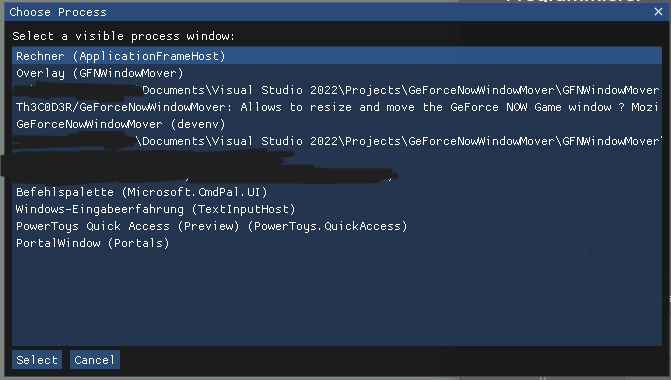
GFNWindowMover.exe. - Click Choose Process and select the target process from the list.
- Select the mode:
- Fixed Position/Size
- Wrapper Window
- If you use Fixed mode:
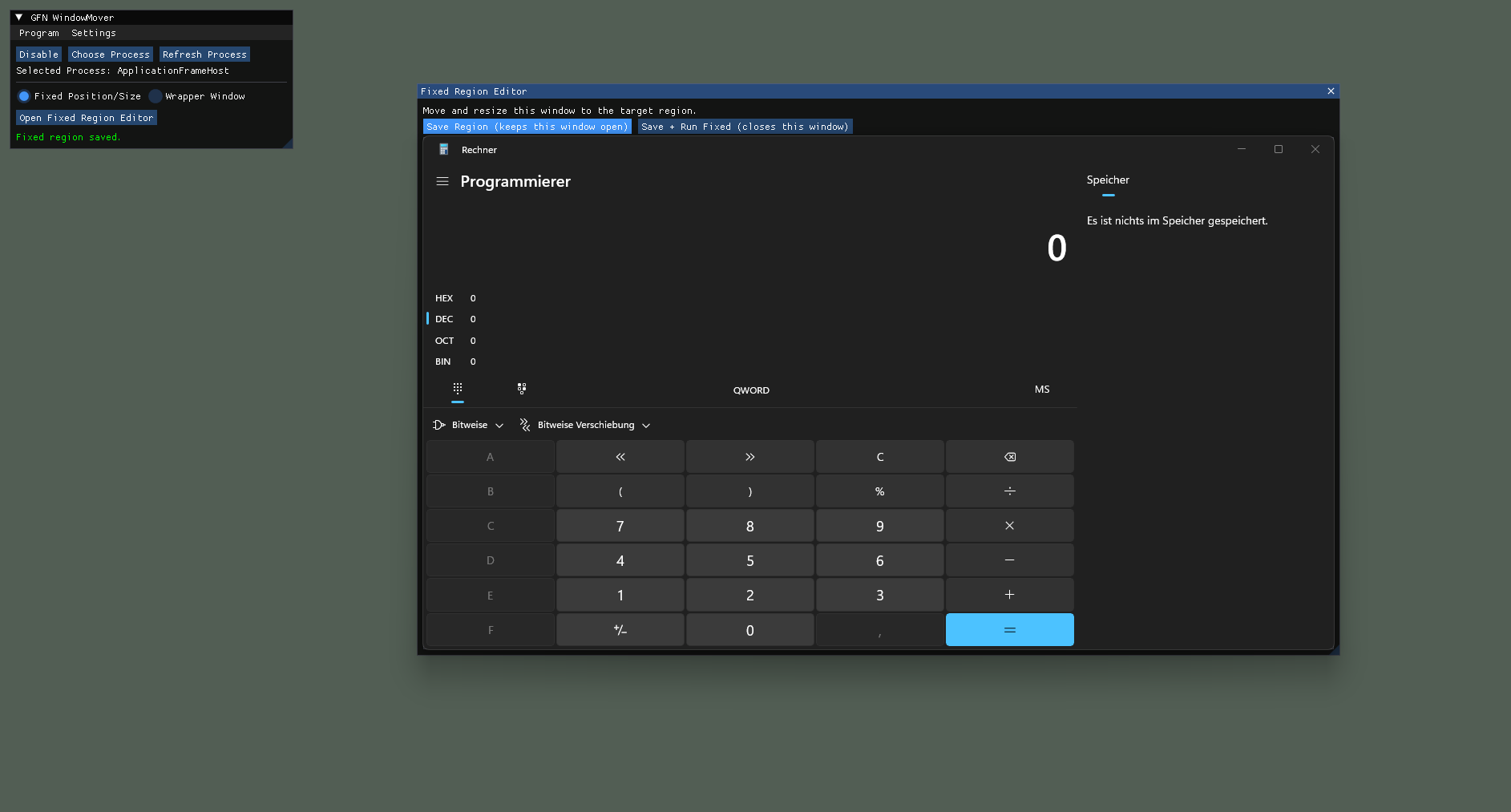
- click Open Fixed Region Editor
- move/resize the editor to the desired target region
- click Save Region or Save + Run Fixed
- If you use Wrapper mode:
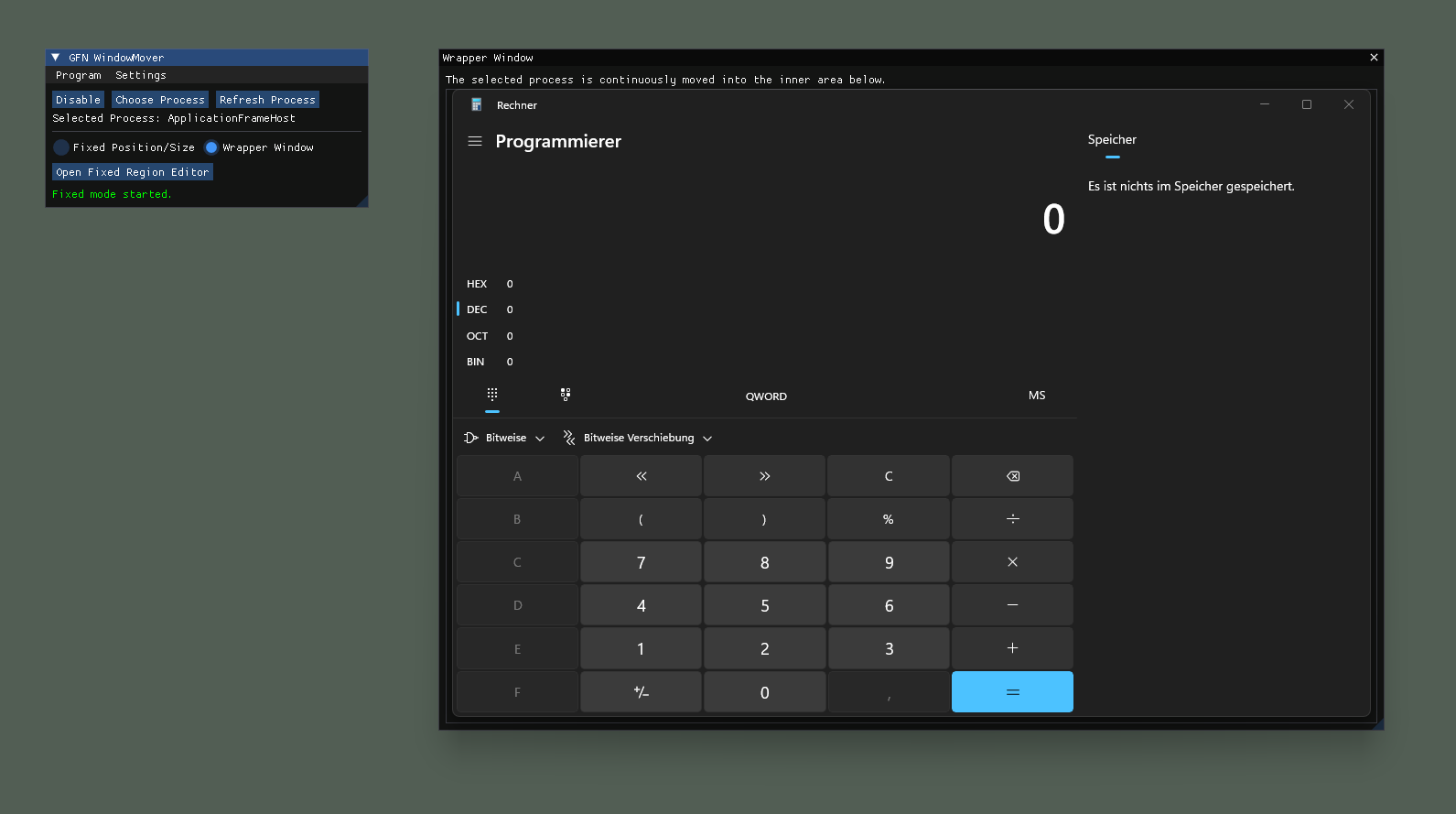
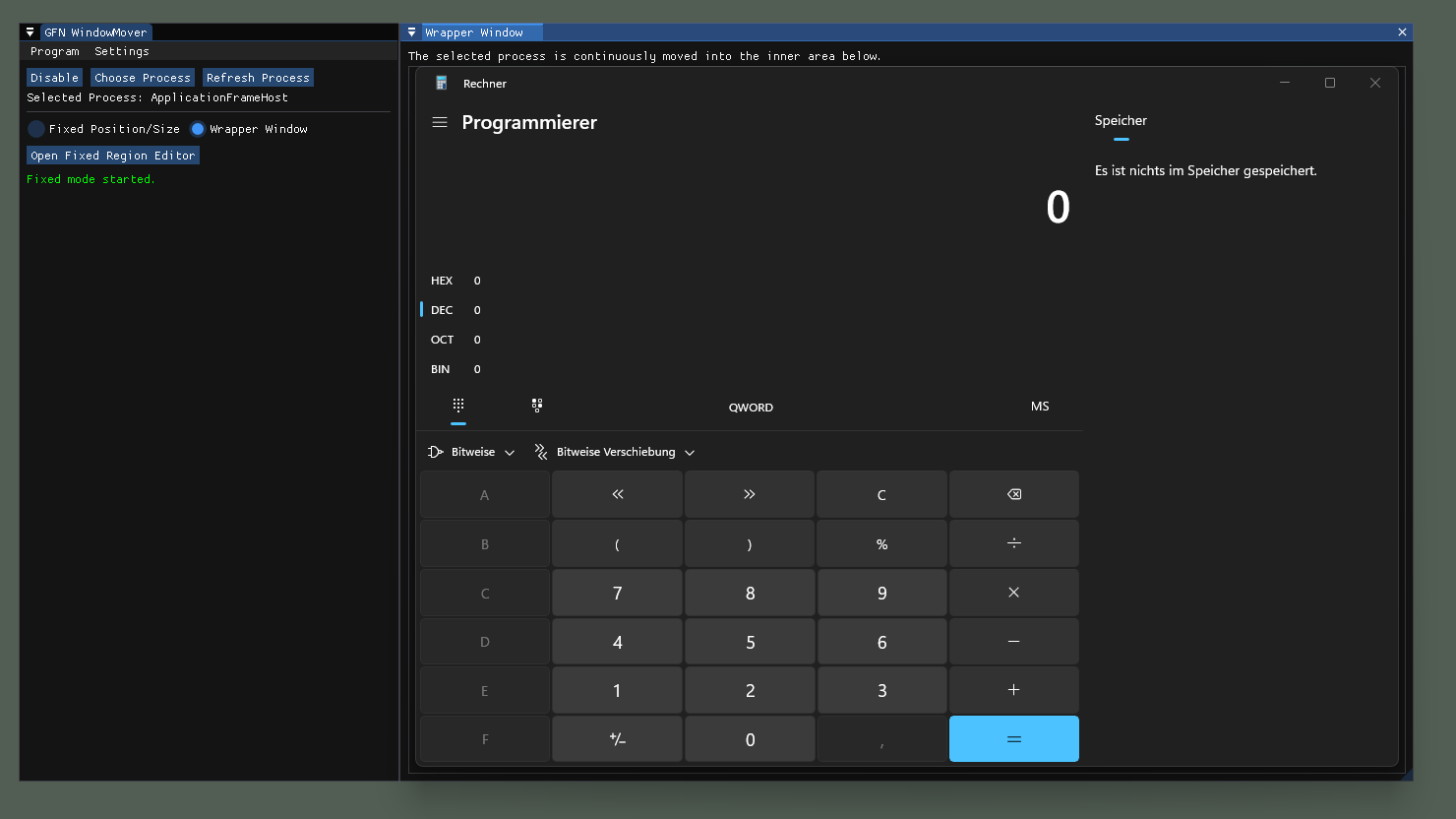
- click Start Wrapper Mode
- move/resize the wrapper window; the target is locked to the inner area
- Use Disable to temporarily stop locking and move the target window freely; use Enable to lock again.
- Open the latest release.
- Download the Windows executable artifact.
- Run
GFNWindowMover.exe.
For contributor setup instructions, code style guidance, and test commands, see CONTRIBUTING.md.
- Target platform: Windows 10/11.
- Run the app with normal user rights first; if the target process runs elevated, start this app elevated as well.
- If process detection fails, use Refresh Process after the target window is visible.
- If window locking behaves unexpectedly, disable and re-enable locking in the main window.
Contributions are welcome. Please read CONTRIBUTING.md and CODE_OF_CONDUCT.md before opening a pull request.
If you found a bug or want to request a feature, please create an issue:
- Include steps to reproduce
- Include expected vs actual behavior
- Add screenshots/log output if available
- Include OS/version and app version
Issue tracker: https://github.com/Th3C0D3R/GeForceNowWindowMover/issues
Project history and release notes are documented in CHANGELOG.md.
If you want to support this project:
- PayPal: https://www.paypal.com/donate/?hosted_button_id=6GEJJC4RHRAAW
- ko-fi: https://ko-fi.com/th3c0d3r
- GitHub Sponsor: https://github.com/sponsors/Th3C0D3R
- BTC address: bc1q8v4zfqjqsq5fawv7l7874es2dmt9mclx67yxpd
This software is provided as is, without warranty of any kind. Use at your own risk. All rights and license terms for this repository are defined in LICENSE.