An UDON system designed to set player voice volume.
Features Include:
- Fake Audio Occlusion using Trigger Colliders to define 'AudioZones'
- Changing player voice settings directly using Trigger Colliders to define 'AudioSettingZones'
- A manager script that allows for multiple systems that change player voice settings to coexist in a single world by using a priority system.
- Go to https://sylantroh.github.io/SylanVCC/ and click "Add to VCC"
- Click Manage Project in the creator companion and press the plus button next to AudioManager
- Create an empty game object in your scene and add an 'AudioSettingManager' component. You can use this component to set the default audio settings for your world.
- If you would like to use fake audio occlusion, add a gameobject with an 'AudioZoneManager' component to your scene as well. You can use component to set what audio settings will be in use when players don't share an AudioZone as well as change the default priority of AudioZones.
The AudioZone system simulates audio occlusion by applying an audiosetting that makes players unable to hear each other if certain conditions are met.
Each AudioZoneCollider script has at least one "ID" which is a string that corresponds to an AudioZone. These IDs do not need to be unique, and a single AudioZoneCollider can have multiple IDs and therefore be a part of multiple AudioZones. If a player enters an AudioZoneCollider, they are tagged with all of its IDs. A player is considered to be inside an AudioZone as long as they are inside at least one AudioZoneCollider that has a matching ID. The AudioZoneManager will apply its audiosetting to players, making them unable to hear each other, if the two players do not share any AudioZones.
If a AudioZone has the id "", that is, the empty string, it will match players who are not in any AudioZones in addition to the AudioZone with id "". This can be used to create "Transition Zones" or zones where players can hear players who are inside of a zone, while still hearing players who are outside of it. Finally, if a player is in a AudioZoneCollider with the "Is Negative Zone" checkbox enabled, this will prevent them from matching players in AudioZones with the IDs specified on that AudioZoneCollider.
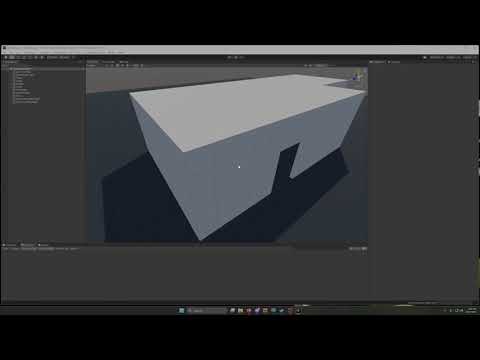
- Sitting in a station disables a player's capsule collider. If a player moves through AudioZoneCollider in this state their audio will break. This is most commonly caused by one player "carrying" another using a station on their avatar, but would also occur if a world has stations that can move players through AudioZoneColliders.
- VRChat doesn't do a perfect job of syncing remote player locations. As such, remote players may slightly clip through walls, triggering AudioZoneCollider on the other side of a wall. This effect is especially pronounced with multiple floors, where remote players will clip quite far into the floor below. This needs to be worked around by leaving some space between an AudioZoneCollider and the walls of a room.
- Added VoiceApplicator component to manage smooth fading between audio settings
- VoiceApplicator is automatically added to an AudioSettingManager on build/play
- Audiosettings now need two additional parameters (for a total of 7) to support fading. The old format will still work for now, but is depracated.