
emoji-cli provides input completion for emoji on the command line with an interactive filter.
Emoji (絵文字, Japanese pronunciation: [emodʑi]) are the ideograms or smileys used in Japanese electronic messages and Web pages, that are spreading outside Japan (ref: Katy Perry - Roar (Lyric Video)).
Emoji are funny and make us want to use it 😊. However, it is hard to use it on the command line. This is because the command line don't have input completion for emoji. Therefore, I developed this command line application emoji-cli.
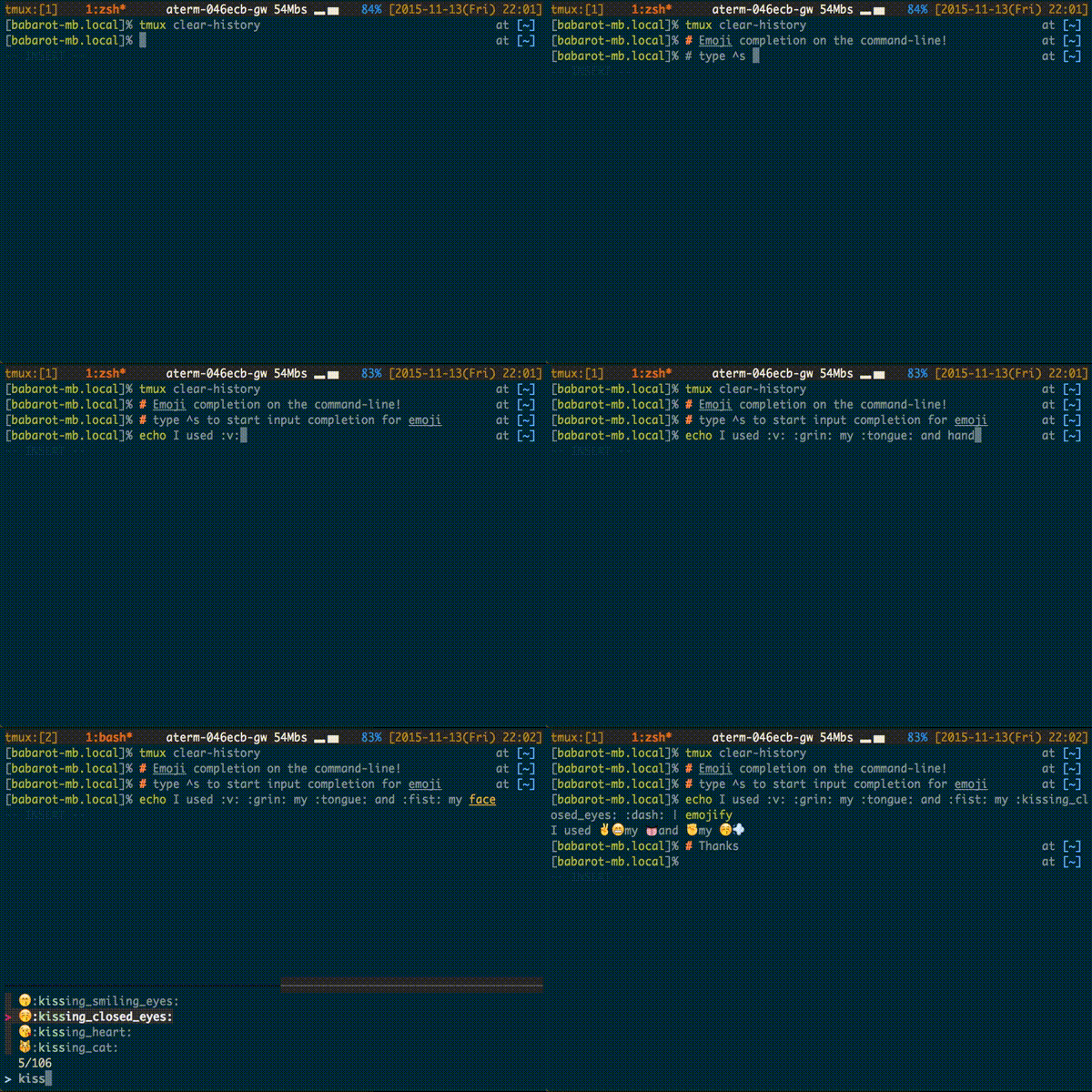
DEMO:
 Features
- 😱 Emoji on the command line
- 🌐 Interactive filter
- 🔎 Fuzzy search
Unfortunately, this application supports Z shell only now 🙇.
To insert emoji to the command line, type ctrl-s ( ^s ).
$ git commit -m 'This docume^s ...To collaborate emojify similar to emoji-cli in emoji appication:
echo ":santa^s" | emojify
🎅$ git clone https://github.com/b4b4r07/emoji-cli
$ source ./emoji-cli/emoji-cli.shFor zplug user:
$ zplug "b4b4r07/emoji-cli"It is defaults to ./dict/emoji.json. EMOJI_CLI_DICT is a path to dictionary of emoji database file. It is written in JSON.
It is defaults to fzf-tmux -d 15%:fzf:peco:percol. EMOJI_CLI_FILTER is the interactive filter command in order to use select emoji. It is separated by colon like the PATH environment variable.
It is defaults to ^s (ctrl-s). EMOJI_CLI_KEYBIND is the key binding to start the input completion for emoji.