A DIY calendar generator library for Xamarin .Net Android. This is a C# port of RecyclerCalendarAndroid Kotlin library RecyclerCalendarAndroid
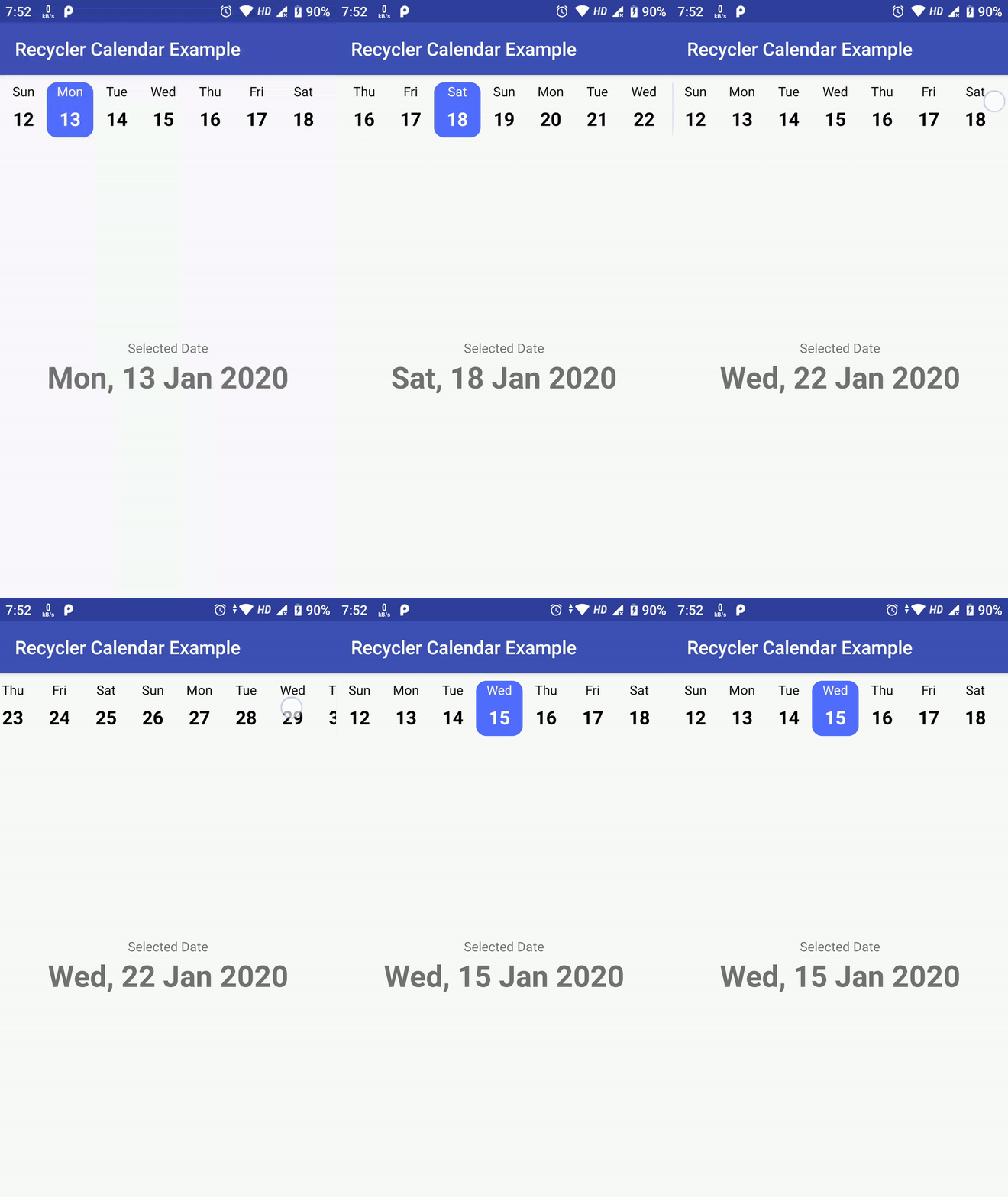
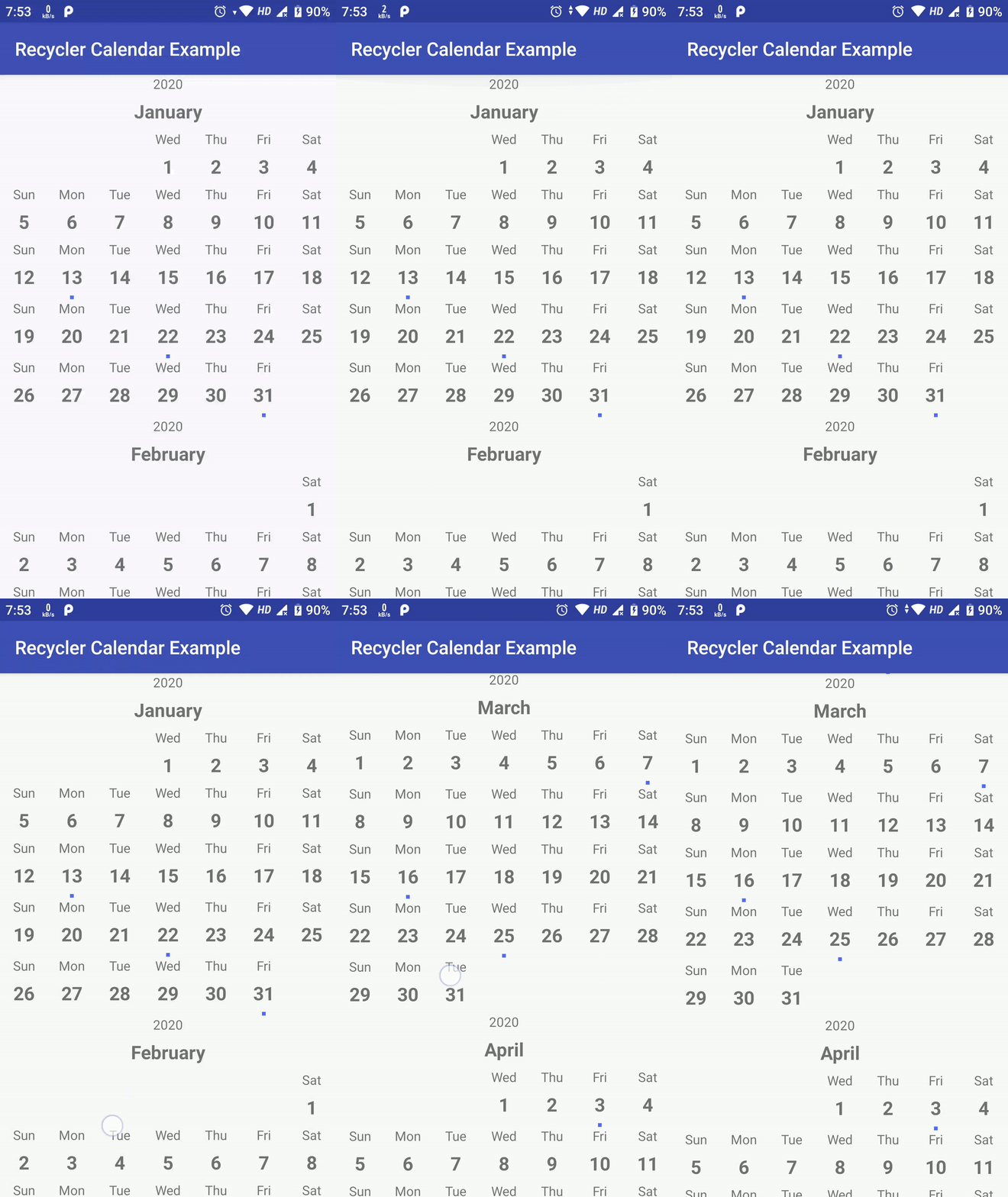
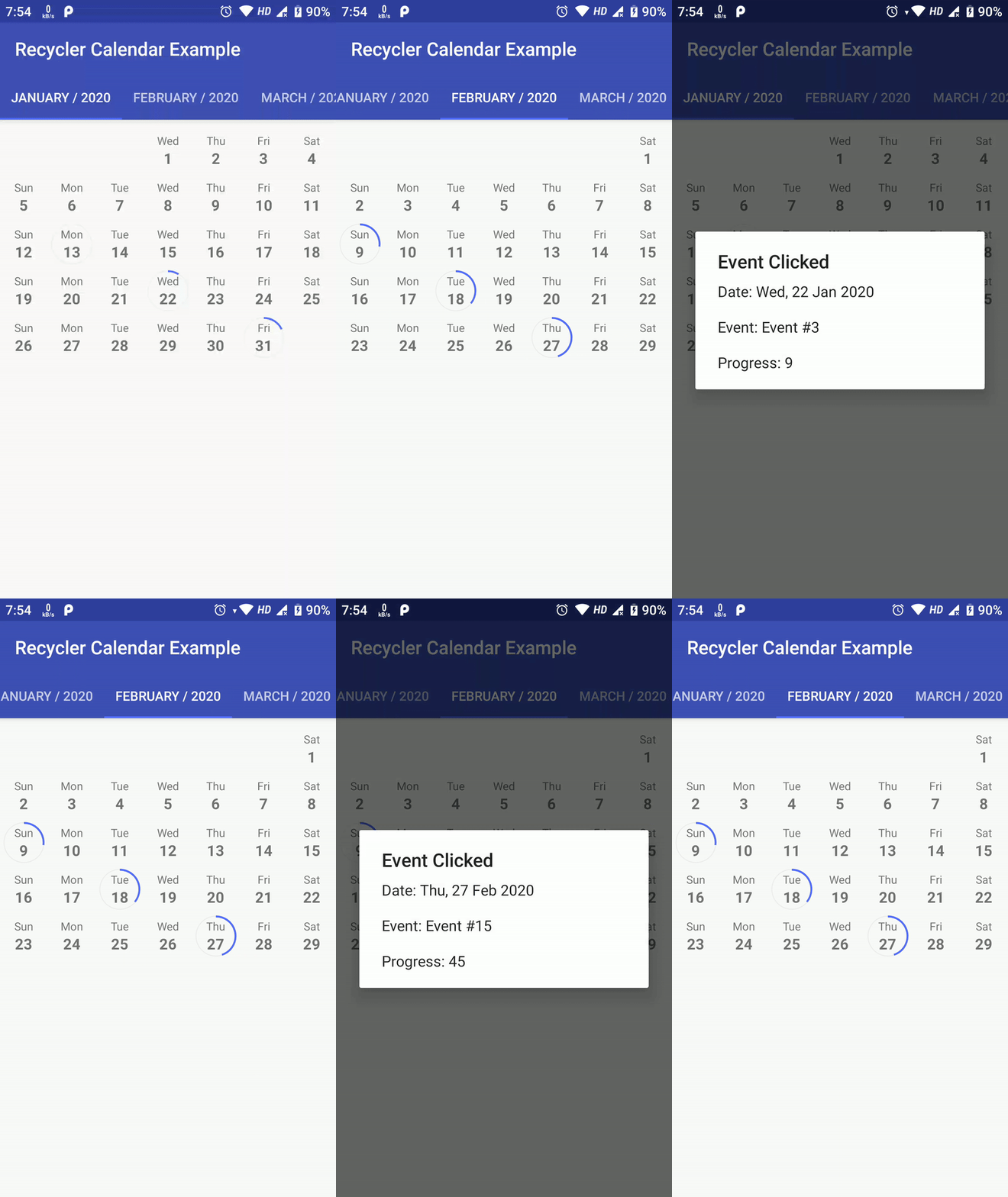
| Week Calendar | Month With Events | Month With Swipe Pages |
|---|---|---|
| Code At: horizontal | Code At: vertical | Code At: viewpager |
 |
 |
 |
Above sample are not the limit of this library, possiblities are endless as you can create custom view for each date as well as add custom Business Login on top of it.
NuGet
Install-Package RecyclerCalendarXamarin
Highly customizable calendar views Support for horizontal and vertical layouts Event marking capabilities Multiple selection modes Infinite scrolling option Built using AndroidX RecyclerView
Week Calendar (Horizontal) Month with Events (Vertical) Month with Swipe Pages (ViewPager)
Simple Calendar Implementation Add to your layout:
<Com.TejPratapSingh.RecyclerCalendar.Views.SimpleRecyclerCalendarView
    android:id="@+id/calendarRecyclerView"
    android:layout_width="match_parent"
    android:layout_height="match_parent" />
Initialize in your Activity:
var calendarView = FindViewById<SimpleRecyclerCalendarView>(Resource.Id.calendarRecyclerView);

var date = DateTime.Now;

// Configure date range
var startDate = DateTime.Now;
var endDate = DateTime.Now.AddMonths(3);

var configuration = new SimpleRecyclerCalendarConfiguration(
    calenderViewType: RecyclerCalendarConfiguration.CalendarViewType.Vertical,
    calendarLocale: Locale.Default,
    includeMonthHeader: true,
    selectionMode: new SimpleRecyclerCalendarConfiguration.SelectionModeNone()
);

configuration.WeekStartOffset = RecyclerCalendarConfiguration.StartDayOfWeek.Monday;

calendarView.Initialize(
    startDate,
    endDate,
    configuration,
    new DateSelectedListener((selectedDate) => {
        Toast.MakeText(
            this,
            $"Date Selected: {selectedDate:dd/MM/yyyy}",
            ToastLength.Long
        ).Show();
    })
);
Infinite Calendar Implementation Layout:
<Com.TejPratapSingh.RecyclerCalendar.Views.InfiniteRecyclerCalendarView
    android:id="@+id/calendarRecyclerView"
    android:layout_width="match_parent"
    android:layout_height="match_parent" />
Activity code:
var calendarView = FindViewById<InfiniteRecyclerCalendarView>(Resource.Id.calendarRecyclerView);

var configuration = new InfiniteRecyclerCalendarConfiguration(
    calenderViewType: RecyclerCalendarConfiguration.CalendarViewType.Vertical,
    calendarLocale: Locale.Default,
    includeMonthHeader: true,
    selectionMode: new InfiniteRecyclerCalendarConfiguration.SelectionModeNone()
);

configuration.WeekStartOffset = RecyclerCalendarConfiguration.StartDayOfWeek.Monday;

calendarView.Initialize(
    configuration,
    new DateSelectedListener((selectedDate) => {
        Toast.MakeText(
            this,
            $"Date Selected: {selectedDate:dd/MM/yyyy}",
            ToastLength.Long
        ).Show();
    })
);Create your adapter by extending RecyclerCalendarBaseAdapter:
Here is how you can create your own Calendar using RecyclerCalendarAndroid.
Create a RecyclerView Adapter which extends RecyclerCalendarBaseAdapter
public class CustomCalendarAdapter : RecyclerCalendarBaseAdapter
{
    public override RecyclerView.ViewHolder OnCreateViewHolder(ViewGroup parent, int viewType)
    {
        var view = LayoutInflater.From(parent.Context)
            .Inflate(Resource.Layout.item_calendar_custom, parent, false);
        return new CustomCalendarViewHolder(view);
    }

    public override void OnBindViewHolder(
        RecyclerView.ViewHolder holder,
        int position,
        RecyclerCalenderViewItem calendarItem)
    {
        var viewHolder = (CustomCalendarViewHolder)holder;

        if (calendarItem.IsHeader)
        {
            // Bind header
            BindHeaderItem(viewHolder, calendarItem);
        }
        else if (calendarItem.IsEmpty)
        {
            // Bind empty item
            BindEmptyItem(viewHolder);
        }
        else
        {
            // Bind date item
            BindDateItem(viewHolder, calendarItem);
        }
    }
}None Single Multiple Range
Event marking Custom date cell views Header customization Horizontal/Vertical layouts ViewPager integration
Xamarin.Android AndroidX.RecyclerView Android API 21+
This library is a C# port of RecyclerCalendarAndroid by Tej Pratap Singh. All credit for the original design and architecture goes to the original author.
MIT License