
A Win9x-style Hugo theme for blogs and documentation — mid-90s desktop chrome, WCAG AA in light and dark, keyboard-operable components, RTL, client-side search, and no build step beyond Hugo itself.




📺 Live demo • 🎨 RetroCSS • 📖 Theme docs
It is RetroCSS — a UI framework that reproduces the Windows 95/98 desktop look, with a real accessibility budget — wired into Hugo. The theme adds about eighty lines of layout CSS and nothing else: no second palette, no bespoke colours, no per-page overrides. Every surface you see is a framework component.
- Authentic 90s desktop chrome. Raised and sunken bevels, square corners, a grey chassis, and a light source fixed at the top-left. Code blocks get a real title bar.
- Dark mode that follows the OS, with no flash. The dark palette ships under
prefers-color-schemeas well as[data-theme], so a dark-OS visitor is painted dark on the first frame — even with the bundle blocked. CI fails the build on a theme flash. - WCAG AA in both themes, enforced. Every rendered text node on every page is measured against the surface actually painted behind it, at five widths, in both themes.
- Keyboard-operable. Skip link, roving tabindex on tab strips and rating groups, tooltips on focus, named controls. Also a gate, not a claim.
- No Sass, no Node, no CDN. The framework's compiled CSS and JS are vendored and served through Hugo Pipes, fingerprinted with Subresource Integrity. The standard Hugo binary is enough — you do not need the extended build, and the site works offline and under a strict CSP.
- Blog and docs in one theme. Post grids, taxonomies, pagination, RSS; plus a weighted docs tree, breadcrumbs and in-page contents.
- Search with no library. The index is a page resource built at compile time; the whole search runs in the browser.
- Right-to-left. One config line mirrors the layout. The bevels deliberately do not mirror — the desktops they imitate did not mirror them either.
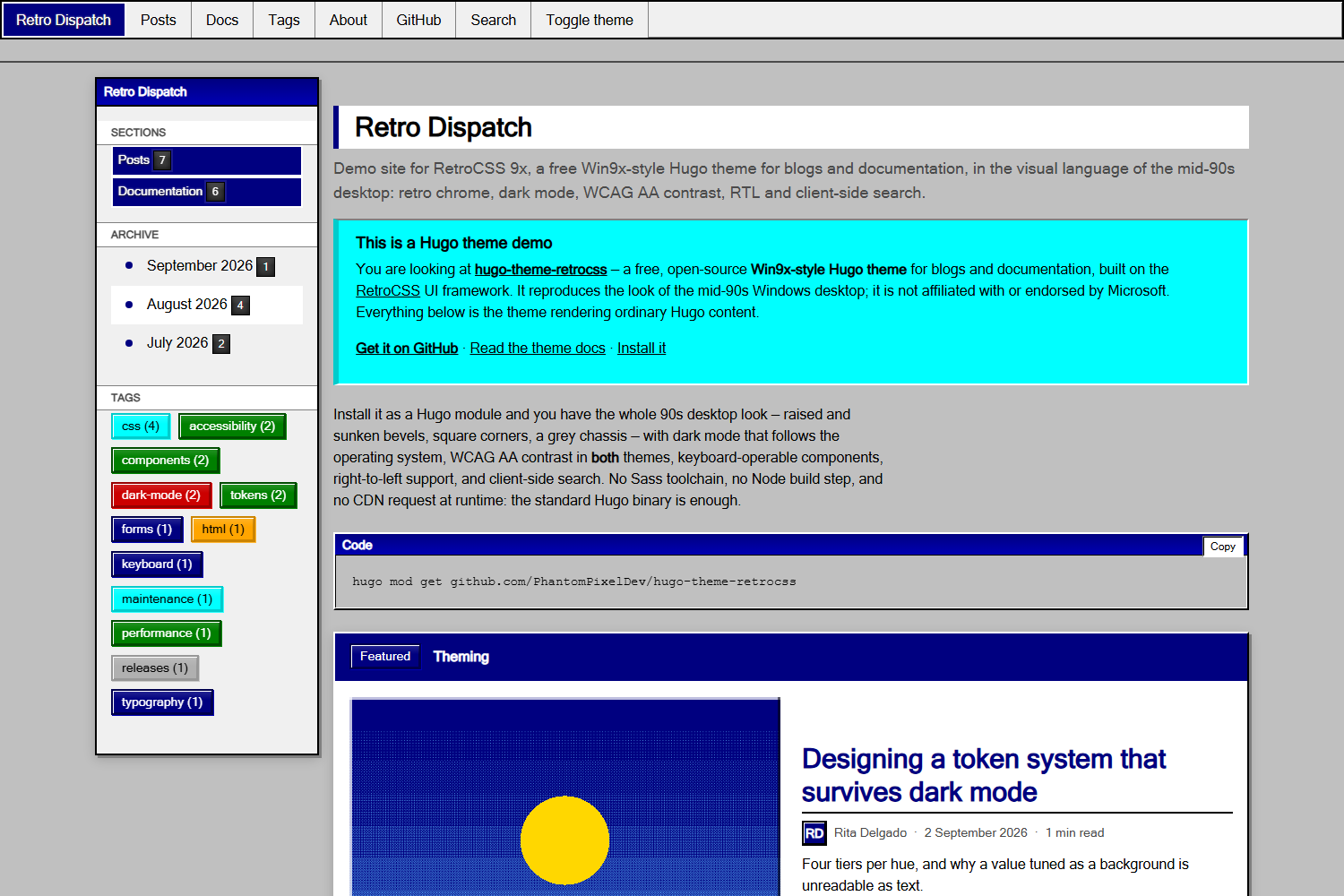
Every shot below is the demo site in this repository, captured from the built output by node scripts/screenshots.mjs — so they cannot drift from what the theme actually renders.
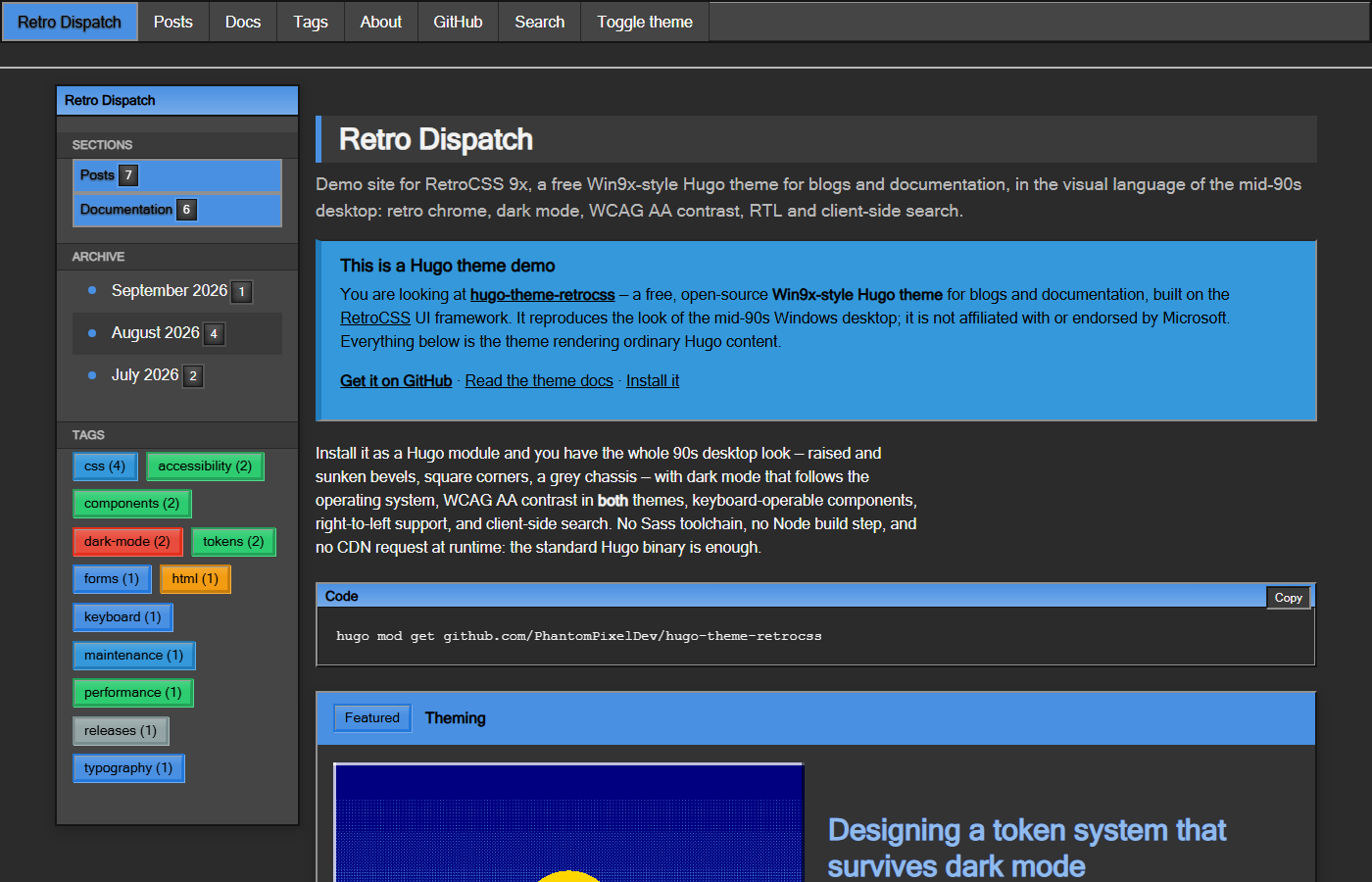 Home, dark Home, dark |
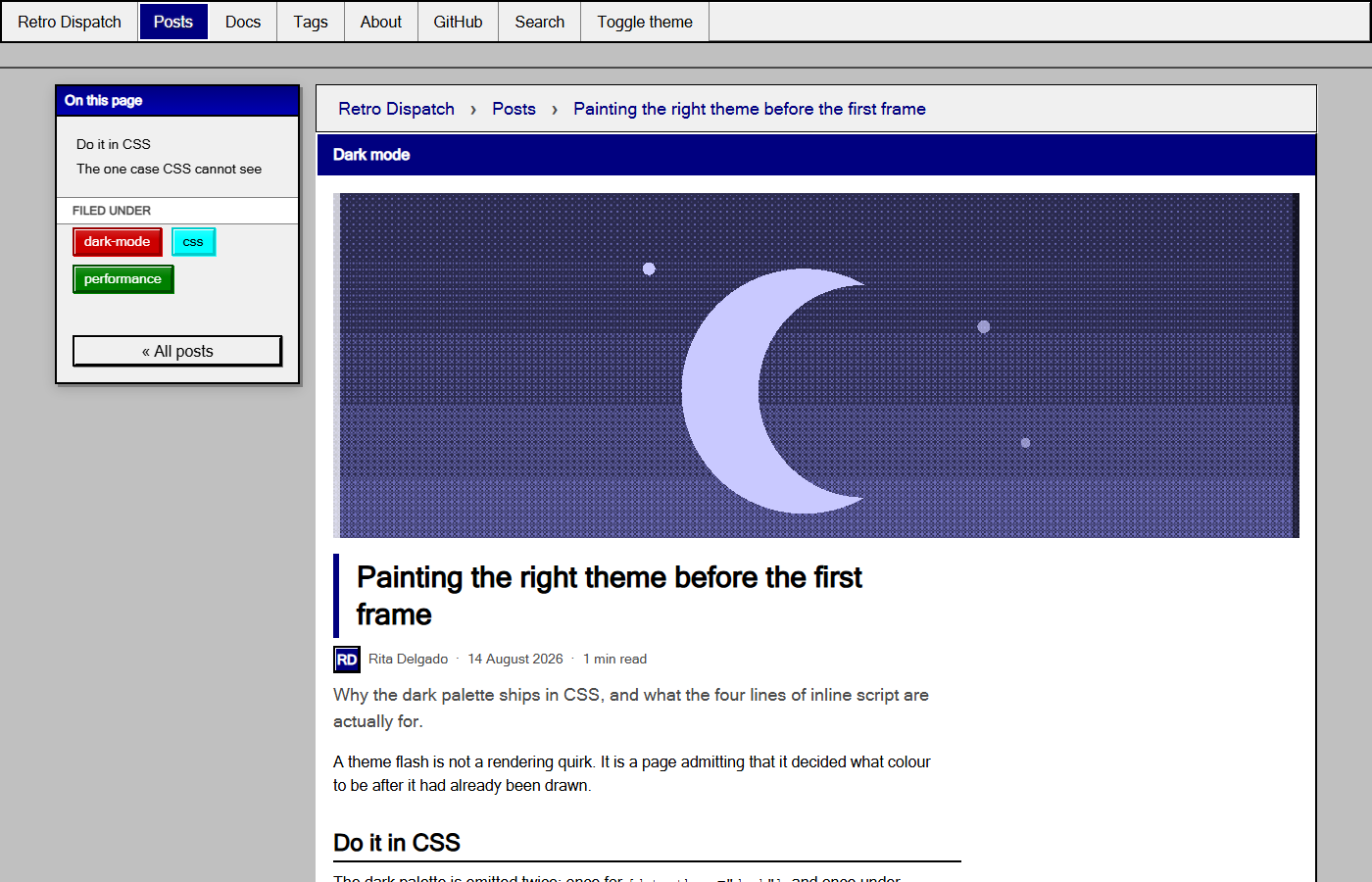 Post, light Post, light |
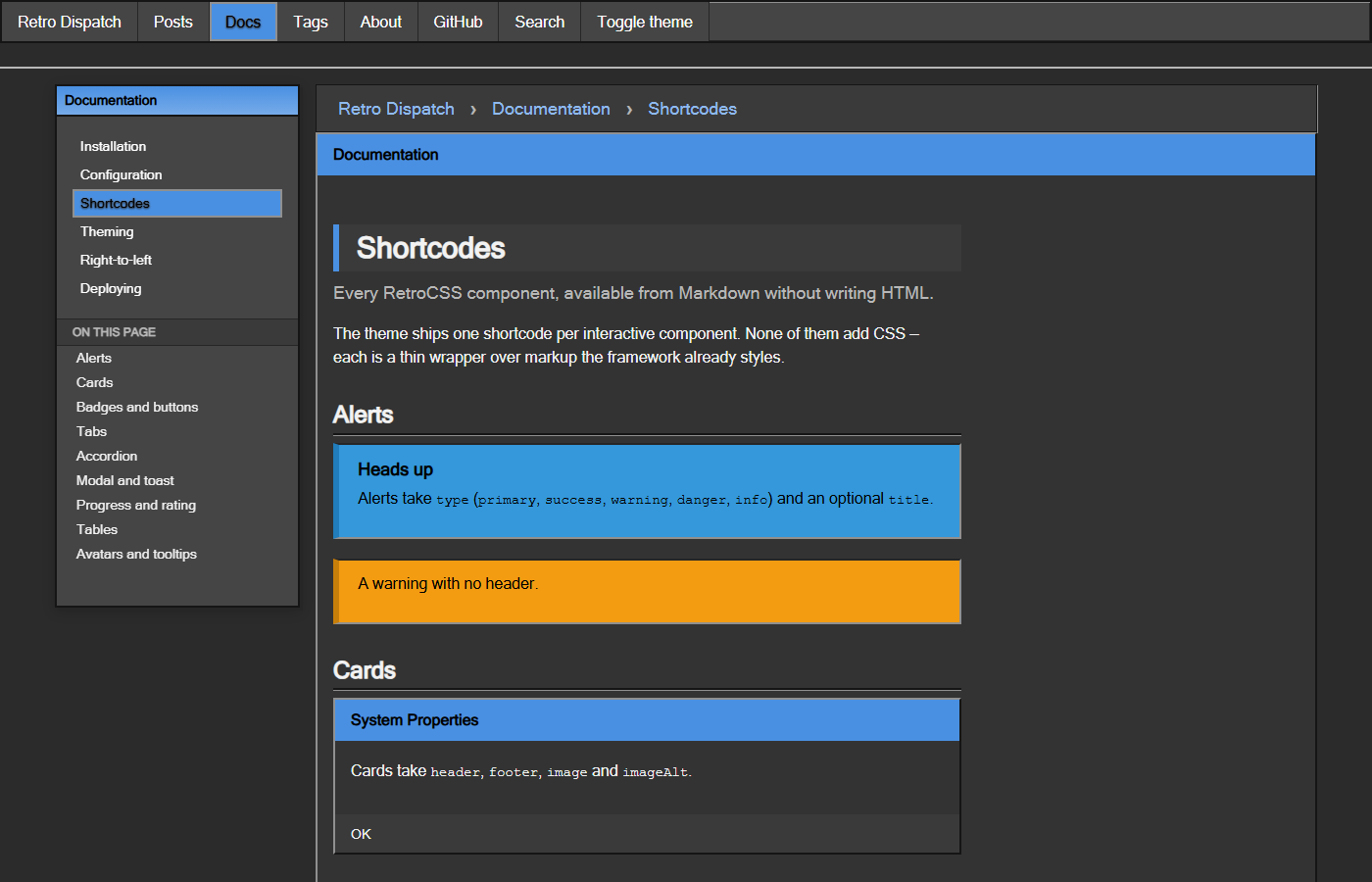 Docs, dark Docs, dark |
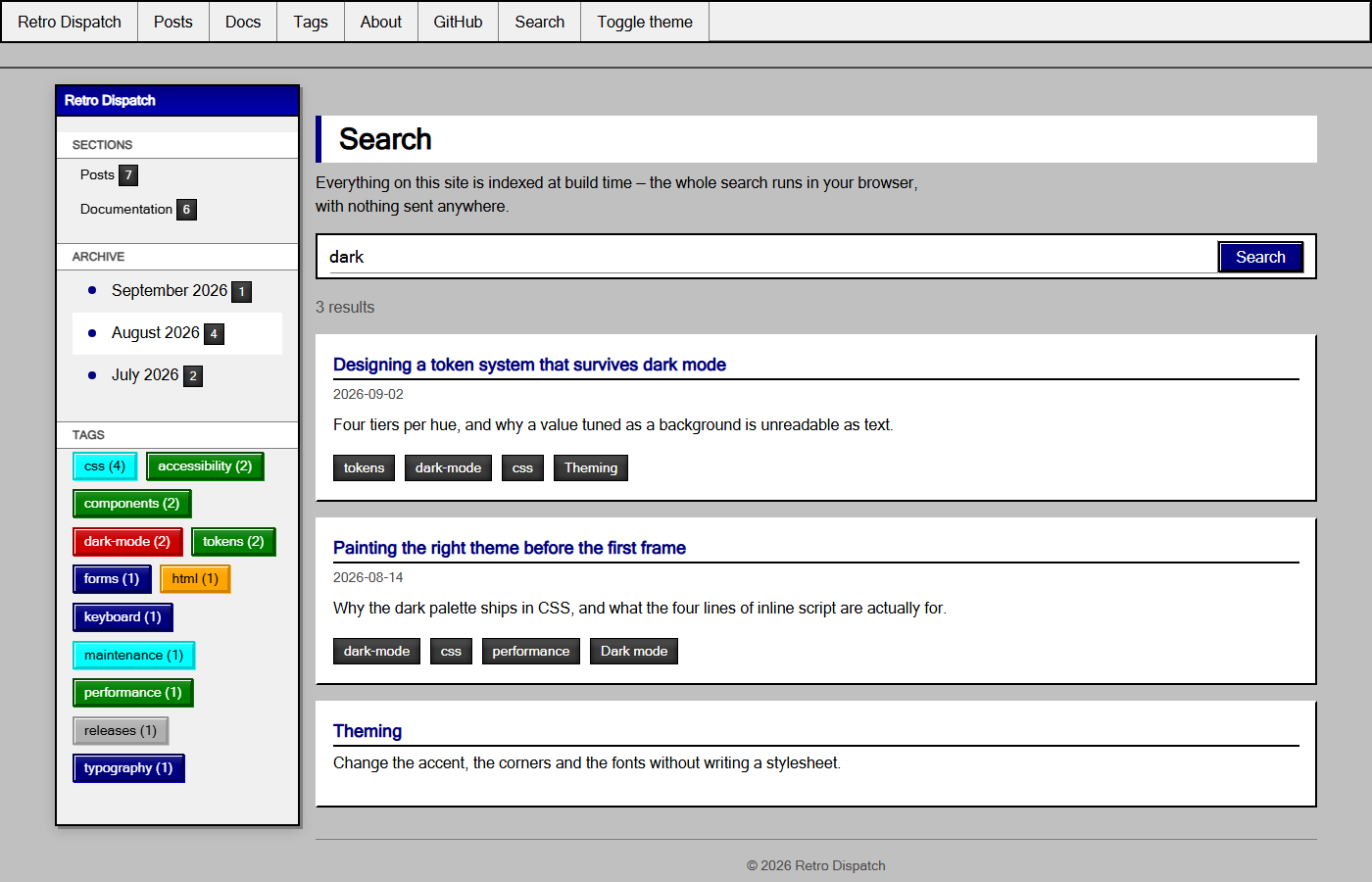 Search, light Search, light |
Hugo 0.158.0 or newer. The standard build is fine; extended is not required.
hugo mod init github.com/you/your-site# hugo.toml
[module]
[[module.imports]]
path = "github.com/PhantomPixelDev/hugo-theme-retrocss"hugo mod get -ugit submodule add https://github.com/PhantomPixelDev/hugo-theme-retrocss themes/hugo-theme-retrocsstheme = "hugo-theme-retrocss"Copy the repository into themes/hugo-theme-retrocss/ and set theme as above.
Hugo does not merge a theme's markup config into the site's, so two settings have to live in your config. Everything else has a working default.
baseURL = "https://example.com/"
title = "Retro Dispatch"
theme = "hugo-theme-retrocss"

# Shortcodes and render hooks emit real markup.
[markup.goldmark.renderer]
  unsafe = true

# Keep tags reading the way they were written.
capitalizeListTitles = false

[pagination]
  pagerSize = 6

[params]
  description = "Notes on building interfaces that look like 1995 and behave like today."
  tagline = "a Win9x-style Hugo theme"     # appended to the home page's <title>

  # --- chrome ---
  accentHue = "primary"   # any RetroCSS hue: teal, violet, gold, navy, …
  borderRadius = "0"      # one token rounds the entire framework
  fontHeading = ""        # e.g. "'Segoe UI', Tahoma, sans-serif"
  sidebar = "left"        # left | right | off

  # --- content ---
  dateFormat = "2 January 2006"
  showReadingTime = true
  showAuthor = true
  showToc = true
  relatedPosts = 3
  mainSections = ["posts"]
  docsSection = "docs"

  # --- features ---
  search = true
  themeCredit = true      # "Built with Hugo and RetroCSS for Hugo" in the footer

  # --- SEO ---
  images = ["images/og-card.png"]
  twitterSite = "@you"

  [params.author]
    name = "Rita Delgado"
    initials = "RD"
    bio = "Writes about interface archaeology."

  [params.comments]
    provider = "none"     # none | giscus | utterances
Full reference: the theme's own docs, which are themselves a docs section built with the theme.
Docs layouts are chosen by page type, so set it once on the section and let it cascade:
---
title: "Documentation"
type: "docs"
cascade:
  type: "docs"
---
Order pages with weight; the sidebar tree, breadcrumbs and prev/next all read
it. A section not named docs also needs params.docsSection.
---
title: "Search"
layout: "search"
---Drop a file at assets/css/custom.css in your site. The theme concatenates it last, so it wins without !important:
:root { --retro-body-bg: #008080; }One per interactive component, each a thin wrapper over markup the framework already styles.
| Shortcode | Notes |
|---|---|
alert |
type, optional title |
card |
header, footer, image, imageAlt |
badge, button |
type, and size/href on button |
tabs + tab |
title per tab |
accordion + accordion-item |
title per item |
modal |
id, title, trigger, footer |
toast |
message, type, duration |
progress |
value, label, type, striped |
rating |
value, max, label — an ARIA radiogroup |
carousel + slide |
keyboard-driven dots |
table |
striped, bordered, sortable; wraps for small screens |
avatar |
initials, size, hue |
tooltip |
text — appears on focus, not only hover |
{{</* alert type="warning" title="Careful" */>}}
Corners are square on purpose.
{{</* /alert */>}}| Template | Covers |
|---|---|
home.html |
featured post, post grid, pagination |
section.html |
any content section |
page.html |
article, byline, tags, prev/next, related, comments |
taxonomy.html / term.html |
tag and category listings |
docs/section.html, docs/page.html |
docs tree, breadcrumbs, in-page contents |
search.html |
client-side search over a build-time index |
404.html |
with links out |
Render hooks style images as figures, mark external links, add heading anchors, and give every code block the framework's title bar plus a copy button.
npm install
npm run serve      # http://localhost:1313
npm run check # build the demo site, then both gatescheck:pages renders every page of the demo site in Chromium, in both themes, at 1200/980/760/420/360px, and fails on a console error, horizontal overflow, a missing or duplicated <h1>, any rendered text below AA against the surface actually painted behind it, or a theme flash on first paint. check:keyboard asserts every control the framework drives is reachable and named, that roving-tabindex groups expose exactly one tab stop, that tooltips appear on focus, and that the skip link lands somewhere.
Both need a browser once: npx playwright install chromium.
npm run vendor          # from a sibling RetroCSS checkout
npm run vendor:npm      # from the published package
The script refuses to vendor a dist/ older than its src/, strips the sourcemap comment Hugo's fingerprinting would break, and rewrites data/retrocss.toml with the version and hashes. CI re-runs it and fails if the committed bundle has drifted.
Built on RetroCSS by PhantomPixelDev. The demo site's cover art ships with RetroCSS.
This theme imitates the visual style of mid-1990s desktop software. It is an independent project, not affiliated with, sponsored by, or endorsed by Microsoft. Windows is a trademark of Microsoft Corporation; it is named here only to describe the look the theme reproduces, and no Microsoft artwork, icon or font is included.
MIT