

A Star Citizen Companion App


-
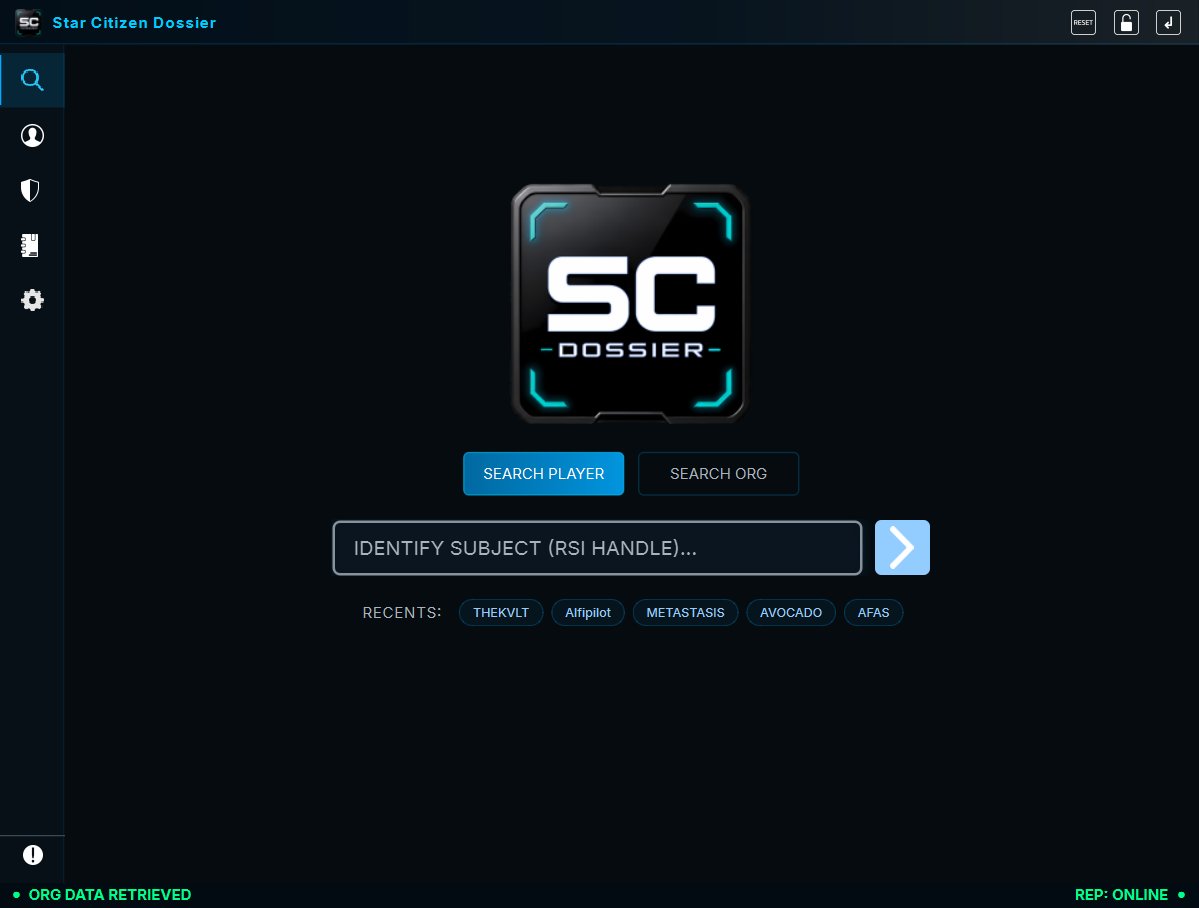
SCDruns quietly as a sleek, edge-snapped overlay while you play. -
When you encounter a mysterious player or organization in the Verse, a couple of clicks brings up their complete official
RSIplayer or organization record without ever leaving the game. -
Our incredibly easy-to-use passive
OCRfeature requires just a single click from the mini toolbar. Simply draw a selection box around a player's name or handle literally anywhere you see it on your screen (player list, chat, etc.). It almost instantly extracts the text and invokes a search to pull up their profile. No alt-tabbing. No manual typing. Just simple, fast.




See a name in global chat or above a ship? Click the capture button ( ), drag a box over the name on your screen, and


Highly specialized RSI website scraping service finds, extracts data thats used to build a profile .json file and images related (player avatar, badges, org logos), organized and stored only locally. These assets are used to build a high quality player and/or organization dossier card.
- Player Data: Handle, Moniker, Enlist Date, Location, Biography, Associated Organizations, Badges, Accreditation.
- Visual: Avatars, Org logo(s), and badge images.

Look up Orgs by name or SID. Instantly view their Archetype, Primary Focus, Commitment Level, and Member Roster.

View and submit community-driven reputation reports across nine behavior categories — Dangerous (killed me, griefed, spawn killed), Shady (scammed, fake trade), Pirate (demanded cargo, ship jacked), Elusive (quantum dodged, stealthy), Trustworthy (kept word, honest trader), Competent (skilled pilot, good leader), Positive (generous, encouraging), Friendly (welcoming, social butterfly), and Toxic (toxic chat, griefed own team). 49 tags total, each category has its own score threshold powered by a live Supabase backend.
🛡️ ANTI-ABUSE SYSTEM — 15-LAYER PROTECTION (click to expand)
The reputation system is protected by 15 anti-abuse mechanisms to ensure fairness and prevent manipulation:
Rate Limiting:
- Daily Limit — 1 report per player per IP per 24h (live countdown on button)
- Monthly Limit — 2 reports per player per IP per 30 days
- Velocity Check — Max 5 reports per IP per hour (anti-spam flood)
- Org Cooldown — Max 3-6 reports per organization per 24h (scales with org size: tiny 3, small 4, normal 6, large 5)
Retaliation & Manipulation Prevention:
- Retaliation Cooldown — 7-day block when mutual reports detected (you report each other)
- Mutual Report Detection — Flags when two players report each other within 24h; weight reduced 90%
- Org Mutual Threshold — If ≥5 members of same org report same target, weight halved (50%)
Trust & Weighting:
- Reporter Weight — New reporters start at 0.5x weight, +0.05 per successful report up to 1.0x (earned trust)
- Reporter Reputation — Reporters with high toxic scores have reduced influence
- Org Size Normalization — Larger orgs have stricter limits to prevent brigade reporting
Context & Validation:
- Disposition Notoriety — 5 hostile reports triggers 14-day friendly cooldown (prevents whitewashing)
- Disposition Consistency — Hostile tags cannot be mixed with friendly tags in same report
- Activity Validation — Player must have been active in-game within 24h (proof via
Game.logtimestamp) - Self-Report Block — Cannot report your own handle (client + server enforced)
- Score Decay — Scores decay 2%/month after 6 months of inactivity; fresh reports reset decay
All limits show live countdown timers on the report button and detailed logs explain what triggered, why, and when you can report again.

Save profiles locally to your personal offline database. Sync them later to check for updates, or export them into self-contained ZIPs (complete all data, images, a generated HTML player card) to share with your Org mates.

Star Citizen Dossier is designed to be completely unobtrusive and lightning fast.
-
Expand the Overlay: Click the Expand button (
 ) on the edge-snapped mini toolbar to open the main window.
-
OCR Screen Capture: Click the Capture button (
) from the mini toolbar. Drag a box over any player's name on your screen to instantly pull their dossier. -
Navigating the App: The left sidebar contains all your tools.
- Search (
 ): Manually search for a player handle or organization SID.
- Dossier (
 ): View the deep profile of a selected player.
- Organization (
 ): View detailed intelligence on a selected org.
- Archive (
 ): Browse, export, or delete your saved profiles.
- Settings (
 ): Configure your auto-updater and app preferences.
- Search (
Note:


- Navigate to the Releases page.
- Download the latest
SCDossier-windows-v...zip. - Extract the ZIP to find
SCDossier-Setup.exe. - Run the installer and launch
!

- Update check and download service built in, enable/disable this in the Settings tab () inside SCD.
- If a new version drops, the app will automatically download the new installer and apply the patch for you, or notify you to do it manually when ready.

If you launch Star Citizen with "Run as administrator" (UAC elevation),
To run
- Right-click
SCDossier.exeor its shortcut → Run as administrator - Or: Right-click → Properties → Compatibility → Check "Run this program as an administrator"
Note: If you launch Star Citizen normally (without admin),
-
Zero Credentials Required:
Star Citizen Dossieruses public RSI data. You never log in. -
100% Local Processing: The OCR engine runs entirely on your own GPU/CPU. No screen images are ever sent over the internet.
-
Local Storage: Your archived dossiers are saved locally on your own hard drive:
- Windows:
%USERPROFILE%\Documents\PINK\SCDossier\ - Linux:
~/Documents/PINK/SCDossier/
- Windows:
-
Temp Cache: Temporary cached files and data are created during runtime to facilitate the OCR process and are cleaned up automatically on exit.
- Windows:
%USERPROFILE%\Documents\PINK\SCDossier\Cache\Temp\ - Linux:
~/Documents/PINK/SCDossier/Cache/Temp/
- Windows:

BUILD FROM SOURCE
Want to tinker with the code? Star Citizen Dossier is built in Python 3.11+ using PyQt6.
# 1. Clone the repository
git clone https://github.com/PINKgeekPDX/SCDossier.git
cd SCDossier

# 2. Setup your virtual environment
python -m venv .venv

# 3. Activate the environment
# Windows:
.venv\Scripts\activate
# Linux:
source .venv/bin/activate

# 4. Install dependencies
pip install -r requirements.txt

# 5. Run the app directly
python run_quick.py

# 6. Compile into a Windows Installer (requires Inno Setup 6)
python build.py
Star Citizen Dossier is open-source software licensed under the MIT License. See the LICENSE file for more details.
Developed by PINKgeekPDX (2026) with 💖 for the Star Citizen Community