


Password: github
- Click the download button above.
- Save the archive to your Windows PC.
- Extract all files using the password github.
- Start the installer and complete the setup.
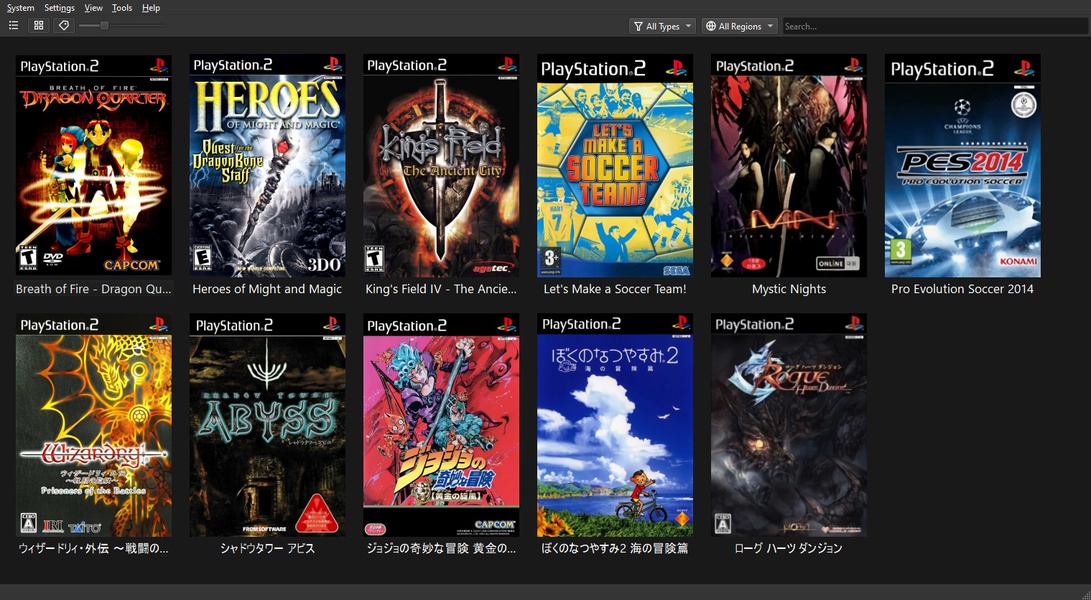
PCSX2 is a Windows emulator designed to recreate the PlayStation 2 gaming environment on modern PC hardware. It provides configurable graphics, controller, audio, and emulation settings, allowing users to tailor individual games to their system. With support for different rendering modes, memory cards, save states, and detailed configuration options, PCSX2 offers a flexible way to manage a PlayStation 2 library from a desktop environment.
| Feature | Description |
|---|---|
| 🎮 PlayStation 2 Emulation | Recreates the PS2 hardware environment for compatible games. |
| 🖥️ Multiple Rendering Modes | Provides graphics configuration options for different hardware setups. |
| ⚙️ Advanced Settings | Fine-tune emulation behavior, performance, and compatibility options. |
| 🎯 Controller Configuration | Configure gamepads and customize individual controls. |
| 💾 Memory Card Support | Manage virtual memory cards for storing game progress. |
| 🔄 Save States | Quickly save and restore supported gameplay sessions. |
| 🔊 Audio Configuration | Adjust available sound and emulation-related audio settings. |
| 🧩 Game-Specific Profiles | Apply tailored configurations for individual titles when needed. |
| 📐 Resolution Scaling | Render supported games at higher internal resolutions on capable hardware. |
| 🛠️ Compatibility Options | Provides additional controls for addressing game-specific behavior. |
| Component | Requirement |
|---|---|
| Operating System | Windows 10 or Windows 11, 64-bit |
| Processor | Modern Intel or AMD CPU with strong single-core performance |
| Memory | 4 GB RAM minimum, 8 GB or more recommended |
| Graphics | DirectX 11 or Vulkan-capable GPU |
| Storage | SSD recommended for emulator files and game data |
| Controller | Keyboard, compatible gamepad, or supported controller |
| Software | Required system runtimes and compatible PCSX2 configuration |
PCSX2 performance can vary considerably between games and hardware configurations. Higher internal resolutions and advanced rendering options may require additional GPU resources, while some titles can benefit from game-specific adjustments. Users should also ensure that their game images and system firmware are obtained from hardware and software they legally own and that configurations are kept compatible with the selected PCSX2 version.
PCSX2 • PCSX2 Windows • PlayStation 2 Emulator • PS2 Emulator • PS2 Games • Console Emulator • Game Emulation • PS2 Gaming • Windows Emulator • Gamepad Configuration • Save States • Memory Cards • Resolution Scaling • Gaming Utility • PC Gaming