


A full-stack blog platform built with Node.js, Express, and vanilla JavaScript. Users can create, read, update, and delete blog posts. Post data is stored in a JSON file on the server, removing the need for a database setup. The frontend communicates with the backend via a REST API using the Fetch API.
Live Demo: https://simple-blog-platform-blush.vercel.app
- Backend: Node.js, Express.js
-
- Frontend: HTML, CSS, Vanilla JavaScript (Fetch API)
-
-
Storage: JSON file (
data/posts.json) -
- Deployment: Vercel
Simple-Blog-Platform/
├── data/
│   └── posts.json        # JSON file that acts as the database
├── public/
│   ├── js/               # Client-side JavaScript files
│   ├── index.html        # All posts page
│   ├── post.html         # Single post view
│   ├── edit.html         # Create and edit post form
│   └── styles.css        # Shared styles
├── server.js             # Express server and API routes
├── package.json
└── README.md
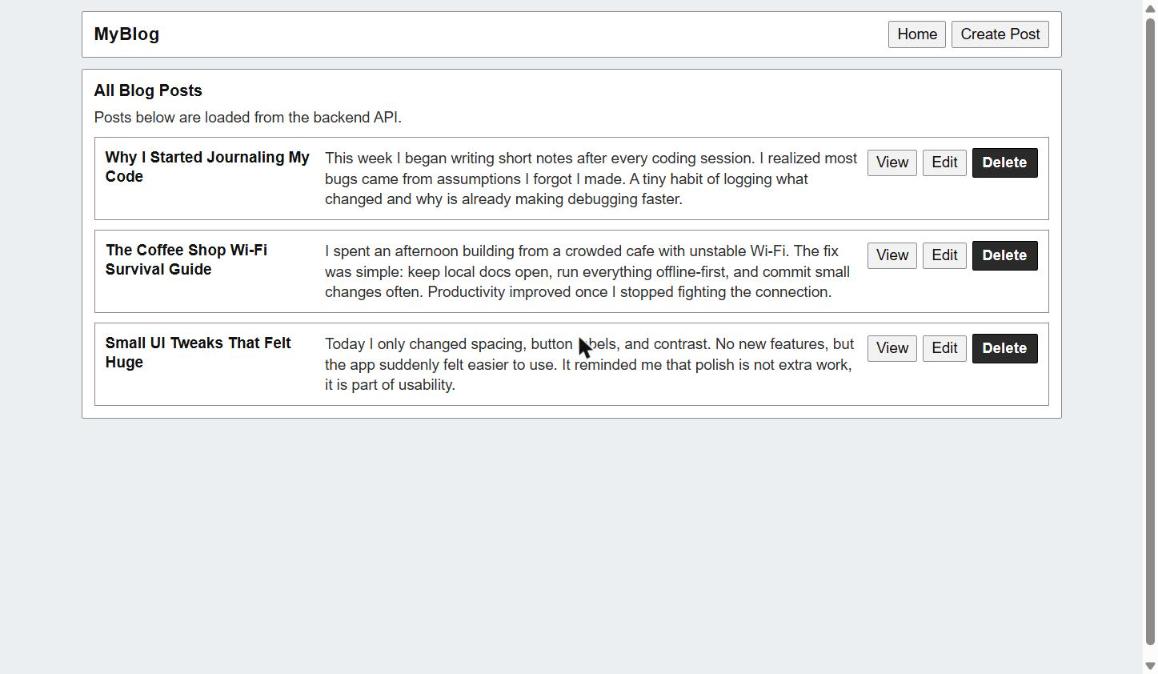
The home page fetches all posts from
GET /api/postsand renders each one as a card with View, Edit, and Delete buttons. The subtitle "Posts below are loaded from the backend API." was intentionally left visible as a reminder that the UI is decoupled from the data and relies on a live API call each time the page loads. This is a good habit to build because making it clear in the UI where data comes from helps with debugging and transparency.
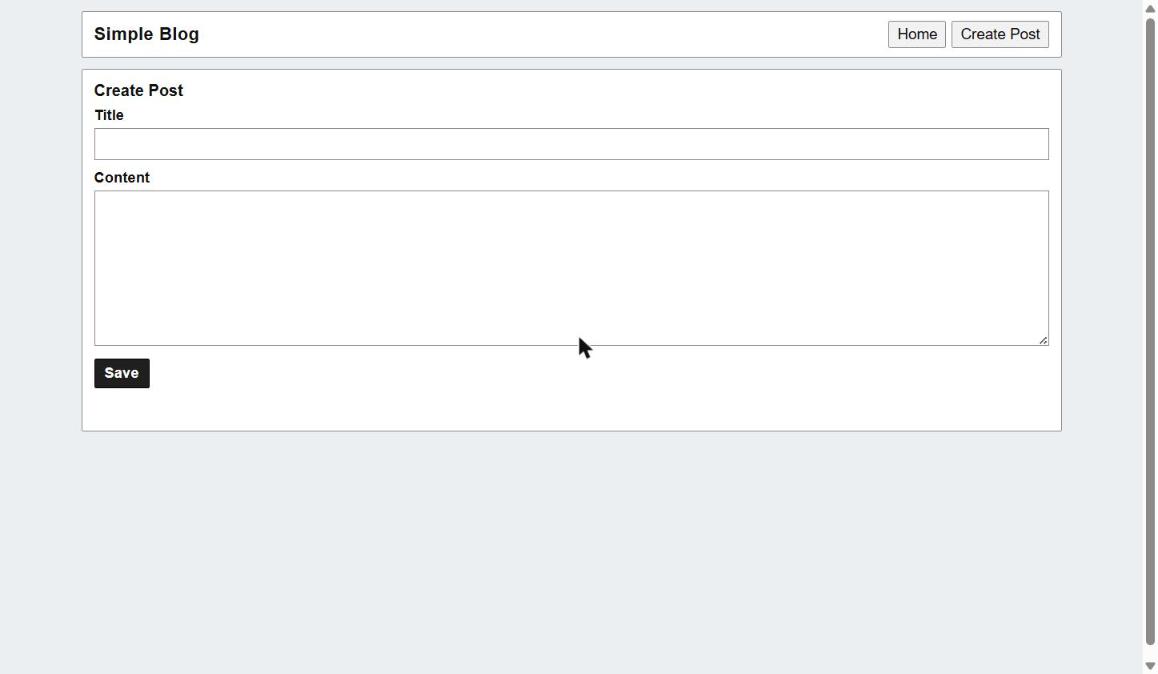
Clicking "Create Post" in the navigation takes you to
edit.htmlwith no query parameters. The JavaScript on this page checks for anidin the URL. If there is noid, it treats the form as a new post creation form. This is a smart reuse of a single HTML page for two different operations (create and edit), which keeps the codebase lean.
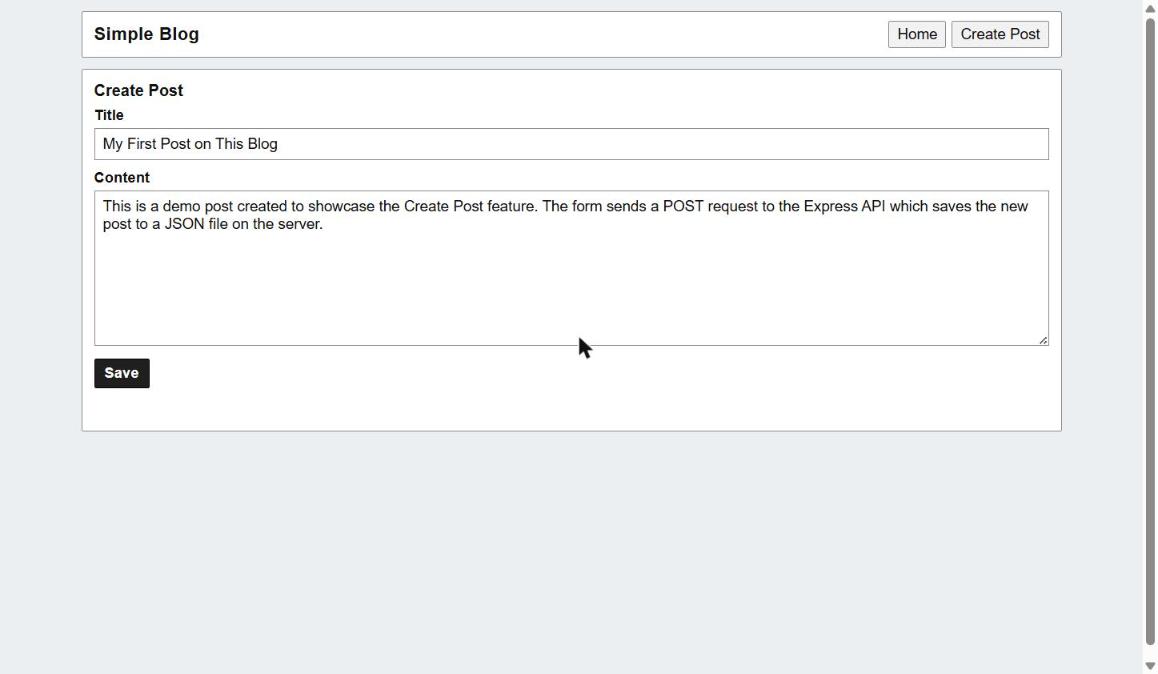
The form takes a title and content. On submit, the JavaScript sends a
POSTrequest to/api/postswith the form data as JSON. Keeping the form minimal at this stage was a good call because it proves the core concept before adding complexity like tags, categories, or image uploads.
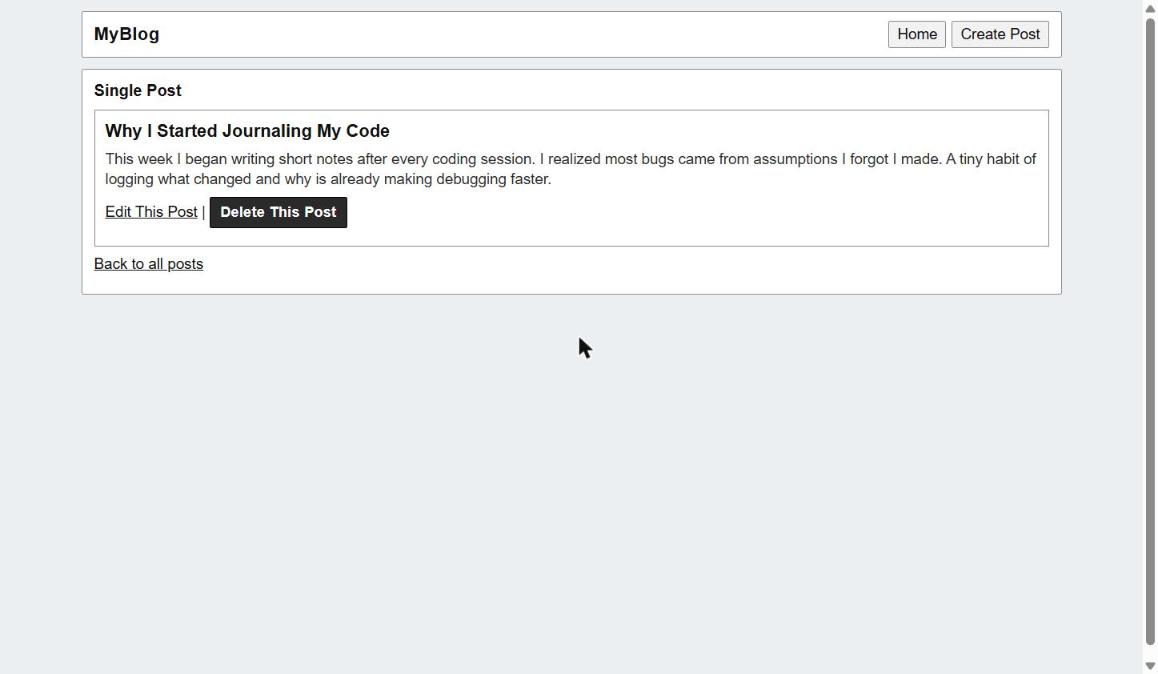
Clicking "View" on any post navigates to
post.html?id=1. The page reads theidfrom the URL, callsGET /api/posts/:id, and renders the title and content. The "Edit This Post" and "Delete This Post" buttons are available directly on the single post view, so users do not need to go back to the list to take action. The "Back to all posts" link completes the navigation loop cleanly.
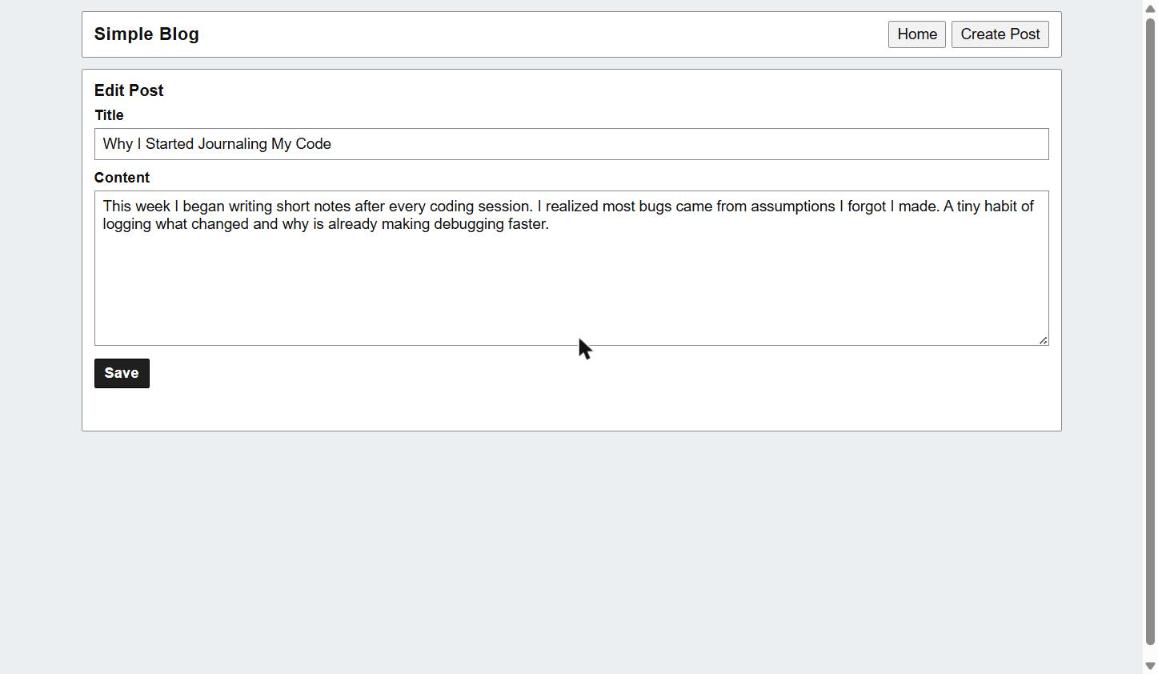
When editing,
edit.html?id=1fetches the existing post data and pre-fills the form fields. On save, it fires aPUTrequest to/api/posts/:idinstead of aPOST. The same HTML form handles both create and update flows, which is a pattern called "upsert-style routing." This avoids duplicating markup and keeps the page count low.
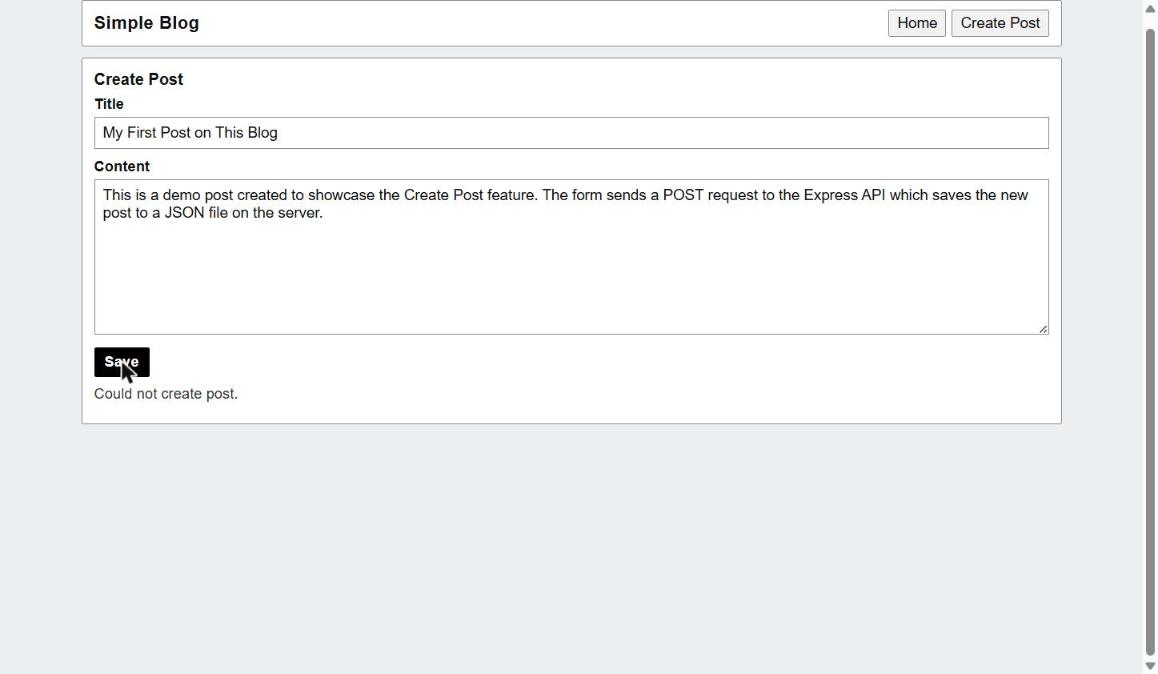
When trying to create a post on the live Vercel deployment, a "Could not create post." message appears. This happens because Vercel's free tier serves the
public/folder as a static site, but the Express server (server.js) requires a Node.js runtime to run. The API routes never activate in this deployment configuration. To fix this, the server would need to be deployed separately (e.g. on Railway, Render, or Vercel Serverless Functions) while the frontend stays on Vercel, or both could live on a platform that supports persistent Node.js processes.
Using a JSON file as storage instead of a database was a deliberate choice for this stage of the project. It removes the overhead of setting up and connecting to PostgreSQL or MongoDB, which lets you focus entirely on understanding how Express routes work, how the Fetch API communicates with a backend, and how CRUD operations map to HTTP methods (GET, POST, PUT, DELETE). Once those fundamentals click, swapping in a real database becomes a much less intimidating step.
Keeping the frontend as plain HTML, CSS, and JavaScript (rather than React or a framework) means every line of UI code is traceable and readable. There are no build steps, no virtual DOM, no compiled output. This is a great way to understand exactly what JavaScript frameworks are solving before adopting them.
Input validation. Currently the API accepts empty titles and blank content. Adding server-side checks (e.g. checking that
titleandcontentare non-empty strings before saving) would prevent bad data from enteringposts.json.Error handling on the frontend. The error message "Could not create post." is generic. Displaying the actual error from the server response (e.g. "Title is required") would make the app much more usable.
Unique IDs. Right now post IDs are likely sequential integers. Using a library like
uuidto generate unique identifiers would prevent ID collisions if posts are deleted and recreated.Confirmation before deleting. There is no "Are you sure?" prompt before a post is deleted. A simple
window.confirm()or a modal dialog would prevent accidental data loss.No authentication. Anyone who finds the API URL can create, edit, or delete posts. Adding even a basic API key check or session-based auth would be a meaningful improvement.
This project covers several foundational full-stack concepts worth studying further.
REST API design. The five routes (
GET /posts,POST /posts,GET /posts/:id,PUT /posts/:id,DELETE /posts/:id) are a classic REST pattern. Understanding why each HTTP method is used the way it is here will apply directly to any future backend work.File system as a persistence layer. Reading and writing JSON files with
fs.readFileSyncandfs.writeFileSyncteaches you what a database is actually doing at a lower level: storing and retrieving structured data. The limitations you hit (no querying, no indexing, no concurrent write safety) are exactly the problems databases solve.Frontend and backend separation. The
public/folder knows nothing about howserver.jsstores data. It only knows the API contract. This separation is the foundation of how modern SPAs and mobile apps are built.URL query parameters for state. Using
?id=1in the URL to control whatedit.htmldisplays is a simple but real-world pattern for sharing application state through the address bar.
User authentication. Add a login system so only the post author can edit or delete their own posts. Start with something simple like bcrypt password hashing and express-session, then explore JWT tokens.
Markdown support. Let users write post content in Markdown and render it as HTML using a library like
marked. This would make posts much richer without a complex editor.Database migration. Move from
posts.jsonto SQLite (a great middle step) and then to PostgreSQL. This teaches you how to write SQL queries, use an ORM like Prisma or Knex, and manage schema changes.Pagination. Once there are more than a handful of posts, loading them all at once becomes slow. Implementing
GET /api/posts?page=1&limit=10teaches query parameters, offset-based pagination, and frontend state management.Search. A simple title search using
GET /api/posts?q=coffeewould introduce filtering logic on the backend and a search input on the frontend.Post categories or tags. Adding a tags field to each post teaches you how to extend an existing data model and update both the API and the UI to handle array data.
Image uploads. Using
multerto handle file uploads and storing image paths in the post data introduces multipart form data, file storage decisions (local vs cloud like Cloudinary), and URL management.Timestamps. Storing
createdAtandupdatedAton each post and displaying them in the UI is a small addition that makes the blog feel much more real and teaches you about date formatting in JavaScript.
-