✦ Dynamic theming that adapts to your wallpaper ✦
with powerful GUI customization tools and beautiful widgets


╔══════════════════════════════════════════════════════════════════════════════╗
║                                                                              ║
║     🎨 DYNAMIC THEMING  •  🖥️ GUI HELPER  •  📦 WIDGETS  •  🚀 SMART SETUP   ║
║                                                                              ║
╚══════════════════════════════════════════════════════════════════════════════╝
Hecate automatically extracts colors from your wallpaper and applies them across your entire system. Watch your interface transform with every wallpaper change. ✦ Powered by PyWall
A powerful graphical interface to customize your Hyprland experience:
Less manual config file editing, more customization! |
Choose your preferred shell during installation: Bash • Zsh • Fish
Support for your favorite terminal emulator: Alacritty • Kitty • Foot • Ghostty
Automatically backs up your existing configurations before making any changes. |
Hecate provides beautiful, coordinated configurations for all your favorite tools
| Category | Applications |
|---|---|
| Compositors | Hyprland |
| GUI Tools | Hecate Helper (Keybinds • Waybar • Themes • Monitors) |
| Widgets | QuickShell (Clock • QuickApps • System Info • Audio) |
| Terminals | Alacritty • Kitty • Foot • Ghostty |
| Shells | Bash • Zsh • Fish |
| Bars | Waybar |
| Notifications | SwayNC |
| Launchers | Rofi |
| Logout | Wlogout |
| Wallpapers | Waypaper |
| System Info | Fastfetch |
Important
Hecate will detect your package manager automatically (pacman, yay, paru). If paru is installed on your system, the script selects paru to install packages.
Ensure you have git and gum installed:
sudo pacman -S git gumcurl -fsSL https://raw.githubusercontent.com/nurysso/Hecate/main/install.sh | bash# Clone the repository
git clone https://github.com/nurysso/Hecate.git
cd Hecate
# Make the installer executable
chmod +x install.sh
# Run the installer
./install.shInstallation complete! 🎉
Continue reading to discover all the features...
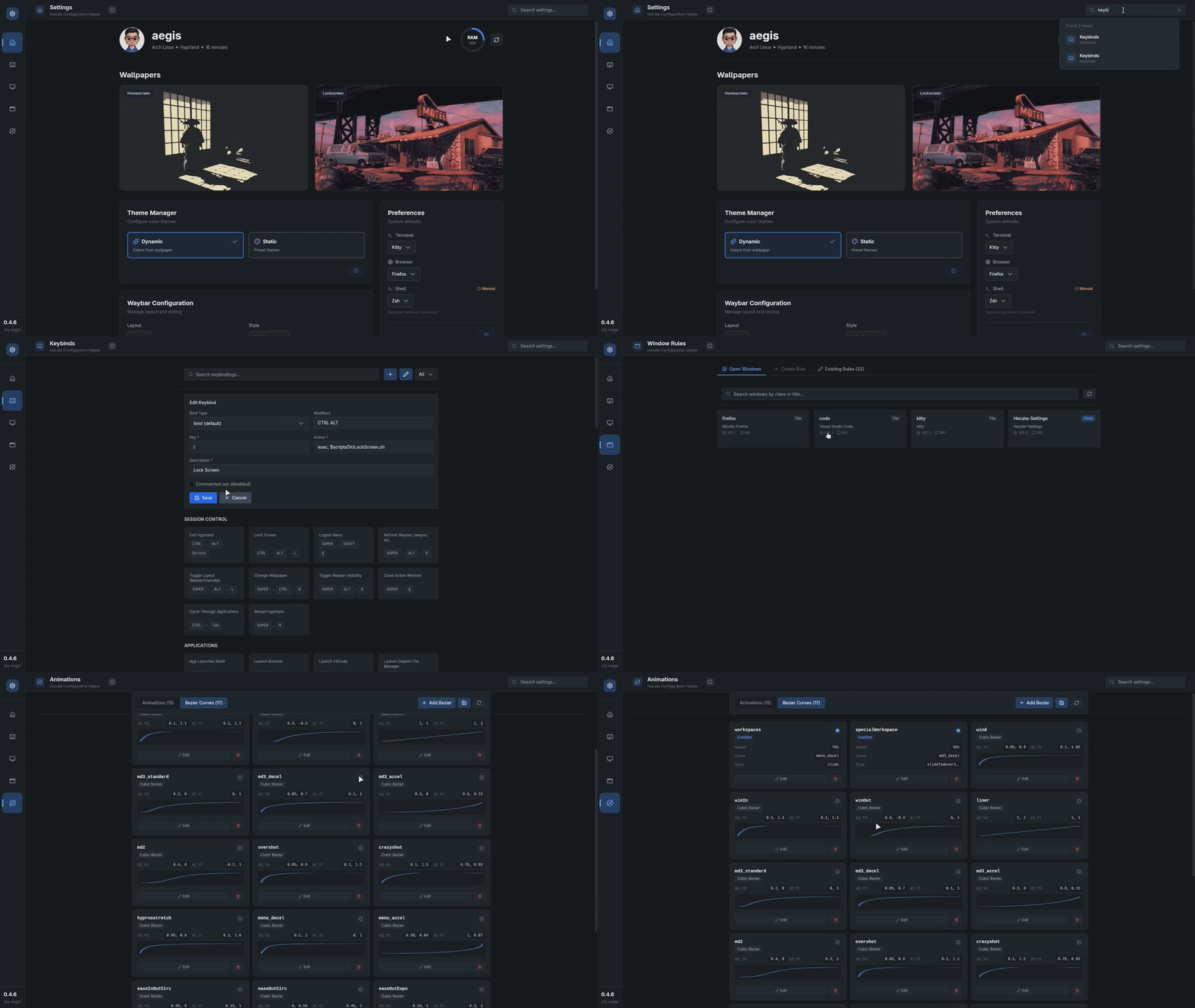
The Hecate Helper is a comprehensive GUI tool that puts customization at your fingertips
┌─────────────────────────────────────────────────────────┐
• Visual keybinding configuration interface
• Search and filter keybindings
• Live conflict detection(Yet to add | stay tuned)
└─────────────────────────────────────────────────────────┘
┌─────────────────────────────────────────────────────────┐
• Layout Switcher — Toggle between Waybar layouts
• Style Gallery — Preview and apply pre-made themes
└─────────────────────────────────────────────────────────┘
┌─────────────────────────────────────────────────────────┐
• Toggle between **Dynamic** and **Static** theme modes
• Configure auto-start applications
• Set default terminal, browser and shell
• Manage Hecate preferences
└─────────────────────────────────────────────────────────┘
┌─────────────────────────────────────────────────────────┐
• Browse through curated color schemes
• Quick apply with one click
└─────────────────────────────────────────────────────────┘
┌─────────────────────────────────────────────────────────┐
• Visual Monitor Arrangement — Drag-and-drop monitor positioning
• Resolution and refresh rate selection
• Display scaling options
• Multi-monitor setup made easy
• Live configuration testing
└─────────────────────────────────────────────────────────┘
|
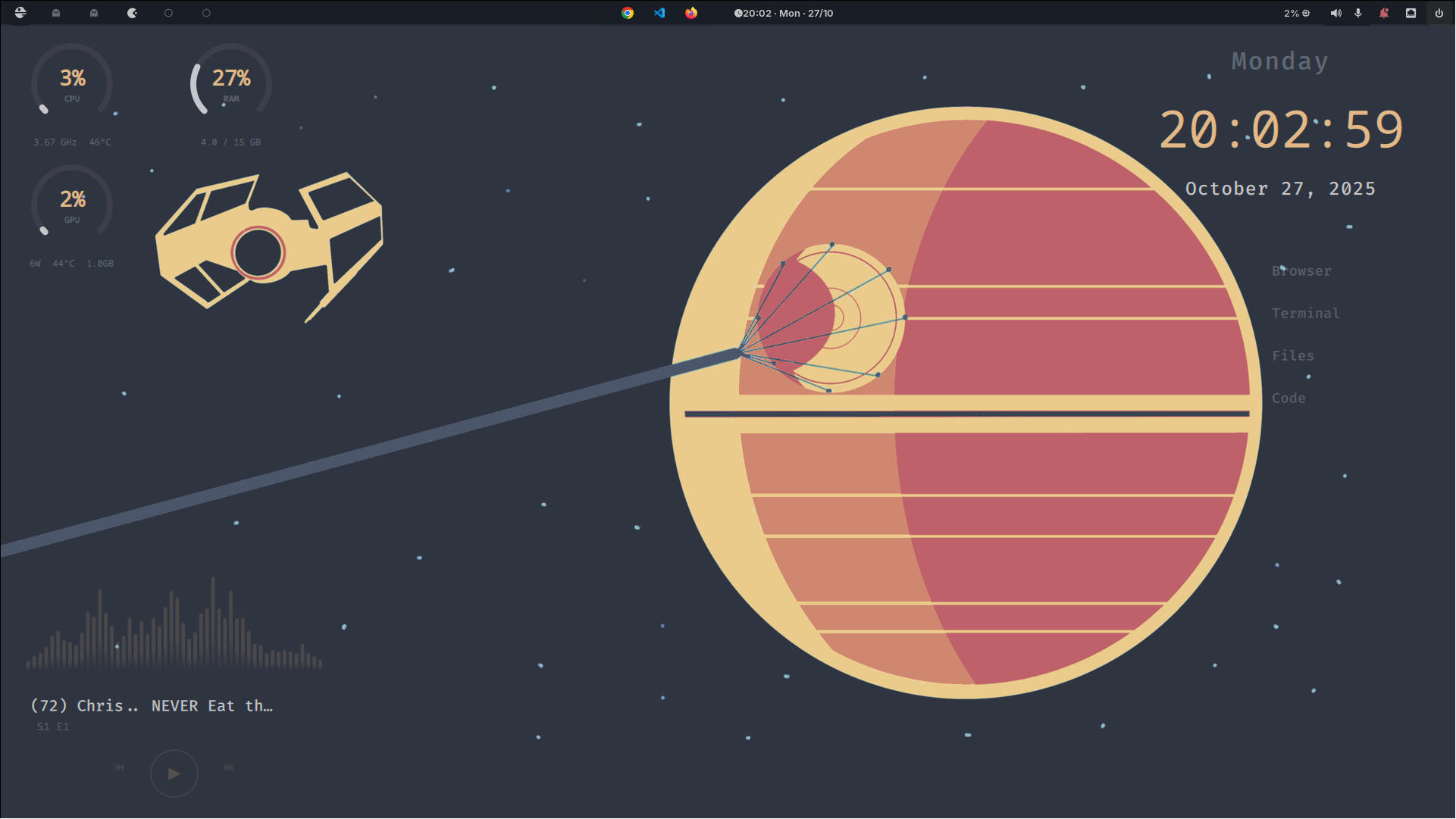
Elegant time and date display with multiple format options, customizable appearance, and smooth animations.
|
|
Hecate stores your preferences in ~/.config/hecate/hecate.toml:
# Hecate Dotfiles Configuration
# This file manages your Hecate installation settings

[metadata]
version = "0.4.1 shy eagle"
install_date = "2025-10-15"
last_update = "2025-10-15"
repo_url = "https://github.com/nurysso/Hecate.git"

[theme]
# Theme mode: "dynamic" or "static"
# dynamic: Automatically updates system colors when wallpaper changes
# static: Keeps colors unchanged regardless of wallpaper
mode = "dynamic"

[preferences]
term = "kitty"
browser = "firefox"
shell = "fish"
profile = "minimal"
[theme]
mode = "dynamic"
Features:
|
[theme]
mode = "static"
Features:
|
All configuration files are located in ~/.config/:
~/.config/
├── hypr/              # Hyprland configuration
├── waybar/            # Status bar layouts and styles
├── rofi/              # Application launcher themes
├── swaync/            # Notification center
├── wlogout/           # Logout menu
├── quickshell/        # Widget configurations
├── alacritty/         # Terminal configs
├── kitty/             # Terminal configs
├── foot/              # Terminal configs
├── ghostty/           # Terminal configs
└── hecate/            # Hecate main config
Hecate uses PyWall to intelligently extract colors from your wallpaper
Colors are automatically applied to:
|
|
and watch your entire desktop environment transform!
|
Press See the magic happen! |
Press Access the configuration interface |
Press Enhance your desktop experience |
Note
Hyprland plugins have been removed from the system as they can break when Hyprland is updated.
| Key Combination | Action |
|---|---|
SUPER + Return |
Open Terminal |
SUPER + D |
Application Launcher (Rofi) |
SUPER + H |
Hecate Settings Keybind GUI |
SUPER + CTRL + W |
Wallpaper Selector |
SUPER + SHIFT + N |
Toggle Notifications |
SUPER + Q |
Close Window |
SUPER + 1-9 |
Switch Workspace |
SUPER + SHIFT + 1-9 |
Move Window to Workspace |
Tip
Full keybinding list available in ~/.config/hypr/keybinds.conf or in the Hecate-Settings GUI
╔═══════════════════════════════════════════════════════════════╗
║                                                               ║
║ Fork  →  Create Branch  →  Add feature  →  Push  →  PR        ║
║                                                               ║
╚═══════════════════════════════════════════════════════════════╝
- Fork the repository
- Create a feature branch (
git checkout -b feature/AmazingFeature) - Add feature your changes (
git commit -m 'Add some AmazingFeature') - Push to the branch (
git push origin feature/AmazingFeature) - Open a Pull Request
|
|
Check out our Contributing Guide for detailed information
Hecate Helper won't launch
# try running in terminal to see error
Hecate-Settings
Widgets not showing up
# Restart QuickShell
pkill quickshell
quickshell
Theme not applying to all applications
# Regenerate theme
wal -n -i path/to/wallpaper.png
#  Check ~/.config/waypaper/config.ini have this line
post_command = ~/.config/hecate/scripts/hecate-system-colors.sh
# If still not changed then try manual running
~/.config/hecate/scripts/hecate-system-colors.sh
This project is licensed under the GNU-gpl3 License
See the LICENSE file for details
Built on the shoulders of giants

Amazing Wayland compositor |

Color palette generation |

Widget framework |

Audio visualizer |


Made with ♥ by nurysso
Hecate — Greek goddess of magic, crossroads, and transformation