
Fix your game collection for Retrobat
RetroFix is a utility for Retrobat that scans your installation and helps you identify and fix issues in your game collection — missing BIOS files, unscraped ROMs, missing or orphaned media files, and more.
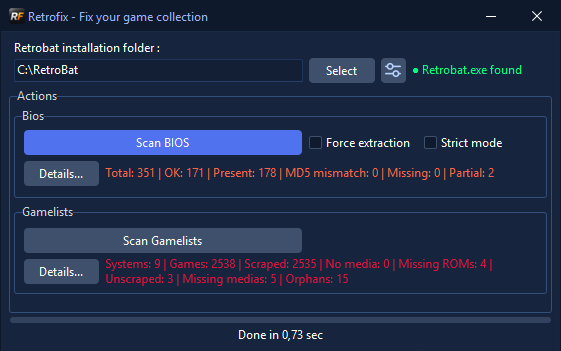
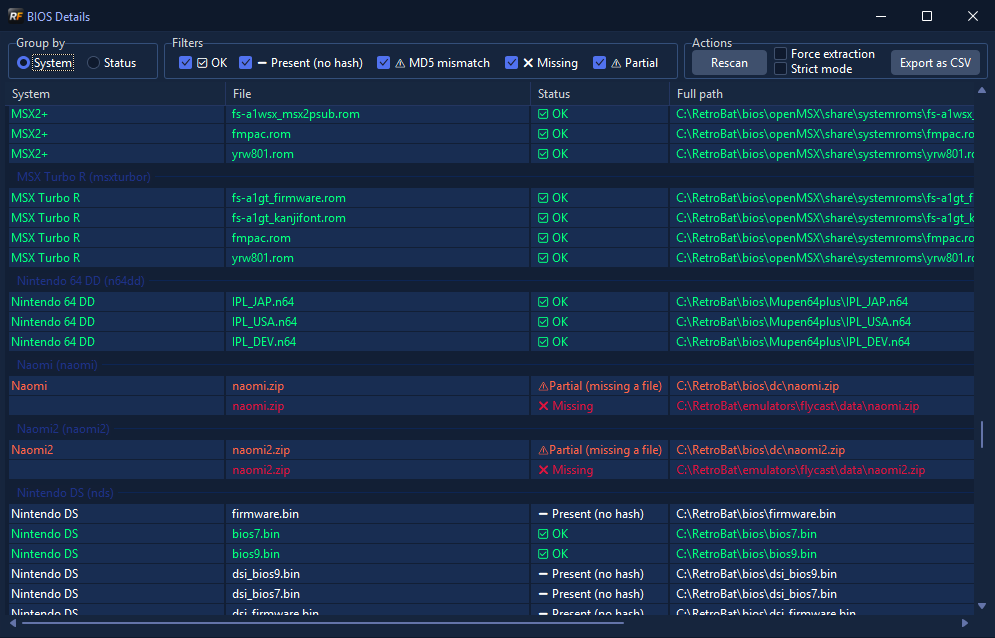
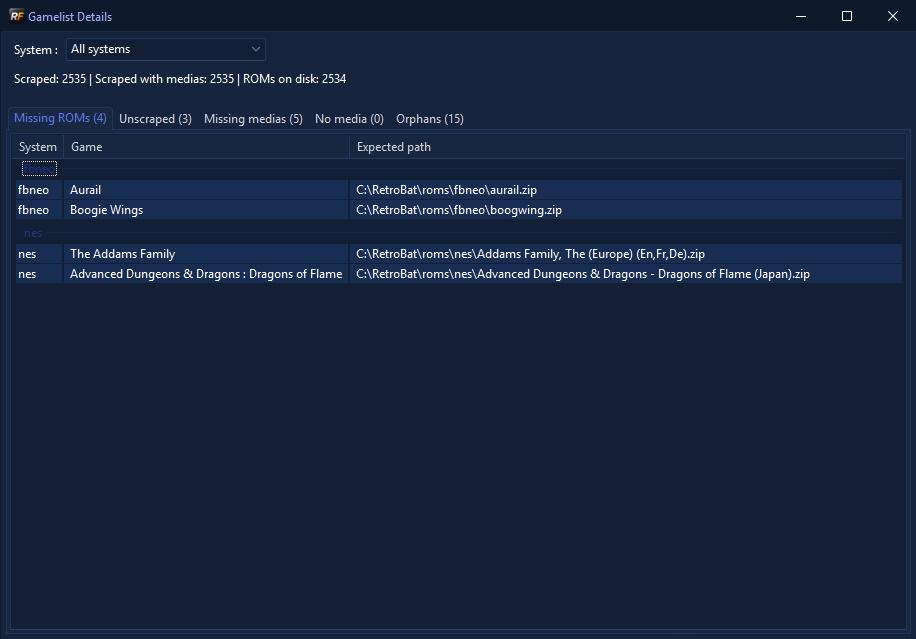
- Extracts the BIOS reference list directly from your Retrobat installation (
batocera-systems.exe) - Verifies presence of all required BIOS files
- Checks MD5 hashes against expected values
- Strict mode: treats MD5 mismatches as errors (by default Retrobat only checks file presence)
- Detailed report with filtering by status (OK, missing, MD5 mismatch, no hash)
- Export results to CSV
- Grouping by system or by status
- Scans all
gamelist.xmlfiles across your ROM folders - Detects missing ROMs — referenced in the gamelist but absent on disk
- Detects unscraped ROMs — present on disk but not referenced in any gamelist, including systems with no gamelist at all
- Detects games with no media — in the gamelist but with no scraped images/videos
- Detects missing media files — referenced in the gamelist but absent on disk
- Detects orphan media files — present on disk but not referenced in any game
- Filter results by system
- Add missing media files directly from the UI
- Delete orphan media files directly from the UI (single or batch)
- Remove missing ROM entries from gamelist, with optional deletion of resulting orphan media files
- ROM hash verification (MD5 / CRC32 / SHA1) against values stored in the gamelist
- Copy expected hash to clipboard on mismatch
- Scrape unscraped ROMs directly from the UI using ScreenScraper
- Scrape games with no media
- Re-download missing media files for already scraped games
- Single or batch scraping with progress indicator and cancel button
- Automatically reads your scraping preferences from Retrobat (
es_settings.cfg): image source, logo source, box source, language, region, and media options (videos, fanart, box back, manual, map, bezel) - Respects your preferred language and region for metadata and media selection
- Language and region detection from ROM filename, consistent with Retrobat's behavior
- ROM identification uses MD5/CRC32/SHA1 hashes, extracted from inside ZIP archives when appropriate (consistent with Retrobat's behavior)
- Writes scraped data directly to
gamelist.xmlin Retrobat format - Configurable scraping options via the Settings dialog
- Windows 10 / 11
- Retrobat installed
- PowerShell (for initial BIOS list extraction — included in Windows)
- A ScreenScraper account (free) for scraping features
To build RetroFix from source, rename screenscraper_credentials.inc.template
to screenscraper_credentials.inc and fill in your developer credentials
from screenscraper.fr.
Your ScreenScraper username and password are automatically read from your Retrobat es_settings.cfg if available. Otherwise, RetroFix will prompt you on first launch, or you can enter them manually via the Settings dialog.
- Launch RetroFix
- Select your Retrobat installation folder
- Click Scan BIOS to verify your BIOS files
- Click Scan Gamelists to analyze your game collection
- Click Details... to open the detailed report for each module
- Right-click on items in the Unscraped, No media, Missing medias or Missing ROMs tabs to take action
- Delphi 12 (VCL)
- Neslib.Xml — fast XML parser (BSD license)
MIT License — see LICENSE for details.