
Moonlight for Android is an open source client for Sunshine.
This fork aims to build upon the original Android client with some new features and some existing features, fixes and optimizations from Artemis and other developers.
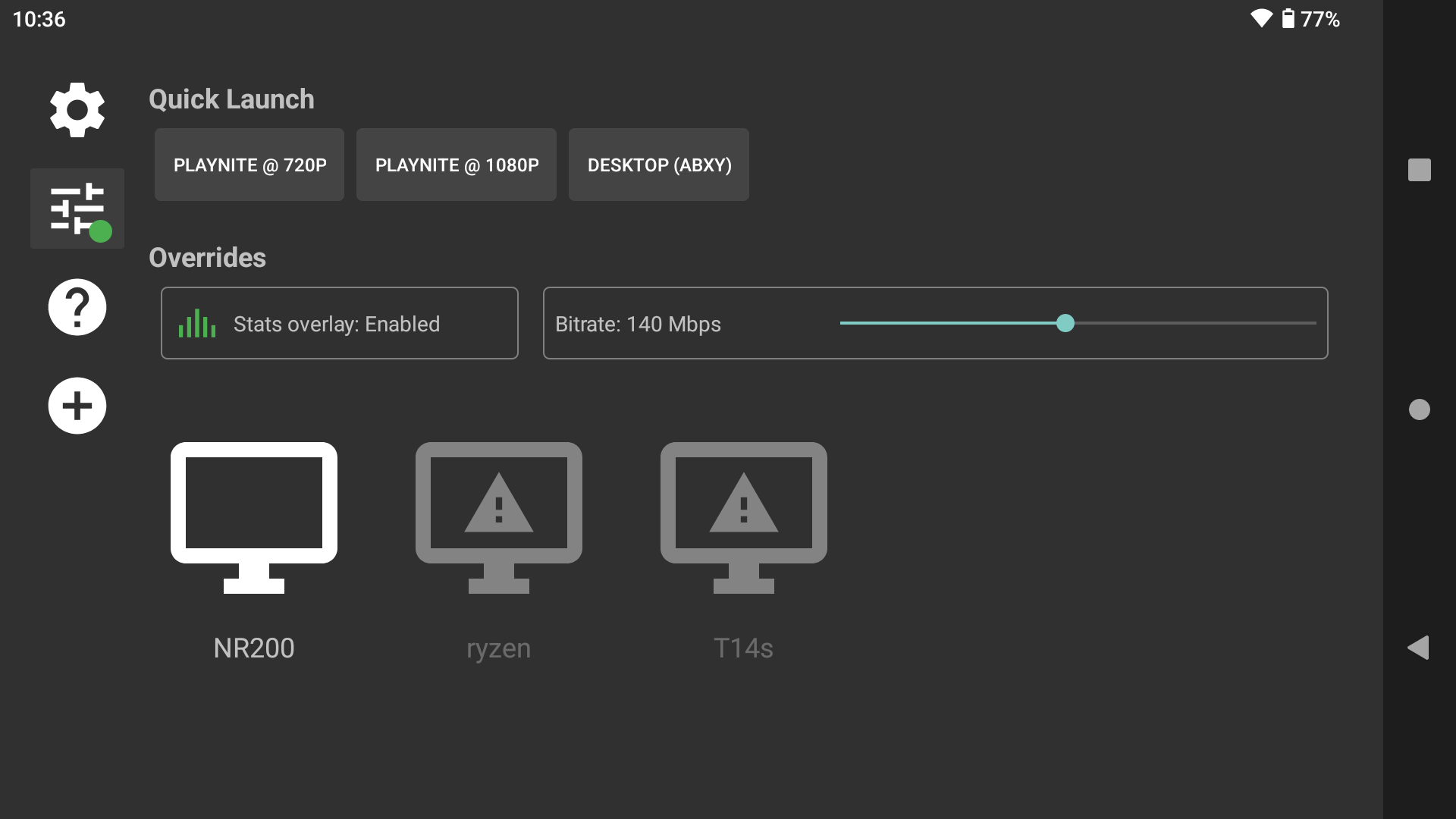
You can create shortcuts to specific Sunshine apps and apply custom streaming settings (like resolution, FPS, bitrate, etc) to each shortcut. The same app can be configured to multiple shortcuts:

Note
Quick Launch apps can also be added as shortcuts in Android launchers, etc.
Each app can now have it's own settings for resolution, FPS, bitrate, frame pacing, etc:

Tap the left edge of the screen to show a brightness slider and set a custom brightness while streaming (or slide it to the bottom for "Auto" which will use the system brightness):

These overrides will supersede any per-app or Quick Launch settings when enabled:
Added some additional decoder flags/options to potentially reduce latency on devices with Exynos (tested on Google Pixel 7a), and Amlogic (tested on Chromecast w/Google TV) SoCs.
Recommend Balanced frame pacing and the Ultra low latency option enabled for these devices.
Some non-HDR devices can still stream 10-bit SDR if Sunshine sends it. This simple hack bypasses the HEVC decoder check for HDR10 when you have the "Enable HDR" setting activated.
Access quick actions and custom commands during streaming with a customizable overlay menu:
Features:
- Quick Actions: Disconnect, quit session, toggle stats, mouse mode, and show keyboard (except Google TV)
- Custom Commands: Create custom keyboard shortcuts
- Multiple Long-Press Trigger Options:
- Select button (default)
- Start button
- Guide button (not be supported on all devices)
- LB + RB combination
- Back button on remote (Shield, CCwGTV, etc - always available)
- Customizable Hold Duration: Choose how long to hold (0.5s to 3s)
- Touch Gesture: 3-finger tap also opens the menu
Note: Start button long-press for mouse emulation and 3-button keyboard shortcut have been removed in favor of the quick actions in the overlay menu.
- Tweaked the formatting and simplified labels
- Added variance between incoming and rendered FPS (will show > 0% when the values differ by 1 or more FPS)

- Ultra low latency mode with Snapdragon (8 Gen 2+) and MediaTek (MTK) latency improvements
- Revised decode latency calculation (typically a few ms less than Moonlight reports)
- Install Android Studio and the Android NDK
- Run ‘git submodule update --init --recursive’ from within moonlight-android/
- In moonlight-android/, create a file called ‘local.properties’. Add an ‘ndk.dir=’ property to the local.properties file and set it equal to your NDK directory.
- Build the APK using Android Studio or gradle
Moonlight X is a fork of the original Moonlight Android which is authored by Cameron Gutman and others.