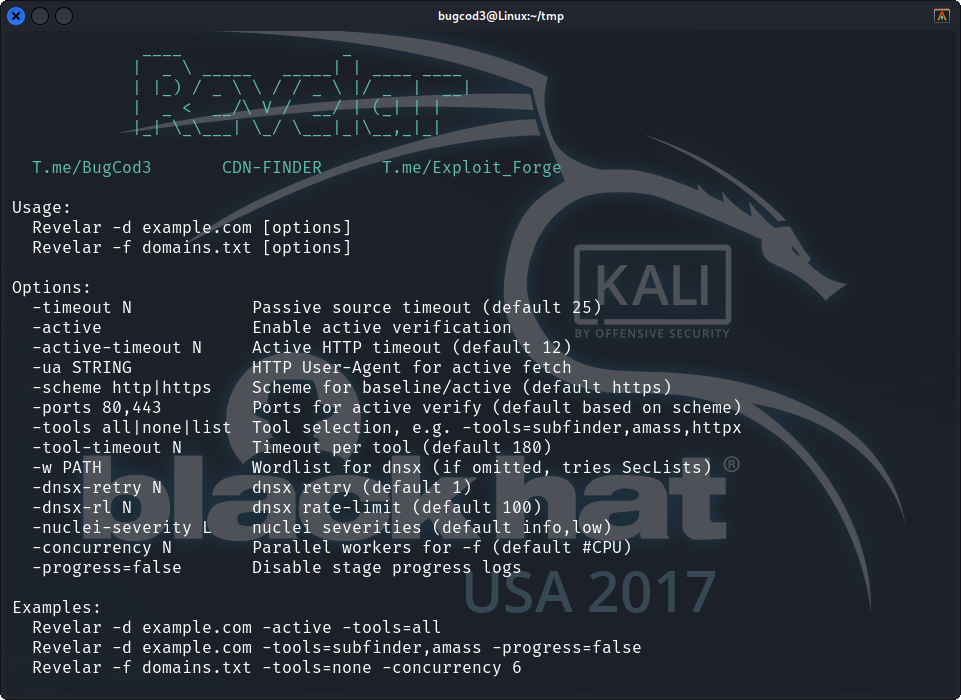
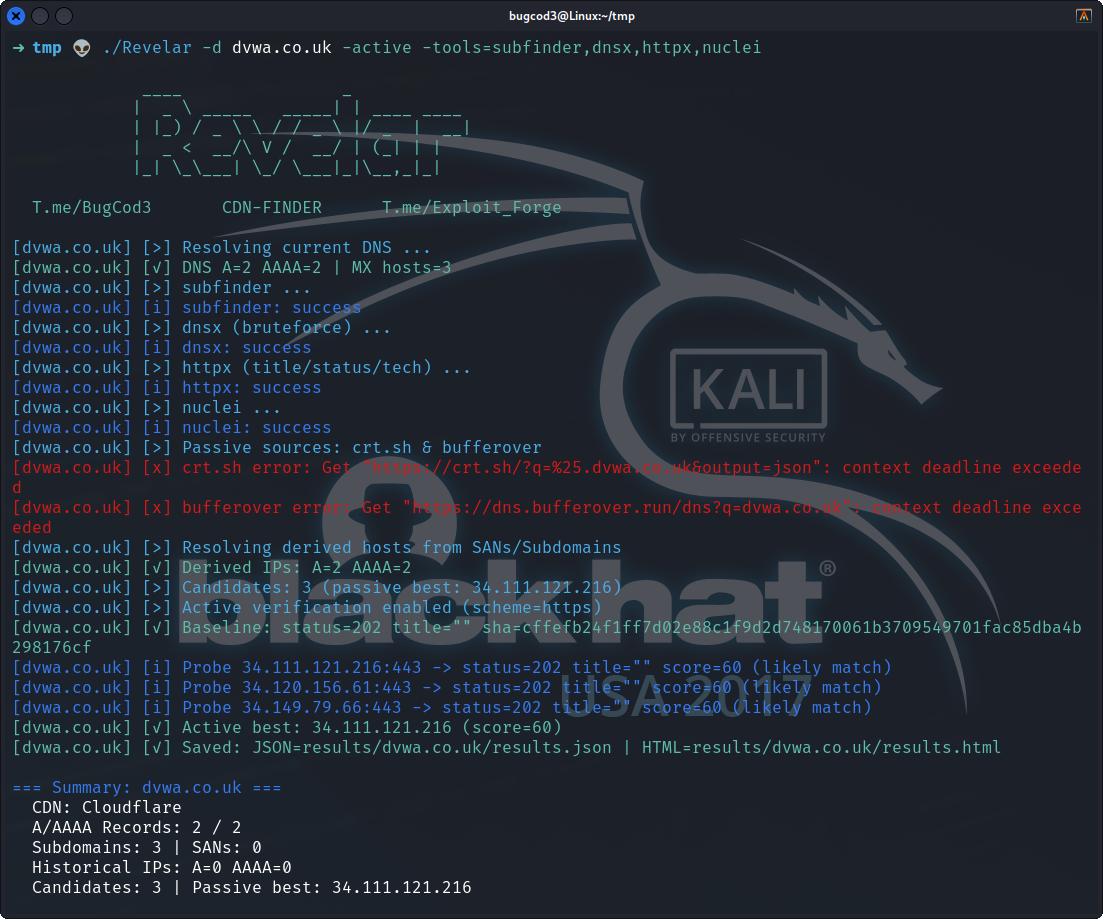
Revelar (Origin Reveal PRO) is a professional Go-based CLI tool for uncovering real/origin IP addresses of websites behind CDNs such as Cloudflare, Akamai, Fastly, Imperva, and AWS CloudFront.
It combines passive reconnaissance, heuristic analysis, and optional active verification to provide comprehensive reports in JSON and HTML formats.
- Detects CDN providers automatically.
- Collects DNS records (A, AAAA, MX, Reverse DNS).
- Extracts SSL Subject Alternative Names (SANs).
- Integrates with optional external tools (
subfinder,amass,dnsx,httpx,nuclei). - Filters CDN IP ranges to isolate real origin candidates.
- Active verification engine:
- Compares status codes
- Extracts page titles
- Matches server headers
- Validates content hash (SHA256)
- Generates detailed JSON + HTML reports per domain.
- User can selectively enable/disable tools or run default mode (all tools).
- Supports custom wordlists with the
-wflag (defaults to SecLists if installed).
- Go 1.21+
- Internet access for passive/active lookups
- (Optional) Installed external tools for enhanced recon:
subfinder,amass,dnsx,httpx,nuclei
- (Optional) A wordlist (e.g., from SecLists) for brute-force subdomain discovery
go install github.com/MRvirusIR/Revelar@latestBinary will be available at $GOPATH/bin/Revelar (or $HOME/go/bin/Revelar).
Run directly from source:
git clone https://github.com/MRvirusIR/Revelar.git
cd Revelar
Revelar -d example.com
# OR
go run ./script.go -d example.com
Passive Scan
Revelar -d example.comActive Verification (requires authorization)
Revelar -d example.com -activeScan Multiple Domains
Revelar -f domains.txt -activeUse Custom Wordlist
Revelar -d example.com -w /path/to/wordlist.txt
⚠️ If -w is not provided, Revelar defaults to a standard wordlist from SecLists (if available).
Selective Tool Control
Enable only specific tools:
Revelar -d example.com -tools=subfinder,dnsxDisable all external tools:
Revelar -d example.com -tools=none| Flag | Description |
|---|---|
-d |
Single domain to scan (e.g., example.com) |
-f |
File containing multiple domains |
-w |
Path to custom wordlist (default: SecLists if available) |
-timeout |
Passive source timeout in seconds (default: 25) |
-active |
Enable active verification against candidate IPs |
-active-timeout |
Timeout for active probes (default: 12) |
-ua |
Custom HTTP User-Agent string |
-scheme |
http or https for active fetch (default: https) |
-ports |
Comma-separated ports for probing (default: 80,443) |
-tools |
Run only specific tools (comma-separated: subfinder,amass,dnsx,httpx) |
-no-tools |
Skip running external tools |
-progress |
Show/hide step-by-step progress logs (default: true) |
Reports are saved per-domain under results//
Example:
results/example.com/
  ├─ results.json   # structured JSON
  ├─ results.html   # HTML report
  ├─ subfinder.log
  ├─ amass.log
  ├─ dnsx.log
  └─ httpx.log
This tool is for authorized security testing only. Do NOT scan systems without explicit permission. The authors assume no liability for misuse.
Repository: https://github.com/MRvirusIR/Revelar

|
License: MIT