
Turn horizontal footage into 9:16 clips that keep the subject in frame.
pip install git+https://github.com/KazKozDev/auto-vertical-reframe.git
Runs locally · No API keys · Open source
Needs Python 3.11+ and ffmpeg in PATH (brew install ffmpeg on macOS).
pip install git+https://github.com/KazKozDev/auto-vertical-reframe.gitThis installs the verthor command. Point it at a horizontal video:
verthor input.mp4 output_vertical.mp4 --preset talking_headINFO | Speed: model=yolo11n-seg.pt imgsz=640 stride=1 face_stride=1 pose=True saliency=handcrafted masks=True device=auto
INFO | Detecting scenes...
INFO | Processed 50/192 | scene=1 | zoom=1.05 | tracked=1 | saliency=handcrafted/handcrafted
INFO | Processed 150/192 | scene=1 | zoom=1.05 | tracked=1 | saliency=handcrafted/handcrafted
INFO | Summary: {"preset": "talking_head", "frames_processed": 192, "frames_with_subject": 192, "frames_with_face": 190, "output_width": 1080, "output_height": 1920, ...}
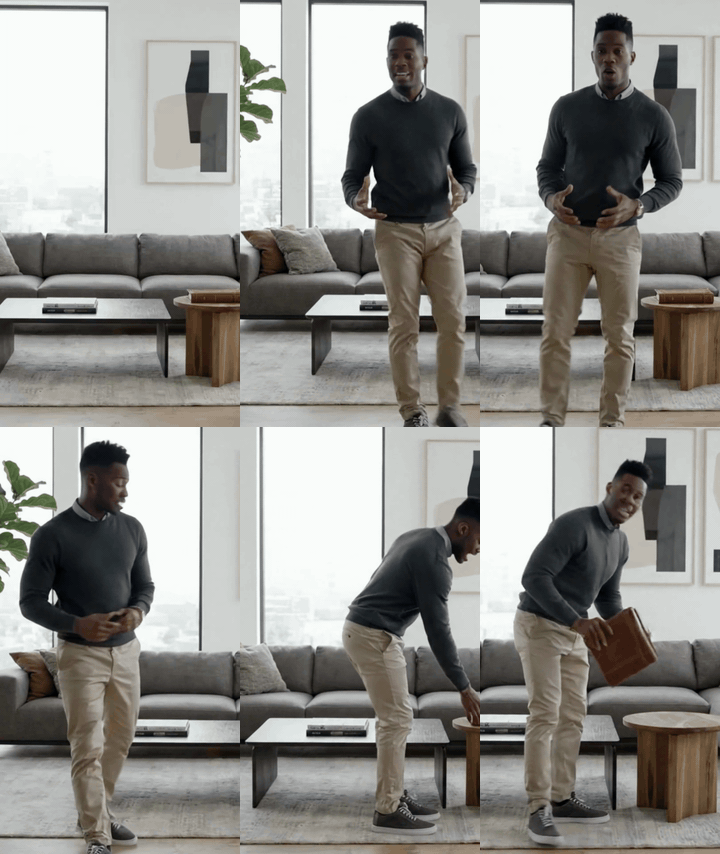
The result is a 1080×1920 MP4 with the original audio. Full-quality demo files: demo_source.mp4, demo_vertical.mp4.
For interviews, podcasts, and vlogs, where a naive center crop loses the speaker the moment they move. The talking_head preset tracks people and frames on the face.
verthor clip.mp4 clip_vertical.mp4 --preset talking_headSaliency uses the fast handcrafted backend by default, which is usually best for simple single-subject videos. For complex or ambiguous scenes, try the slower, experimental DeepGaze MR backend:
verthor clip.mp4 clip_vertical.mp4 --saliency-model deepgazemrIf DeepGaze MR fails to load or run, the tool falls back to handcrafted. The final summary reports the requested backend, the active backend, fallback frames, and the device.
For matches and action clips. The sports preset follows the ball and the nearest player with a wider frame, a dead zone, and motion lead, and frames two players together when they fit.
verthor match.mp4 match_vertical.mp4 --preset sports --save-debug-preview--save-debug-preview writes a second file, match_vertical_debug.mp4, showing the crop rectangle, detected subjects, and face boxes on every frame.
For cinematic clips, where a panning crop looks wrong. The movie preset analyzes the clip first, then locks one static crop per shot and hard-cuts on scene or subject changes. Title cards and wide shots stay centered.
verthor clip.mp4 clip_vertical.mp4 --preset movie --duration 30
verthor clip.mp4 clip_vertical.mp4 --preset movie --start 45 --duration 30
--start and --duration process only a window of a long source: the first 30 seconds, or 30 seconds starting at 0:45.
Most source material is shot horizontally, and manual reframing is tedious for long footage. Auto Vertical Reframe splits the video into scenes, detects and tracks subjects in each one, and ranks them using segmentation masks, face and pose cues, saliency, and tracking continuity. The winning subject drives a virtual camera (pan and zoom) through a smoothed path, so each shot gets its own framing decision. Cropped frames are encoded by ffmpeg with the original audio.
input video → PySceneDetect (scenes) → YOLOv11-seg + ByteTrack (candidates)
  → MediaPipe face/pose + saliency → subject ranking → smoothed camera path → ffmpeg → output MP4
The whole pipeline lives in src/verthor/auto_reframe.py.
| Option | Default | What it does |
|---|---|---|
--preset |
talking_head |
Framing preset: talking_head, sports, pets, cars, movie |
--start |
0 |
Start time in seconds |
--duration |
whole clip | Only reframe this many seconds |
--output-width / --output-height |
1080 / 1920 |
Output resolution |
--saliency-model |
handcrafted (off for movie) |
handcrafted, deepgazemr, auto, or off |
--classes |
from preset | Object classes to track |
--min-zoom / --max-zoom |
from preset | Zoom bounds |
--lock-first-subject |
off | Stay on the first tracked subject |
--two-person-framing |
off (on for sports) |
Frame two people together; --no-two-person-framing disables |
--fast |
off | Smaller YOLO input, skip pose, masks, and saliency |
--device |
auto | YOLO inference device (cpu, mps, 0, …) |
--scene-threshold |
3.0 |
Scene-cut sensitivity |
--video-encoder |
h264_videotoolbox |
ffmpeg encoder; falls back to libx264 if missing |
--crf |
18 |
Quality for libx264 |
--post-restore |
off | Light denoise and unsharp pass in ffmpeg |
Run verthor --help for the full list, including motion damping, per-frame step limits, and locked-camera tuning.
| Preset | Tracks | Zoom | Camera |
|---|---|---|---|
talking_head |
person | 1.05–1.85 | follow |
sports |
person, sports ball, car, bicycle, motorcycle | 1.00–1.15 | follow |
pets |
dog, cat, person | 1.00–1.55 | follow |
cars |
car, truck, bus, motorcycle, person | 1.00–1.30 | follow |
movie |
person | 1.00 | locked |
| Variable | Required | What it does |
|---|---|---|
PYTHON_BIN |
No | Python interpreter used by the macOS launcher (default python3) |
- Python 3.11+
ffmpeginPATH- macOS (tested on Apple Silicon)
- PyTorch 2.2+, Ultralytics YOLOv11, MediaPipe 0.10.14, PySceneDetect, and
lapfor ByteTrack — installed automatically - Network access on first run to download model weights
- Beta: CLI flags may change between versions.
- No automated tests yet.
- Linux and Windows are untested.
movieholds one static crop per shot, so a subject that walks across the frame can leave it.sportsrarely switches to the player with the ball once it is tracking someone, and ignores vehicles while any person is in frame.--speaker-jsonis a placeholder for future speaker-aware ranking.
macOS launcher, installation from source, development setup
Double-click run_verthor.command. It provisions the venv and prompts for the video, preset, saliency mode, and debug preview through native dialogs. If a non-video file is passed, it opens the file picker again.
git clone https://github.com/KazKozDev/auto-vertical-reframe.git
cd auto-vertical-reframe
python3 -m venv .venv && source .venv/bin/activate
pip install -U pip
pip install -e .
The repository includes the default segmentation weights, yolo11n-seg.pt.
See CONTRIBUTING.md. The package is src/verthor/: auto_reframe.py holds the pipeline and __main__.py is the python -m verthor entry point.


