
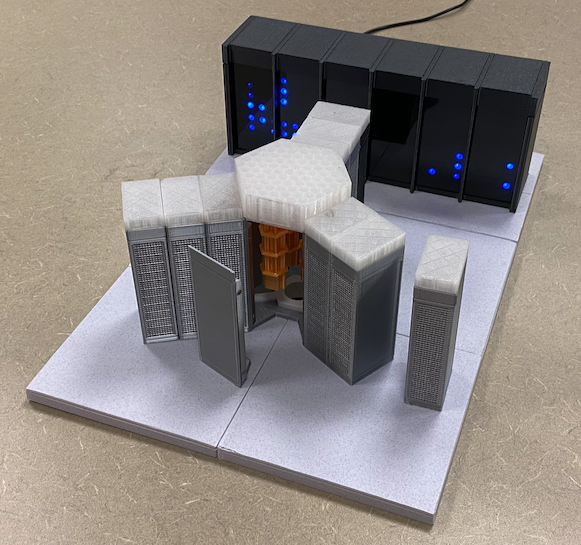
Exploring quantum computing and Qiskit with a Raspberry Pi and a 3D printer: a functional model of IBM Quantum System Two, with quantum demos and games on screen and on the model's LED panel.
Website and documentation: rasqberry.org. Looking for the model of IBM Quantum System One? Go to rasqberry.one.
The full guide (what you need, which image for which SD card, first start) is at rasqberry.org.
In short: with Raspberry Pi Imager 2.0.3 or newer installed, use the one-click link on rasqberry.org to open Imager with the RasQberry images and pick RasQberry Two Beta under OS (any card; 128 GB A2/U3 recommended). Alternatively start Imager with the RasQberry repository from a terminal, e.g. on a Mac:
/Applications/Raspberry\ Pi\ Imager.app/Contents/MacOS/rpi-imager --repo https://RasQberry.org/RQB-images.jsonAll images are also on the releases page.
Default login: user rasqberry, password Qiskit1! (on the Pi, over SSH and VNC). The user name and password set in Raspberry Pi Imager replace it.
The image ships Qiskit 2.x in the virtual environment RQB2, active in every terminal:
source ~/RasQberry-Two/venv/RQB2/bin/activate   # only needed in scripts
pip list | grep qiskit
System Info in sudo raspi-config → 0 RasQberry shows which image you are running.
- Source code: the
developmentbranch (work in progress) andbeta(the current beta). The images are built from these; the scripts onmainare older and not used by the images. - Demos: demo list.
- 3D model: STL files in the 3D-model branch; bill of materials and assembly guide on the website.
- Workshops: workshops & events; a class offline from one Pi: doQumentation offline workshop guide.
- Help and bugs: issues (paste the output of
rq_info.sh --json) and discussions.
This project is part of Fun with Quantum, a family of open-source quantum outreach projects: Fun with Quantum · RasQberry One · Quantego · Qutie · Qoffee-Maker · Entangible · CertiQ · QuBins · doQumentation · QAMPoser.
God does play dice. Come play, build, learn.