
An interactive pixel art editor built in Python using object-oriented design, with a color picker, selection tools, and custom rendering logic. It also includes a reference mode that pixelates any image from a URL.
Video walkthrough:
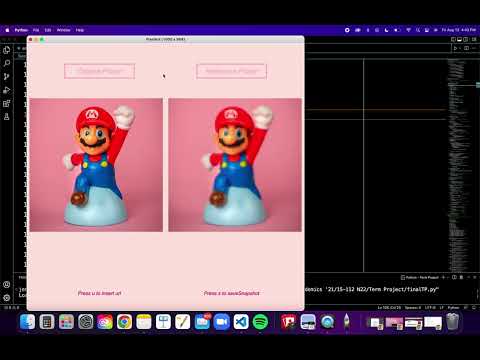


- Built with: Python, Tkinter (through CMU's
cmu_112_graphics), Pillow - Features: pencil, eraser, undo, rectangular selection and fill, adjustable canvas size, color palette, saving your drawing, and a reference mode that pixelates an image with bilinear interpolation
- Context: Term project for 15-112 Fundamentals of Programming and Computer Science at Carnegie Mellon University (2021-2022)
- Install Python 3 (3.9 or later).
- Install the image libraries:
pip3 install pillow requests - Download this repo (green Code button → Download ZIP) and unzip it.
- From inside the folder, run:
python3 finalTP.py
Keep finalTP.py, cmu_112_graphics.py, and the icon images in the same folder. The app also needs an internet connection on startup to load its default reference image.
From the start screen, press the Right arrow to begin.
Canvas
- Click the tool buttons to draw, erase, select, undo, or save, and click a color button to pick a color
- Right / Left: change color
- Up / Down: change canvas size (before drawing or erasing)
- s: select a rectangular area
- k: fill the selection
- t: change the outline color
- z: undo (hold to undo multiple times)
- e: toggle eraser
- r: new blank canvas
- i: switch to reference mode
Reference mode
- u: enter an image URL to pixelate
- s: save a snapshot
- Left: back to the canvas
finalTP.py: the final appcmu_112_graphics.py: CMU's graphics framework (required to run)*icon.png: tool button iconsgallery/: drawings made in PixelArtdevelopment/: earlier phases of the project, from the first prototype through the MVP and post-MVP versions
- Icons from Ranah's Pixel Studio (iStock and Iconfinder)
- Grid functions adapted from the 15-112 course notes
- Pixelation approach referenced from Convert Photo into Pixel Art Using Python
- OOP reference: Define a Method Outside of the Class Definition