PyChelonia brings a familiar Turtle-style drawing API to
pygame.Surface. It is designed for pygame applications that want simple
position, heading, line, circle, fill, dot, and text commands without giving
up control of their window, event loop, composition, or shutdown lifecycle.
PyChelonia is a selected reimplementation, not a drop-in replacement for the
complete Python turtle module.
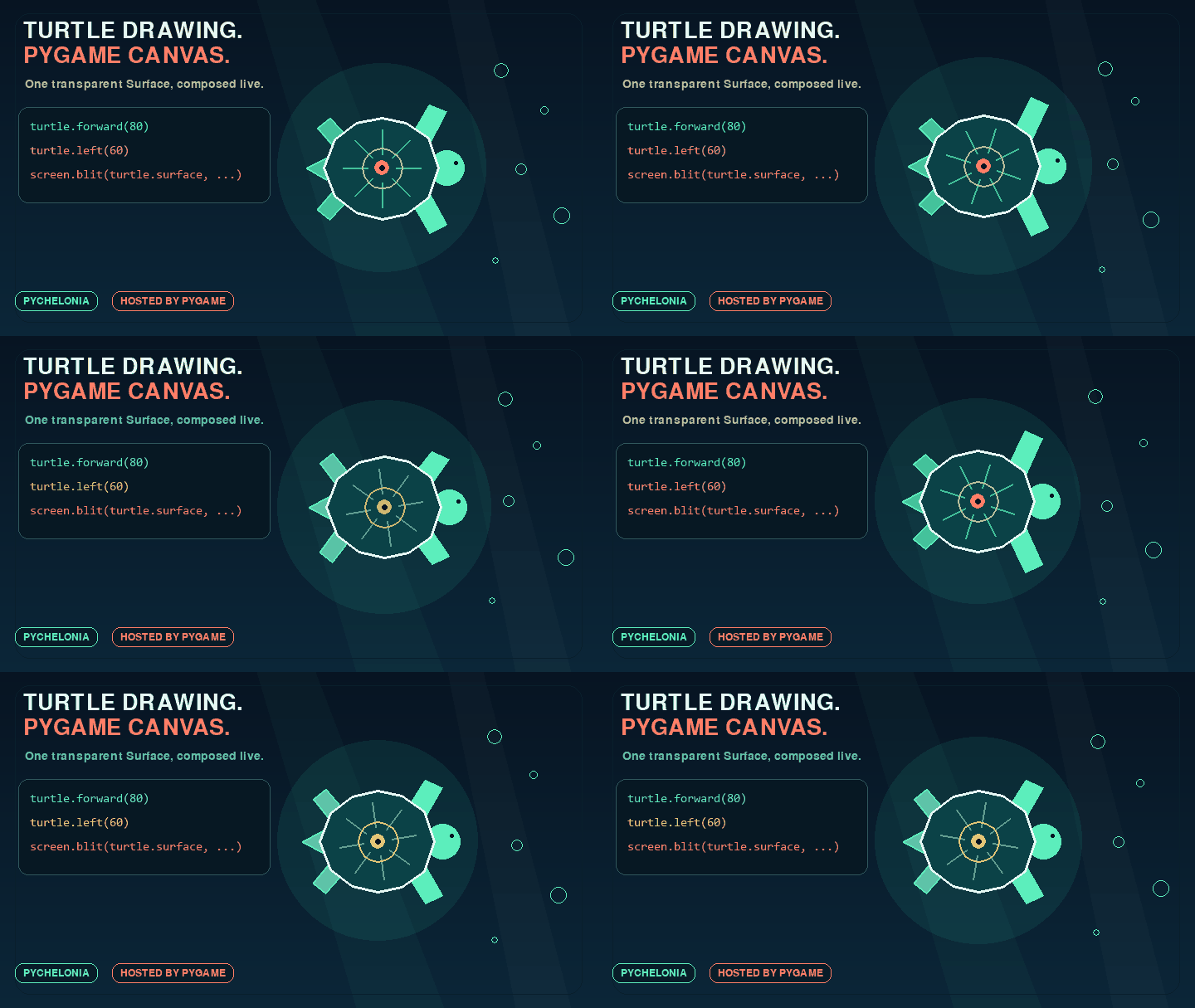
The sea turtle is drawn on one transparent Chelonia Surface and composed with a pygame-owned background, layout, text, display, and frame loop.
- Draw with Turtle-style movement instead of calculating rotation matrices for every line.
- Use the result as a normal pygame Surface alongside sprites, UI, and other application rendering.
- Redraw in real time while the host application keeps control of timing and events.
- Test drawing offscreen without creating a pygame window.
- Keep each drawing object isolated on one dedicated Surface.
from pychelonia import Chelonia

turtle = Chelonia((800, 600), alpha=True)
turtle.pencolor(20, 40, 220)
turtle.pensize(3)
turtle.forward(100)
turtle.left(90)
turtle.forward(50)

surface = turtle.surface
Turtle is an alias for Chelonia:
from pychelonia import Chelonia, Turtle

assert Turtle is Chelonia- Python 3.11 or newer
- pygame 2.1.3 or newer
Install the published 1.0.0rc1 release candidate from PyPI:
python -m pip install --pre pychelonia==1.0.0rc1To install from a local checkout instead:
python -m pip install .For development with uv:
uv sync --extra devSee the
changelog
and
the 1.0.0rc1 release notes
for release status and compatibility details.
The host application owns pygame initialization, its window and event loop, and composition of the dedicated Chelonia Surface:
import pygame

from pychelonia import Chelonia

pygame.init()
screen = pygame.display.set_mode((800, 600))
clock = pygame.time.Clock()

turtle = Chelonia(screen.get_size(), alpha=True)
turtle.pencolor("navy")
turtle.forward(100)
turtle.left(90)
turtle.forward(50)

running = True
while running:
    for event in pygame.event.get():
        if event.type == pygame.QUIT:
            running = False

    screen.fill("white")
    screen.blit(turtle.surface, (0, 0))
    pygame.display.flip()
    clock.tick(60)

pygame.quit()
PyChelonia only updates turtle.surface. It does not initialize pygame,
create the display, process events, blit to the window, update the display, or
shut pygame down.
The 1 Chelonia = 1 dedicated Surface rule is part of the current contract.
Do not attach multiple instances to the same Surface or concurrently modify a
Chelonia-owned Surface from other drawing code.
Three construction forms are supported:
import pygame

from pychelonia import Chelonia

supplied = pygame.Surface((800, 600))

direct = Chelonia(supplied)
from_tuple = Chelonia((800, 600))
from_dimensions = Chelonia(800, 600)

assert direct.surface is supplied
The surface property is getter-only and preserves object identity. The
returned pygame Surface remains mutable because the host must be able to blit
and inspect it.
Internally created surfaces can use per-pixel alpha:
import pygame

from pychelonia import Chelonia

turtle = Chelonia((800, 600), alpha=True)

assert turtle.surface.get_flags() & pygame.SRCALPHA- Opaque internal surfaces default to white.
- Alpha surfaces default to transparent.
- Every constructor clears the complete active Surface, including a directly supplied Surface.
background_colorchanges the color used by futureclear()andreset()calls; assigning it does not repaint immediately.alpha=Trueis only valid for internally created surfaces. A supplied Surface keeps its existing pixel format.
PyChelonia uses centered, y-up Turtle coordinates:
(0, 0)is the center of the Surface.- Heading
0points right. - Heading
90points up. - Positive
ymoves upward.
Conversion to pygame's top-left, y-down coordinates happens internally.
| Area | Methods and properties |
|---|---|
| Movement | forward/fd, backward/back/bk, goto/setpos/setposition, teleport, setx, sety, home |
| Rotation | left/lt, right/rt, setheading/seth, heading, towards |
| Drawing | circle, dot, begin_fill, filling, end_fill, write |
| Position | position/pos, xcor, ycor, distance |
| Pen | penup/up/pu, pendown/down/pd, isdown, pen, pencolor, pensize/width |
| Style | fillcolor, color |
| Identity | getpen/getturtle |
| Visibility state | showturtle/st, hideturtle/ht, isvisible |
| Surface | surface, background_color, clear, reset |
Color setters accept one pygame-compatible color value or fixed-range
red, green, blue integer channels. Getters return copied pygame.Color
values.
turtle.pencolor("navy")
turtle.fillcolor(40, 190, 120)
turtle.color("black", "orange")
turtle.color(20, 40, 220)
color() returns the pen and fill colors. Setter changes are atomic: if any
supplied color is invalid, neither stored color changes. Explicit None is an
invalid setter value.
Pen widths accept positive integer-valued real numbers and are stored as integer pixel widths.
position() and pos() return the exported tuple-compatible Vec2D.
Constructor position, goto, towards, and distance accept exact-two
point-like iterables such as tuples, lists, Vec2D, and pygame.Vector2.
teleport(x=None, y=None, *, fill_gap=False) moves without drawing or changing
persistent pen state. During an active fill, the default commits the current
polygon and begins another at the destination. fill_gap=True keeps one fill
path across the invisible movement.
Polygon filling uses the familiar lifecycle:
turtle = Chelonia((200, 200), fillcolor="orange")
turtle.begin_fill()
for _ in range(4):
    turtle.forward(60)
    turtle.left(90)
turtle.end_fill()
Fill paths include pen-up movement and sampled circle points. The public Surface object remains stable throughout fill composition.
Text requires a caller-created pygame.font.Font:
import pygame

pygame.font.init()
font = pygame.font.Font(None, 24)
turtle.write("PyChelonia", align="center", font=font)
PyChelonia does not initialize or shut down the font subsystem. Text remains
unrotated and uses the current pen color. write(move=True) moves normally to
the rendered text's right edge.
clear() fills the dedicated Surface with background_color while preserving
persistent Turtle state. reset() also restores library defaults. Both
cancel an unfinished fill without replacing the Surface object.
Visibility is logical state only. PyChelonia does not render a turtle cursor.
The current compatibility matrix contains 32 selected rows:
- 17
Match - 10
Partial - 5
Intentional difference - 0
Unsupported
Important current limits:
- Tk color modes and the complete Tk color-name database are not reproduced.
- Fractional pixel widths are not rendered.
- pygame and Tk Canvas do not produce pixel-identical geometry.
- Direct external Surface mutation during an active fill cannot be guaranteed to survive final fill composition.
- Cursor shapes, stamps, cursor events, animation, undo history, and pygame lifecycle ownership are outside the active scope.
degrees()andradians()are deferred until after1.0.0.
See the selected compatibility matrix and known differences from Python Turtle for exact behavior and test evidence.
The looping README showcase focuses on visual Surface composition:
uv run python examples/readme_showcase.pyThe original interactive timer demo shows real-time redraw and rotation without manual matrix calculations:
uv run python examples/pychelonia_demo.pyBoth demos open a pygame window and are manual visual examples. Regenerate the README animation without opening a window:
uv run --with pillow python tools/render_readme_gif.pyRun the smoke check and test suite from a checkout:
uv run python main.py
uv run --extra dev pytest
The automated suite uses in-memory pygame surfaces and must not create an application window.
Review the compatibility matrix and known differences before reporting a problem. Bugs and focused compatibility requests can be filed in GitHub Issues. Include the Python and pygame versions, a minimal reproduction, and whether the Surface uses per-pixel alpha.
PyChelonia is maintained by @imagination12357 and distributed under the MIT License.