



Transcribe audio/video files to SRT subtitles in one command. Optimized for large files, long movies, and video editing workflows.
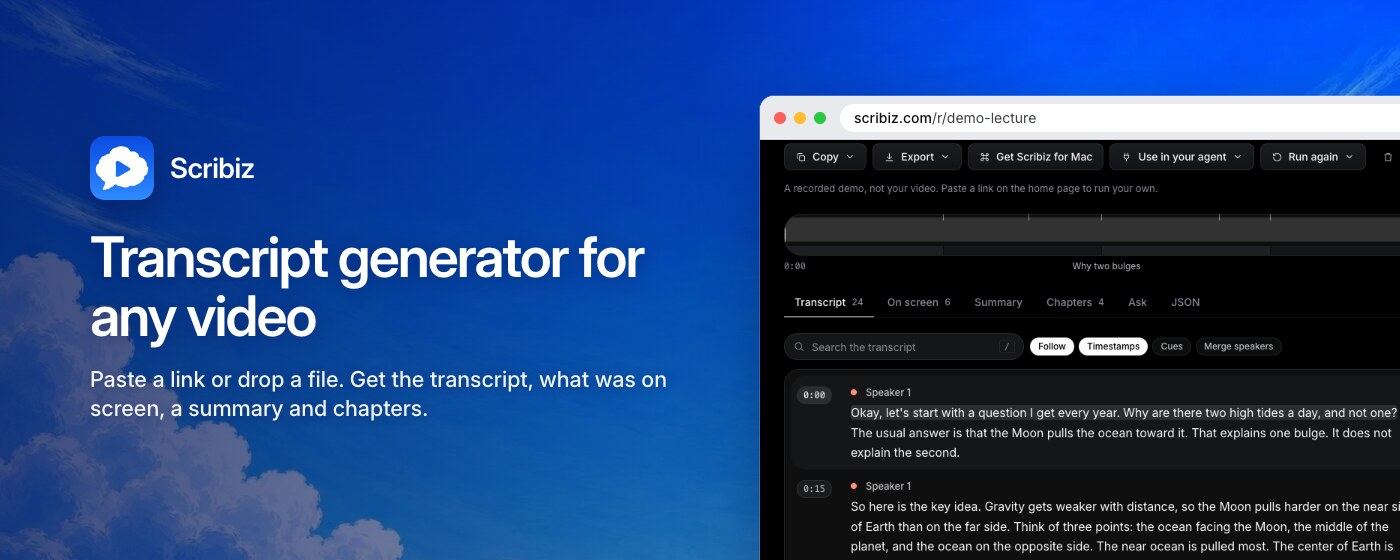
New: Scribiz, from the maker of this CLI. Paste a link or drop a file and get the transcript, what was on screen, a summary and chapters. It works when a video has no captions, or no speech at all. Live now as a web tool, a Mac app and an MCP server for AI agents. This CLI stays free and open source.
# 1. Try it instantly (no install needed)
npx @illyism/transcribe video.mp4

# 2. Paste your OpenAI or OpenRouter key (one-time setup)
npx @illyism/transcribe setup

# 3. Transcribe anything
npx @illyism/transcribe video.mp4
npx @illyism/transcribe https://www.youtube.com/watch?v=VIDEO_ID
That's it! Get your free API key here and start transcribing.
While OpenAI's Whisper has multiple ways to use it, this tool provides a simpler, more convenient experience:
| Feature | @illyism/transcribe | Official Whisper CLI | Local Whisper (whisper.cpp) |
|---|---|---|---|
| Setup | Zero setup with npx/bunx |
Install Python package | Download models (~1-5GB) |
| Video Support | ✅ Automatic with FFmpeg | ❌ Audio only | ❌ Audio only |
| YouTube Support | ✅ Built-in | ❌ Manual download | ❌ Manual download |
| SRT Output | ✅ Built-in | ❌ Manual formatting | ✅ Available |
| Processing | ☁️ Cloud (fast) | ☁️ Cloud (fast) | 💻 Local (slower) |
| Cost | $0.006/min | $0.006/min | Free (after setup) |
| Internet Required | ✅ Yes | ✅ Yes | ❌ No |
| Best For | Quick tasks, videos, YouTube | API integration | Privacy, offline use |
- 🎬 Handles videos directly - No need to manually extract audio
- 🎥 YouTube support - Transcribe YouTube videos with just the URL
- 📝 SRT format ready - Generates subtitles automatically
- 🚀 Zero installation - Just run
npx @illyism/transcribe video.mp4 - 🔧 Simple config - One-time API key setup
- 🌐 Cross-platform - Works on macOS, Linux, Windows
Perfect for: Content creators, podcasters, and developers who need quick, accurate transcriptions with minimal setup.
Got a 30-60 minute video that's 2-4GB? Other tools like Descript upload the entire video file, which takes forever and costs more.
This tool:
- 🎬 Extracts only the audio locally (takes seconds with FFmpeg)
- ☁️ Uploads only ~20-40MB of audio to Whisper
- 📝 Generates SRT subtitles
Result: 10-100x faster than uploading multi-GB video files. Same quality, fraction of the time and bandwidth.
- 🎬 Video & Audio Support: Works with MP4, MP3, WAV, M4A, WebM, OGG, MOV, AVI, and MKV
- 🎥 YouTube & Social Video: Download and transcribe YouTube, Instagram Reels, and X/Twitter videos directly
- 🎯 High Accuracy: Powered by OpenAI's Whisper API + optional 2-Pass AI Autofix (
--autofix) - 👥 Speaker Diarization: Automatically labels speaker turns (
[Speaker 1]: ...,[Speaker 2]: ...) - 📝 SRT Format: Caption-length cues (~8 words / 2–4 seconds) with frame-accurate word timestamps
- 🎞️ Long Movies: Automatic chunking for feature-length content (45+ minutes), transcribed in parallel
- 🎬 Editor-Friendly: Timecode offset, custom output paths, chunk size control
- 🌐 OpenAI-Compatible Gateways: Connect to OpenRouter, LiteLLM, Groq, or self-hosted models
- 🔧 Simple Setup: Easy configuration via environment variable or config file
Make transcribing effortless on macOS with right-click Quick Actions, Apple Shortcuts, Raycast, or Drop Zone folders:
🖱️ Right-Click Finder Quick Action (Easiest)
Install the native Finder Quick Action in one second:
npx @illyism/transcribe --install-mac-actionUsage: Right-click any video or audio file in Finder → Quick Actions → Transcribe Subtitles. Runs in the background and sends a Mac System Notification when the .srt is ready next to your media file.
⚡ Apple Shortcuts (Menu Bar / Hotkey)
- Open Shortcuts.app on Mac → Create a new Shortcut.
- Enable Use as Quick Action in shortcut settings.
- Add action: Run Shell Script (
/bin/zsh):export PATH="/opt/homebrew/bin:/usr/local/bin:$PATH" npx @illyism/transcribe "$1"
- Pin it to your Mac Menu Bar or assign a global keyboard shortcut (e.g.
Cmd + Opt + T) to transcribe selected files or copied URLs!
🚀 Raycast / Alfred Script Command
Create a Raycast Script Command (transcribe.sh):
#!/bin/bash
# @raycast.schemaVersion 1
# @raycast.title Transcribe File or URL
# @raycast.mode compact
# @raycast.argument1 { "type": "text", "placeholder": "File path or YouTube/Reel URL" }
export PATH="/opt/homebrew/bin:/usr/local/bin:$PATH"
npx @illyism/transcribe "$1"Trigger with Cmd + Space → Transcribe → paste any URL or file path!
📁 Drop Zone Folder (Automator Folder Action)
- Create a folder on your Desktop:
~/Desktop/Transcribe Drop Zone - Open Automator.app → New Document → Folder Action → choose
~/Desktop/Transcribe Drop Zone. - Add action: Run Shell Script:
export PATH="/opt/homebrew/bin:/usr/local/bin:$PATH"
for f in "$@"; do
  npx @illyism/transcribe "$f"
done
Whenever you drop video or audio files into ~/Desktop/Transcribe Drop Zone, subtitles are generated automatically in the background.
Install AI agent skills directly via skills.sh:
npx skills add Illyism/transcribe-cliIncludes transcribe, summarize-transcript, video-to-social, youtube-chapters, and format-converter. See skills/ for details.
npx @illyism/transcribe video.mp4npm install -g @illyism/transcribe
# or: bun install -g @illyism/transcribe📦 Install FFmpeg (required)
# macOS
brew install ffmpeg

# Ubuntu/Debian
sudo apt-get install ffmpeg

# Windows
choco install ffmpeg
🎥 Install yt-dlp (optional, for YouTube / Instagram / remote URLs)
# macOS
brew install yt-dlp

# Ubuntu/Debian
sudo apt install yt-dlp

# Windows
winget install yt-dlp

# Or with pip
pip install yt-dlp
🔑 Get OpenAI API Key (required)
- Go to platform.openai.com/api-keys
- Create a new API key
- Copy it and set it up below ⬇️
transcribe setupPaste one key. The provider is detected from the key, checked against the API, and saved to ~/.transcribe/config.json. Running transcribe video.mp4 without a key starts the same prompt.
Prefer environment variables? Either one is enough:
export OPENAI_API_KEY=sk-YOUR_KEY          # Whisper
export OPENROUTER_API_KEY=sk-or-YOUR_KEY # Gemini| Keys you have | transcribe video.mp4 |
--autofix |
|---|---|---|
| OpenAI | whisper-1 |
gpt-5.6-luna |
| OpenRouter | google/gemini-3.7-flash |
google/gemini-3.7-flash |
| Both | whisper-1 (OpenAI), then Gemini cleanup |
google/gemini-3.7-flash (OpenRouter) |
With both keys the cleanup pass runs on every transcript (text fixes only, no speaker labels). Add --autofix for speaker labels, or --no-autofix to skip it.
Each model goes to its own provider with the matching key. A model with a slash (google/gemini-3.7-flash) is an OpenRouter model, anything else is an OpenAI model. There is no base URL to set for either.
transcribe doctor # shows your keys, tools, and which model each pass will useDon't have a key? Get an OpenAI key or OpenRouter key.
# Local video file
transcribe video.mp4

# 2-Pass Hybrid Pipeline: Frame-perfect Whisper timestamps + automatic AI cleanup & speaker diarization
# Works with your single OPENAI_API_KEY (uses gpt-5.6-luna) or OPENROUTER_API_KEY (uses gemini-3.7-flash)
transcribe podcast.mp3 --autofix

# Optionally specify a custom model for autofix
transcribe podcast.mp3 --autofix google/gemini-3.7-flash
transcribe podcast.mp3 --autofix gpt-5.6-luna

# Disable automatic speaker labels
transcribe podcast.mp3 --autofix --no-diarize

# Transcribe with Gemini instead of Whisper (needs an OpenRouter key)
transcribe video.mp4 --model gemini

# Other OpenAI-compatible endpoints (Groq, LiteLLM, self-hosted)
transcribe video.mp4 --model whisper-large-v3 --base-url https://api.groq.com/openai/v1

# YouTube video
transcribe https://www.youtube.com/watch?v=VIDEO_ID

# Instagram Reel (uses your browser login cookies automatically)
transcribe https://www.instagram.com/reel/SHORTCODE/
transcribe https://www.instagram.com/reel/SHORTCODE/ --cookies-from-browser chrome

# Audio file
transcribe podcast.mp3
Outputs: Creates video.srt in the same directory.
Perfect for video editing workflows:
# Custom output path (file or directory)
transcribe movie.mkv --output ./subtitles
transcribe movie.mkv --output ./subtitles/movie.srt

# Timecode offset (for editorial timelines)
transcribe movie.mkv --offset 01:00:00.000  # Start at 1 hour
transcribe movie.mkv --offset 3600         # Same, in seconds

# Force chunking for very long movies
transcribe long_movie.mkv --chunk-minutes 15
Why chunking? Movies 45+ minutes are automatically split into ~20-minute chunks for reliability. Chunks are transcribed in parallel with up to 8 concurrent requests, then merged seamlessly with correct timestamps.
Audio is always transcribed at its original speed:
2.7GB video → Extract speech audio (mono, 16kHz) → Auto-chunk if >45min → Transcribe chunks in parallel → Merge & adjust timestamps
For long media (45+ minutes):
- Automatically splits into ~20-minute chunks
- Transcribes chunks in parallel with up to 8 concurrent requests
- Merges results with frame-accurate timestamps
- Handles 2+ hour movies reliably
2-Pass Hybrid Pipeline (--autofix):
- Pass 1: Whisper-1 word timestamps, rebuilt into caption-length cues (~8 words / ~3.5s). Hostname + TLD stay in one cue (
picspot co→ autofix can writePicSpot.co). - Pass 2: Gemini Flash (or the model you pass) proofreads brands and punctuation in batches of 40 cues, up to 4 at a time. Each batch is sent only its own stretch of audio. If a batch returns the wrong cue count, that batch keeps the original text — timings are never replaced. Speaker labels are on by default; pass
--no-diarizefor on-screen captions.
Result:
- ⚡ 99.5% smaller uploads (2.7GB → ~20MB audio)
- 🚀 10-100x faster than uploading full video
- 🎯 Frame-accurate timecode synchronization
- 💰 Low cost ($0.006/min)
npm install @illyism/transcribeimport { transcribe } from '@illyism/transcribe'
const result = await transcribe({
inputPath: 'video.mp4',
// Keys come from OPENAI_API_KEY / OPENROUTER_API_KEY or ~/.transcribe/config.json
})
console.log(result.srtPath) // Path to generated SRT file
console.log(result.text) // Full transcription textFull API reference
interface TranscribeOptions {
  inputPath: string        // Path to video/audio file
  apiKey?: string         // OpenAI / OpenRouter API key (or use env var)
  baseURL?: string        // Custom base URL for OpenAI-compatible endpoints
  model?: string          // Model name (default: "whisper-1")
  autofix?: boolean | string // LLM cleanup pass (default: on when both keys are set)
  diarize?: boolean       // Speaker labels during autofix
  outputPath?: string     // Custom output path (optional)
  offsetSeconds?: number  // Shift timestamps by N seconds
  chunkMinutes?: number   // Chunk size in minutes (default: 20)
}

interface TranscribeResult {
  srtPath: string         // Path to generated SRT file
  text: string           // Full transcription text
  language: string       // Detected language
  duration: number       // Duration in seconds
}📋 Supported Formats
- Video: MP4, WebM, MOV, AVI, MKV
- Audio: MP3, WAV, M4A, OGG, Opus
- YouTube: All videos, Shorts, youtu.be links
- Instagram: Reels, posts, and IGTV (requires a logged-in browser for cookies)
💰 Cost
OpenAI Whisper API: $0.006 per minute
Examples:
- 5 min: $0.03
- 30 min: $0.18
- 2 hours: $0.72
⚙️ How It Works
- Extract audio from video (mono, 16kHz - speech optimized)
- Auto-chunk if >45 minutes (for parallel processing and reliability)
- Upload chunks to Whisper API (or OpenAI-compatible gateway)
- Rebuild caption-length SRT cues from word timestamps (~8 words / ~3.5s)
- Optional 2-pass AI Autofix (
--autofix): batched brand/punctuation fix;--no-diarizefor captions - Merge chunks and apply timecode offsets (if specified)
- Clean up temporary files
📄 SRT Output Example
1
00:00:00,000 --> 00:00:02,500
Hey everyone, welcome to another SEO roast. Today

2
00:00:02,500 --> 00:00:04,180
I'm going to take a look at PicSpot.co"No API key found" / 401 errors
Run transcribe setup to save a key, then transcribe doctor to check that each key is valid and see which model each pass will use.
"FFmpeg not found"
Install FFmpeg:
brew install ffmpeg  # macOS
sudo apt install ffmpeg  # Ubuntu
choco install ffmpeg  # Windows
"yt-dlp not found" (YouTube only)
Install yt-dlp:
brew install yt-dlp  # macOS
sudo apt install yt-dlp  # Ubuntu
pip install yt-dlp  # Any platform
File not found error
Use absolute paths:
transcribe /full/path/to/video.mp4API errors (502, timeout, etc.)
OpenAI API may be temporarily down. Wait 30 seconds and try again.
"Could not parse multipart form" error
If you're using Bun runtime, switch to Node.js:
# Use Node.js instead of Bun
node dist/cli.js video.mp4

# Or install globally and use the transcribe command
npm install -g @illyism/transcribe
transcribe video.mp4
The CLI works best with Node.js 18+ due to OpenAI SDK compatibility.
Pull requests welcome! See GitHub repo.
MIT © Ilias Ismanalijev