LoadState为您提供页面、RecyclerView缺省状态管理(loading、empty、error),支持高度自定义,支持shimmer闪烁效果。可以自定义加载页面、数据为空页面、错误页面,支持页面图标文字设置,按钮事件等。推荐使用kotlin。
- 支持页面(Activity,Fragment)、View、RecyclerView加载状态管理
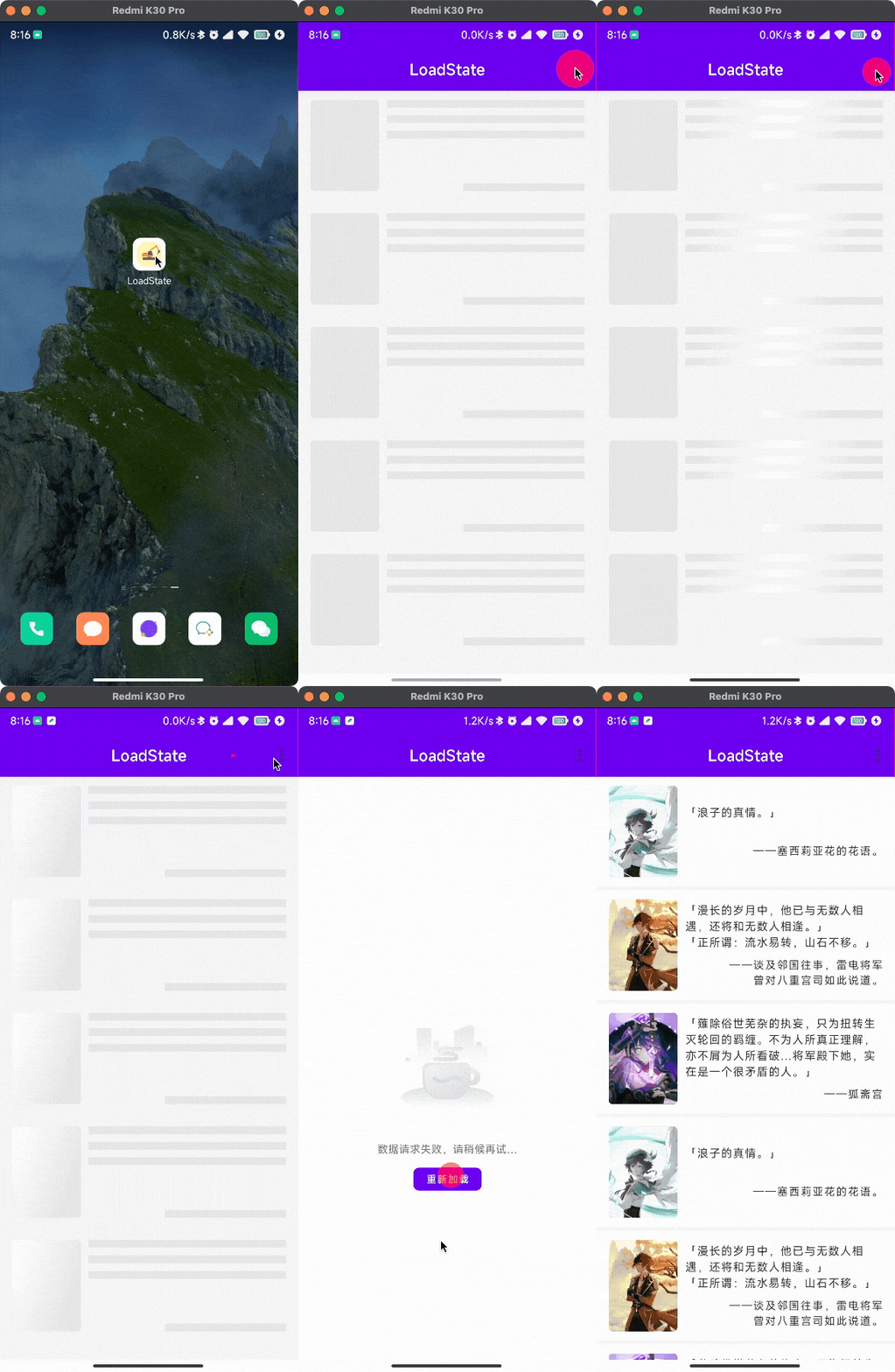
- 支持Shimmer闪烁加载
- 不会侵入布局文件
- 可随时更改页面显示内容,如空页面的显示文案、图标等
- 支持状态页面的按钮点击重试事件
- 推荐Kotlin扩展函数进行使用

密码9527
| RecyclerView Shimmer | Page Details Shimmer |
|---|---|
 |
 |
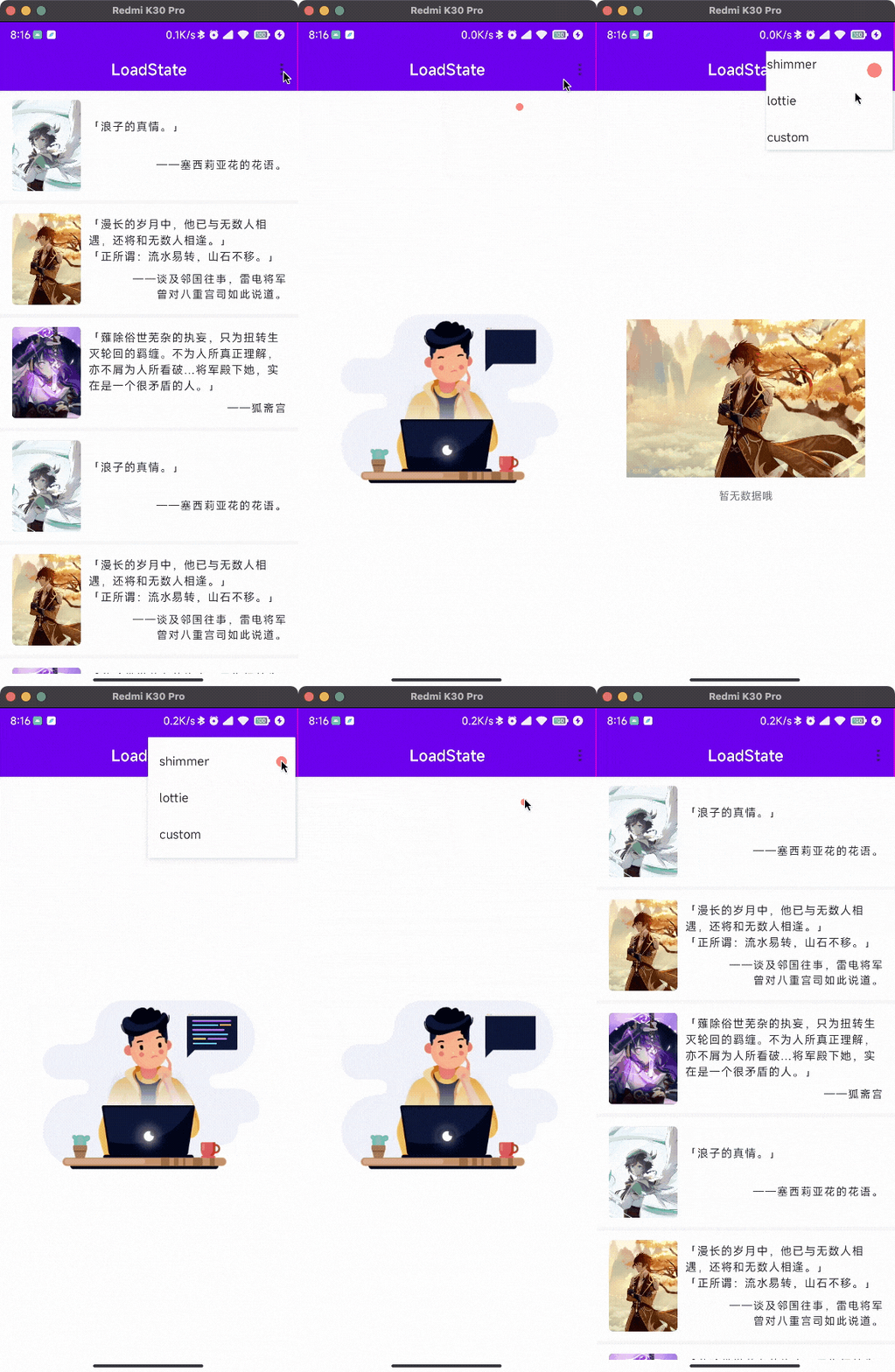
| RecyclerView Lottie | Page Details Lottie |
|---|---|
 |
 |
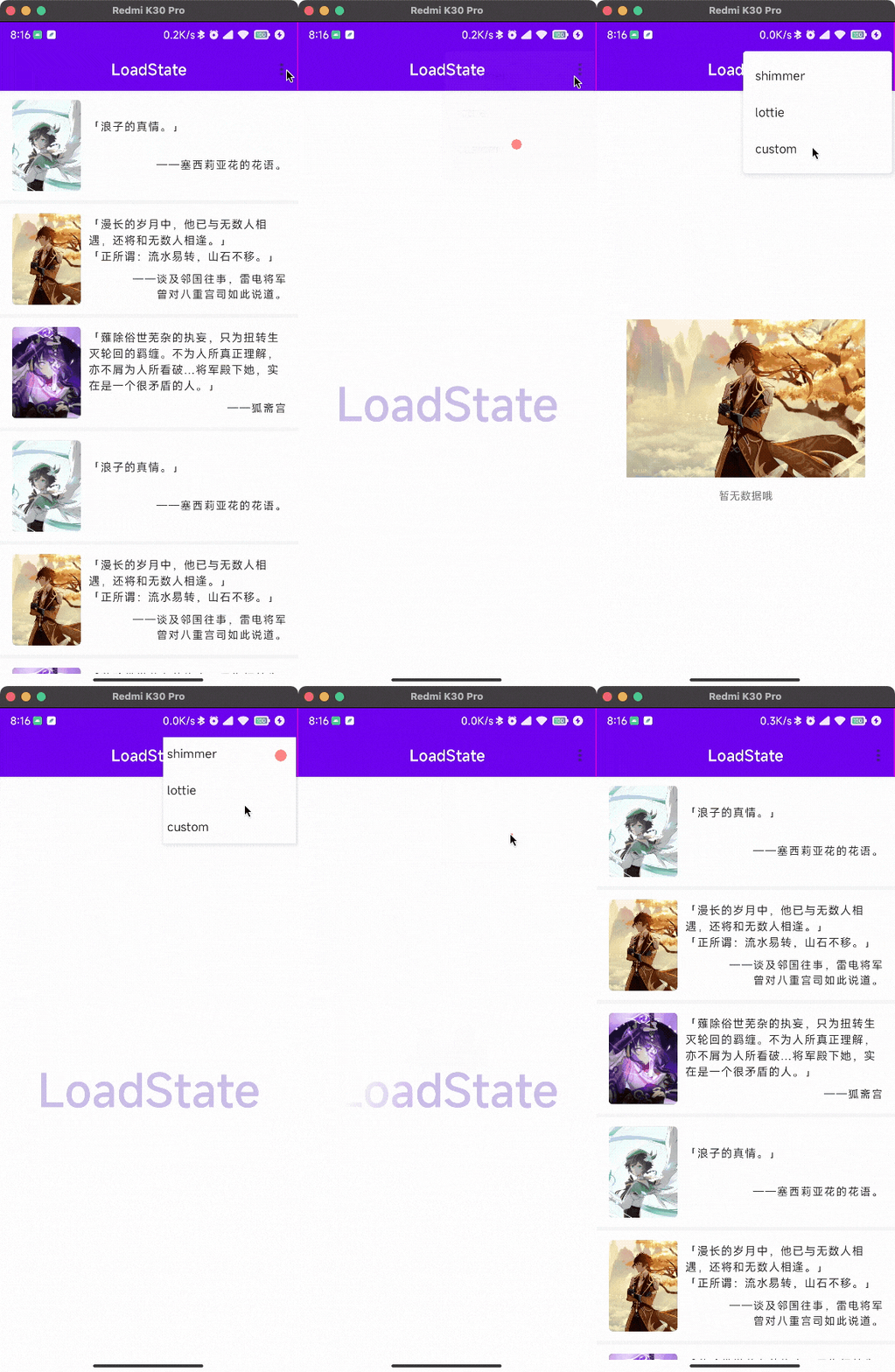
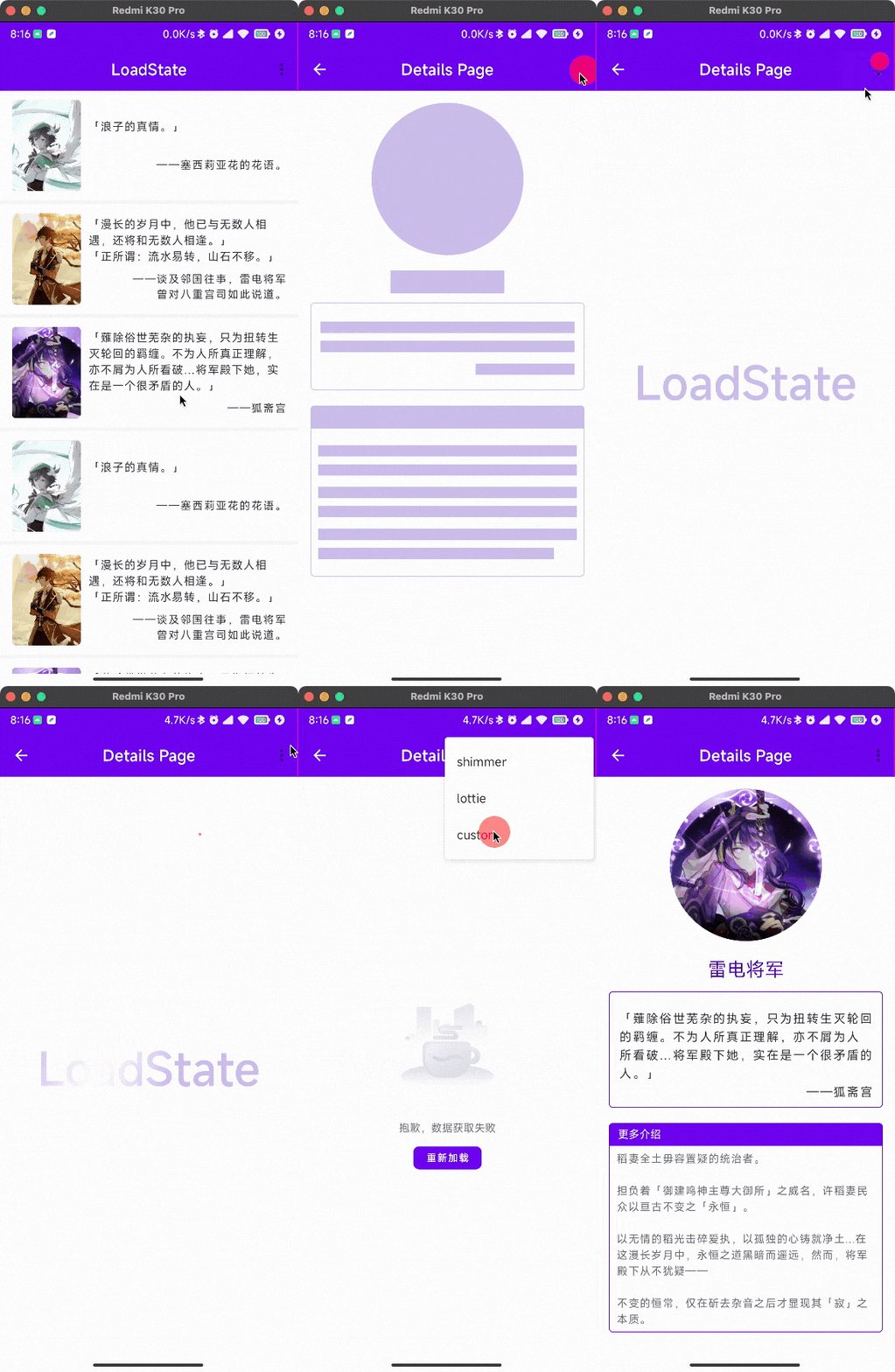
| RecyclerView Custom | Page Details Custom |
|---|---|
 |
 |
Step 1. Add the JitPack repository to your build file
allprojects {
	repositories {
		...
		maven { url 'https://jitpack.io' }
	}
}
Step 2. Add the dependency

dependencies {
	implementation 'com.github.HoloXia:LoadState:1.0'
}推荐如Demo中采用扩展函数的方式使用,更加方便快捷
/**
 * View加载框架初始化
 * @param view View 被替换的父布局
 * @param loadLayoutId Int 加载布局id
 * @param shimmer Boolean 是否需要闪烁加载
 * @param callback Function0<Unit> 重试方法
 * @return LoadService
 */
fun loadServiceInit(view: View, @LayoutRes loadLayoutId: Int, shimmer: Boolean = true, retryAction: () -> Unit): LoadService {
    val loadService = LoadState.register(view) {//View注册加载库
        showLoading(shimmer)
        retryAction.invoke()
    }.config {//配置加载页面
        loading(loadLayoutId)
        failed(R.layout.layout_loadsir_failed, R.id.btn_retry)
        empty(R.layout.layout_loadsir_empty)
        configColorBuilder {//Shimmer-android相关配置
            setBaseColor(appContext.getColor(R.color.colorPrimaryVariant))
            setHighlightColor(appContext.getColor(R.color.white))
        }
    }
    //默认进入页面直接显示加载状态
    loadService.showLoading(shimmer)
    return loadService
}


/**
 * RecyclerView加载框架初始化
 * @param recyclerView RecyclerView 需要代理加载状态的RecyclerView
 * @param adapter Adapter<*> RecyclerView的adapter
 * @param loadLayoutId Int 加载中布局id(RecyclerView item shimmer)
 * @param callback Function0<Unit> 重试方法
 * @return LoadService
 */
fun loadServiceInit(recyclerView: RecyclerView, adapter: RecyclerView.Adapter<*>, @LayoutRes loadLayoutId: Int, callback: () -> Unit): LoadService {
    val loadService = LoadState.register(recyclerView, adapter) {//RecyclerView注册加载库,需传入对应的Adapter
        showLoading()
        callback.invoke()
    }.config {//配置加载页面
        loading(loadLayoutId)
        failed(R.layout.layout_loadsir_failed, R.id.btn_retry)
        empty(R.layout.layout_loadsir_empty)
        configColorBuilder {//Shimmer-android相关配置
            setBaseColor(appContext.getColor(R.color.bgShimmer))
            setHighlightColor(appContext.getColor(R.color.white))
        }
    }
    //默认进入页面直接显示加载状态
    loadService.showLoading()
    return loadService
}

/**
 * 设置空布局
 * @receiver LoadService
 * @param emptyTip String? 数据为空的提示语
 * @param icon Int? 数据为空的图标
 */
fun LoadService.showEmpty(emptyTip: String? = null, @DrawableRes icon: Int? = null) {
    this.showEmpty().apply {
        //showEmpty()会返回空布局View,获取相关元素设置内容即可
        emptyTip?.let {
            findViewById<TextView>(R.id.tv_empty).text = it
        }
        icon?.let {
            findViewById<ImageView>(R.id.iv_empty).setImageResource(it)
        }
    }
}

/**
 * 设置错误布局
 * @param message 错误布局显示的提示内容
 */
fun LoadService.showFailed(message: String? = null) {
    this.showFailed().apply {
        //showFailed()会返回空布局View,获取相关元素设置内容即可
        message?.let {
            this.findViewById<TextView>(R.id.tv_failed).text = message
        }
    }
}loadService = loadServiceInit(binding.recyclerView, adapter, R.layout.item_rv_load_shimmer) {
viewModel.getDataList()
}
...
//显示空页面
loadService.showEmpty(emptyTip, emptyIcon)
//显示错误页面
loadService.showFailed(errMsg)