Repository navigation
Home
Welcome to the BPS wiki!
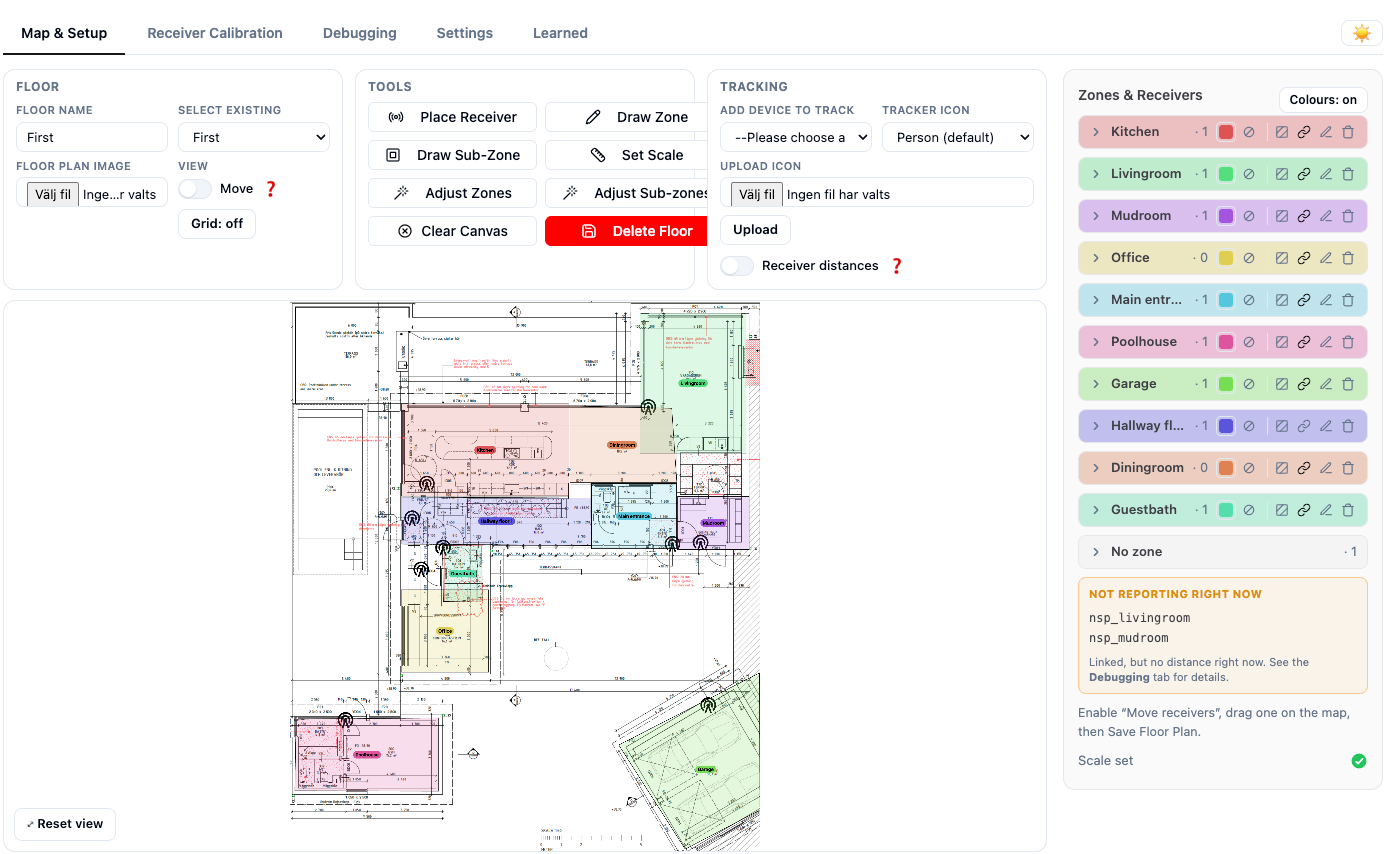 The BPS panel (sidebar → BPS). Tabs: Map & Setup (floor plans, zones, receivers), Receiver Calibration (calibration and receiver placement), Debugging, Settings (features, persons, access) and Learned (suggestions and history).
- Hardware: what to buy and where to put it
- Installation
- Add a phone or watch
- Initial set-up
- Tracking
- Real-time tracking
- Lovelace map card
- Persons
- Zone links
- Follow me
- Suggestions and the Learned tab
- Receiver placement
- Settings and access
BPS goes from where is everyone to a home that reacts to it:
-
Persons. Several trackers per person, the best usable one wins, giving
sensor.bps_person_<person>_zone. - Zone links. Each zone gets its HA area, speakers, room sensors (cameras, mmWave) for people without trackers, and lights.
- Follow me. Music follows you from room to room, always opt-in.
-
Suggestions.
bps.suggestasks the people in a room before changing that room's lights, lists exactly what happens, and learns per person (3 yes and it just happens, with Undo). Everyone can add their own extras. - Learned tab. History of questions, answers and follow-me sessions, with progress towards learned routines.
- Receiver placement. A heat map of expected precision, and where one more receiver helps most.
- Access control. Only administrators can change BPS by default.
- Swedish and English throughout.
- New native Lovelace card:
custom:bps-map-card. - Floor-aware rendering: each floor card only shows trackers currently on that floor.
- Polling-only card updates for better dashboard performance across multiple cards/floors.
- Per-tracker custom icons + scale controls make it easy to track the whole family (and pets) at a glance.