Write Bevy games in C#.
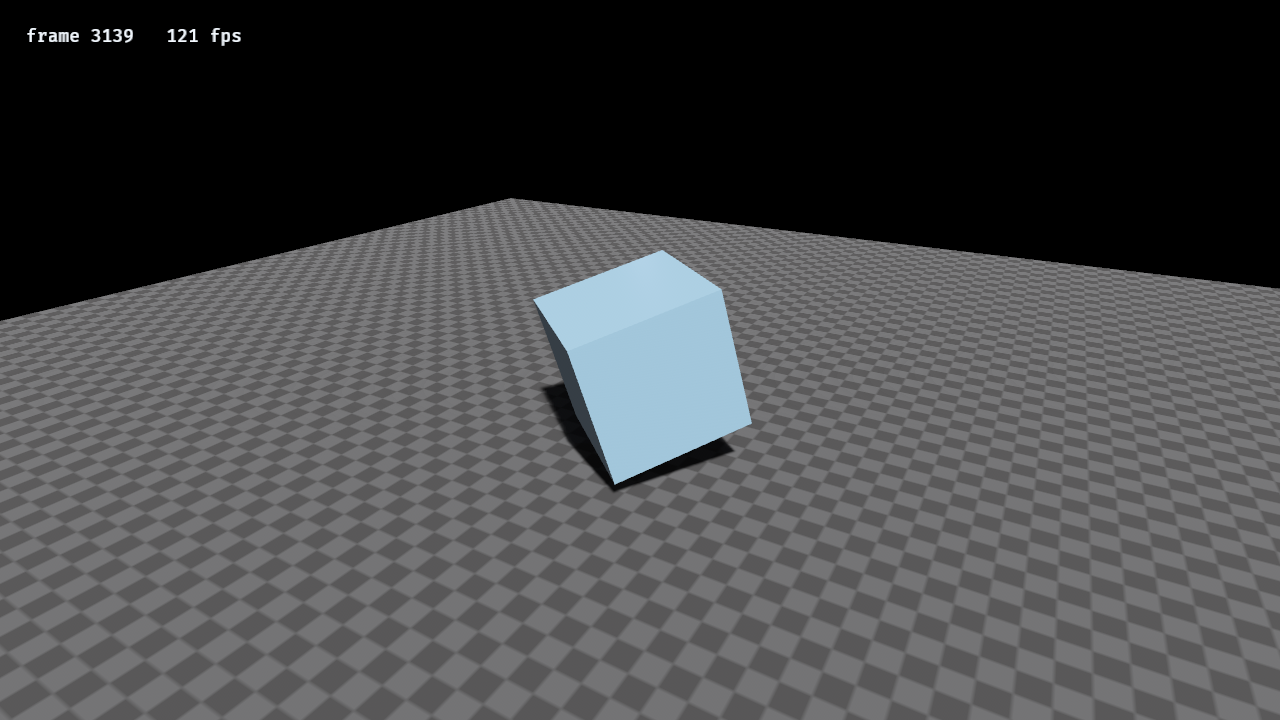
BevyCSharp.Sample, running on Bevy's PBR renderer through the bridge:
dotnet run --project BevyCSharp.Sample
Mark a struct [Behavior], give it methods with stage attributes, and a Roslyn source generator
wires it into Bevy's schedule, as a component and a system at the same time. Bevy is the engine
underneath: its ECS, its scheduler, its timing, its input, and its renderer.
using Bevy;

[Behavior]
public partial struct Bouncer
{
    public float Height;
    public float Velocity;

    [OnStartup]
    public static void Spawn(BehaviorContext ctx) =>
        ctx.Ecs.Add(ctx.Ecs.Spawn(), new Bouncer { Height = 5f });

    [OnUpdate]
    public void Tick(BehaviorContext ctx)
    {
        Velocity -= 9.81f * ctx.Time.Delta;
        Height += Velocity * ctx.Time.Delta;

        if (Height > 0f) return;
        Height = 0f;
        Velocity = -Velocity * 0.8f;
    }
}
In Program.cs
BevyApp.Run();Behaviors are discovered automatically, so a consuming project needs no registration code.
dotnet add package BevyCSharp
The package carries three things: the managed library, the source generator (in the analyzer
slot), and a prebuilt native bridge per runtime identifier under runtimes/.
A [Behavior] struct is both a component and the systems that act on it. Which one a method is
depends on whether it is static.
They run once per frame. Use them for global logic that queries other components.
[Behavior]
public partial struct Gravity
{
    [OnUpdate]
    public static void Apply(BehaviorContext ctx)
    {
        foreach (var row in ctx.Ecs.Query<Velocity>())
            row.Component.Y -= 9.81f * ctx.Time.Delta;
    }
}
Query yields references into Bevy's table storage, so assigning to row.Component writes the
real component. There is no copy and no write-back step.
this is bound by reference to that entity's component. The struct's fields are per-entity state
living in Bevy's tables.
[Behavior]
public partial struct Spinner
{
    public float Angle;
    public float Speed;

    [OnUpdate]
    public void Tick(BehaviorContext ctx) => Angle += Speed * ctx.Time.Delta;
}
Above ~4096 entities the per-entity loop is automatically split across the thread pool.
Any blittable struct is a component. It needs no attribute and no interface, the first time a
behavior touches it, its layout is registered with Bevy and it becomes a real Bevy component
with a real ComponentId.
public struct Position { public float X, Y; }
public struct Falls;   // a zero-field tag costs nothing to store
Components sit in contiguous columns, which is what makes iteration fast. The cost is paid on
insertion and removal: both move the entity to another archetype and copy its other components
along with it. A tag that is added and removed far more often than it is read can opt out of that
trade by implementing ISparseComponent:
public struct Colliding : ISparseComponent; // toggled every frame, only ever filtered onAdding or removing one costs an index write and moves nothing else. In exchange it cannot be the
component a query iterates: Bevy exposes no way to reach a sparse set's storage in bulk, so
Query<Colliding>() is refused rather than quietly returning nothing. Everything else works,
including the thing it is for:
[OnUpdate]
[Without(typeof(Colliding))]
public void Fall(BehaviorContext ctx) { }
A sparse filter cannot be answered once per table, because two entities in one may differ, so it is answered per entity. The same rows come back, split into the contiguous runs that satisfy it.
A struct you declare is registered with Bevy from its layout. Bevy's own components are the opposite problem: they are Rust types C# has no handle on, so they are asked for by name. That name is the only difference, and the type carries it, so they are used exactly like any other component:
var entity = ctx.Ecs.Spawn();
ctx.Ecs.Add(entity, Transform.At(0f, 5f, 0f));

ref var transform = ref ctx.Ecs.GetRef<Transform>(entity);
transform.Translation.Y -= 9.81f * ctx.Time.Delta;

foreach (var row in ctx.Ecs.Query<Transform>())
    row.Component.Translation.X += 1f;
That is Bevy's real Transform, not a copy kept in sync, so propagation and rendering see the
write. A struct becomes one of these by implementing INativeComponent, which names the engine
type. ComponentType<T> then resolves that name instead of registering a fresh component, and
everything downstream already works in ids, so queries, [With] filters, change detection and
ctx.Cmd reach it with no separate API: there is one Add, and it does not care which kind of
component it was handed. NativeComponents exposes the raw ids for the handful of entry points
that take one rather than a type (HasById, CountById, RemoveById, ChangedById, and the
Chunks overload that iterates a named component).
public struct Transform : INativeComponent
{
    readonly string INativeComponent.NativeName => "Transform";
    // ... fields laid out exactly as Bevy's
}
Only a component C# can mirror byte for byte can be read or written, and the mirrors are checked
against the engine the first time an id is resolved. They are easy to get subtly wrong in a way
nothing else catches. Transform uses Rust's default representation, so the compiler reorders its
fields to save padding: Quat is sixteen-byte aligned and moves ahead of the two vectors, giving
offsets of 0, 16 and 28 rather than the source order. Both layouts are 48 bytes, so a size check
passes either way and the mistake shows up as stretched geometry. The check compares every offset.
ChildOf and Children hold a relationship and a Vec, neither of which raw bytes can
represent, so they are name-only handles: Has<ChildOf>(), Count<Children>() and [With]
filters work, while reading or writing one is refused rather than corrupting the world. Use
SetParent, ParentOf and ChildrenOf for the hierarchy itself.
The list is curated rather than general, because each entry needs a mirror written by hand as
well as a name the bridge resolves. It currently holds Transform, GlobalTransform, ChildOf,
Children, Visibility, InheritedVisibility and ViewVisibility.
Whether an entity is drawn. Render builds only: a headless bridge has no such component and says so when the id is resolved.
ctx.Ecs.Add(entity, Visibility.Hidden);                 // and everything below it
ctx.Ecs.GetRef<Visibility>(entity).Mode = VisibilityMode.Inherited;

ctx.Ecs.GetRef<InheritedVisibility>(entity).IsVisible;  // after the hierarchy is walked
ctx.Ecs.GetRef<ViewVisibility>(entity).IsVisible;       // after culling: did a camera see it
Visibility is the request and the other two are Bevy's answers, computed during PostUpdate
and overwritten every frame. InheritedVisibility reports whether an ancestor hides the entity;
ViewVisibility reports whether a camera actually rendered it, which is the one to check before
doing work that only matters on screen.
Set Visibility on an entity that is already drawable. Adding it writes the component but does
not pull in the two Bevy computes from it, which arrive with the mesh.
var clip = AssetServer.Load(AssetKind.Audio, "sounds/hit.ogg");

Audio.Play(clip, AudioSettings.Effect);          // plays once, then despawns itself
var music = Audio.Play(theme, AudioSettings.Music);
Audio.SetVolume(music, 0.2f);
Audio.Stop(music);
Ogg Vorbis, WAV, FLAC and MP3. A sound that is playing is an entity, so it can be despawned,
parented, tagged with your own components and found by a query, and Play hands that entity
back. PlaybackMode.Despawn is what a one-shot effect wants: nothing has to remember to clean it
up.
SetVolume, Pause and Resume reach the sink Bevy attaches once playback has started, so they
report NotPresent if called in the same frame the sound was started in.
Sound is in the render profile rather than the minimal one, and not because it draws: it is the one part of the engine that needs a system library at build time. See Native profiles.
Debug drawing, for watching what a program is doing:
Gizmos.Line(from, to, (0.3f, 0.8f, 1f, 1f));
Gizmos.Sphere(position, 0.35f, (1f, 0.85f, 0.2f, 1f));
Gizmos.Axes(transform, 1.5f);
A gizmo lasts one frame, so anything that should stay on screen is asked for again every frame.
That is what makes them right for a value that changes and wrong for anything permanent, which
wants an entity. Axes colours itself red, green and blue for X, Y and Z, which is the quickest
way to see whether something faces where it should.
Gizmos are drawn by a plugin that comes with the window, so a windowless run refuses rather than
collecting shapes nothing will draw. Guard with App.HasRenderer.
A 2D camera measures in pixels from the middle of the window, and sprites are entities under it:
Render2d.SpawnCamera2d();

var badge = ctx.Ecs.Spawn();
Render2d.SetSprite(ctx.Ecs, badge, AssetServer.Load(AssetKind.Image, "ui/badge.png"));
ctx.Ecs.Add(badge, Transform.At(120f, -80f, 0f));
A sprite is a picture in the world rather than on the screen: it carries a Transform like
anything else, so parenting, hierarchy and every other component work on it. For something pinned
to the screen regardless of the camera, use Ui instead.
SpriteSettings tints, resizes, mirrors, and picks one rectangle out of a sheet, which is how a
single image holds many frames:
Render2d.SetSprite(ctx.Ecs, badge, sheet, new SpriteSettings
{
    Rect = (0f, 0f, 32f, 32f),
    FlipX = facingLeft,
});
Ordering a 2D camera above a 3D one draws it over the scene without clearing, which is how a 2D overlay sits on a 3D game.
Panels and text, on a render build:
var panel = Ui.SpawnNode(new UiSettings
{
    Absolute = true,
    Left = Length.Px(16f),
    Top = Length.Px(16f),
    Padding = Length.Px(10f),
    Color = (0f, 0f, 0f, 0.45f),
});

var label = Ui.SpawnText("Score: 0", new UiSettings { Color = (1f, 1f, 1f, 1f) }, 18f);
ctx.Ecs.SetParent(label, panel);

Ui.SetText(label, $"Score: {score}");
A length carries its unit, because a bare number cannot say whether it means pixels, a share of
the parent, or "work it out": Length.Px, Length.Percent, Length.Auto. Absolute pins a node
to its parent's edges rather than laying it out beside its siblings, which is what a HUD wants.
Nodes are entities, so nesting is SetParent and removal is Despawn, and a node can carry your
own components like anything else. The font is Bevy's own, compiled into the engine, so text needs
no asset. SetText rewrites in place rather than respawning, because a score changes every frame
and the entity behind it should not.
var mesh = AssetServer.Load(AssetKind.Mesh, "models/ship.gltf");

if (mesh.IsLoaded) { }
AssetServer.Release(mesh);
Loading is asynchronous, so Load returns as soon as the request is queued and the handle
reports Loading until the file has been read.
Paths resolve against Config.AssetRoot, and it is worth setting. Left unset, Bevy looks for an
assets directory beside the running executable, which for a .NET app is whichever host launched
it: under dotnet test or dotnet exec that is the host rather than the assembly, so assets
copied next to the DLL are not found. Naming the directory outright is the only way to be sure:
AssetRoot = Path.Combine(AppContext.BaseDirectory, "assets")A glTF file holds many assets, so one is named with a label after the path. LoadGltfMesh builds
that label, and what comes back is an ordinary mesh handle:
var hull = AssetServer.LoadGltfMesh("models/ship.gltf");        // mesh 0, primitive 0
Render.SetMesh(ctx.Ecs, entity, hull);
Render.SetMaterial(ctx.Ecs, entity, Render.CreateMaterial(0.6f, 0.6f, 0.62f));
A glTF mesh is a named group and it is the primitive inside it that carries geometry, which is why both indices exist; a file exported as one object is mesh 0, primitive 0. Needs a render build, since the loader comes with the renderer.
A file's own arrangement of its meshes is a scene, and spawning one produces the entities the artist laid out:
var root = ctx.Ecs.SpawnScene(AssetServer.LoadGltfScene("models/ship.gltf"));The root comes back at once and fills in when the asset has loaded, so no children on the first
frame is normal rather than a failure. Wait by polling ChildrenOf, not on the WorldInstance
component: that marks the spawn as done but can appear a frame before the entities are visible.
Compose on top of what a file describes by patching it after it spawns, which is what Bevy's own
bsn! does at compile time in Rust and what the ECS surface here does at runtime:
foreach (var child in ctx.Ecs.ChildrenOf(root))
{
    ctx.Ecs.Add(child, Transform.At(3f, 0f, 0f));   // override what the artist set
    ctx.Ecs.Add(child, new Selectable());           // add what the file knows nothing about
}
.scn and .scn.ron worlds load as the same asset through AssetKind.Scene, so SpawnScene
takes either.
A file's own materials load too, in a windowed run:
Render.SetMaterial(ctx.Ecs, entity, AssetServer.LoadGltfMaterial("models/ship.gltf"));A glTF material loads as a GltfMaterial, which describes a material rather than being one the
renderer draws with, and the translation between them belongs to the renderer. A windowless run
has no renderer and nothing to draw, so it has no translated material either; use
CreateMaterial if a run without a window needs one at all.
Bevy's own handle is generic and reference counted, and neither property survives a trip through
a C ABI, so C# holds a key into a table on the engine side that owns the real handle. Holding one
keeps the asset loaded; Release gives up that reference. The key carries a generation as well
as a slot index, so a released handle does not start naming whatever later took its slot.
Mesh and Image load in any build. StandardMaterial and Shader need a render build, and
asking for one without it reports which build would support it. Scene loading is not wired up:
in 0.19 Scene became a trait rather than a loadable asset.
Meshes and materials can be built without an asset file, and attached to an entity to make it drawable. This needs a render build.
var camera = Render.SpawnCamera3d();
ctx.Ecs.Add(camera, Transform.LookingAt(new Vec3(0f, 6f, 12f), Vec3.Zero, Vec3.UnitY));

Render.SpawnLight(LightKind.Directional, 10_000f);

var mesh = Render.CreateMesh(MeshShape.Cuboid, 1f, 1f, 1f);
var material = Render.CreateMaterial(0.25f, 0.55f, 0.85f);

var entity = ctx.Ecs.Spawn();
Render.SetMesh(ctx.Ecs, entity, mesh);
Render.SetMaterial(ctx.Ecs, entity, material);
A material takes settings too, and its textures are image handles:
var crate = Render.CreateMaterial(new MaterialSettings
{
    BaseColorTexture = AssetServer.Load(AssetKind.Image, "textures/crate.png"),
    NormalMap = AssetServer.Load(AssetKind.Image, "textures/crate-normal.png"),
    Roughness = 0.8f,
});

var glass = Render.CreateMaterial(new MaterialSettings
{
    BaseColor = (0.8f, 0.9f, 1f, 0.25f),
    AlphaMode = AlphaMode.Blend,
});
A texture is combined with its matching factor rather than replacing it, so a base colour map on the default white shows unchanged and tinting it is a matter of setting a colour. The image need not have finished loading, because the material holds a handle rather than pixels. Five maps are bound this way: base colour, normal, metallic-roughness, emissive and occlusion.
How a texture is sampled is decided when it loads:
var floor = AssetServer.LoadImage("textures/tiles.png", TextureSettings.Tiling);
var bumps = AssetServer.LoadImage("textures/tiles-normal.png", TextureSettings.Data);
Tiling repeats and filters linearly; Data filters linearly and reads the file as raw values
rather than as sRGB, which is what a normal, roughness or occlusion map needs. Individual
settings are there for anything else, including anisotropy, which is dropped rather than refused
if the filters are not all linear, because the graphics API treats that pair as a validation
failure.
Tiling takes both halves. A mesh's UVs run from zero to one however large it is, so a repeating texture still shows one stretched copy until the material scales them:
Render.CreateMaterial(new MaterialSettings
{
    BaseColorTexture = floor,
    UvScale = (12f, 12f),
});
AlphaMode decides what happens where a material is not opaque. Mask draws a pixel or skips
it, deciding at AlphaCutoff, so the surface still writes depth and nothing has to be sorted,
which is what foliage and fences are drawn with. Blend is real transparency, drawn after
everything else and sorted back to front. Add adds to what is behind, so it never darkens it.
DoubleSided draws back faces, for anything modelled as a single sheet, and Unlit shows the
base colour flat. CreateMaterial(r, g, b) still exists for the simple case.
PNG, JPEG, WebP, BMP and TGA decode in every build, headless included, because that is work on data rather than on a GPU.
A camera and a light take settings, and every value has a usable default:
var camera = Render.SpawnCamera3d(new CameraSettings
{
    FieldOfView = 55f,
    Clear = ClearMode.Custom,
    ClearColor = (0.02f, 0.03f, 0.05f, 1f),
});

Render.SpawnLight(new LightSettings
{
    Kind = LightKind.Spot,
    Intensity = 40_000f,
    Color = (0.4f, 0.6f, 1f),
    OuterAngle = 0.5f,
});
CameraProjection.Orthographic swaps perspective for a fixed vertical Height, which is what an
isometric or top-down view is built on. Order decides which camera draws over which, and
ClearMode.Keep layers one on another.
Viewport gives a camera part of the window instead of all of it, which is what splitscreen is
made of:
Render.SpawnCamera3d(new CameraSettings { Viewport = (0, 0, 640, 720) });
Render.SpawnCamera3d(new CameraSettings
{
    Viewport = (640, 0, 640, 720),
    Order = 1,
    Clear = ClearMode.Keep,     // or it would wipe out the first camera's half
});
It is measured in physical pixels rather than logical ones, because that is what a framebuffer is
divided into. Layers decides what a camera can see at all: a camera draws an entity only where
their layers overlap, so a minimap shows different things from the main view.
Shadows are tuned per light and sized globally:
Render.SpawnLight(new LightSettings
{
    Kind = LightKind.Directional,
    ShadowDepthBias = 0.05f,     // against shadow acne
    ShadowNormalBias = 1.2f,     // against acne on glancing surfaces
});

Render.SetShadowMapSize(directional: 4096);
Bias is per light because one light's acne is another's floating shadow. Size is one number for every directional light and one for every point and spot light, because that is how Bevy keeps it, and raising it costs memory and fill rate on every shadow-casting light at once.
const uint Minimap = 1u << 1;

Render.SpawnCamera3d(new CameraSettings { Layers = Minimap, Order = 1, Clear = ClearMode.Keep });
Render.SetLayers(ctx.Ecs, marker, Minimap);        // only the minimap draws it
Render.SetLayers(ctx.Ecs, player, 1u | Minimap);   // both do
``` A light is aimed by its `Transform`: a directional or
spot light shines down its own negative Z, which is what `Transform.LookingAt` produces.

The window can be driven while the app runs:

```csharp
Window.SetTitle("Level 2");
Window.SetMode(WindowMode.BorderlessFullscreen);
Window.SetCursor(CursorGrab.Locked, visible: false);
Window.SetPosition(100, 100);
Window.SetStyle(decorations: false, resizable: false, alwaysOnTop: true);
var (width, height) = Window.Size();
WindowMode.Fullscreen takes the monitor exclusively at its current video mode, which can be
worth a frame of latency and makes alt-tabbing heavier; BorderlessFullscreen is what most
desktop games want. The monitors are readable, which is what a settings screen offers a choice
from:
for (var i = 0; i < Window.MonitorCount(); i++)
{
    var m = Window.Monitor(i);
    var name = Window.MonitorName(i);
    Console.WriteLine($"{(name.Length > 0 ? name : $"Display {i + 1}")}: {m.Width}x{m.Height} at {m.RefreshHz:F0} Hz");
}
A monitor's name is read separately from the rest of it, because it is text. Platforms name a monitor nothing often enough that a settings screen wants the fallback shown above.
CursorGrab.Locked is what a first-person camera needs, since it reads how far the mouse moved
rather than where it is. Platforms differ in which grab they support: Windows confines and macOS
locks, and each emulates the other, so hide the cursor while it is grabbed either way. A headless
run has no window and every call says so rather than doing nothing.
Handles are references, so one mesh and one material can be shared by any number of entities. Attaching a mesh goes through Bevy's own insert rather than a byte copy, which is what pulls in the components Bevy requires alongside it, so an entity needs nothing further to be drawn.
On a headless build these refuse and say which build would support them, rather than silently
doing nothing. Guard with App.HasRenderer to write one behavior that runs either way, as
BevyCSharp.Sample/Behaviors/Scene.cs does.
ctx.Ecs.SetParent(moon, planet);

var parent = ctx.Ecs.ParentOf(moon);       // planet
var children = ctx.Ecs.ChildrenOf(planet); // [moon]
ctx.Ecs.ClearParent(moon);
A child's Transform is relative to its parent, and Bevy combines them during propagation, so a
parented entity only has to describe its own motion. Parenting goes through Bevy's relationship
API rather than a raw component write, which is what keeps the reverse child list correct.
GlobalTransform is the result of that propagation: where the entity sits in world space.
ref var world = ref ctx.Ecs.GetRef<GlobalTransform>(moon);

world.Translation;                           // world-space position
world.Forward;                               // the direction it faces
world.TransformPoint(new Vec3(0f, 0f, -1f)); // a local point, in world space
world.ToTransform();                         // position, rotation and scale
Read it and write Transform: propagation overwrites GlobalTransform every frame, and it is a
frame behind a Transform written during PostUpdate or later, which is when propagation has
already run. It stores an affine matrix rather than a position/rotation/scale triple, because a
chain of arbitrary transforms cannot always be expressed as one, so Scale, Rotation and
ToTransform() decompose it the way Bevy's own accessors do.
Parenting is a structural change, so queue it on ctx.Cmd when calling from inside a loop.
Components say what an entity is and resources what the world has. Neither says what just happened, which is why a collision or a button press otherwise becomes a component invented to carry it. A message is sent by one system and read by any number of others, none of which need know about each other.
public readonly record struct Collided(Entity A, Entity B);

ctx.Send(new Collided(a, b));

foreach (var hit in ctx.Read<Collided>())
    Console.WriteLine($"{hit.A} hit {hit.B}");
A reader sees the previous frame's messages. The queue is swapped once at the top of each frame, so every reader sees the same complete set, exactly once, whatever stage it runs in and whatever order the systems happen to run in. The cost is a frame of latency: a message is not readable in the frame it was sent, including by the sender.
Bevy's own messages instead give each reader a cursor, which lets it catch up within the frame. A
cursor needs a stable identity per reader, and a C# system has none the engine can see, so the
swap is what makes "exactly once" true here. ctx.Send is safe from a parallel behavior method,
like ctx.Cmd; reading is main-thread only.
What the window reports arrives on the same bus, so an engine message is read exactly like one another system sent:
foreach (var resized in ctx.Read<WindowResized>())
    Layout(resized.Width, resized.Height);

foreach (var focus in ctx.Read<WindowFocusChanged>())
if (!focus.Focused) Pause();WindowResized, WindowFocusChanged, WindowCloseRequested, WindowScaleFactorChanged,
CursorEntered and CursorLeft. WindowCloseRequested is a request rather than a fact: the
window is still open, which is the chance to save or to ask whether the player meant it, and
App.RequestExit is what actually goes.
Files dragged onto the window arrive the same way:
foreach (var hovered in ctx.Read<FileHovered>())
    ShowDropTarget(hovered.Path);

foreach (var _ in ctx.Read<FileHoverCancelled>())
    HideDropTarget();

foreach (var dropped in ctx.Read<FileDropped>())
    LoadLevel(dropped.Path);
One message per file, so dropping three sends three. The path is absolute and outside the asset directory, so it is read with ordinary file APIs rather than through the asset server. Every hover ends in either a drop or a cancellation.
| Attribute | When |
|---|---|
[OnStartup] |
Once, before the first frame |
[OnFirst] |
Top of every frame |
[OnPreUpdate] |
Before Update |
[OnFixedUpdate] |
Fixed timestep: zero or more times a frame |
[OnUpdate] |
Main gameplay stage |
[OnPostUpdate] |
After Update, before queued commands are applied |
[OnRender] |
Drawing and overlays, ordered before Last |
[OnLast] |
End of every frame |
[OnCleanup] |
Once, on the way out |
Every stage above except one runs exactly once a frame, so anything integrated in them advances by however long the frame happened to take. That ties the result to the machine: the same inputs give a different fall on a slow frame, and a long enough one steps straight through the floor.
[OnFixedUpdate] runs on Bevy's fixed timestep instead, as many times per frame as the elapsed
time allows: twice after a slow frame, not at all after a fast one. Each run covers the same
slice of time, so the simulation is reproducible.
[OnFixedUpdate]
public void Step(BehaviorContext ctx)
{
    Velocity.Y -= 9.81f * ctx.Time.FixedDelta;
}
Integrate with ctx.Time.FixedDelta, not ctx.Time.Delta. It is the constant each step covers
rather than a per-frame reading, so it is correct from the first frame and identical in every
step. The rate is Config.FixedHz and defaults to Bevy's 64.
Keep a simulation on one clock or the other. Accelerating on the fixed step while integrating position per frame is half a simulation, and inherits the frame-rate dependence you moved the other half away from.
Keys tell you what the hardware did; Input.Text tells you what the user meant. It is this
frame's typed characters, after the keyboard layout and any dead keys have been applied, which is
what a name field needs:
name += ctx.Input.Text;
if (ctx.Input.KeyPressed(Key.Backspace) && name.Length > 0)
    name = name[..^1];
Control characters are left out, because Backspace and Enter arrive as text on some platforms and
a field that inserted them would be wrong on all of them. Read those as keys, as above. Text is
empty on most frames and never null.
Touches arrive the same way, as this frame's list:
foreach (var touch in ctx.Input.Touches)
    if (touch.Phase == TouchPhase.Started) Aim(touch.X, touch.Y);
A touch that ends is reported once, on the frame it ends, and is gone after that. Gamepads are
deliberately excluded: bevy_gilrs needs libudev headers at build time on Linux, which the
bridge avoids so it builds with nothing but a C compiler.
[With] and [Without] restrict an instance method to a subset of entities. They are resolved
per archetype, not per entity, so they cost nothing in the loop.
[OnUpdate]
[With(typeof(Alive))]
[Without(typeof(Frozen))]
public void Tick(BehaviorContext ctx) { }
[Changed] skips entities whose listed components did not change this frame. It is a per-entity
test against Bevy's change ticks, so a method carrying it runs sequentially.
A game is usually in one of a few modes, and most systems belong to one of them. AddState sets
one up over any enum, and [InState] scopes a method to a value of it:
public enum Screen { Menu, Playing, Paused }

app.AddState(Screen.Menu);

[OnUpdate]
[InState(Screen.Playing)]
public void Tick(BehaviorContext ctx) { }
Read and change it from a system:
var screen = ctx.State<Screen>();
ctx.SetState(Screen.Paused);
[InState] runs a method every frame the state is held. To run one as the state changes, on
the edge rather than throughout, use [OnEnter] and [OnExit]:
[OnEnter(Screen.Playing)]
public static void BuildLevel(BehaviorContext ctx) { }

[OnExit(Screen.Playing)]
public static void TearDown(BehaviorContext ctx) { }
That is where a screen is built and taken away: once per transition, not once per frame. A transition attribute replaces the stage attribute rather than joining it, because the two say different things about when a method runs, and asking for both is reported as an error.
A transition is queued, not immediate: it lands at Bevy's next transition point, so every system in the frame agrees on which state it is in rather than some seeing the change halfway through.
A Bevy state is a Rust type and C# cannot define one, so the bridge provides four state slots
that hold an integer, and each enum claims one the first time it is added. Four is past what a
game normally needs, and running out reports it. [InState] is a run condition, so it composes
with [RunIf] and [ToggleKey] rather than replacing them: a method carrying two of them has to
satisfy both.
[RunIf] gates a system on a static bool member of the same struct, a field, a property, or a
method taking a World. The generator checks the member exists at compile time, so a rename
cannot silently disable your system.
[OnUpdate]
[RunIf(nameof(IsPlaying))]
public static void Tick(BehaviorContext ctx) { }

public static bool IsPlaying(World world)
    => world.TryGetResource<GameState>(out var s) && s.Playing;
[ToggleKey] is the entire implementation of "press F3 to show the overlay":
[OnRender]
[ToggleKey(Key.F3, DefaultEnabled = false)]
public static void DrawHud(BehaviorContext ctx) { }
KeyModifier is a flags enum, so a shortcut can require any number of modifiers at once:
[ToggleKey(Key.F3, KeyModifier.Ctrl)]                     // Ctrl + F3
[ToggleKey(Key.F3, KeyModifier.Ctrl | KeyModifier.Shift)] // Ctrl + Shift + F3
Each flag is side-agnostic, so Ctrl is satisfied by either Ctrl key, which is what a shortcut
normally means, and matches winit's ModifiersState, the layer Bevy's own windowing sits on.
Bevy itself has no modifier type; it exposes only the individual KeyCodes. To pin one side, or
to build a chord out of an ordinary key, write the check yourself:
[OnRender]
[RunIf(nameof(ChordHeld))]
public static void DrawHud(BehaviorContext ctx) { }

public static bool ChordHeld(World world)
    => world.Resource<Input>().AllKeysDown([Key.ControlLeft, Key.F3]);
Input mirrors Bevy's ButtonInput here: AnyKeyDown, AllKeysDown, AnyKeyPressed and
AnyKeyReleased take a span of keys, like any_pressed / all_pressed / any_just_pressed.
A system runs on Bevy's main thread with the world loaned to it. When the generator fans a per-entity loop out across worker threads, those threads can safely write through the component reference they were handed, the partitions are disjoint, but they cannot touch the world.
ctx.Ecsimmediate, main thread only. From a worker it throws with a message telling you so, rather than corrupting the world.ctx.Cmda thread-safe queue, applied at the end ofPostUpdate.ctx.Time,ctx.Inputplain snapshots, safe to read anywhere.
Queue structural changes rather than applying them mid-loop. Spawning, despawning, adding and removing all move entities between archetypes, which invalidates every reference the loop holds:
[OnUpdate]
public void Tick(BehaviorContext ctx)
{
    Fuse -= ctx.Time.Delta;
    if (Fuse <= 0f) ctx.Cmd.Despawn(ctx.Entity);   // not ctx.Ecs.Despawn
}The sample has a switch at the top of Program.cs:
const bool RunInWindow = false;
const GraphicsBackend Backend = GraphicsBackend.Vulkan;
or from the command line, which wins over the constants:
build/build-native.sh --render                  # once: build a bridge with the renderer

dotnet run --project BevyCSharp.Sample          # a rotating cube
dotnet run --project BevyCSharp.Sample -- --backend vulkan
dotnet run --project BevyCSharp.Sample -- --headless --frames 120
The sample opens a window by default and draws a lit cube turning in place. Escape closes it.
Both modes run the identical behavior scripts. Nothing branches on whether a renderer exists;
the engine decides that, from Config.
Config.Backend pins the graphics API. Automatic already prefers Vulkan on Linux and Windows,
so naming it is about making the choice explicit and failing loudly rather than falling back
silently. App.DescribeAdapter() reports what you actually got, which is how you check:
[Renderer] adapter: Vulkan | NVIDIA GeForce RTX 4070 Laptop GPU | DiscreteGpu | NVIDIA
[Renderer]  245.7 fps   frame    840   spinners 3
Ask for a backend the machine has no driver for and startup fails with a message saying so, rather than quietly picking something else.
Cameras, lights, meshes and materials are reachable from C# through Render, which is what
draws the scene in the screenshot above. See Drawing for the calls.
your game (C#)
      │  [Behavior] structs
      ▼
BevyCSharp.Generator          Roslyn generator: emits one runner per behavior plus a
      │                       module initializer that announces them
      ▼
BevyCSharp (managed)          App, World, EcsWorld, EcsCommands, BehaviorContext,
      │                       Time, Input, the behavior runners
      ▼  C ABI
bevy_csharp (Rust cdylib)     dynamic component registration, exclusive systems,
      │                       chunked table access, frame-state mirroring
      ▼
Bevy 0.19                     ECS, scheduler, time, input, windowing, renderer
A few decisions worth knowing about:
Components are registered at runtime. Bevy normally learns component layouts from Rust types
at compile time. C# types are not available to it, so each blittable struct is registered with its
size and alignment through Bevy's dynamic ComponentDescriptor support. From that point it is an
ordinary Bevy component: it lives in tables, participates in archetypes, and Bevy's own change
detection sees it.
Iteration is zero-copy. A query hands C# raw pointers into Bevy's table storage. The per-entity loop writes straight into the component column, no marshalling, no staging buffer.
C# systems are exclusive systems. While managed code can spawn and despawn at any moment, that is the only sound option, so Bevy serialises C# systems against each other. The parallelism that matters is still there: it is inside the per-entity loop, which is where the entity counts are.
Discovery is generated, not scanned. The generator emits a module initializer per assembly, so registrations have announced themselves before the app is built. A reflection scan remains as a fallback for assemblies that are loaded but untouched.
You need the .NET 10 SDK and Rust.
build/build-native.sh          # build the native bridge (headless profile)
dotnet build                   # build the managed side
dotnet test                    # run the suite
dotnet run --project BevyCSharp.Sample -- --frames 120 --verbose
Everything generated lands in build/, cargo's target directory, the staged per-RID artifacts,
and the packed .nupkg. The repository root stays clean.
BevyCSharp/            managed runtime library
BevyCSharp.Generator/  Roslyn source generator
BevyCSharp.Sample/     runnable example behaviors
BevyCSharp.Tests/      test suite, run against a real Bevy app
native/                Rust sources for the bridge
build/                 the native build scripts, and everything they generate
.github/workflows/     CI: builds every runtime identifier, then packs them together
The bridge builds in two profiles:
| Profile | What it includes |
|---|---|
headless |
App, ECS, time, input, transform, assets. No window, no GPU. The default. |
render |
The above plus windowing, the renderer, UI, 2D, gizmos and audio. |
build/build-native.sh --render          # bash
build/build-native.ps1 -Render          # PowerShell, same output
The render profile is assembled feature by feature rather than taking Bevy's
default_platform, which drags in gamepad support and links Wayland at build time. Everything
graphical resolves at runtime: X11 comes through x11-dl, Wayland through wayland-dlopen, and
Vulkan through the loader. It takes several minutes to compile and produces a much larger library.
Audio is the exception, and the only system dependency in the tree: Bevy's audio sits on cpal,
which links against ALSA on Linux, so a render build there needs libasound2-dev or the
equivalent for the distribution. build-native.sh checks for it and names the package if it is
missing, and installs it into the container on the --portable path. The headless profile has
no such dependency and builds with nothing but a C compiler. Neither affects anyone consuming the
NuGet package, which ships the native prebuilt for each runtime identifier.
Config.Headless forces the windowless path even on a render build, which is how the tests and
a dedicated server run the same behavior code without a display.
The managed assembly is portable. The bridge is a cdylib, so it has to be compiled once per runtime identifier, and a package can only contain the platforms someone actually built.
| Runtime identifier | Windowing | Graphics |
|---|---|---|
linux-x64, linux-arm64 |
X11 or Wayland | Vulkan |
linux-musl-x64, linux-musl-arm64 |
X11 or Wayland | Vulkan |
win-x64, win-arm64 |
Win32 | Vulkan or DX12 |
osx-x64, osx-arm64 |
Cocoa | Metal |
Each is built by the same command, on a machine that can target it:
build/build-native.sh --render --target aarch64-apple-darwin.github/workflows/build.yml does this across a runner matrix and packs every RID into one
package. Locally you get whichever platform you built; dotnet pack skips the slots you have
no binary for rather than failing.
Three platform notes worth knowing:
-
A Linux build only runs on a glibc at least as new as the one it was built on. Building on a current Fedora and running on an Ubuntu LTS fails at load with a
GLIBC_x.yz not founderror, and so does building in one container and running in another. Pass--portableto build inside a Debian container instead, which lowers the floor to glibc 2.35 and covers every supported distribution:build/build-native.sh --render --portable
It needs podman or docker, and prints the resulting floor either way. The workflow builds on
ubuntu-latest, so packaged binaries are already portable; this is for local builds. -
macOS requires the window event loop to own the main thread.
App.Runchecks this and throws a clear error rather than letting it crash inside AppKit. The check applies only when a window is actually going to be opened (App.WillOpenWindow), because the constraint belongs to windowing rather than to the engine: a headless run has no event loop and works from any thread, which is what lets a test runner drive it from its own worker threads. -
The one Linux binary serves both X11 and Wayland. Which is used is decided at runtime, so there is no separate build for each.
Beyond the desktop, Bevy also targets Android, iOS and the web. Those need a different .NET story entirely (a different app model and, for the web, a different runtime), so they are out of scope here rather than merely unbuilt.
build/build-native.sh          # stage the native bridge first
dotnet pack BevyCSharp/BevyCSharp.csproj -c Release
Packing fails with BCS101 if the staged bridge is older than the Rust sources, because shipping
a stale one produces an EntryPointNotFoundException far from its cause.
To ship more than one platform, run build-native.sh --target <triple> for each; every staged RID
slot is picked up at pack time and missing ones are skipped.
An ordinary push is cheap: it runs the test suite on Linux and stops there. It does not build the per-platform bridges and does not pack, since neither is used unless a package is published. Two things change that.
Changed the readme, the icon or the project metadata. None of that affects the binaries, so pushing to the default branch republishes on its own. It reuses the native binaries from the last full build and only repacks around them, which takes a couple of minutes instead of an hour.
Changed the code. Put [publish] anywhere in a commit message. That builds all six platforms,
tests on all three operating systems, and publishes:
git commit -m "add the thing [publish]"The marker is a plain substring, so it works alongside any other text and in any commit of the push, not only the last one. Either route can also be started by hand from the Actions tab.
Versions are MAJOR.MINOR.<commit count>: the first two from VersionPrefix in
Directory.Build.props, the last from git rev-list --count HEAD. One counter that only grows,
shared by both routes so they can never disagree, and nothing stored anywhere. To move to
0.2.x, change VersionPrefix and push.
Republishing needs artifacts from a full build to still exist, and they expire after two weeks.
If none survive, the run fails and says to push a [publish] commit first. Only a [publish]
run uploads any, so the reuse step walks back past the ordinary pushes to find one that built
every platform.
Early. The behavior system, the ECS bridge and the schedule work and are covered by tests that run against a real Bevy app. Known gaps:
- A locally built package contains only the platform you built it on. Use the CI workflow, or
run
build-native.shon each target platform, to produce a package covering all of them. - A render build draws: mesh primitives, physically based materials, cameras and lights are all
reachable from a behavior script, verified on Vulkan. What is not reachable is everything past
that first layer. Loading a mesh from a glTF file needs
bevy_gltf, textures are not bound to materials, and UI, text, audio, animation and scenes have no bridge at all. BehaviorsPlugin.ScriptsDirectoryis reserved for hot-reloading behavior scripts and does nothing yet.- Component filters must be table-stored components, which is everything C# registers. A filter naming a Bevy-side sparse-set component is rejected rather than silently wrong.
Prose in this repository follows .github/STYLE.md: no em dashes, no spaced hyphens as punctuation, no padded section banners, and comments that explain why rather than restate the code.
Mozilla Public License 2.0. The full text is in LICENSE, and it ships inside the package.
MPL-2.0 is file-level copyleft: changes to files that are part of this project have to stay under it and be made available in source form, while anything you build around it, including a game that references the package, is yours under whatever terms you like. Bevy itself is MIT and Apache-2.0, which this can incorporate freely.