


Live demo: qr.deityhub.com: generate a QR code and download it as SVG or PNG.
A robust, zero-dependency, highly configurable and customizable QR code generator for TypeScript and JavaScript projects. It implements the QR Code specification (ISO/IEC 18004) with all versions (1-40), all four error correction levels and all four encoding modes. The output is verified against an independent reference encoder (see Testing).
- Complete QR Code Implementation: versions 1-40 with automatic version selection
- All Encoding Modes: Numeric, Alphanumeric, Byte (UTF-8) and Kanji, with automatic mode detection
- Error Correction Levels: L (~7%), M (~15%), Q (~25%), H (~30%)
- Renderers: SVG string, PNG image (
Uint8Array) and a console (block character) renderer; the raw matrix is available for any custom renderer - Customisation: colours, gradients, dot/rounded/diamond modules, styled corner squares and a logo in the middle, with built-in scan-safety checks
- Zero Dependencies: pure TypeScript
- Full TypeScript Support: typed config, matrix and error classes
- Browser & Node.js: ESM, CommonJS and UMD builds (Node 18+)
npm install @deityhub/qr-code-gen
# or
yarn add @deityhub/qr-code-gen<script src="https://unpkg.com/@deityhub/qr-code-gen@2/dist/umd/qr-code-gen.min.js"></script>The library is available as window.QRCodeGen. Pin a version (as above) so a future release can't change your page unexpectedly.
import { generateQRCode, renderToSVG } from '@deityhub/qr-code-gen';

const matrix = generateQRCode({ data: 'Hello, World!' });
const svg = renderToSVG(matrix, 300);
CommonJS works too:
const { generateQRCode, renderToSVG } = require('@deityhub/qr-code-gen');Generates a QR code matrix.
| Option | Type | Default | Description |
|---|---|---|---|
data |
string |
required | The text to encode |
version |
number (1-40) |
auto | Force a version. By default the smallest version that fits is used |
ecl |
'L' | 'M' | 'Q' | 'H' |
'M' |
Error correction level |
mode |
'Auto' | 'Numeric' | 'Alphanumeric' | 'Byte' | 'Kanji' |
'Auto' |
Encoding mode. Auto picks the most compact mode for the input |
quietZone |
number |
4 |
Blank margin around the code, in modules |
Returns a QRMatrix: a square boolean[][] where true is a dark module. The quiet zone is included in the matrix, so its side length is symbolSize + 2 * quietZone, where symbolSize = 4 * version + 17.
Throws:
CapacityError: the data doesn't fit the requested version (or version 40)EncodingError: the data contains characters that the requested mode can't encode
import { generateQRCode, CapacityError, EncodingError } from '@deityhub/qr-code-gen';

try {
    generateQRCode({ data: 'abc', mode: 'Numeric' });
} catch (err) {
    if (err instanceof EncodingError) {
        console.error(err.message); // "Data contains non-numeric characters, but Numeric mode was requested."
    } else if (err instanceof CapacityError) {
        console.error(err.message);
    }
}
DEFAULT_CONFIG (the defaults above) is also exported, as are the QRCodeConfig, QRMatrix, QRSymbol, ErrorCorrectionLevel and EncodingMode types.
Renders a matrix as an SVG string with a white background and black modules. Adjacent dark modules in a row are merged into one path segment to keep the output small.
matrix(QRMatrix): the matrix fromgenerateQRCodesize?(number, default300): width and height of the SVG in pixels (theviewBox)
Returns the SVG markup as a string.
Renders a matrix as a PNG image (1-bit, black modules on white) with no dependencies. It works in the browser and in Node.js.
matrix(QRMatrix): the matrix fromgenerateQRCodesize?(number, default300): requested width and height in pixelsoptions?:{ foreground?, background? }, solid colours ('#0e7bf7',rgb(),hsl()or a basic name; the background may be'transparent')
Every module is drawn with the same whole number of pixels so the code stays sharp, so the image side is the closest multiple of matrix.length to size (never less than one pixel per module). Returns the PNG file contents as a Uint8Array. For gradients, shapes and logos use renderToStyledSVG.
Renders a matrix as a string of block characters (██), useful for console output. Returns a string.
generateQRSymbol returns the matrix together with the version, level and quiet zone that were used. renderToStyledSVG turns it into an SVG with your colours, shapes and logo.
import { generateQRSymbol, renderToStyledSVG } from '@deityhub/qr-code-gen';

const symbol = generateQRSymbol({ data: 'https://judeojini.com', ecl: 'H' });

const svg = renderToStyledSVG(symbol, {
    size: 400,
    foreground: { type: 'linear', angle: 45, stops: [{ offset: 0, color: '#0e7bf7' }, { offset: 1, color: '#7b2ff7' }] },
    background: '#ffffff',
    modules: { shape: 'rounded' },
    eyes: { frame: { shape: 'rounded' }, ball: { shape: 'circle', color: '#7b2ff7' } },
    logo: { href: 'data:image/png;base64,...', size: 0.2, shape: 'circle' },
});Takes the same config as generateQRCode and returns { matrix, version, ecl, mode, quietZone, modules }. (generateQRCode(config) is generateQRSymbol(config).matrix.)
| Option | Description |
|---|---|
size |
Width and height in pixels (default 300) |
foreground |
A colour, or a gradient { type: 'linear' | 'radial', angle?, stops: [{ offset, color }] } (2-8 stops) |
background |
A colour or 'transparent' (default white) |
cornerRadius |
Rounds the corners of the whole code, in modules |
modules.shape |
'square' (default), 'rounded', 'dots' or 'diamond' |
modules.scale |
Module size relative to its cell, 0.6 to 1 (default 1) |
eyes.frame / eyes.ball |
The three corner squares: { shape: 'square' | 'rounded' | 'circle', color? } for the outer ring and the solid centre |
logo |
{ href, size?, margin?, shape?, background? }, see below |
strict |
Throw a StyleError for combinations that probably won't scan (default true) |
Colours can be #rgb, #rrggbb, #rrggbbaa, rgb(), hsl() or a basic name (black, white, red, green, blue, ...). Anything else throws a StyleError, so no user input is ever copied into the SVG unchecked.
hrefis a base64data:image/...URI (PNG, JPEG, GIF, WebP or SVG) or anhttps://URLsizeis the logo width as a fraction of the code (default0.2, at most0.3);marginis the number of empty modules around it (default1);shapeis'square'or'circle'- The modules under the logo are removed, so the code needs error correction level Q or H
- The hidden area is limited (about 12% of the data modules at Q and 15% at H). A larger logo throws a
StyleError, or is reported as a warning withstrict: false
Checks a style without rendering and returns { warnings, errors, logoCoverage, contrastRatio }. errors are what makes renderToStyledSVG throw; warnings cover low contrast, inverted colours, a transparent background and small modules. It is what the demo uses to warn you live.
-
Browser:
renderSvgToPng(svg, size?)returns aPromise<Blob>. A logo must be adata:URI for this.import { generateQRSymbol, renderToStyledSVG, renderSvgToPng } from '@deityhub/qr-code-gen'; const symbol = generateQRSymbol({ data: 'https://judeojini.com', ecl: 'H' }); const blob = await renderSvgToPng(renderToStyledSVG(symbol, { modules: { shape: 'dots' } }), 512);
-
Node.js: convert the SVG with a library such as sharp or resvg; the package itself stays dependency-free.
import sharp from 'sharp';

const png = await sharp(Buffer.from(svg)).png().toBuffer();
- Keep strong contrast between the modules and the background; light-on-dark (inverted) codes are not read by every scanner
- The alignment patterns are always drawn as solid squares, because scanners use them to find the grid
- Shapes with gaps (
dots,diamond, or ascalebelow 1) are read by most scanners but not all of them, so test the final code on the devices you care about - Use a high error correction level (Q or H) for logos and keep them small
- Always scan the result before you print it
import { writeFileSync } from 'node:fs';
import { generateQRCode, renderToSVG } from '@deityhub/qr-code-gen';

const matrix = generateQRCode({ data: 'https://judeojini.com', ecl: 'Q' });
writeFileSync('qr.svg', renderToSVG(matrix, 512));import { writeFileSync } from 'node:fs';
import { generateQRCode, renderToPng } from '@deityhub/qr-code-gen';
const matrix = generateQRCode({ data: 'https://judeojini.com' });
writeFileSync('qr.png', renderToPng(matrix, 512));import { generateQRCode, renderToPng } from '@deityhub/qr-code-gen';
const matrix = generateQRCode({ data: 'https://judeojini.com' });
const blob = new Blob([renderToPng(matrix, 512)], { type: 'image/png' });
const a = document.createElement('a');
a.href = URL.createObjectURL(blob);
a.download = 'qr-code.png';
a.click();const matrix = generateQRCode({
data: 'Important data that needs redundancy',
ecl: 'H', // 30% recovery
version: 10, // force a specific version
quietZone: 4, // keep at 4 for reliable scanning
});import { generateQRCode, renderToString } from '@deityhub/qr-code-gen';
console.log(renderToString(generateQRCode({ data: 'Hello, World!' })));generateQRCode({ data: '1234567890', mode: 'Numeric' }); // digits only
generateQRCode({ data: 'ABC123 $%*+-./:', mode: 'Alphanumeric' }); // 0-9, A-Z, space and $%*+-./:
generateQRCode({ data: 'Hello, 世界!', mode: 'Byte' }); // any text, encoded as UTF-8
generateQRCode({ data: 'こんにちは', mode: 'Kanji' }); // Shift JIS double-byte charactersWith mode: 'Auto' (the default) the order of preference is Numeric, Alphanumeric, Kanji, Byte. Note that Byte mode writes UTF-8 without an ECI header, which modern scanners detect automatically.
- Keep the quiet zone at 4 modules (the default). Smaller margins often fail to scan.
- Draw every module with a whole number of pixels. A size that isn't a multiple of
matrix.lengthgives modules slightly different widths, which cameras read poorly.renderToPngdoes this for you; withrenderToSVG, prefersize = matrix.length * n. - Use a higher error correction level (Q or H) for printed codes that may get scuffed. Higher levels make the code denser, so keep it large enough to scan.
- Keep strong contrast: dark modules on a light background.
Versions 1-40, from 21×21 to 177×177 modules (4 * version + 17), selected automatically unless version is set.
| Level | Recovery capacity |
|---|---|
| L | ~7% |
| M | ~15% |
| Q | ~25% |
| H | ~30% |
| Mode | Character set | Bits per character |
|---|---|---|
| Numeric | 0-9 | 3.33 |
| Alphanumeric | 0-9, A-Z, space and $ % * + - . / : |
5.5 |
| Byte | Any text, encoded as UTF-8 | 8 per byte |
| Kanji | Shift JIS double-byte characters | 13 |
src/
  index.ts          generateQRCode, renderToSVG, renderToString
  png.ts            renderToPng (dependency-free PNG encoder)
  browser.ts        renderSvgToPng (browser only: SVG to PNG via canvas)
  style/            styled SVG: colours, gradients, shapes, logo and safety checks
  config.ts         DEFAULT_CONFIG, CapacityError, EncodingError
  types.ts          public types
  constants.ts      spec tables (block structure, alignment positions, indicators)
  encoder/          mode selection, capacity, data encoding, Shift JIS mapping
  ecc/              Galois field math and Reed-Solomon error correction
  matrix/           function patterns, data placement, masking, format/version info
site/               the demo site published at qr.deityhub.com
- Pick the encoding mode and the smallest version that fits the data
- Encode the data into codewords and compute Reed-Solomon error correction per block
- Draw the finder, timing and alignment patterns and reserve the format/version areas
- Interleave the codewords and place them in the zigzag order
- Try all eight masks, score each finished symbol with the four penalty rules, and keep the best
- Write the format information (and version information from version 7) and add the quiet zone
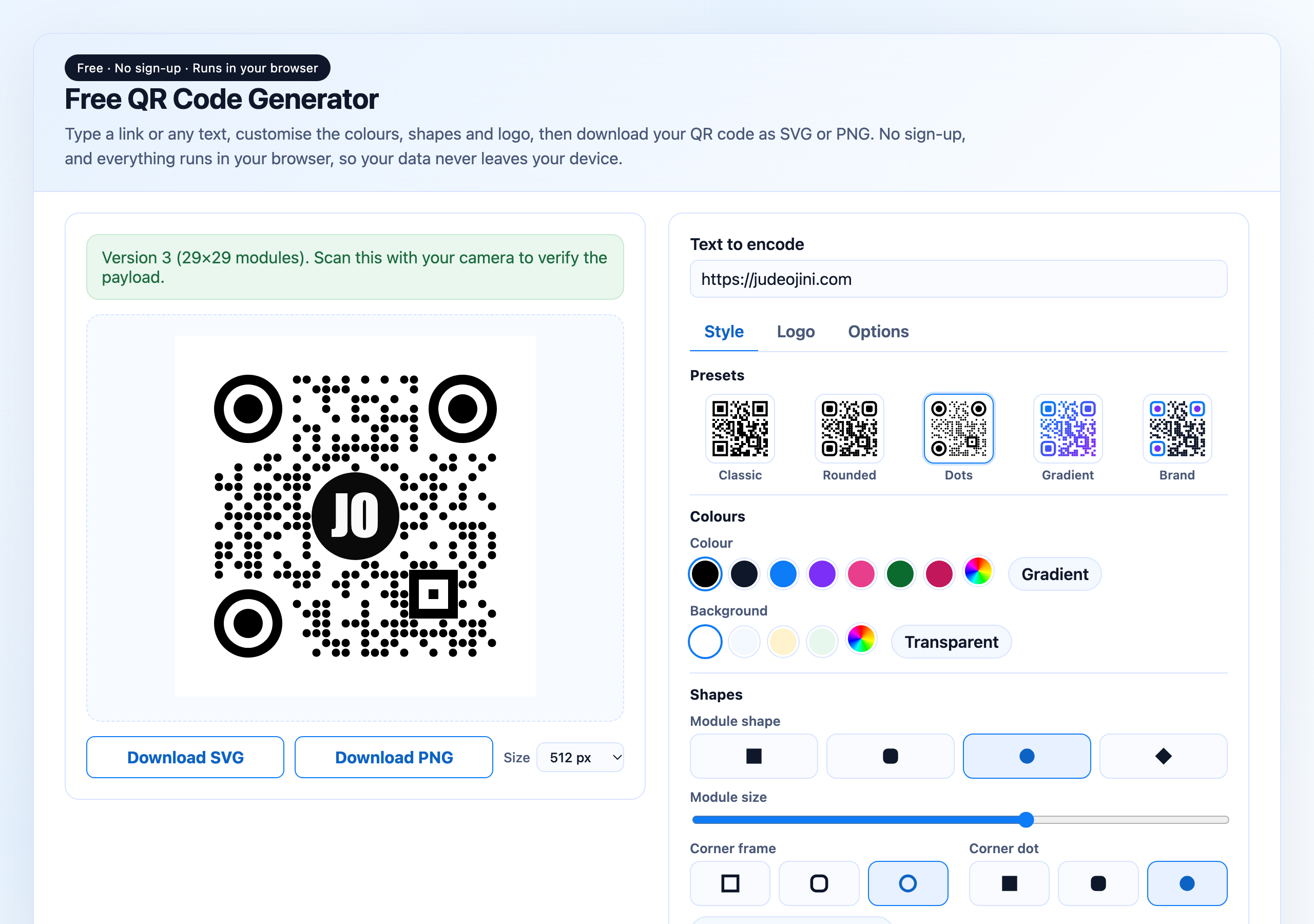
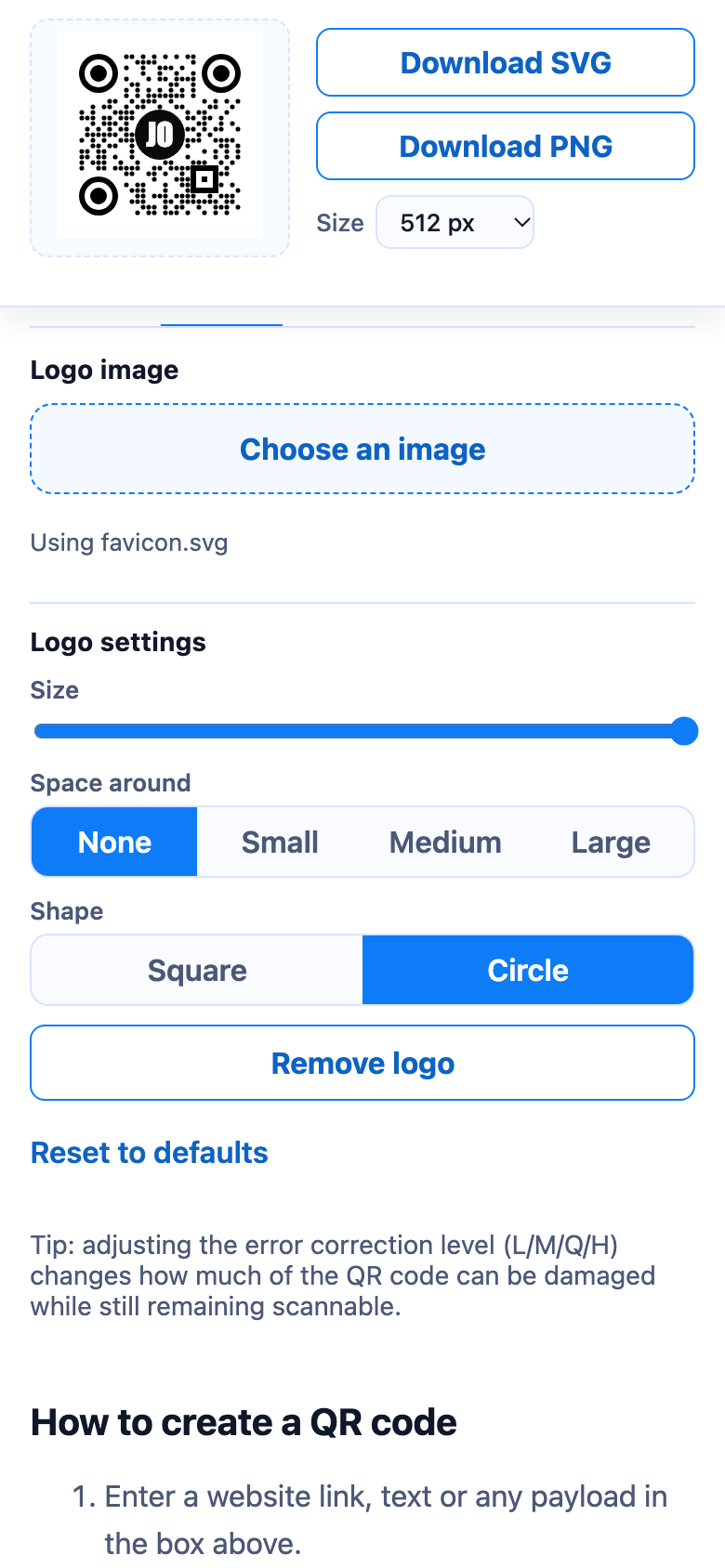
qr.deityhub.com lets you:
- Enter any text or URL and see the QR code update as you type
- Set every library option: error correction, encoding mode, version and quiet zone
- Customise the colours, gradient, module and corner shapes, and add your own logo, with live scan-safety warnings
- Download the result as SVG or PNG at a chosen size (a plain code uses
renderToPng, a styled onerenderSvgToPng) - Run entirely in the browser; nothing is sent to a server
To run it locally:
npm install
npm run build:site   # builds the library and copies the bundle into site/
npx serve site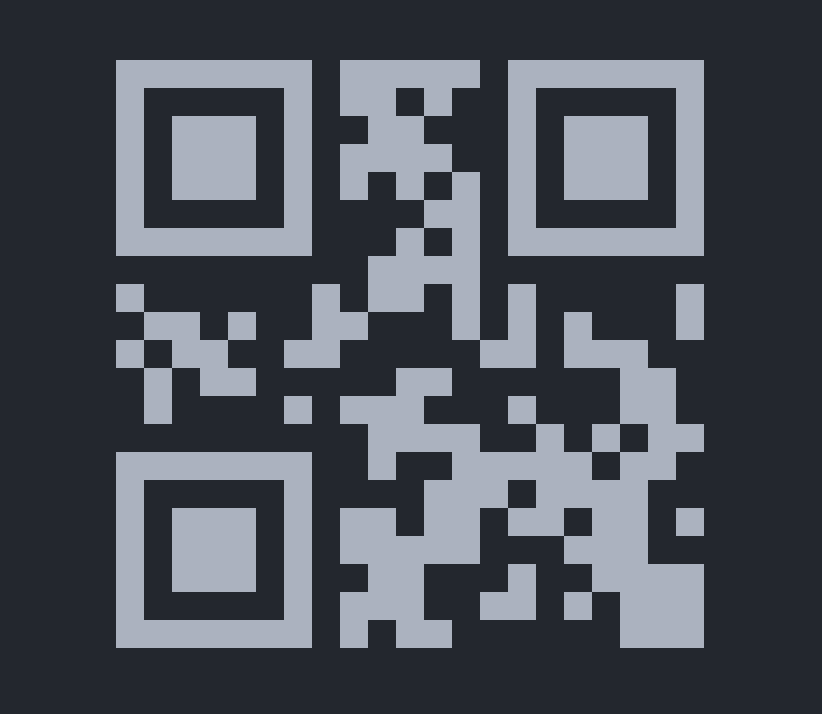
npm install
npm run build        # library (ESM, CJS, types) and UMD bundle
npm run build:site   # build + copy the UMD bundle into site/
npm test             # run the tests
npm run test:coverage
npm run lintThe tests cover mode selection, capacity, Reed-Solomon, and the symbol layout. The layout tests read a finished symbol back the way a scanner does (format information in both copies, timing patterns, the dark module and every codeword), independently of the code that writes it. The output has also been compared module by module against an independent encoder for every version, error correction level and input mode.
- Pull requests and
mainrun lint, tests and build on Node 18, 20 and 22 - Releases are automated with release-please: use conventional commits (
fix:,feat:, ...), merge the release PR it opens, and the package is published to npm with provenance - The demo site is deployed to Cloudflare Pages when
site/orsrc/change onmain
Contributions are welcome! Please make sure:
- Tests pass (
npm test) - Code passes the linter (
npm run lint) - New features include tests
- Documentation is updated for any API change
- Commit messages follow the conventional commit format
Chizoba Jude Ojini (judeojini.com)
MIT License - see LICENSE for details.
See CHANGELOG.md for a detailed history of changes.