This project is no longer maintained but remains available for educational purposes.
Internship project with the Real-Time Intelligent Systems Laboratory at the University of Nevada, Las Vegas.
Requires a VPN connection to the City of Las Vegas. This project will not work as is without it.
Interprets J2735-standard SPaT, MAP, and BSM data and displays it in real time.
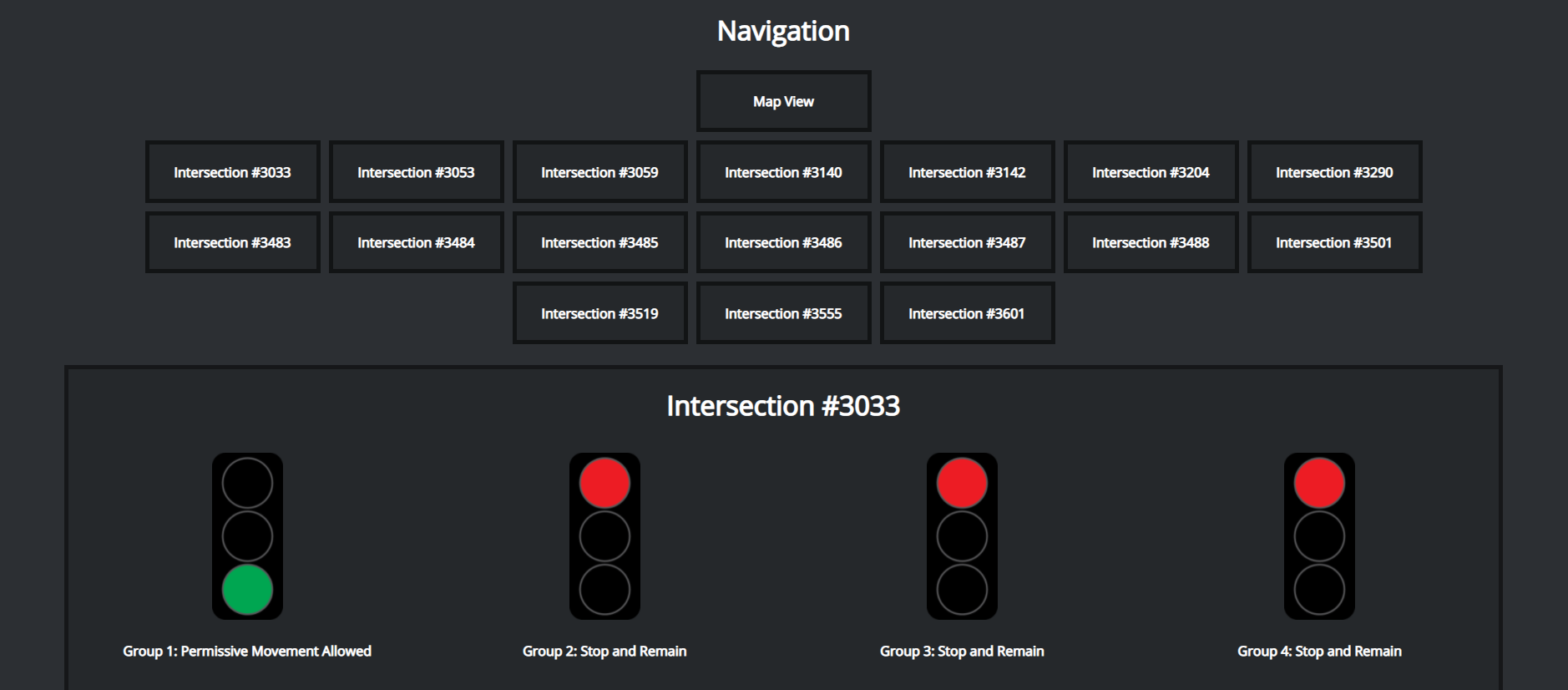
Grid view shows current traffic signal for each group according to the current configuration used by the City of Las Vegas with Cisco.
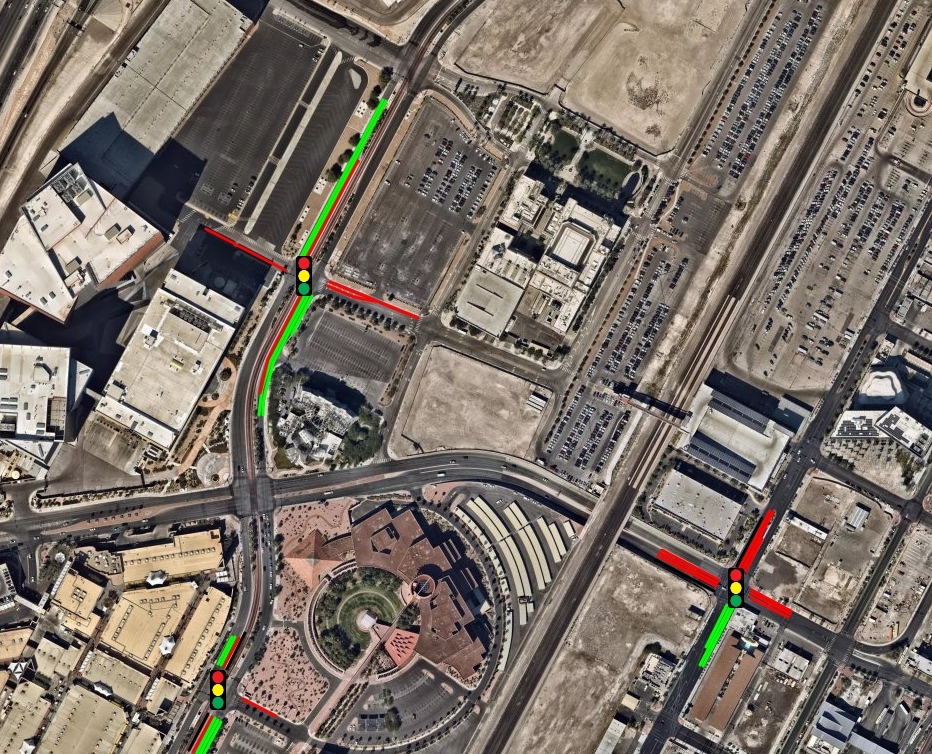
Map view shows current traffic signal for each lane with positions, as well as positional history for BSM-equipped vehicles.
Designed to be used with Apache WSGI
Clone this repository into /var/www/Flask
This should result in /var/www/Flask/RTIS-Blackjack/rtisblackjack/static/grid.js as a valid path
Run the following
$ sudo apt-get install libapache2-mod-wsgi-py3
$ sudo a2enmod wsgi

$ cd /var/www/Flask/RTIS-Blackjack/rtisblackjack/
$ sudo virtualenv venv
$ source venv/bin/activate

(venv)$ sudo pip3 install Flask
(venv)$ sudo pip3 install paho-mqtt
Add the following to your site configuration at /etc/apache2/sites-available/[site].conf
    WSGIDaemonProcess rtisblackjack user=www-data group=www-data threads=5
    WSGIProcessGroup rtisblackjack
    WSGIScriptAlias / /var/www/Flask/RTIS-Blackjack/rtisblackjack/rtisblackjack.wsgi
    <Directory /var/www/Flask/RTIS-Blackjack/rtisblackjack/static>
        Order allow,deny
        Allow from all
    </Directory>
<VirtualHost *:80>
    DocumentRoot "/var/www/html"
    ServerName blackjack.rtis.oit.unlv.edu

    WSGIDaemonProcess rtisblackjack user=www-data group=www-data threads=5
    WSGIProcessGroup rtisblackjack
    WSGIScriptAlias / /var/www/Flask/RTIS-Blackjack/rtisblackjack/rtisblackjack.wsgi
    <Directory /var/www/Flask/RTIS-Blackjack/rtisblackjack/static>
        Order allow,deny
        Allow from all
    </Directory>
</VirtualHost>
Reload Apache
$ sudo /etc/init.d/apache2 reload
or
$ sudo systemctl restart apache2