This repository contains the AWS infrastructure automation scripts for the Multi-Environment CI/CD Deployment Pipeline Project from AWS DevOps 90% by Cloud Native Base Camp.
The project builds a production-ready network and application foundation for the srv-02 service using AWS CLI automation and launch templates. It supports separate qc and prod environments with dedicated VPCs, security, auto scaling, load balancing, and Route 53 DNS records.
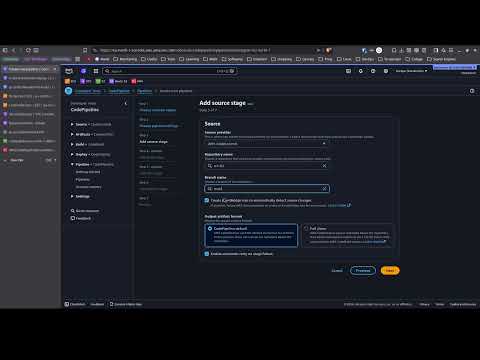
This repository includes the AWS shell scripts used to create and manage infrastructure for the srv-02 deployment:
deploy.sh- Main environment bootstrap wrapper.vpc.sh- VPC, subnets, route tables, internet gateway.security.sh- EC2 SSH key creation, Secrets Manager secret, security group rules.autoscalinggroup.sh- Launch template, network load balancer, target group, listener, and autoscaling group.dns.sh- Route 53 DNS record creation for the service endpoint.conf-qc.sh,conf-prod.sh- Environment-specific configuration for QC and Production.launch_template/- EC2 launch template and user data script for instance provisioning.docs/solution-guide.pdf- Project solution guide.
The deployment flow is designed for two named environments: qc and prod.
-
Run the main script with environment argument:
./deploy.sh qc./deploy.sh prod
-
deploy.shloads the environment configuration file and sources the helper scripts. -
vpc.shprovisions the VPC, subnets, route tables, and internet access. -
security.shcreates an EC2 key pair, stores it in AWS Secrets Manager, and configures a security group. -
autoscalinggroup.shprovisions the EC2 launch template, NLB, target group, listener, auto scaling group, and scaling policy. -
dns.shregisters the service DNS record in Route 53 using the load balancer DNS target.
The repository contains two environment configuration files:
conf-qc.sh- QC environment settings (example CIDR10.10.0.0/16).conf-prod.sh- Production environment settings (example CIDR192.168.0.0/16).
Each configuration file defines:
regionnetwork_cidrpublic_subnetsprivate_subnetsdns_name
- VPC with multiple public/private subnets
- Internet Gateway
- Route Tables and Public Routes
- EC2 Key Pair and Secrets Manager secret
- AWS Security Group for SSH, HTTP, and internal traffic
- EC2 Launch Template with user data for CodeDeploy agent setup
- Network Load Balancer, Target Group, Listener
- Auto Scaling Group with target-tracking CPU scaling policy
- Route 53 DNS record for the service endpoint
This project references additional pipeline and YAML files in the companion repository:
That repository contains the CI/CD pipeline definitions, build/ deployment YAMLs, and related service automation for the complete pipeline.
- AWS CLI installed and configured with permissions for EC2, VPC, ELB, Auto Scaling, Route 53, Secrets Manager, and IAM.
- A valid AWS account with access to the target region.
bash,jq, and standard Linux shell utilities.
- Make the scripts executable if needed:
chmod +x ./deploy.sh ./vpc.sh ./security.sh ./autoscalinggroup.sh ./dns.sh
- Execute the deployment for the target environment:
./deploy.sh qc./deploy.sh prod
- Monitor the output for resource creation progress and any errors.