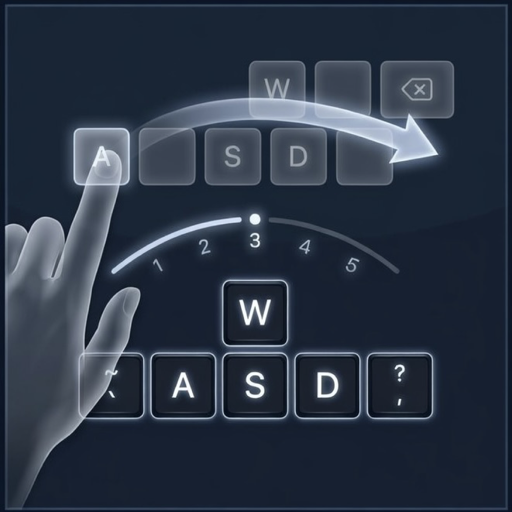




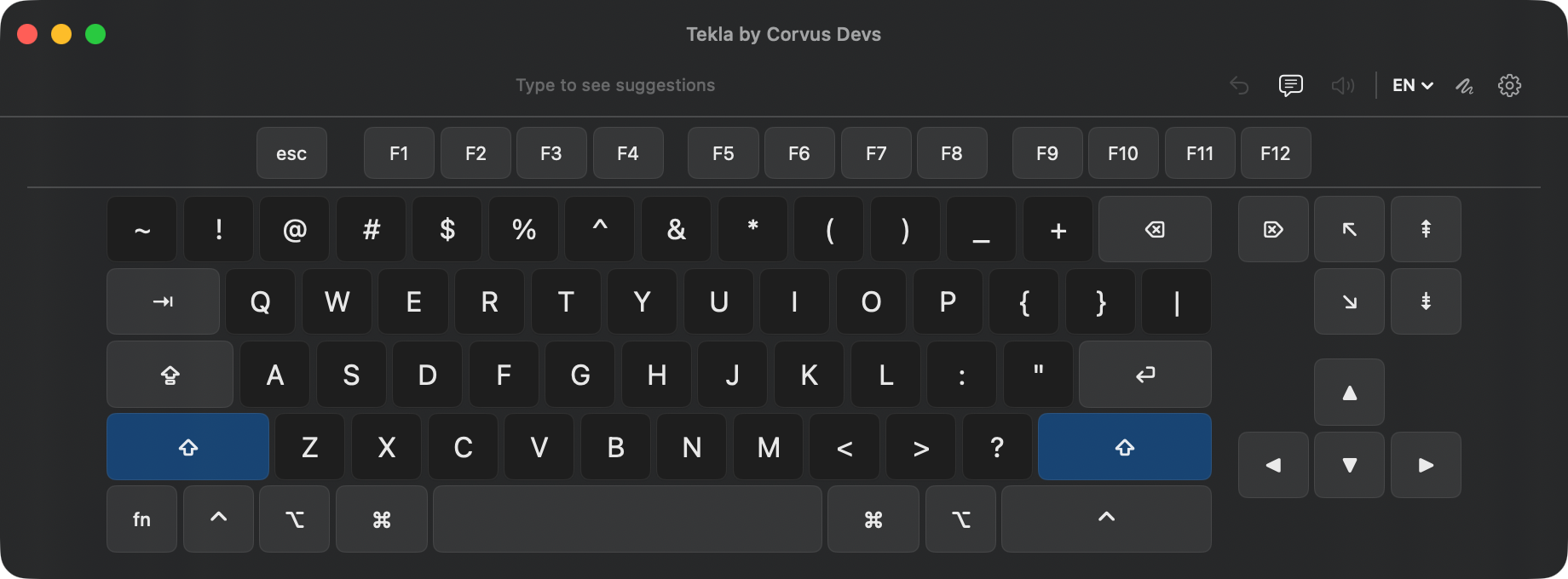
Tekla is a floating virtual keyboard for macOS that lets you type by swiping across letters, tapping keys, or simply resting the pointer on a key. With context-aware predictions, on-device language models, and support for 14 languages, it runs 100% offline and is built with accessibility at its core.
- Swipe-to-Type: Slide your finger or pointer across letters to type words instantly, powered by geometric scoring and Bayesian ranking
- Dwell Typing: Rest the pointer on a key to press it, no clicking required, with adjustable dwell time and tremor tolerance
- Smart Predictions: Context-aware word predictions and next-word suggestions that learn your own word pairs over time
- Autocorrect: Fixes single-letter slips as you type and restores contractions
- Text-to-Speech: Speak typed text aloud, with an optional speak-as-you-type mode
- Shortcuts: Abbreviation expansion (omw becomes on my way), quick phrases, and recent words
- 14 Languages: Full keyboard layouts and prediction data for English, Spanish, German, French, Portuguese, Italian, and 8 more
- Full Desktop Layout: Complete Mac keyboard with function keys, modifiers, and a navigation cluster in a resizable floating window
- Undo and Modifier Lock: One-tap undo for the last word, and double-tap Command, Option, or Control to lock it across several keys
- 100% Offline: No internet required. All processing and language data stays entirely on your device
- Lightweight: Near-zero CPU usage when idle, thanks to an event-driven architecture
Tekla is designed for people who need an alternative to a physical keyboard:
- Dwell Typing: Type by hovering the pointer, with tremor tolerance that forgives an unsteady hand, no clicks needed
- Motor Accessibility: Form whole words with a single continuous gesture instead of pressing individual keys, less movement and less strain
- Flexible Input: Works with trackpads, mice, styluses, head pointers, and any pointing device, in a window you can size as large as you need
- Text-to-Speech: Speak sentences aloud for face-to-face communication
- Fewer Keystrokes: Smart predictions and next-word suggestions reduce the effort needed to type
Free for 14 days, then a one-time $2.99. No subscription. Requires macOS 14 Sonoma or later.
All processing happens locally on your device. No data is ever sent anywhere. No account, no analytics, no telemetry, no network requests.
| App | Description | |
|---|---|---|
 |
Corvus RSS Reader | Privacy-first RSS reader for Safari |
 |
Purple Crow for Safari | BTTV, FFZ & 7TV emotes plus 50+ Twitch features |
 |
Auto Mute Tab for Safari | Automatically mute background tabs in Safari |
 |
Ekual | Automatic loudness equalization for macOS |
Made with care by CorvusDevs