Sovereign-Scraper is a local-first data extraction engine designed to work independently of LLMs. It analyzes each page's DOM directly — static fetch, headless render, or your own browser session, whichever a site needs — creates reusable extraction recipes, and optionally uses AI for semantic field mapping and self-healing.

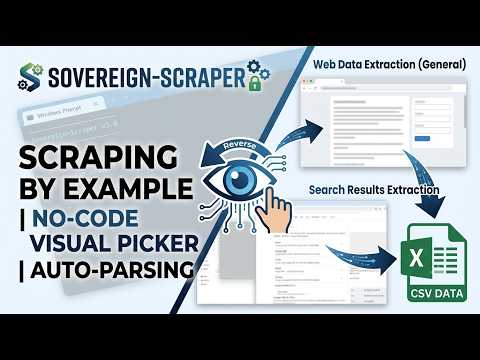
| 1. Web Scraping by Example | 2. How to Replay Any Task |
|---|---|
 |
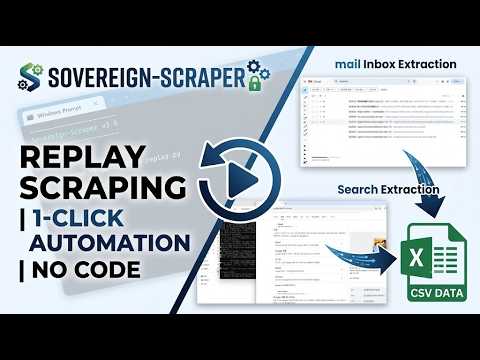 |
| No-Code Visual Picker & Auto-Parsing | 1-Click Replay Without Rules or Code |
⚠️ Not a bypass tool. Every load path here (static fetch → headless render → your real ChromeSave As) only reaches what your own browser/account can already reach — none of it is designed to defeat a site's bot-detection, CAPTCHA, or access controls. If a site blocks automated access, treat that as the site's decision, not an obstacle to route around. Because this tool can also drive your real, logged-in Chrome session, misusing it against sites that don't want automated access carries real risk (blocked account, ToS violation, legal exposure) — that risk is yours, not this project's.
🇺🇸 English | 🇰🇷 한국어
This project is licensed under AGPL-3.0. If you use this technology to provide or deploy a network service, you must make the complete modified source code publicly available.
No selectors to write. Give it one line of a value you saw on screen, and it turns that site's list into a table (CSV). When the site changes structure, it heals itself — and once a crawl succeeds, it repeats or schedules it without any further input. Local-first (your own
.venv, choice of local LLM), your recipes and your data stay yours — hence Sovereign.
- Double-click
start.batin this folder (or runpython start.pyfrom a terminal) - On first run it asks: "Create a virtual environment (.venv)? (recommended)" → press Enter · Everything needed (Python packages + browser) is installed automatically. One-time, takes a few minutes.
- When the menu appears, pick
1. Crawl→ paste the URL → enter one line of a value you saw on screenExample input: [Chelsea] Weekend event staff wanted@#$18/hr@#Chelsea, Manhattan → Automatically figures out the title / price / location fields and extracts the full list as CSV - Results land in
output/, and the reusable recipe lands inrecipes/.
All you need: Python 3.10+. Everything else (lxml, Playwright, Chromium) is installed automatically on first run.
Language: The default display language is English. To switch to Korean, toggle the language in the menu (
5. Settings), or addLANG=koto.env. (Source strings are Korean internally; any phrase without an English translation yet falls back to Korean automatically.)
flowchart TD
    Start(["start.bat · python start.py"]) --> Boot{"First run — .venv?"}
    Boot -- "Yes (recommended, default)" --> Venv["Create .venv + auto-install deps<br/>→ re-exec with venv Python"]
    Boot -- "Already set up" --> Menu["Menu"]
    Venv --> Menu
    Menu --> M1["1. Crawl"]
    Menu --> M2["2. Chain crawl<br/>(list → detail pages)"]
    Menu --> M3["3. Re-run past jobs<br/>(replay)"]
    Menu --> M4["4. Schedule<br/>(Windows Task Scheduler)"]
    Menu --> M5["5. Recipes<br/>(import · share · search)"]
    Menu --> M6["6. Settings"]
Core crawl flow (no per-site hardcoding):
flowchart TD
    A["Target (URL/HTML)"] --> B{"Load DOM"}
    B -- "auto (static)" --> L["DOM"]
    B -- "render (JS-SPA)" --> L
    B -- "chrome Save As<br/>(anti-bot · login)" --> L
    L --> C["Enter one line of a value you saw"]
    C --> D["Reverse-engineer parser<br/>① deterministic → ② marker/render → ③ LLM"]
    D --> E["Extract + pagination + de-dup<br/>+ image archive"]
    E --> F{"Success guard —<br/>'did we actually get the fields we wanted?'"}
    F -- valid --> G["Save: CSV + recipe + audit log"]
    F -- invalid --> H{"AUTO_HEAL?"}
    H -- ON --> I["Re-learn via save_as + offline LLM"] --> F
    H -- OFF --> J["Stop (protect the good recipe)"]
    G --> K["Recur via replay / scheduler"]
The full diagram (recipe sharing, deployment structure, and module dependency layers included) is at
_internal/docs/flowchart.md; detailed requirements are in_internal/SRS.md(Korean, canonical spec).
| Description | |
|---|---|
| Programming-by-example | No selectors — give one line of a seen value and the extraction rule is generated automatically |
| Self-healing | Keeps working through class-name obfuscation/structure changes via structural paths/markers; when it truly breaks, an LLM re-locates just that part |
| 3 automatic load methods | auto (static) / render (JS-SPA) / chrome (anti-bot·login Save As) — decided and remembered per site |
| Anti-bot / login handling | Reuses your real Chrome session (cookies, login). Auto-switches on block detection, 1 page, no retries |
| Free translation via your own browser | Because it drives your real Chrome, turning on Chrome's built-in "always translate" for a language means foreign-language pages (RU/JA/ZH/AR news) are collected already translated into your language — no translation API or key. Structure is untouched, so self-healing is unaffected. ⚠ Translated text is sent to the browser's translation service (cookies are not) — use on public, non-sensitive pages only (see Privacy) |
| Image fields | Picks the representative image per record by structure → keeps both the remote URL and an offline copy |
| Accumulate · replay · audit | CSV accumulation (4 save modes) · recipe (CSV) replay · _runs.csv audit log · bulk replay |
| Scheduling automation | Register/list/delete Windows Task Scheduler jobs from the menu (no need to know schtasks) — all sites or just one, hourly/daily/weekly/once |
| Chain crawling | Follows the link column of a list CSV → collects each detail page as a single record |
| Success guard | Multi-layer verification of "did we actually get the fields we wanted?" — won't mistake a login wall or empty page for success |
| Auto re-learning (optional) | If cheap methods all fail, an offline LLM analyzes the save_as HTML wholesale to rediscover fields (zero extra live requests) |
| Recipe sharing | Review a received recipe (inbox) via its manifest before applying it to your URL; share your own recipes masked, via outbox |
| Internationalization (i18n) | Toggle the UI between Korean and English (Settings menu, default = English); untranslated strings fall back to Korean automatically |
| # | Function |
|---|---|
| 1. Crawl | A single URL/HTML page or a list. Walks you through load/save method, address, and (if applicable) re-learning |
| 2. Chain crawl | Follows links from a list CSV to collect detail pages, two-stage |
| 3. Re-run past jobs | Pick a previously successful crawl by number and replay it with no input |
| 4. Schedule | Register/list/delete recurring replay runs in Windows Task Scheduler (no command line needed) |
| 5. Recipes | Import (apply a received recipe to your URL and run it) / Share (mask, then post to the shared board) / Find online (search the shared board) |
| 6. Settings | LLM provider · save/load defaults · language (ko/en) · (dev) health check, capability matrix |
A shared recipe isn't a file you transplant wholesale — it's a field map someone else has already verified. When you receive one, you take it to your own URL and either apply it as-is or rebuild it your own way. Applying it runs the crawl once, so your own run history and your own recipe are created immediately.
- Folder separation:
recipes/shared/outbox(masked recipes you're about to share) vs.recipes/shared/inbox(recipes you've received) — never mixed. - Self-describing names: shared files are named
site_field1_field2…(e.g.webmail_subject_body) — you know what it is without opening it. When sharing,Enter = auto-generated nameor type your own. - Import: pick one from the inbox list → see the site and fields (manifest) → enter your URL →
Enter = apply the verified recipe as-is and run/type anything = start fresh from scratch. Applying is itself one run, so it creates a_runs.csventry and your own recipe — no more "I got this, now what?" orphan state. - Uploading: nothing is auto-uploaded (privacy). Your search term is masked into an outbox export, then a browser opens a pre-filled new post on the sharing board (GitHub Discussions) for you to review and submit yourself. The board is open — no maintainer approval needed to post — so the masking review happens on your side, before you hit submit.
- Finding:
Find onlineopens the sharing board in your browser (searched, if you gave a keyword). Copy the CSV code block from a post you like intorecipes/shared/inbox/as a.csvfile, thenImportpicks it up exactly like any other received recipe.
The sharing board is this project's own GitHub Discussions → Recipes category by default, no setup needed. Running your own fork with a separate board? Override it in
.env(see.env.example):RECIPE_DISCUSSIONS_REPO=https://github.com/<account>/<your-fork> RECIPE_DISCUSSIONS_CATEGORY=recipesSearch only opens a browser (no sign-in needed to read); the API that could search Discussions automatically requires a GitHub token even for public repos, so this stays a human-in-the-loop step by design.
- Local-first: an isolated
.venv; results and recipes stay on your machine. The LLM is optional and falls back to structural/heuristic matching when not connected (choose local LM Studio/Ollama, or an OpenAI-compatible cloud endpoint). - Proof it runs LLM-free: the auto-generated capability matrix marks
every field actually extracted with
:V. Rows with generic names (f1,f2…) were pulled with LLM naming turned off — only the automatic naming is skipped; the extraction itself still succeeds. - No automatic push: sharing is always mask → human review → board post. Your search terms never leak as-is.
- Minimized footprint: blocked sites get 1 page and no automatic retries. Heavy analysis only ever runs against locally saved HTML.
- If you enable Chrome's built-in translation (the free-translation trick above): the visible text of a translated page is sent to the browser's built-in translation service (cookies are not sent; HTTPS requests go over SSL). Consumer translation content may be used — anonymized — to improve that service, unlike the opt-out enterprise cloud translation API. Since this tool loads pages with your logged-in session, keep auto-translate to public, non-sensitive pages only — never pages that display your account data.
Sovereign-Scraper/
├─ start.bat / start.py      ← start here
├─ cli.py  replay.py          ← power-user entry points
├─ output/                    ← result CSVs · images
├─ recipes/                   ← recipes for replay (shared/outbox = yours to share · shared/inbox = received)
├─ requirements.txt  .env      ← dependencies · settings
└─ _internal/                 ← engine internals (engine·crawlers·core·tests·docs, no need to touch)
The project still works if you move the folder (data paths are stored relative to the project root and re-anchored on read).
The first run installs everything into .venv automatically. To do it manually instead:
pip install -r requirements.txt
python -m playwright install chromium # for rendering/picker/Save As (one-time, ~150MB)| Package | Required | Purpose |
|---|---|---|
| lxml | ✅ | HTML parsing (core) |
| playwright | ✅ | JS rendering · visual picker (+ chromium) |
| pywin32 | Windows | Chrome Save As automation |
| requests | optional | falls back to stdlib urllib if absent |
The LLM is called directly over an OpenAI-compatible REST API (no extra SDK needed). Configure it in
5. Settings → LLM provider.
python cli.py "<URL>" --example "Title@#$18/hr@#Manhattan"    # extract straight from an example
python cli.py "<URL>" --pages 5                                # walk 5 pages
python cli.py "<infinite-scroll URL>" --scroll                 # scroll to the bottom
python replay.py all                                           # replay every saved successful crawl (for schedulers)
Full CLI options, verified sites, and architecture are documented in the appendix of
_internal/SRS.md (Korean, canonical spec).
python _internal/tests/run_tests.py # full test suite (currently 253)Compliance with a target site's robots.txt, terms of service, and request limits is the user's responsibility. This tool provides a stable collection mechanism while minimizing signal to blocked sites (1 page, no retries). Use the Save As method only for pages within the scope of your own logged-in session.