


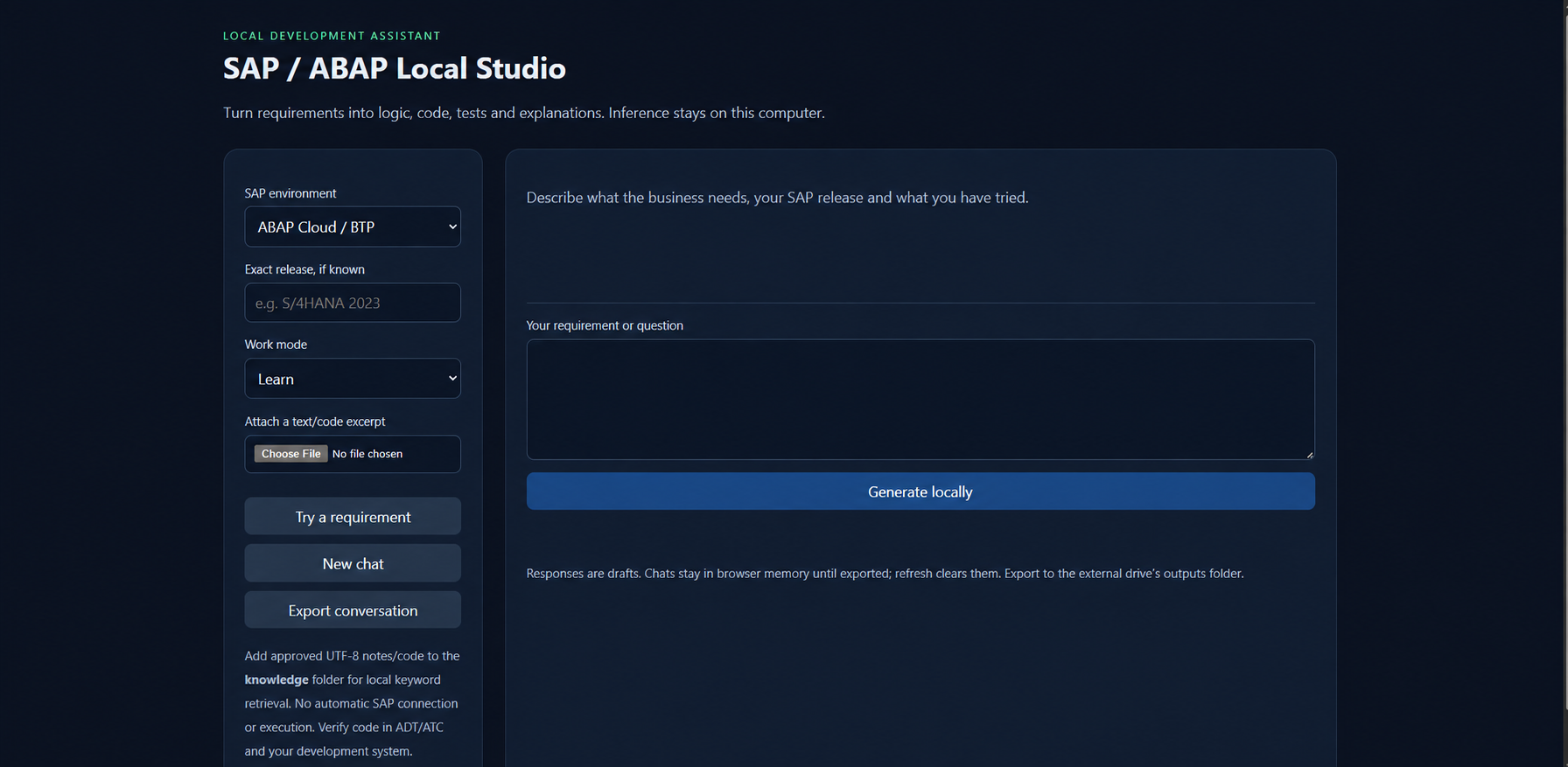
A lightweight local AI assistant and development environment for SAP ABAP developers. This repository hosts scripts, configuration, and helpers to run a LocalAI-powered assistant that can be used alongside SAP ABAP workflows.
- app/ - application code and UI
- models/ - place model files here (large models not included)
- knowledge/ - knowledge sources and ingested documents
- logs/ - runtime logs
- outputs/ - assistant outputs and artifacts
- runtime/ - runtime helpers
- tests/ - test scripts and examples
- SETUP*.bat, START.bat, setup.ps1 - platform setup & start scripts
- config.json - configuration template
- LICENSE - MIT License (copyright 2026 Ankit Kumar Panda)
- LocalAI integration for running models locally
- Pre-built Windows setup scripts (PowerShell and batch files)
- Simple file-based knowledge store for ABAP snippets and docs
- Logging and outputs folder for debugging and traces
- Windows 10/11 (recommended) or Windows Server
- Python 3.9+ (installed and on PATH)
- Git
- Minimum 8 GB RAM (larger models require more memory and disk)
- (Optional) A local model in ./models — see notes below
-
Clone the repo:
git clone https://github.com/Ankit-ku-panda/SAP-ABAP-LocalAI.git cd SAP-ABAP-LocalAI
-
Choose a setup script:
-
For PowerShell (recommended): Open PowerShell as Administrator and run:
Set-ExecutionPolicy -ExecutionPolicy RemoteSigned -Scope Process .\setup.ps1
-
Or run one of the batch setup scripts depending on your machine:
- SETUP.bat — default
- SETUP_CPU.bat — CPU-friendly configuration
- SETUP_BALANCED.bat — balanced CPU/RAM settings
The setup script installs required Python packages and prepares folders.
-
-
Configure (optional):
- Edit config.json to change ports, file paths, or model names. The file contains basic keys you can tweak before starting.
-
Start the assistant:
-
Double-click START.bat or run it from a command prompt:
.\START.bat
-
If you prefer running the Python entry point directly (useful for debugging):
python -m app.main
-
-
Open the UI (if provided) or interact via the CLI interface. Check the outputs/ and logs/ folders for runtime traces.
Edit config.json to set the following (example keys):
- port: HTTP port for the local UI/API
- model_path: path under ./models where your model file is located
- knowledge_path: path to ingested docs under ./knowledge
If you don't have a local model, the system may fall back to a lightweight embedded engine or show an error — see Troubleshooting.
- Put ABAP snippets, docs, and notes into the knowledge/ folder. Use plain text or Markdown files — the ingestion process will read these files.
- Start the assistant and ask ABAP-related questions using the UI or CLI. The assistant uses the knowledge store plus the local model to generate answers.
- For code generation, provide a clear prompt and include the SAP module/class context if available.
Common issues and how to resolve them:
-
PowerShell execution blocked:
-
Run PowerShell as Administrator and temporarily set execution policy:
Set-ExecutionPolicy -ExecutionPolicy RemoteSigned -Scope Process
-
-
Python packages fail to install:
-
Ensure Python 3.9+ is installed and
pythonis on PATH. -
Try creating a virtual environment:
python -m venv .venv ..venv\Scripts\Activate.ps1 python -m pip install --upgrade pip python -m pip install -r requirements.txt
-
-
Missing or large model files:
- The repo does not include large model binaries. Download your chosen LocalAI-compatible model and place it in ./models/ and update config.json -> model_path.
- If you run out of RAM or storage, use SETUP_CPU.bat or choose a smaller model.
-
Port already in use:
- Edit config.json to change the port or stop the process currently listening on that port.
-
No responses / blank UI:
- Check logs/ for stack traces. The START.bat output window also prints errors.
- Ensure the model_path in config.json points to a valid model file.
-
Antivirus quarantines model or runtime files:
- Whitelist this project folder or temporarily disable real-time protection while installing models.
If you still can't resolve a problem, open an issue on GitHub with the logs from logs/ and a description of what you ran.
- tests/ contains basic checks. Run tests by executing any Python test entry points (e.g., pytest) once dependencies are installed.
Contributions welcome. Please open an issue first to discuss major changes, then send a pull request.
This project is released under the MIT License. See LICENSE for details.
(c) 2026 Ankit Kumar Panda