



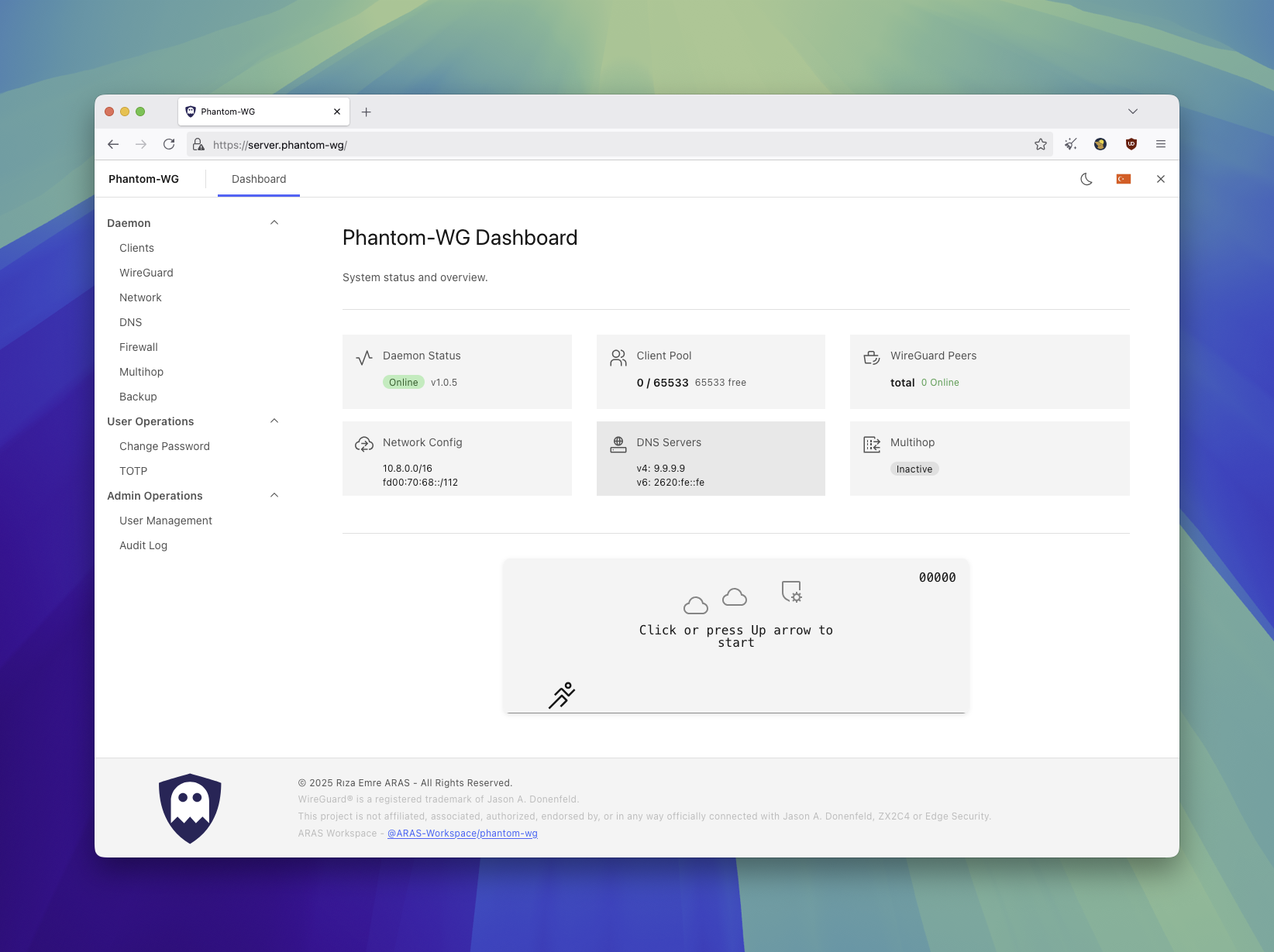
Phantom-WG is a modular tool that lets you set up and manage a WireGuard VPN infrastructure on your own server. Beyond basic VPN management, it offers censorship-resistant connections, multi-layered encryption, and advanced privacy scenarios.
Phantom-WG Modern is the container-native implementation of this vision. All components run within Docker and are isolated from the host system:
- Userspace WireGuard — Container-scoped TUN device via Go FFI bridge. No kernel module required, does not touch the host's network namespace.
- nftables netlink FFI — Rust backend communicates directly with the kernel. No subprocess calls, firewall rules are managed programmatically.
- SQLite State Persistence — All state is stored in SQLite databases. A daemon restart after a crash is sufficient — kernel state is rebuilt from the DB.
- Dual-Stack IPv6 — Even without IPv6 on the host, an IPv6 subnet is assigned within the container and traffic is carried through the tunnel.
- Container Isolation —
NET_ADMIN+NET_RAWis sufficient. WireGuard interfaces live within the container namespace. Configurations that weaken host security such asSYS_ADMIN,privileged, orhostnetwork mode are not used.

Three containers, managed via Docker Compose. Management traffic passes through TLS + JWT authentication, WireGuard traffic reaches the daemon directly.
flowchart
    A[Internet] -->|"HTTPS :443"| B[nginx]
    B --> C[auth-service]
    C <-->|"UDS"| D[daemon]
    A -->|"WireGuard :51820/udp"| D
| Component | Role |
|---|---|
| nginx | TLS termination, React SPA (static compiled files), reverse proxy configuration |
| auth-service | Comprehensive authentication system, API proxy to daemon over UDS |
| daemon | Userspace WireGuard (Go FFI), nftables firewall (Rust FFI), client and tunnel management, databases |
The daemon performs system-level operations through two native bridges. Python manages the business logic, bridges communicate directly with the kernel.
graph
    D["Daemon (Python)"] -->|"ctypes FFI"| WG["wireguard-go-bridge (Go)"]
    D -->|"ctypes FFI"| FW["firewall-bridge (Rust)"]
    WG --> TUN["TUN device"]
    FW --> NFT["nftables kernel"]
| Bridge | Language | Responsibility |
|---|---|---|
| wireguard-go-bridge | Go | Userspace WireGuard, TUN device, IPC state persistence |
| firewall-bridge | Rust | nftables rule groups, policy routing, preset system |
You can define your exit tunnel to route traffic through an external WireGuard VPN server. IPv4 and IPv6 tunnels are supported simultaneously.
flowchart LR
    C[Client] -->|"WireGuard"| M["wg_main"] -->|"forward + masquerade"| E["wg_exit"] --> X[Exit Server]
IPv6 support across all layers — firewall rules, policy routing, masquerade, and multihop presets operate with family: 10 (AF_INET6). IPv6 tunnel traffic can be carried from within the container even without an IPv6 address on the host.
When the service starts, kernel state (nftables rules, routing policies) is rebuilt from SQLite state databases. No data loss after an unexpected shutdown.
Access to the daemon is protected by an independent authentication service. Auth-service runs in a separate container from the daemon and proxies API requests over UDS.
| Feature | Detail |
|---|---|
| Session management | JWT (Ed25519 signed) |
| Multi-factor authentication | TOTP (RFC 6238), backup code access |
| Password storage | Argon2id hash |
| Brute-force protection | IP-based rate limiting (configurable sliding window and attempt-based configuration) |
| Audit log | All authentication and API proxy events are logged per user (login, logout, failed attempt, MFA) |
| Permission | Superadmin | Admin |
|---|---|---|
| Daemon management (client, multihop, firewall, backup) | ✓ | ✓ |
| Change own password | ✓ | ✓ |
| Configure own TOTP | ✓ | ✓ |
| Create / delete admin accounts | ✓ | — |
| Change any user's password | ✓ | — |
| Disable another user's TOTP | ✓ | — |
| View audit log | ✓ | — |
Tip
The account created during initial setup has the superadmin role. If multiple people manage the server, admin accounts can be created for operational access — administrative privileges remain with the superadmin.
Both roles can manage the daemon at the same permission level — all operations executed through the daemon such as client creation, multihop, firewall, and backup are shared. The distinction is only on the auth-service side: superadmin has user management and audit authority, while admin has only operational access. Auth-service is an independent component — customizations do not affect the daemon structure. The daemon is unaware of this service's existence and only handles network operations. If you want to isolate different user groups, instead of authorization through auth-service, you can set up a multi-tenant structure running on the same host through configuration changes. This way, you can create independent instances by multiplying port and network configurations while ensuring isolation on both the network and user access sides. These operational configurations are for advanced users who want to adapt the existing structure to their own scenario.
Prerequisites: Docker Engine 20.10+, Docker Compose v2, bash.
curl -sSL get.phantom.tc | bash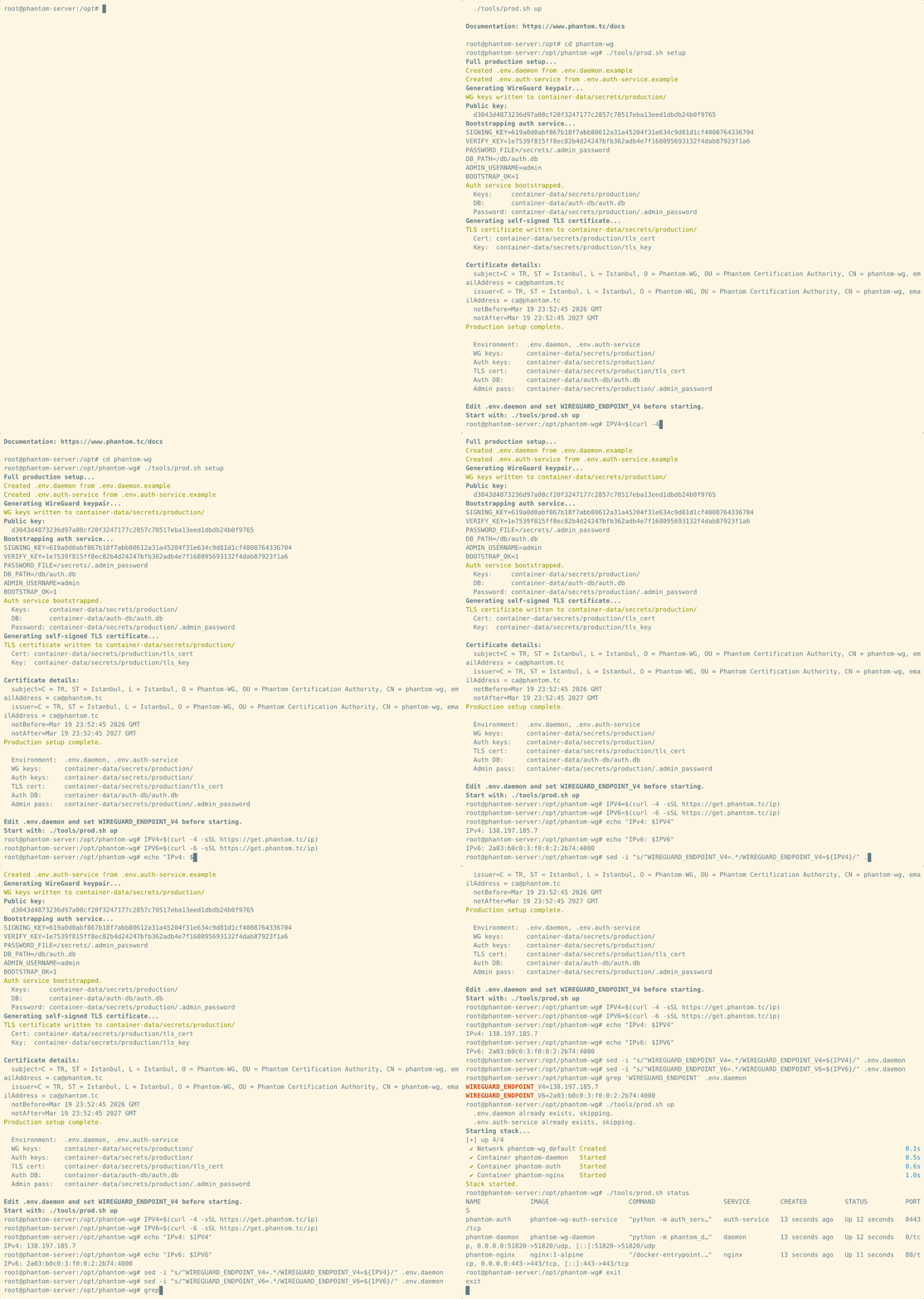
cd phantom-wg

# First-time setup
./tools/prod.sh setup

# Or with a custom subnet (see https://www.phantom.tc/docs/architecture/terazi)
# ./tools/prod.sh setup --terazi-ipv4-subnet=10.9.0.0/24

# Endpoint configuration
IPV4=$(curl -4 -sSL https://get.phantom.tc/ip)
IPV6=$(curl -6 -sSL https://get.phantom.tc/ip)
sed -i "s/^WIREGUARD_ENDPOINT_V4=.*/WIREGUARD_ENDPOINT_V4=${IPV4}/" .env.daemon
sed -i "s/^WIREGUARD_ENDPOINT_V6=.*/WIREGUARD_ENDPOINT_V6=${IPV6}/" .env.daemon

# Start
./tools/prod.sh up
Access:
- Dashboard:
https://<server-ip> - WireGuard: UDP port
51820 - Admin password:
cat container-data/secrets/production/.admin_password
Tip
To access the dashboard while connected to the VPN, use the nginx container's Docker network address:
docker inspect phantom-nginx --format '{{range .NetworkSettings.Networks}}IPv4: {{.IPAddress}} | IPv6: {{.GlobalIPv6Address}}{{end}}'Accessible via https://<IPv4> or https://[<IPv6>] through the tunnel. You can also remove the ports: "443:443" line from docker-compose.yml to make the dashboard accessible only through the VPN tunnel.
Configuration is managed through env files created from templates during setup:
| File | Service |
|---|---|
.env.daemon |
daemon |
.env.auth-service |
auth-service |
See .example files for all available options.
A convenient tool is available at ./tools/prod.sh for management.
| Command | Description |
|---|---|
setup |
Full Setup |
setup --terazi-ipv4-subnet=SUBNET |
Setup with custom subnet (e.g. 10.9.0.0/24) |
up |
Start |
down |
Stop |
restart [service] |
Restart (All or Specific Service) |
build |
Build Images |
rebuild |
Build Images from Scratch (no-cache) |
update |
Update (git pull + restart) |
compose lock |
Permanently lock docker-compose.yml |
compose unlock |
Unlock docker-compose.yml |
logs [service] |
Log Tracking (All or Specific Service) |
status |
Docker Compose Status |
certbot <domain> |
Obtain Let's Encrypt TLS certificate |
show-versions |
Component Versions (Daemon, Vendor Packages) |
shell [service] |
Shell (default: daemon) |
exec <svc> <cmd> |
Execute Command |
hard-reset |
Delete All Data |
The setup command creates all required components during first-time installation:
- Creates
.env.daemonand.env.auth-servicefiles from.exampletemplates. - Generates WireGuard server key pair. (Curve25519 —
wg_private_key,wg_public_key) - Auth-Service bootstrap cycle:
- Generates Ed25519 signing key pair. (
auth_signing_key,auth_verify_key) - Creates auth database. (
auth.db— users, sessions, TOTP, audit log) - Creates admin account. (32-character random password encrypted with Argon2id hash)
- Generates Ed25519 signing key pair. (
- Generates self-signed TLS certificate for nginx. (
tls_cert,tls_key)
All of these operations take place within the container — no additional dependencies or tools need to be installed on the host.
Terazi requires a base subnet to create the IP pool. The default is 10.8.0.0/24 and can be customized at setup with the --terazi-ipv4-subnet argument. This value is only used when wallet.db is created — once the database exists, the subnet is stored there and the argument is no longer needed. See the Terazi documentation for details.
Tip
Secret keys are stored under container-data/secrets/production/. The admin password is written to .admin_password in the same directory — you can safely remove it after logging in.
Important
The update mechanism operates via git. You must create your installation directory using git clone or the get.phantom.tc installer service.
The daemon and auth-service source code is mounted read-only into containers (phantom_daemon:/app/phantom_daemon:ro, services/auth-service:/app/auth-service:ro). Dockerfiles provide only system dependencies (Python, runtime packages) — application code is not baked into the image. This enables:
- Fast updates:
git pull+restartis sufficient, no image rebuild required - Fast rollback:
git checkout <previous-version>+restartfor immediate rollback - Build independence: Code changes do not trigger a container build cycle
./tools/prod.sh update # git pull + restartIf you have modified docker-compose.yml (ports, volumes, environment), updates may overwrite your changes. Compose lock protects this file from git updates:
./tools/prod.sh compose lock           # Permanently lock
./tools/prod.sh update                 # docker-compose.yml is preserved
./tools/prod.sh compose unlock # Release the lockWhen system dependencies change (Dockerfile, requirements.txt), an image rebuild is required:
./tools/prod.sh rebuild
./tools/prod.sh upThe default self-signed certificate can be replaced with a Let's Encrypt certificate. Uses HTTP-01 standalone challenge — the domain must have an A record pointing to the server and port 80 must be available.
./tools/prod.sh certbot <domain>
./tools/prod.sh restart nginx
Certificate files are written to container-data/secrets/production/tls_cert and tls_key. Renewal is idempotent — run the same command again when the certificate is near expiry.
For detailed architecture documentation, visit www.phantom.tc/docs/architecture.
| Resource | URL |
|---|---|
| Website | www.phantom.tc |
| Architecture | www.phantom.tc/docs/architecture |
| API Reference | www.phantom.tc/docs/api |
| Setup Guide | SETUP |
Active development takes place on the dev/daemon branch. The main branch contains production-ready releases only.
A WSS/TLS tunnel layer placed in front of your Phantom-WG Modern server. Accepts wstunnel connections on TCP 443 and forwards traffic to the backend server. Network observers see only standard HTTPS traffic.

Phantom-Frontmatter is installed on a separate, dedicated bare-metal server from the Phantom-WG Modern backend.
| Requirement | Detail |
|---|---|
| Operating System | Debian 12 / 13, Ubuntu 22.04 / 24.04 |
| Access | Root (sudo) |
| Backend | A reachable Phantom-WG Modern server (UDP 51820) |
Latest release: frontmatter-v1.0.0
wget https://github.com/ARAS-Workspace/phantom-wg/releases/download/frontmatter-v1.0.0/phantom-wg-frontmatter-v1.0.0.zip
unzip phantom-wg-frontmatter-v1.0.0.zip
cd phantom-wg-frontmatter-v1.0.0
sudo ./frontmatter-install.sh# Define the backend server (IPv4 or IPv6)
sudo frontmatter-api setup init backend=<BACKEND_IP[:PORT]>
# Bring the data path up
sudo frontmatter-api ghost start
# Verify
sudo frontmatter-api ghost status
# Client configuration block
sudo frontmatter-api ghost client_config
# Client connection command (standalone wstunnel)
sudo frontmatter-api ghost client_commandsudo frontmatter-api ghost stop
sudo frontmatter-certbot front.example.com
sudo frontmatter-api ghost start| Resource | Link |
|---|---|
| Setup Guide | SETUP |
| Architecture | ARCHITECTURE |
| Architecture (TR) | ARCHITECTURE_TR |
| Source Code | GitHub |
WireGuard® is a registered trademark of Jason A. Donenfeld.
This project is not affiliated, associated, authorized, endorsed by, or in any way officially connected with Jason A. Donenfeld, ZX2C4 or Edge Security.
Copyright (c) 2025 Riza Emre ARAS
Licensed under AGPL-3.0. See THIRD_PARTY_LICENSES for dependency licenses.