Import transactions from European banks into Actual Budget using Enable Banking.



Enable Banking provides free (for personal use) access to bank transactions via official PSD2 APIs.
Enable Actual connects this data to Actual Budget and keeps your transactions in sync automatically.
⚠️ Security note: Enable Actual only has read-only access to your bank data. It cannot move or modify funds.
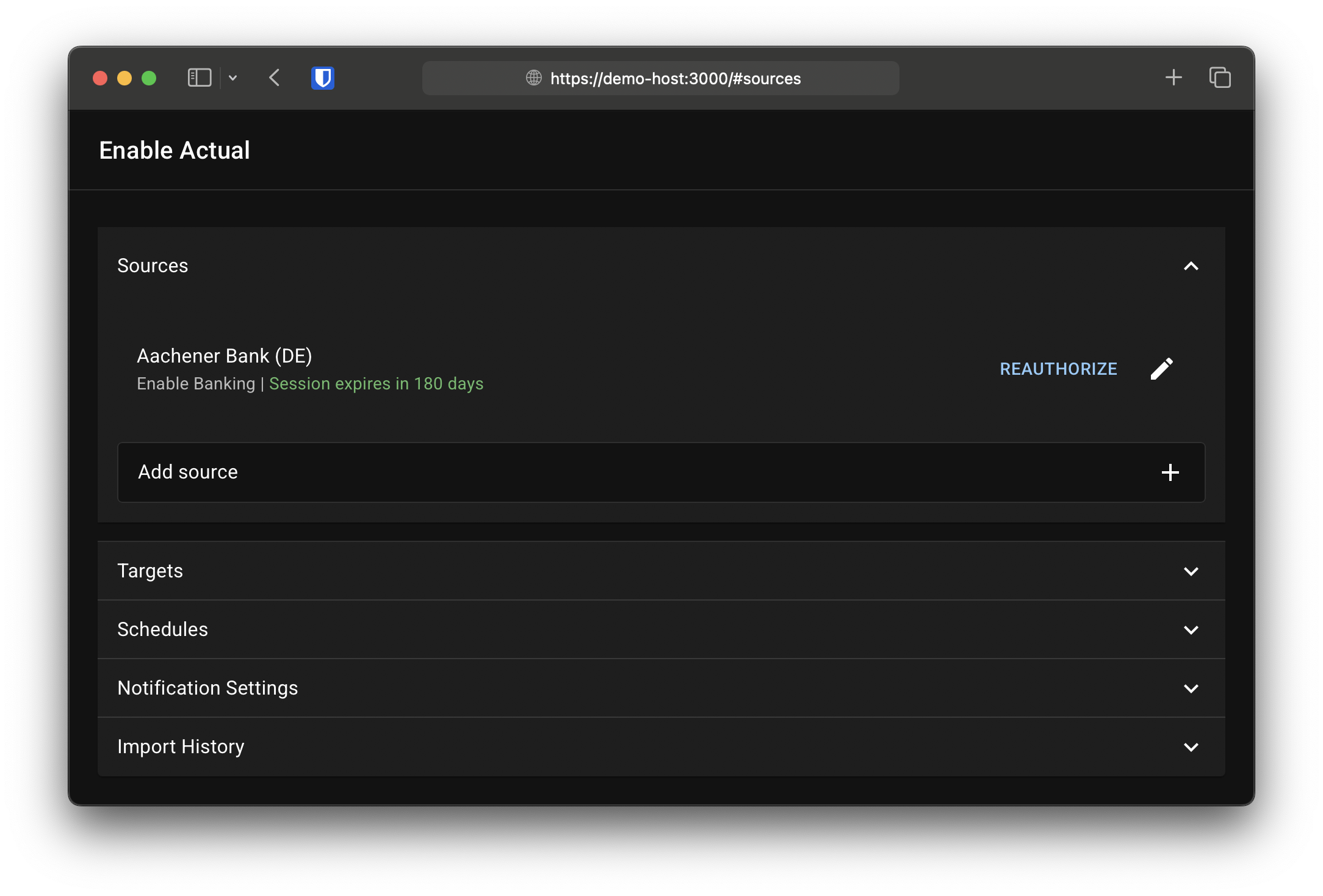
- Simple web UI for setup and import history
- Supports multiple bank accounts and Actual Budget accounts
- Automatic transaction import via PSD2 APIs
- Notifications via https://ntfy.sh (session expiry, errors)
- Easy deployment using the official Docker image
docker run \
  -it \
  -p 3000:3000 \
  -v ./data/sync:/data \
  -e SSL_ENABLED=true \
  -e PUBLIC_URL=https://$(hostname):3000 \
  2manyvcos/enable-actual
Then open https://YOUR-HOSTNAME:3000 in your browser and complete the setup.
⚠️ Your browser will tell you that the website uses an insecure self signed certificate, which is expected. However, you should provide your own trusted certificate for production use.
- HTTPS is required for production use (PSD2 requirement)
- No built-in authentication — you must secure access yourself (e.g. reverse proxy with auth)
⚠️ If your instance is exposed to the internet without proper protection, your financial data may be accessible to others.
| Variable | Description | Default |
|---|---|---|
APP_NAME |
Application name | Enable Actual |
LISTEN_ADDRESS |
IP address to bind to | 0.0.0.0 |
PORT |
HTTP port | 3000 |
SSL_ENABLED |
Whether to use SSL (a self signed certificate is generated if none is provided) | false |
SSL_PRIVATE_KEY_FILE |
Path to custom SSL private key | — |
SSL_CERTIFICATE_FILE |
Path to custom SSL certificate | — |
PUBLIC_URL |
Public URL (must match Enable Banking redirect URL) | http://localhost:{PORT} |
DATA_DIR |
Data directory | ./data |
HISTORY_LENGTH |
Number of stored history entries | 10 |
ENABLEBANKING_API |
Enable Banking API | https://api.enablebanking.com |
LOG_LEVEL |
Log level (none, info, debug) |
info |
sudo install -vd -o 1001 -g 1001 -m 750 ./data/syncnetworks:
frontend:
external: true
backend:
services:
actualbudget:
image: actualbudget/actual-server
restart: unless-stopped
networks:
- frontend
- backend
volumes:
- ./data/actualbudget:/data
environment:
ACTUAL_USER_CREATION_MODE: login
labels:
- traefik.enable=true
- traefik.docker.network=frontend
- traefik.http.routers.actualbudget.rule=Host(`budget.example.com`)
- traefik.http.routers.actualbudget.entrypoints=websecure
- traefik.http.routers.actualbudget.middlewares=my-forward-auth-middleware
- traefik.http.services.actualbudget.loadbalancer.server.port=5006
sync:
image: 2manyvcos/enable-actual
restart: unless-stopped
networks:
- frontend
- backend
volumes:
- ./data/sync:/data
environment:
PUBLIC_URL: https://sync.example.com
labels:
- traefik.enable=true
- traefik.docker.network=frontend
- traefik.http.routers.actualbudget-sync.rule=Host(`sync.example.com`)
- traefik.http.routers.actualbudget-sync.entrypoints=websecure
- traefik.http.routers.actualbudget-sync.middlewares=my-forward-auth-middleware
- traefik.http.services.actualbudget-sync.loadbalancer.server.port=3000Use http://actualbudget:5006 as the Actual Budget server URL.
Version 2.0.0 introduces a new web-based configuration UI.
- Automatic migration is not supported
- Start with a fresh data directory
- Reconfigure via the web interface
Contributions are welcome and appreciated!
This project is developed without the use of AI-generated code (aside from documentation assistance). If you choose to contribute, please keep the following in mind:
- Aim for clear, maintainable, and well-structured code
- Keep pull requests focused and reasonably scoped
- Large or low-quality changes may be declined to preserve project maintainability
If you're unsure about a change, feel free to open an issue first to discuss it.