Disposable, multi-engine Linux sandboxes and autonomous agent workstations orchestrated via Docker Compose.
Ghost Machines provides reproducible container environments with dynamic host user permissions, non-root execution, accurate resource virtualization through LXCFS, zero-trust remote access, and integration with the HeLa MCP Ecosystem.

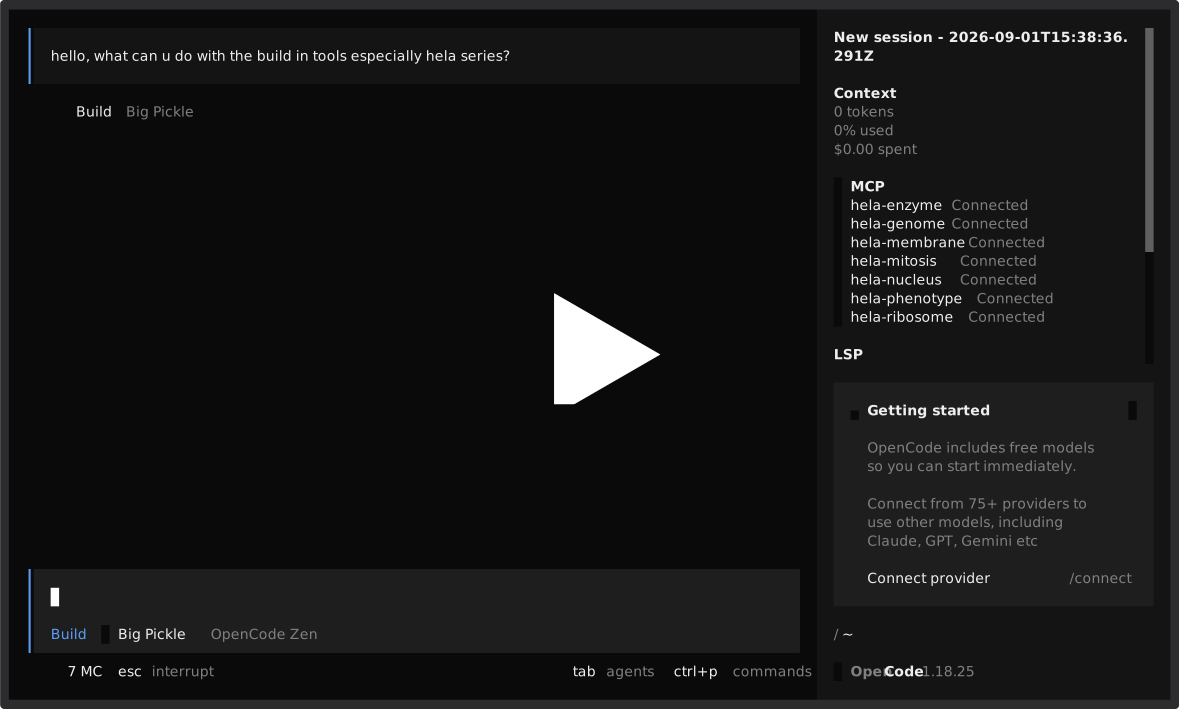
- Overview
- Infrastructure as Code (IaC) Architecture
- Prerequisites
- Quick Start
- Operating System Engines
- Deployment Modes & Resource Limits
- Multi-Tenant Workspace-as-a-Service (WaaS)
- AI Harnesses & HeLa MCP Ecosystem
- Toolchain & Included Packages
- Security & Access Control
- UI/UX & Shell Stack
- State Snapshots & Recovery
- Cleanup
- Task Runner (Makefile) & Shell Shortcuts
- Testing & Quality Assurance
- License
New to containers? See docs/scripts.md — plain-English guide to each
*.sh. Also: docs/comparison-vs-vm.md (Ghost vs VM) · docs/glossary.md (30-term glossary) · ghost.glassgallery.my.id (full web docs).
Ghost Machines provides disposable, multi-engine Linux sandboxes and autonomous agent workstations orchestrated via Docker Compose.
Ghost vs regular VM? See docs/comparison-vs-vm.md — pros/cons, overhead, and decision matrix.
Ghost Machines is a practical implementation of Infrastructure as Code (IaC) for development workstations and autonomous AI agent execution environments:
- Declarative Definitions: Entire environments (OS kernels, runtimes, modern compilers, MCP daemons, user security, and network topology) are defined strictly in version-controlled code (
docker-compose.yml, multi-engine Dockerfiles, and orchestration scripts). - Idempotent & Automated Provisioning: Any developer or CI pipeline can provision an identical, production-ready workstation with a single command (
./start.shormake start), eliminating configuration drift and "works on my machine" inconsistencies. - Semi-Immutable Separation of Concerns:
- Immutable Core (Images): System packages, compilers, developer tools, runtimes, and MCP daemons are compiled into versioned, reproducible base images.
- Decoupled Mutable State (Mounts): User home directories, project source code, and working files reside on host volume mounts under
mounts/.
- Dynamic Permission Synchronization: Container processes run under a dedicated
developeraccount whose UID and GID dynamically match the host system, ensuring seamless read/write access to shared volumes without permission collisions. - State Traceability & Disaster Recovery: Smart snapshot management (
snapshot.sh/restore.sh) with companion SHA-256 verification and atomic rollbacks allows instantaneous point-in-time recovery.
- Host Operating System: Linux, macOS (Docker Desktop / OrbStack), or Windows (WSL2).
- Architecture: x86_64 or aarch64 (ARM64).
- Software:
- Docker Engine 20.10 or later.
- Docker Compose v2.0 or later.
- Optional: LXCFS on Linux hosts for accurate CPU/memory reporting.
git clone https://github.com/1999AZZAR/ghost-machines.git
cd ghost-machinesRun the host setup script to install LXCFS and prepare systemd units:
make setup-host
# Or directly:
./setup-host.shLaunch interactively:
make start
# Or directly:
./start.sh
Or pass flags directly for non-interactive startup:
# Launch Ubuntu engine in dual instance mode:
./start.sh -e ubuntu -m dual

# Launch Alpine engine on custom SSH port 2225 with image rebuild:
./start.sh --engine alpine --mode single --port 2225 --build

# Launch Debian engine in single instance mode:
./start.sh -e debian -m singleOnce the container starts, connect immediately using standard SSH:
ssh -p 2223 developer@localhost- Default Username:
developer - Default Password:
ghost(for both SSH login andsudo) - Root Login:
ssh -p 2223 root@localhost(password:ghost) - Key Authentication: If
~/.ssh/id_ed25519.pubor~/.ssh/id_rsa.pubis present on your host, it is automatically mounted and authorized for passwordless access.
Ghost Machines provides four base engines. Each image is configured with identical toolchains, editor setups, and MCP server configurations.
Prebuilt images (GHCR): 4 separate packages published on release tags (
v*) via.github/workflows/publish.yml:1— pull only the one you need:Ubuntu (recommended, PPA support) — ~1.38 GB amd64 / 1.21 GB arm64
docker pull ghcr.io/1999azzar/ghost-machine-ubuntu:latest
GHOST_IMAGE=ghcr.io/1999azzar/ghost-machine-ubuntu:latest ./start.sh -e ubuntu -m single
Debian (slim, stable) — ~1.36 GB amd64 / 1.20 GB arm64
docker pull ghcr.io/1999azzar/ghost-machine-debian:latest
GHOST_IMAGE=ghcr.io/1999azzar/ghost-machine-debian:latest ./start.sh -e debian -m single
Alpine (ultra-light, musl) — ~1.59 GB amd64 / 1.32 GB arm64
docker pull ghcr.io/1999azzar/ghost-machine-alpine:latest
GHOST_IMAGE=ghcr.io/1999azzar/ghost-machine-alpine:latest ./start.sh -e alpine -m single
Arch (rolling release) — ~1.63 GB both arches
docker pull ghcr.io/1999azzar/ghost-machine-arch:latest
GHOST_IMAGE=ghcr.io/1999azzar/ghost-machine-arch:latest ./start.sh -e arch -m single
| Engine | Base Image | Package Manager | Intended Use |
|---|---|---|---|
| Ubuntu | ubuntu:latest |
apt-get |
Default development workstation with PPA support. |
| Debian | debian:stable-slim |
apt-get |
Minimal footprint and stable package base. |
| Alpine | alpine:latest |
apk |
Lightweight musl-based security sandbox. |
| Arch Linux | archlinux:latest |
pacman |
Rolling release with current package upstream. |
| Mode | Instances | CPU Limit | RAM Limit | Use Case |
|---|---|---|---|---|
| Dual | 2 | 1.0 core (each) | 8 GB (each) | Isolated multi-node setups and client-server workflows. |
| Single | 1 | 1.0 core | 8 GB | Standard standalone sandbox. |
| Power | 1 | 2.0 cores | 16 GB | Heavy builds and compute-intensive tasks. |
| Half-Host | 1 | 50% Host CPUs | 50% Host RAM | Dynamically scaled to half of host capacity. |
Container names:
- Dual Mode:
ghost-machine1,ghost-machine2 - Single / Power / Half Modes:
ghost-machine-single,ghost-machine-power,ghost-machine-half
Ghost Machines is engineered for near-zero idle overhead with high performance under load:
| Operational State | Workload / Active Processes | CPU Usage | Memory Usage | Memory % (8 GB Sandbox) | Active PIDs |
|---|---|---|---|---|---|
| Idle / Stale | Container standby (sshd waiting for connections) |
0.00% |
~73.5 MiB |
0.90% |
1 |
| Active AI Agent | opencode active session + all 7 HeLa MCP server daemons |
~1.99% |
~1,002 MiB |
12.23% |
65 |
Tip
Under full autonomous load with all 7 background MCP daemons actively communicating, the workstation consumes only ~1 GB, leaving ~88% of memory headroom (~7 GB) dedicated to heavy compilers (Rust, Go, Node, C++), test suites, and project builds.
Ghost Machines implements a multi-tenant Workspace as a Service (WaaS) and Cloud Development Environment (CDE) architecture via tenant.sh. It enables engineering teams, educators, organizations, and VPS hosts to dynamically provision, scale, monitor, and vend isolated developer and autonomous AI agent workstations on a single high-performance machine:
A. Using prebuilt images (fast, no build) — one per engine:
Debian:
docker pull ghcr.io/1999azzar/ghost-machine-debian:latest
./tenant.sh add alice --engine debian --cpu 2.0 --mem 4G --port 2225
Ubuntu:
docker pull ghcr.io/1999azzar/ghost-machine-ubuntu:latest
./tenant.sh add bob --engine ubuntu --cpu 4.0 --mem 8G
Alpine:
docker pull ghcr.io/1999azzar/ghost-machine-alpine:latest
./tenant.sh add carol --engine alpine --port 2227
Arch:
docker pull ghcr.io/1999azzar/ghost-machine-arch:latest
./tenant.sh add dave --engine arch --port 2228
B. Building locally (from Dockerfile):
Debian (build):
./tenant.sh add alice --engine debian --build --cpu 2.0 --mem 4G --port 2225Arch (build):
./tenant.sh add bob --engine arch --build --cpu 4.0 --mem 8GCommon operations:
# List all active tenants, engines, allocated ports, and storage size:
./tenant.sh list

# Real-time resource metrics across all tenant containers:
./tenant.sh stats

# Snapshot or restore an individual tenant's workspace:
./tenant.sh snapshot alice
./tenant.sh restore alice snapshots/snapshot_alice_20260830.tar.gz

# Delete a tenant with safe container teardown:
./tenant.sh delete bob -y- Storage Isolation: Each tenant's persistent workspace resides strictly in
./mounts/tenants/<tenant_id>/. Non-overlapping volume mounts prevent cross-tenant data leakage. - Resource Quotas: Hard cgroup memory limits (e.g.
4G), CPU quotas (e.g.2.0), and PID limits prevent noisy-neighbor performance degradation. - Dedicated Endpoints: Each workspace runs on its own SSH port or Cloudflare Tunnel endpoint with independent credentials and keys.
- Independent Lifecycle & Disaster Recovery: Start, stop, restart, backup, and restore individual tenant workstations without disrupting other active users.
Each Ghost Machine environment includes three dedicated CLI harnesses alongside the RTK token optimization runner:
- Antigravity CLI (
agy/antigravity): Agentic automation and multi-step reasoning. - OpenCode CLI (
opencode): Codebase analysis and autonomous file patching. - Kilo CLI (
kilo/kilocode): Interactive terminal coding assistant. - RTK (
rtk): Token-optimized terminal execution runner.
Every sandbox environment comes pre-configured with a universal PreToolUse hook (~/.config/rtk/rtk-rewrite.sh, ~/.gemini/config/hooks.json, ~/.claude/settings.json). Whenever an AI harness executes a terminal command (e.g. git status, cargo test, pytest), the hook automatically intercepts the raw command and proxies it through RTK, reducing LLM token consumption by 60%–90% with zero manual configuration required.
All images build the HeLa MCP Ecosystem using the headless-server profile (7 core headless servers). System wrapper scripts are linked into /usr/local/bin:
| Binary | Server ID | Description |
|---|---|---|
mcp-mitosis |
hela-mitosis |
Dynamic tool discovery, prompt chaining, and sequential reasoning. |
mcp-genome |
hela-genome |
SQLite knowledge graph (memory.db), milestone and state tracking. |
mcp-membrane |
hela-membrane |
Sandboxed file system operations, recursive search, and patching. |
mcp-nucleus |
hela-nucleus |
Command runner with timeouts and subshell isolation. |
mcp-ribosome |
hela-ribosome |
Pseudo-terminal (PTY) multiplexer and regex event hooks. |
mcp-enzyme |
hela-enzyme |
Research assistant combining Google Search and cached Wikipedia lookups. |
mcp-phenotype |
hela-phenotype |
UI/UX token generator, OKLCH palettes, and Tailwind utility synthesis. |
Client configuration files are automatically generated and pre-configured for all three AI harnesses:
- Antigravity CLI:
~/.mcp/config.json - OpenCode CLI:
~/.config/opencode/config.json - Kilo CLI:
~/.config/kilo/config.json
To mount a local clone of the ecosystem during container development, set MCP_ECOSYSTEM_LOCAL_PATH in .env:
MCP_ECOSYSTEM_LOCAL_PATH=/path/to/mcp-ecosystemGoogle Conductor is built into /opt/conductor and globally available across all agent harnesses:
~/.agents/plugins/conductor/           # Permanent Git repository (linked to /opt/conductor)
├── plugin.json
├── rules/
│   └── conductor_antigravity.md       # Native UX & modal dialog rules
└── skills/                            # Live skill definitions, assets & scripts
    ├── conductor-setup
    ├── conductor-new-track
    ├── conductor-implement
    ├── conductor-status
    ├── conductor-revert
    └── conductor-review

~/.agents/skills/                      # Standard Agent SDK Global Skills
├── conductor-setup          -> ~/.agents/plugins/conductor/skills/conductor-setup
├── conductor-new-track      -> ~/.agents/plugins/conductor/skills/conductor-new-track
├── conductor-implement      -> ~/.agents/plugins/conductor/skills/conductor-implement
├── conductor-status         -> ~/.agents/plugins/conductor/skills/conductor-status
├── conductor-revert         -> ~/.agents/plugins/conductor/skills/conductor-revert
└── conductor-review         -> ~/.agents/plugins/conductor/skills/conductor-review

~/.gemini/config/plugins/
└── conductor                -> ~/.agents/plugins/conductor
- Antigravity / Jetski: Loaded via
~/.gemini/config/plugins/conductor+ask_questionGUI modal UX adapter. - kilo-cli / OpenCode / Agent SDK: Discovered automatically from global
~/.agents/skills/. - Live Updates: Run
git -C ~/.agents/plugins/conductor pullinside any instance to pull upstream updates immediately.
| Command / Trigger | Description |
|---|---|
/conductor:conductor-setup |
Scaffolds project context (product.md, tech-stack.md, workflow.md, styleguides). |
/conductor:conductor-new-track |
Initializes a new feature or bug track (spec.md + plan.md). |
/conductor:conductor-implement |
Executes the active track's plan sequentially with TDD validation. |
/conductor:conductor-status |
Displays project progress and active tracks. |
/conductor:conductor-review |
Code quality review against plan and guidelines. |
/conductor:conductor-revert |
Git-aware rollback for logical tracks, phases, or tasks. |
- Runtimes & Compilers:
- Editors & Git:
- CLI Utilities:
bat,eza,zoxide,fd-find(fd),ripgrep(rg),jq,fzf,nnn,htop,btop,fastfetch,figlet.
-
Default Credentials & Architecture as Code:
- Default User:
developer(UID/GID auto-synced with host). - Default Password:
ghost(for bothdeveloperandroot). - Sudo Privileges: Standard sudo enabled for
developer(enterghostwhen prompted).
- Default User:
-
Host UID/GID Synchronization: On startup,
start.shextracts your host UID and GID and passes them as build/runtime parameters. Thedeveloperaccount inside the container matches these IDs, eliminating permission collisions on shared volume mounts. -
SSH Public Key Injection: If a host public key (
~/.ssh/id_ed25519.pub,~/.ssh/id_rsa.pub, etc.) is present,start.shmounts it read-only. On container startup,entrypoint.shinstalls the key into.ssh/authorized_keyswith strict0700/0600permissions. -
Password Authentication: Password authentication defaults to enabled (
developer:ghost). To enforce key-only authentication, set in.env:SSH_PASSWORD_AUTH=false
-
Cloudflare Zero-Trust Tunnel: To expose the SSH port securely over a Cloudflare Tunnel without opening router ports, configure
TUNNEL_TOKENin.env.
Every Ghost Machine container automatically initializes a full developer shell environment out-of-the-box:
- Oh-My-Bash: Pre-configured with themes, Git prompt, and directory helpers.
- Alias-Hub: Categorized command aliases auto-loaded from
~/alias-hub(includingclsfor clear, navigation, git, system tools). - Fastfetch + Neofetch-ASCII: Custom fastfetch configuration (
~/.config/fastfetch/config.jsonc) withfetch,rfetch(random ASCII banner), andascii(slideshow/banner viafiglet).
The snapshot tool archives workspace mounts while automatically omitting ephemeral build caches (node_modules/.cache, .npm/_cacache, .bun/install/cache, target/, __pycache__, .pytest_cache, logs):
make snapshot
# Or with options:
./snapshot.sh -o snapshot_backup.tar.gz

# To capture complete directory without cache exclusions:
./snapshot.sh --all
Every snapshot creates two companion files:
<snapshot>.sha256: SHA-256 checksum file.<snapshot>.meta.json: Metadata manifest containing host architecture, timestamp, file counts, and archive hash.
The restore script validates the SHA-256 checksum, creates an atomic pre-restore backup of existing mounts, and automatically rolls back if archive decompression fails:
make restore
# Or specify archive directly:
./restore.sh snapshot_backup.tar.gz

# Non-interactive mode (for automated workflows):
./restore.sh --force snapshot_backup.tar.gzUse the cleanup script to remove containers, networks, volumes, and images:
make clean

# Headless options:
./clean.sh -s          # Level 1 — stop containers/network
./clean.sh -v          # Level 2 — above + volumes
./clean.sh -a -y       # Level 3 — above + local *-template images
./clean.sh --nuke -y   # Level 4 — Level 3 + GHCR prebuilts + builder cache
./clean.sh --nuke --hard -y # Level 4 hard — also wipe mounts/ (true 1st-user nuke)build-all Build all 4 OS engine images (Ubuntu, Debian, Alpine, Arch)
build-alpine Build Alpine Linux template
build-arch Build Arch Linux template
build-debian Build Debian Slim template
build-ubuntu Build Ubuntu master template
clean Environment cleanup
help Show available make targets
lint Run static analysis & ShellCheck verification
restore Restore workspace snapshot with integrity check
setup-host Install host system dependencies (LXCFS, Docker)
snapshot Create snapshot with cache exclusions & SHA-256
start Launch interactive engine and deployment selector
test Run automated test suite
Source the included alias file to add shortcuts to your shell:
cat aliases.sh >> ~/.bashrc && source ~/.bashrcghost-status: Display container status, port mappings, and resource allocations.ghost-exec [container] [command]: Execute a command in a running instance.ghost-logs [container]: View real-time container log output.ghost-ssh [1|2|single|power|half]: Connect directly over SSH.start-ghost: Open the interactive launcher.
Run the test suite locally:
make testThe test runner validates:
test_lint.sh: ShellCheck verification, bash syntax check, and Docker compose configuration schema.test_m1_security.sh: Host UID/GID sync, non-root user setup, and SSH key permission handling.test_m2_engine_optimization.sh: Layer cleanup and multi-engine configuration parity.test_m3_cli_orchestration.sh: CLI flag matrices, cleanup workflows, and host helper scripts.test_m4_snapshot_restore.sh: Cache exclusions, SHA-256 verification, and atomic rollback recovery.test_m5_hela_mcp.sh: HeLa MCP server binaries and isolated AI harness configurations.test_m5_toolchain.sh: Pythonuv,pipx, and Rust toolchain installations.
All commits and pull requests are validated through GitHub Actions across Linux x86_64 and aarch64 runner matrices.
This project is licensed under the MIT License. See LICENSE for details.