
Replies: 2 comments

-
|
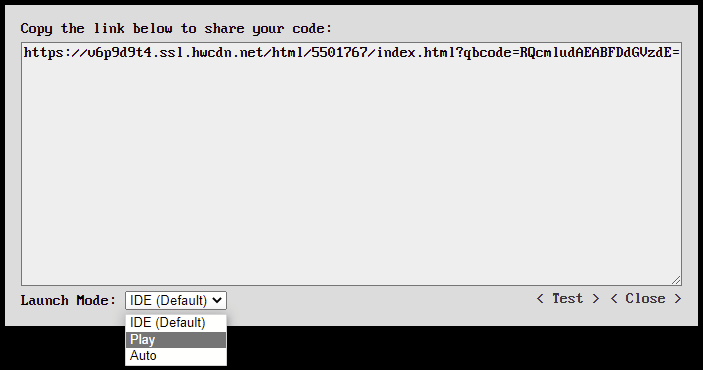
There are two new options for sharing your program in QBJS: Play and Auto.
Here are a couple of Easter egg related examples courtesy of bplus at the QB64 forum: The Play option is good for games where you want to have a play button to start the game: Play Eggs o Dozens! The Auto option is useful when you just want the program to automatically start playing: Eggs o Dozens |
Beta Was this translation helpful? Give feedback.
-
|
This release added more QB/QB64 keywords:
The most major addition to this release is the addition of new QBJS-specific keywords that allow access to create and manipulate HTML page elements and respond to DOM events. Now rich HTML controls can be used in conjunction with your QBasic application. Here are several examples:
As always I'm very interested in any and all feedback from the community! |
Beta Was this translation helpful? Give feedback.

Uh oh!
There was an error while loading. Please reload this page.
-
Recent fun discovery with QBJS... you can use data URLs to embed the content of images, sounds and other assets into the program itself. Think of it as a web-native BIN-to-BAS. Here's an example showing both loading an image from an external URL and from a data URL:
View in QBJS
Beta Was this translation helpful? Give feedback.
All reactions