my environment is:
windows10 ,
python3.6 (ps:I use Anaconda3),
vs2015 Update 3 (ps: Visual Studio version should be vs2015 Update 3 or newer)
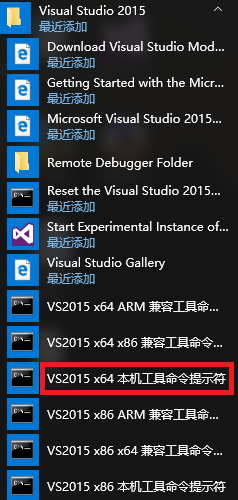
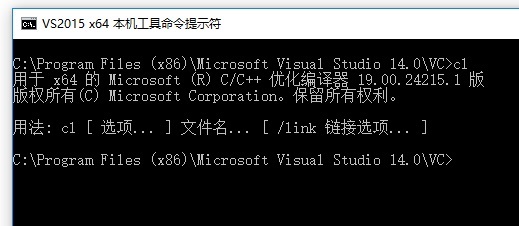
Step 1:Open the console make sure you can use X64 compiler:cl.exe(note: not X86, not X86, not X86 )
Step 2:to compile adaptor.cpp to adaptor.pyd
execute:cd your_dir\lanms
execute:cl adaptor.cpp ./include/clipper/clipper.cpp /I ./include /I "C:\ProgramData\Anaconda3\include" /LD /Fe:adaptor.pyd /link/LIBPATH:"C:\ProgramData\Anaconda3\libs"
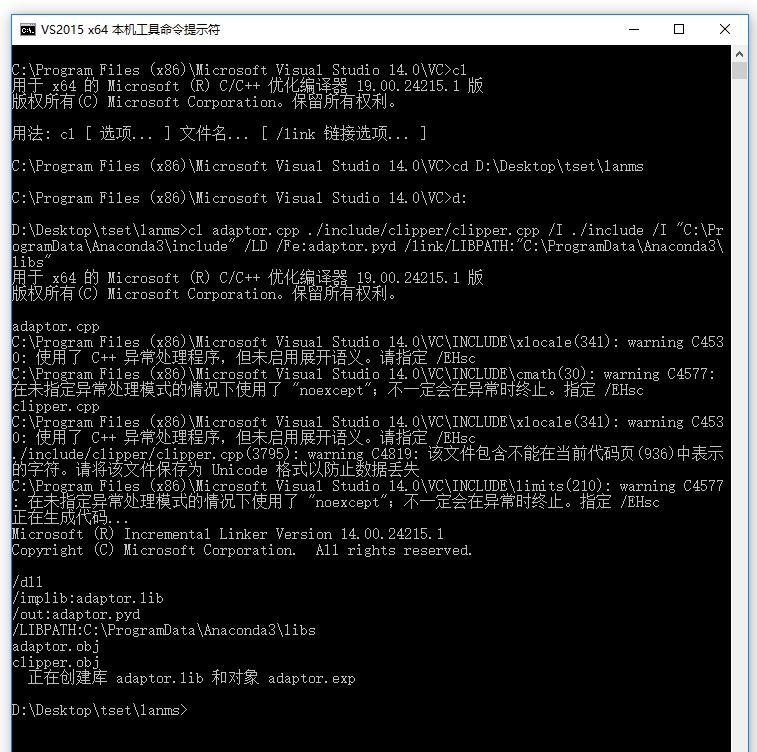
ok,adaptor.pyd appears!
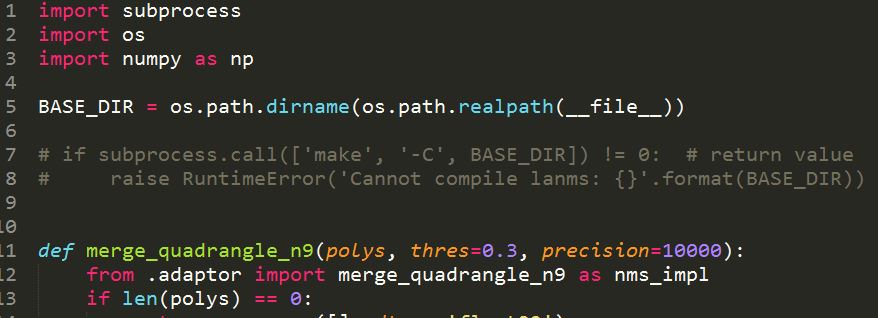
Step 3:comment some code in __init__.py
comment line7 and line8
Step 4:Congratulations! You can import lanms.

my environment is:
windows10 ,
python3.6 (ps:I use Anaconda3),
vs2015 Update 3 (ps: Visual Studio version should be vs2015 Update 3 or newer)
Step 1:Open the console make sure you can use X64 compiler:cl.exe(note: not X86, not X86, not X86 )


Step 2:to compile adaptor.cpp to adaptor.pyd

execute:cd your_dir\lanms
execute:cl adaptor.cpp ./include/clipper/clipper.cpp /I ./include /I "C:\ProgramData\Anaconda3\include" /LD /Fe:adaptor.pyd /link/LIBPATH:"C:\ProgramData\Anaconda3\libs"
ok,adaptor.pyd appears!
Step 3:comment some code in __init__.py

comment line7 and line8
Step 4:Congratulations! You can import lanms.